Collision Sciences CrashScan FAQ
Getting started & new clients
A practical guide to adopting CrashScan for professional EDR retrieval, from evaluating vehicle coverage and validation through equipment, onboarding, training, scanning and report delivery.
CSI-PUB-FAQ-START | 2026.11.01.1 | November 1, 2026
01 / In this resource
New client quick answers
What do we need to get started?
For a typical field deployment, your organization needs an approved CrashScan field interface or kit, a compatible mobile device, internet access for the cloud portions of the workflow, authorized user accounts, and basic training. Before a live case, confirm the user can sign in, the app can communicate with the interface, and the exact vehicle and market are listed in the current Vehicle Support Lookup.
How is CrashScan priced, and are there ongoing subscription fees?
CrashScan generally uses a low-cost hardware plus pay-per-report model. A normal field kit is a one-time hardware purchase, the D2M/Lab Kit is optional for approved direct-to-module work, and EDR reports are billed per report. There is no recurring license or subscription fee for the field kit itself under the standard model. Pricing, regional terms, volume arrangements and specialist-processing fees can change, so confirm the current commercial terms when ordering rather than relying on an older saved price.
What is included in the normal field setup?
The standard field workflow uses the approved CrashScan communications interface with the CrashScan mobile app and the required vehicle connection. Direct-to-module work uses separate D2M/Lab Kit hardware and module-specific connections. Current kit contents and hardware requirements are maintained in the Professional & Technical Guide and current ordering materials.
How do I get access to the CrashScan app if I already have a kit?
App access is tied to an authorized user and organization, not simply possession of the hardware. If a kit was supplied by an employer, insurer, SIU company, reconstruction firm or other CrashScan client, tell Collision Sciences which organization you will be scanning for so the account can be associated correctly. If the kit is for your own organization, complete the current registration process and provide the requested user information.
Is training required, and is there a certification?
New users should complete the applicable CrashScan EDR training before live casework. Collision Sciences provides self-paced and other training resources covering EDR fundamentals, field retrieval, evidence handling and report interpretation. A certification exam and certificate may be available as part of the training program; the exact onboarding requirement can depend on the customer deployment.
Do reports include raw or source data?
CrashScan reports are designed to present the acquired data in a practical human-readable format. Raw, source or discoverable outputs are also available where applicable, particularly for technical review or litigation. The available format depends on the vehicle, acquisition pathway and report workflow. Preserve the original report and request raw/discoverable material when the assignment or discovery obligations require it.
What happens from the scan to the final report?
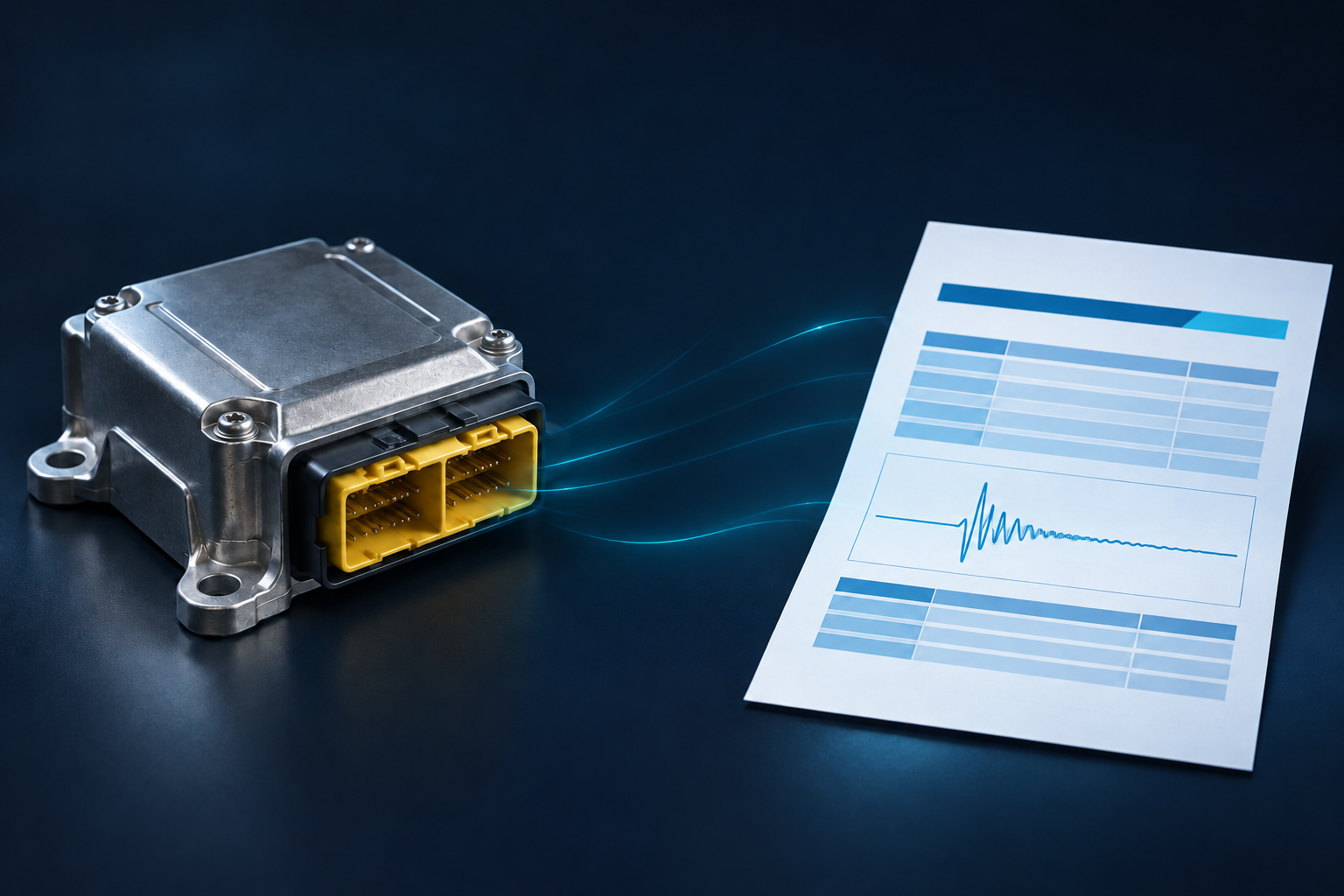
The user confirms support, performs the approved acquisition and submits the case through CrashScan. The system processes the acquired data and delivers the report electronically, commonly through an email/report-access workflow. Automated processing may be supplemented by Collision Sciences technical or quality-assurance review, especially where the result is unusual, incomplete or requires clarification.
What if the vehicle is badly damaged or cannot be read through the diagnostic connector?
A supported direct-to-module pathway may be available after the relevant airbag/restraint module is removed. Do not improvise pinouts, power a damaged module repeatedly, open a module or perform invasive processing unless the current approved procedure specifically requires it. Review the D2M / EDR Lab Kit Manual and Client & Technical Support FAQ or contact Support first.
02 / In this resource
Getting started
What is CrashScan?
CrashScan is Collision Sciences Inc.'s mobile and cloud-based vehicle data platform for retrieving, preserving, processing and reporting Event Data Recorder (EDR) and related vehicle data from supported vehicles. It is used in professional collision investigation, accident reconstruction, insurance claims, SIU work, law-enforcement investigation and vehicle forensics.
Who uses CrashScan?
CrashScan is designed for professional collision investigation and vehicle forensics. Users include reconstruction experts, forensic engineers, insurers and SIU investigators, police and other trained technical users. Collision Sciences maintains a public evidence register containing independently verifiable examples of research, public-agency use, training, conferences, publications and other external references.
Does CrashScan support vehicles internationally?
Yes. CrashScan support is international, but compatibility is not universal. Support can differ by country or market even for the same make and model because modules, software, regulations and vehicle configurations differ. Always confirm the exact year, make, model and market in the current Vehicle Support Lookup before acquisition.
How do I check whether a vehicle is supported?
Use the current CrashScan Vehicle Support Lookup and confirm the exact vehicle and market. Do not rely solely on an old PDF, saved list or prior case because support evolves. If a vehicle is unusual, newly released, market-specific or not listed clearly, contact Collision Sciences Support before acquisition.
03 / In this resource
Validation & evidence
Has EDR data been scientifically validated?
Yes. EDR data itself has been studied and validated extensively over decades through controlled crash testing, laboratory testing and real-world comparisons against independent instrumentation and reconstruction methods. Collision Sciences maintains a Global EDR Admissibility & Scientific Validation Reference that brings together this broader evidence base.
How has CrashScan itself been validated?
CrashScan-specific validation currently includes nine distinct validation studies and supporting reports, including comparisons with Bosch CDR and Mercedes-Benz Xentry, controlled testing against DEWESoft/Krypton and DSD instrumentation, bench-top module extraction, real-world speed comparison, BMW Drive Recorder metadata comparison and an independent EDR Europe comparative report. See the CrashScan & EDR Validation Studies Summary for the current study set and publication status.
What can EDR or vehicle black box data show?
Depending on the vehicle, EDR records may include pre-crash vehicle speed, accelerator position, brake status, steering information, engine speed, restraint status, airbag deployment, longitudinal or lateral delta-V, crash pulse information, event timing or recency indicators, and other system states. Not every vehicle records every parameter, and the applicable OEM definitions and limitations govern interpretation.
What does a "no crash data" result mean?
It means that the retrieval did not identify a qualifying stored crash event through that supported retrieval pathway. It does not mean that no contact occurred. Depending on the vehicle and case, the result can still be relevant because EDR storage requires vehicle-specific trigger and recording conditions.
04 / In this resource
Onboarding & equipment
What is the typical CrashScan workflow for a new client?
After your organization is set up, authorized users receive access to the CrashScan app and the applicable hardware. A trained user confirms vehicle support, connects to the supported vehicle or approved module, performs the scan, and submits the acquisition through the CrashScan workflow. The resulting report is made available electronically, and Collision Sciences may perform technical or quality review depending on the report type, case and service arrangement.
What equipment does our company need?
The exact equipment depends on the retrieval pathway, but a normal field workflow uses an approved CrashScan interface or field kit together with a compatible phone or mobile device. Direct-to-module work can require the separate Lab Kit and module-specific connections. Confirm the current kit contents and supported configuration before deployment.
Should our technicians use a company phone?
For organizational deployments, a company-controlled phone is generally preferred because it simplifies account control, device management, security, continuity when staff change, and technical support. The phone should be compatible with the current CrashScan app and your organization's mobile-device policies.
Does the phone need internet access?
Yes, internet access is normally required for the cloud-based portions of the CrashScan workflow, including account access, vehicle-support information, case submission and report delivery. Field users should plan for reliable cellular data or Wi-Fi where practical.
How do users receive access to the CrashScan app?
Access is tied to an authorized user and organization. Depending on the current onboarding workflow, Collision Sciences or the applicable regional partner sends a registration or account invitation after the order and user information are approved. Receiving a kit or submitting a registration request does not by itself prove that an account has been activated.
Does each technician need a separate account?
Individual user accounts are preferred for traceability, support and organizational control. The account structure can depend on the customer deployment and current commercial arrangement, so organizations adding or replacing users should contact Collision Sciences rather than sharing credentials.
05 / In this resource
Using CrashScan
How does the CrashScan interface connect to the vehicle?
For a supported in-vehicle retrieval, the CrashScan interface is connected through the approved diagnostic connection and communicates with the mobile device using the supported connection method. Some vehicles require additional adapter or switch configurations. Users should follow the current vehicle-specific instructions.
What happens after the technician completes a scan?
A successful communication or completed scan means the programmed acquisition workflow reached the target module sufficiently to complete its requests. The data are then processed through the CrashScan reporting workflow. A completed scan does not by itself guarantee that a qualifying crash event exists or that every possible data field is present.
How do we receive the CrashScan report?
Reports are delivered electronically through the CrashScan workflow. Historically, customers have received an email containing access to the completed case report, and authorized users may also be able to retrieve report or raw-data materials through the applicable account workflow.
Is the report generated immediately, or does Collision Sciences review it first?
The answer depends on the report type and case. Some report functions are automated, while Collision Sciences also uses technical and quality-assurance review for appropriate cases and unusual results. A client should not assume that an automated acquisition indicator is the final technical conclusion when a case requires review.
What does Collision Sciences quality assurance include?
Quality assurance can include checking the vehicle and module identification, acquisition status, report generation, obvious data or formatting issues, applicable support classification and unusual results that merit technical review. QA does not replace case-specific accident reconstruction, biomechanical analysis or legal opinion unless those services are separately engaged.
06 / In this resource
Training & professional support
Do you provide training before our staff begin using CrashScan?
Yes. Collision Sciences maintains training for EDR retrieval, field procedures, evidence handling and report interpretation. The appropriate onboarding can include training materials, live or recorded instruction, and technical resources depending on the customer deployment.
Does the person scanning the vehicle need to be an accident reconstruction expert?
Not necessarily. A trained field technician can perform a supported acquisition without being the expert who ultimately interprets the case. The acquisition role and the reconstruction or expert-opinion role can be separated, provided the collection procedure and chain of custody are properly documented.
Can Collision Sciences explain the report to our adjuster, investigator or lawyer?
Yes. Technical Support can explain the retrieval workflow, report structure and technical data questions. More advanced event matching, accident reconstruction, biomechanics, formal opinions or litigation analysis may require a separate expert engagement.
Can Collision Sciences act as an expert witness or provide testimony?
Yes, subject to conflict checks, jurisdiction, qualifications, scope and availability. Collision Sciences can provide engineering, EDR and accident-reconstruction expert services in appropriate matters. Expert review, affidavits, depositions, reports or testimony are separate professional services from routine CrashScan technical support.
What should we do before our first live case?
Confirm that the authorized user can sign in, the app and interface connect correctly, the relevant training has been completed, the exact vehicle can be checked in the current support lookup, report-delivery contacts are correct, and the organization knows how to reach Technical Support. A controlled practice or training scan can be useful before a time-sensitive field assignment.
07 / In this resource
OEM, platform & continued-service background
Does Collision Sciences work with vehicle manufacturers?
Yes. Collision Sciences has established direct technical and commercial relationships with a significant number of global vehicle manufacturers and related automotive organizations. Many arrangements are subject to confidentiality obligations, so Collision Sciences generally does not identify individual manufacturers or disclose agreement terms unless public disclosure is authorized. A relationship should not be interpreted as an OEM endorsement unless expressly made public by the manufacturer.
Is CrashScan the same as Bosch CDR?
No. CrashScan and Bosch Crash Data Retrieval (CDR) are separate systems with different software, hardware, workflows, support development and reporting. Both can retrieve EDR information from supported vehicles. The evidentiary value of a retrieval depends on the underlying stored data, acquisition method, preservation, validation and interpretation, not simply the brand of retrieval platform.
Is CrashScan dependent on Bosch CDR?
No. CrashScan and Bosch CDR are separate retrieval and reporting systems. Collision Sciences' current public continued-service statement says that current CrashScan customer services do not rely on Bosch CDR software. CrashScan has its own customer workflow, reporting, technical support and vehicle-support development.
Can customers continue to use CrashScan?
Yes. CrashScan remains operational and available to customers. Collision Sciences' current public position is that the arbitration relief concerning its use and possession of Bosch CDR software does not prohibit customers from using CrashScan. Because legal proceedings can change, readers seeking the legal background should consult the current Collision Sciences Continued Service public statement.
08 / In this resource
Related public resources
Vehicle Support Lookup CrashScan & EDR Validation Studies Summary Global EDR Admissibility & Scientific Validation Reference Digital Vehicle Forensic Guideline Expert testimony support (contact us) Collision Sciences Continued Service Public Statement CrashScan Master Resources CrashScan FAQ - Client & Technical Support