Start here / Registration
One registration process
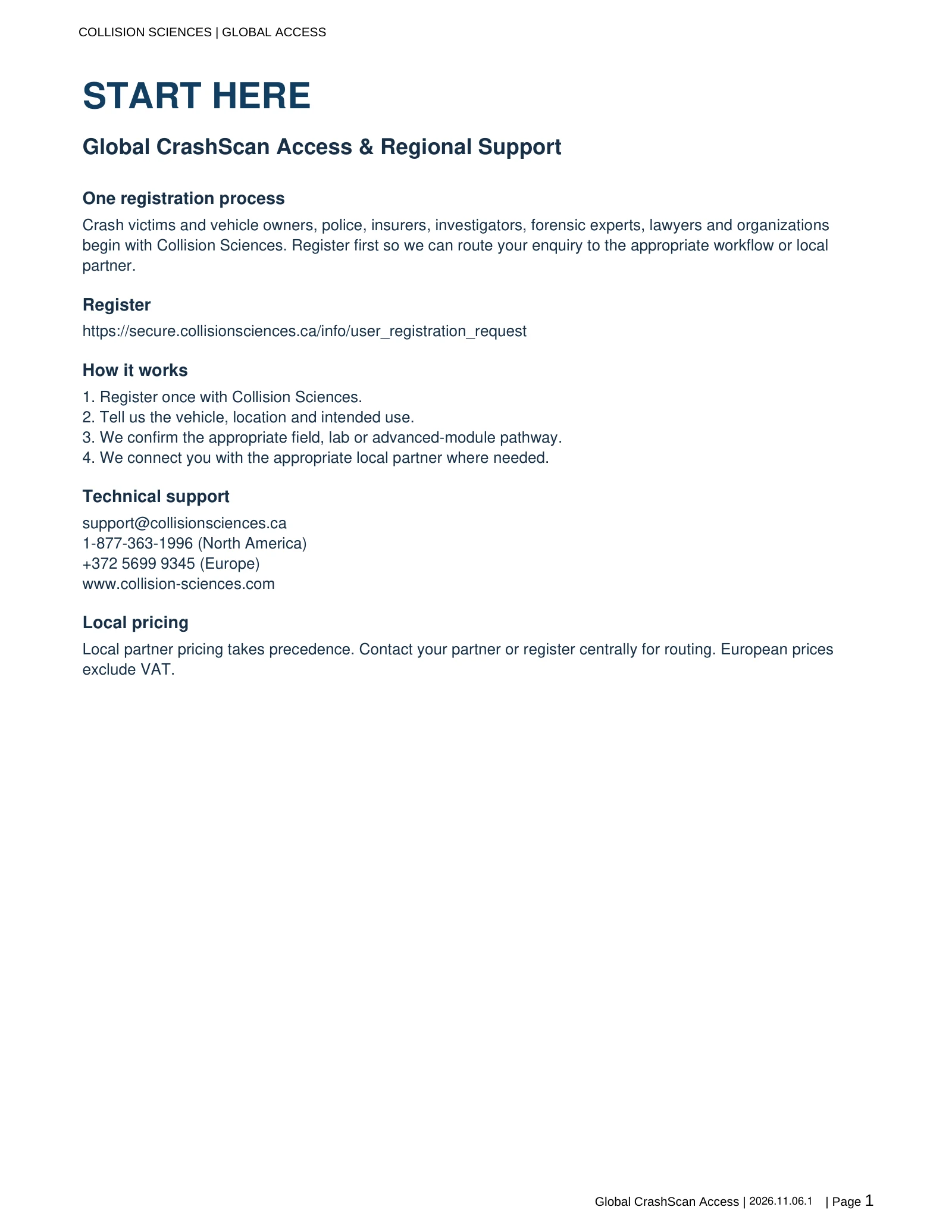
Crash victims and vehicle owners, police, insurers, investigators, forensic experts, lawyers and organizations begin with Collision Sciences. Register first so we can route your enquiry to the appropriate workflow or local partner.
Register
https://secure.collisionsciences.ca/info/user_registration_request
How it works
- Register once with Collision Sciences.
- Tell us the vehicle, location and intended use.
- We confirm the appropriate field, lab or advanced-module pathway.
- We connect you with the appropriate local partner where needed.
Technical support
support@collisionsciences.ca 1-877-363-1996 (North America) +372 5699 9345 (Europe) www.collision-sciences.com
Local pricing
Local partner pricing takes precedence. Contact your partner or register centrally for routing. European prices exclude VAT.
Start here
This guide explains the CrashScan service, acquisition workflow, report outputs, evidentiary support and expert resources. The CrashScan Master Resources document is the maintained index for the complete technical, training, scientific and legal library.
01 / Professional guide
What CrashScan provides
CrashScan is Collision Sciences' field-compatible Event Data Recorder (EDR) retrieval and reporting platform. It is designed to support reconstruction experts, forensic engineers, insurers, SIU investigators and other authorized professionals who need reliable access to vehicle crash data, contextual reporting, technical support and evidentiary resources.
The service is intentionally broader than a scan tool. The useful product is the complete evidence and decision-support workflow: confirm vehicle support, acquire the EDR data, preserve the source information, receive a quality-reviewed report, obtain raw/discoverable outputs when required, and access engineering support, training, validation and expert services through the Master Resources library.
What professional users can obtain
- Field retrieval through the CrashScan mobile workflow on supported vehicles.
- Contextual EDR report organized for rapid technical review.
- Raw / discoverable evidence outputs on request where applicable.
- Engineering support for vehicle-specific questions, report interpretation and troubleshooting.
- Direct-to-module and specialist processing routes for damaged, inaccessible or removed modules.
- Training, OEM interpretation material, validation studies, legal resources and expert-witness support through the Master Resources library.
02 / Professional guide
What EDR data can contain
The available data depends on manufacturer, model, model year, market, module generation and event type. EDRs commonly preserve information associated with a qualifying crash or restraint-control event, but the exact data set must be interpreted from the applicable OEM definition and the specific report.
Common data categories
- Event chronology and event type, including deployment and non-deployment records where supported.
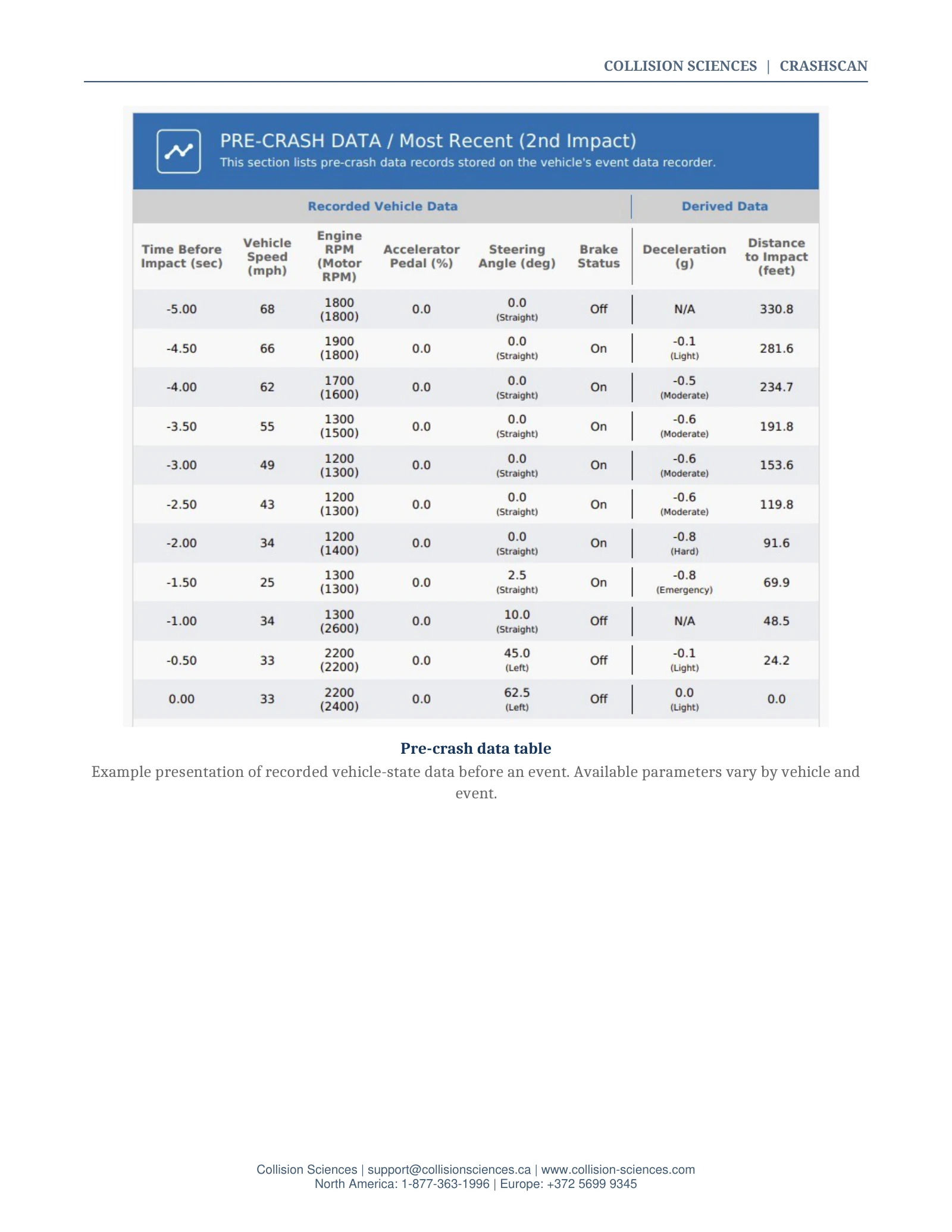
- Pre-crash vehicle data such as indicated speed, brake status, accelerator/throttle input, engine speed, steering and other driver/vehicle state parameters.
- Crash-severity information, including longitudinal and/or lateral delta-V or acceleration-derived information where recorded.
- Restraint and occupant information such as buckle status, deployment commands and occupant classifications where supported.
- Ignition/key-cycle, odometer, date/time or other recency indicators on certain platforms.
- Additional diagnostic or vehicle-state data when the applicable vehicle architecture supports it.
03 / Professional guide
Vehicle coverage and retrieval workflow
CrashScan is a single platform that covers a broad range of OEMs and markets, including OEM families that may otherwise require different commercial tools or manufacturer-specific processes. Coverage is not best expressed as a static percentage because support changes by model, year and region. Confirm each vehicle in the live lookup before the inspection.
Current year / make / model support information. Confirm the exact market and vehicle before acquisition.
Jaguar Land Rover and international coverage
For Jaguar Land Rover, CrashScan uses the manufacturer's EDR process. Other tools may return JLR data through a Chinese Universal Data Record (UDR) process; those are different retrieval paths and can produce different outputs when a China-market process is applied to a vehicle sold elsewhere. The professional question is therefore not whether a competing report exists, but which process was run, for which market, and what the resulting data actually represents.
For some international Ford, Mazda, Hyundai, Kia and GM applications, support and access can differ from North-American-only tool coverage. Confirm the exact VIN, module and market rather than assuming that a domestic support chart applies internationally.
Recommended field sequence
- Confirm support, vehicle identity and authorization before connecting.
- Document the vehicle, VIN, scan date/time and technician identity.
- Establish stable vehicle power and the required key/ignition state.
- Use the standard CrashScan connection path. Do not use the OBD Switch unless the vehicle-specific instructions require it.
- Preserve the scan confirmation, report identifier, screenshots and any warnings or limitations.
- Request raw/discoverable outputs where the assignment, discovery rules or opposing-expert review require them.
- Escalate to D2M or specialist module processing when DLC retrieval is not appropriate or cannot be completed.
04 / Professional guide
Contextual reports, raw evidence and limited preview use
Collision Sciences offers complementary ways to review the result. The contextual report is intended to reduce the time required to organize and understand complex EDR records, while raw/discoverable evidence outputs support technical review, litigation and independent analysis when required. Recorded source data and derived/contextual interpretation should remain clearly distinguished.
Illustrates organization of crash events, pre-crash data and contextual/derived information.
Illustrates the raw/discoverable evidence format available for technical or litigation use.
Contextual information
Depending on the vehicle and report, contextual reporting may organize event order, severity, direction, pre-crash driver inputs, calculated or derived quantities, diagnostic information and clearly defined loss indicators. Inferential indicators should remain qualified and tied to their underlying data definition; they are not substitutes for an expert's ultimate opinion on fraud, liability or causation.
Limited preview availability
In selected international markets and approved trial programs, Collision Sciences may provide limited preliminary information following a successful acquisition. Preview availability, content and timing vary by vehicle, market and program and should not be relied upon as the final evidentiary result. The completed CrashScan report and associated source data, following applicable processing and quality review, remain the authoritative deliverables.
Sample report views
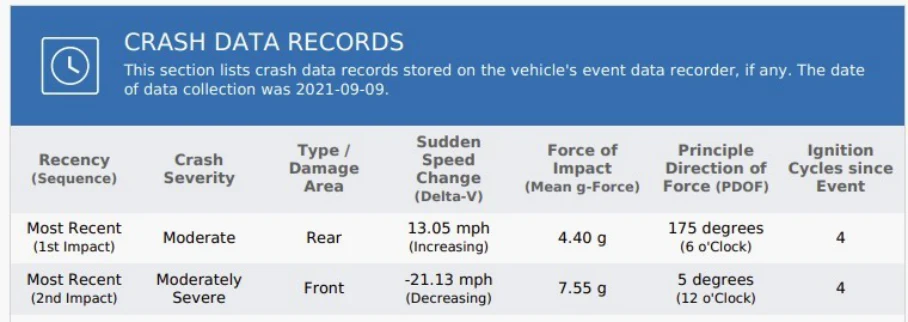
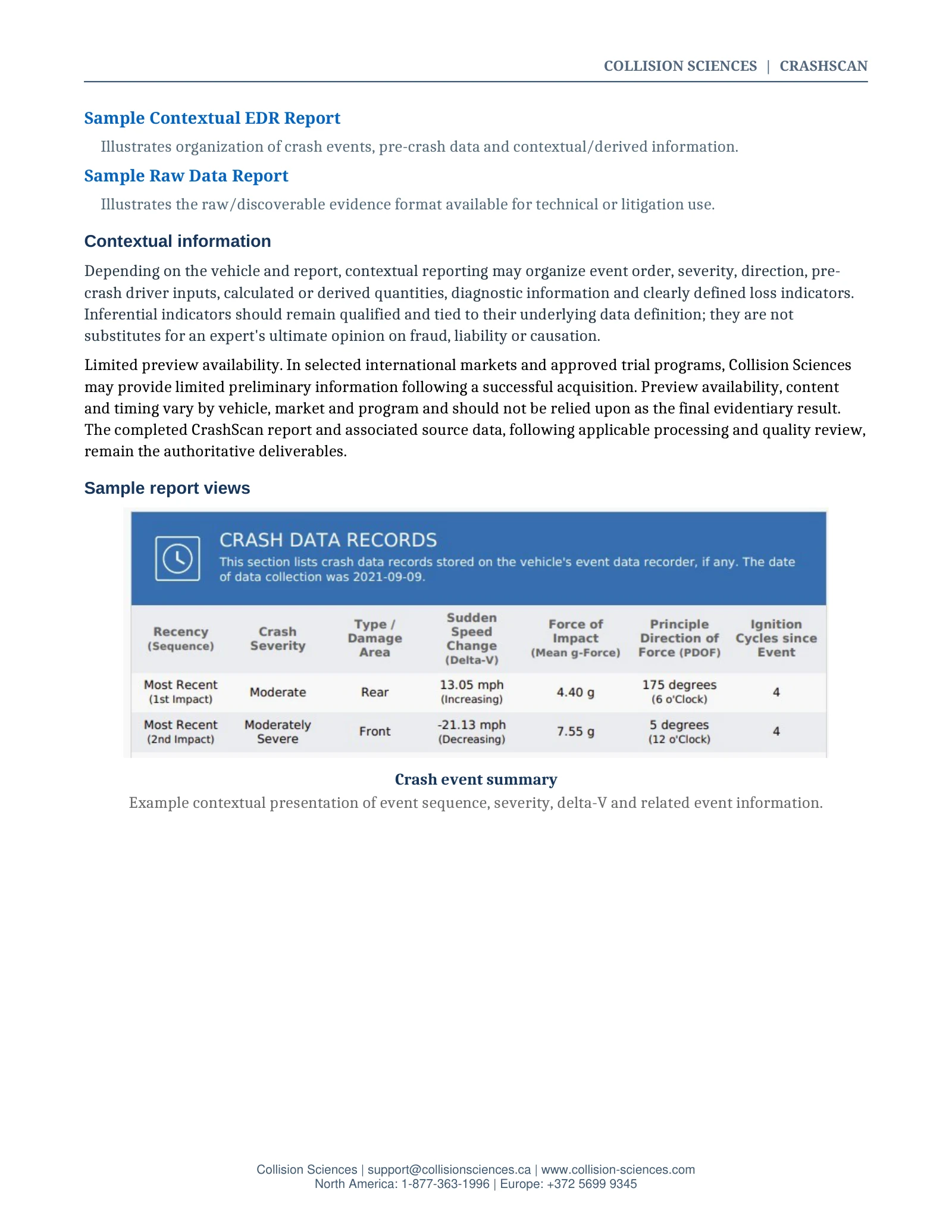
Crash event summary
Example contextual presentation of event sequence, severity, delta-V and related event information.
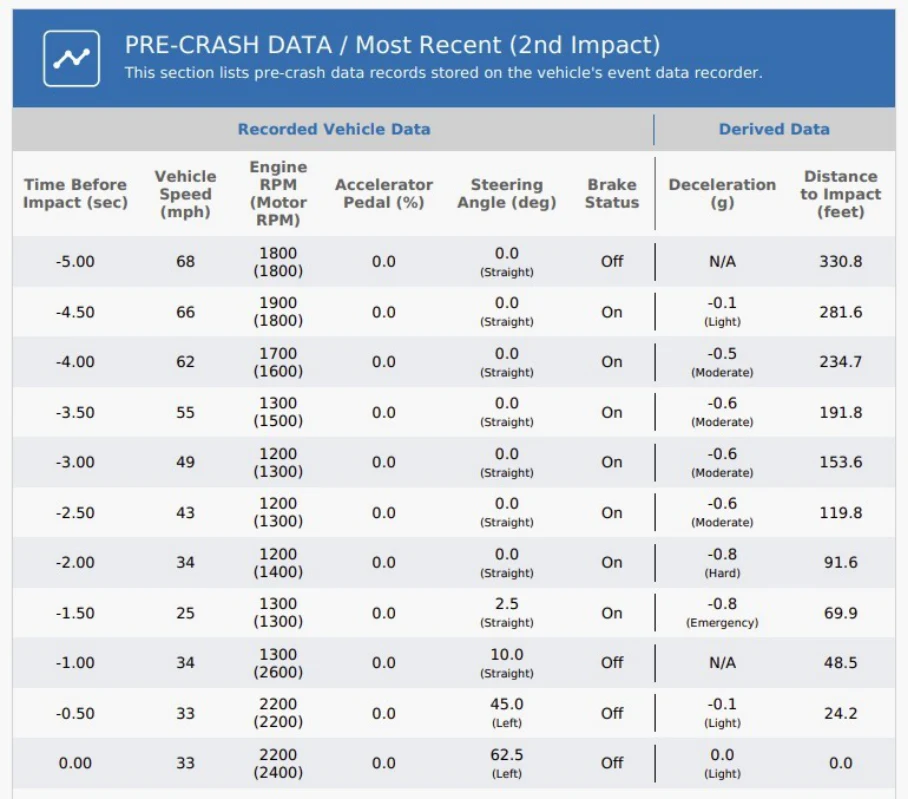
Pre-crash data table
Example presentation of recorded vehicle-state data before an event. Available parameters vary by vehicle and event.
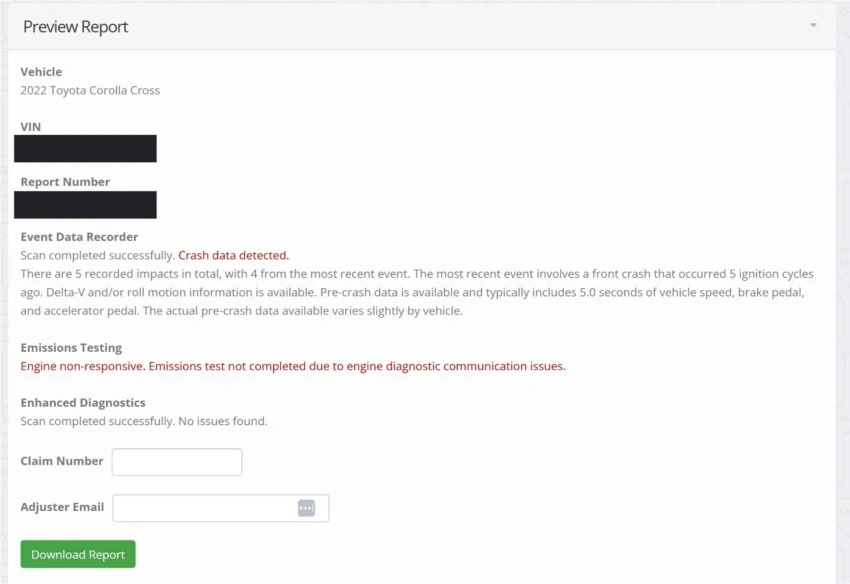
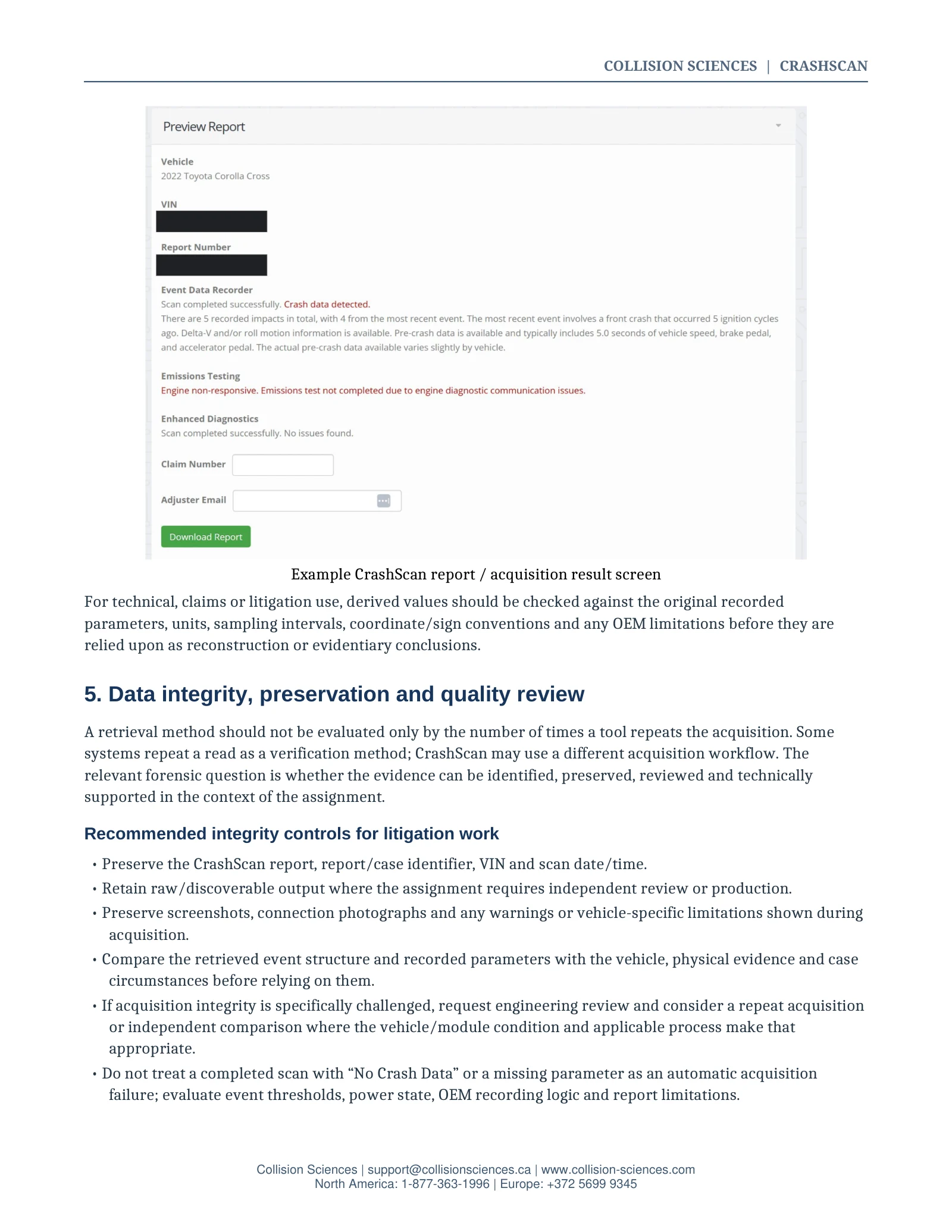
Example CrashScan report / acquisition result screen
For technical, claims or litigation use, derived values should be checked against the original recorded parameters, units, sampling intervals, coordinate/sign conventions and any OEM limitations before they are relied upon as reconstruction or evidentiary conclusions.
05 / Professional guide
Data integrity, preservation and quality review
A retrieval method should not be evaluated only by the number of times a tool repeats the acquisition. Some systems repeat a read as a verification method; CrashScan may use a different acquisition workflow. The relevant forensic question is whether the evidence can be identified, preserved, reviewed and technically supported in the context of the assignment.
Recommended integrity controls for litigation work
- Preserve the CrashScan report, report/case identifier, VIN and scan date/time.
- Retain raw/discoverable output where the assignment requires independent review or production.
- Preserve screenshots, connection photographs and any warnings or vehicle-specific limitations shown during acquisition.
- Compare the retrieved event structure and recorded parameters with the vehicle, physical evidence and case circumstances before relying on them.
- If acquisition integrity is specifically challenged, request engineering review and consider a repeat acquisition or independent comparison where the vehicle/module condition and applicable process make that appropriate.
- Do not treat a completed scan with “No Crash Data” or a missing parameter as an automatic acquisition failure; evaluate event thresholds, power state, OEM recording logic and report limitations.
06 / Professional guide
Authorization, chain of custody and admissibility
Authorization
In the United States, the Driver Privacy Act of 2015, enacted as part of the FAST Act, establishes EDR data as the property of the vehicle owner or lessee and restricts access by others except in defined circumstances, which include owner/lessee consent, certain court or administrative orders, specified NTSB/DOT investigations, emergency medical response and anonymized traffic-safety research. State law may add requirements. Investigators should confirm the law that applies to the assignment and preserve the authorization basis.
Chain of custody
For a removed module, document who removed it, when and from which vehicle; label the module with the vehicle identifier; photograph its condition and connectors; record each transfer; and use the Collision Sciences evidence-tracking form when shipping the module for processing.
Chain of custody / module tracking form
Use when shipping a removed module for Collision Sciences processing.
Admissibility
EDR evidence has been accepted by courts since the 1990s, but admissibility is not automatic. It depends on the jurisdiction, applicable evidentiary rules, authentication, the foundation for the retrieval and interpretation, expert qualifications, and the facts of the case. Collision Sciences maintains separate legal and evidentiary resources for counsel and experts.
EDR admissibility & expert evidence reference
Overview of authentication, chain-of-custody and expert-support services.
07 / Professional guide
Advanced retrieval and module processing
When a normal DLC acquisition is not possible, the correct next step depends on the OEM, module family, vehicle condition and available processing route. Collision Sciences maintains multiple escalation paths rather than assuming one bench procedure fits every module.
- Collision Sciences direct-to-module processing and D2M Lab Kit workflows.
- OEM/manufacturer routes where applicable, including Jaguar Land Rover processes.
- Supplier or Bosch processing where appropriate.
- UK specialist support for FlexRay-related applications.
- Australia direct-to-EEPROM / chip-level processing for selected applications, including certain non-U.S. Mercedes modules.
- Specialist EEPROM recovery through approved technical partners for cases requiring advanced memory-level work.
Maintained guide to current D2M and specialist processing options.
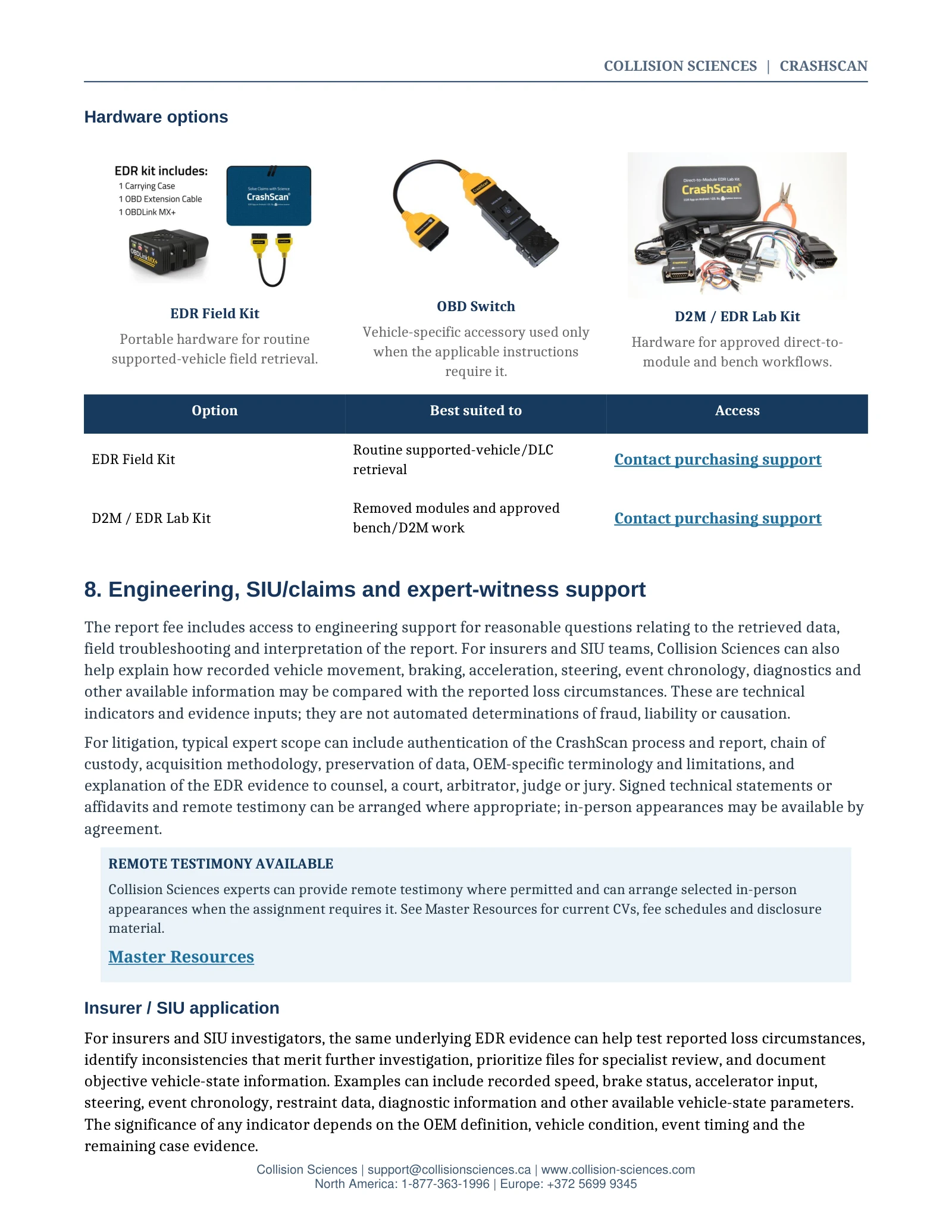
Hardware options
EDR field kit
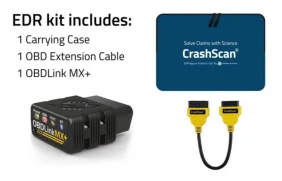
Portable hardware for routine supported-vehicle field retrieval.
OBD Switch
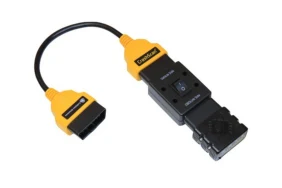
Vehicle-specific accessory used only when the applicable instructions require it.
D2M / EDR lab kit
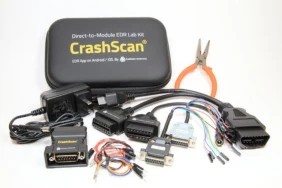
Hardware for approved direct-to-module and bench workflows.
| Hardware | Best suited to | Access |
|---|---|---|
| EDR field kit | Routine supported-vehicle/DLC retrieval | Contact purchasing support |
| D2M / EDR lab kit | Removed modules and approved bench/D2M work | Contact purchasing support |
08 / Professional guide
Engineering, SIU/claims and expert-witness support
The report fee includes access to engineering support for reasonable questions relating to the retrieved data, field troubleshooting and interpretation of the report.
For insurers and SIU teams, Collision Sciences can also help explain how recorded vehicle movement, braking, acceleration, steering, event chronology, diagnostics and other available information may be compared with the reported loss circumstances. These are technical indicators and evidence inputs; they are not automated determinations of fraud, liability or causation.
For litigation, typical expert scope can include authentication of the CrashScan process and report, chain of custody, acquisition methodology, preservation of data, OEM-specific terminology and limitations, and explanation of the EDR evidence to counsel, a court, arbitrator, judge or jury. Signed technical statements or affidavits and remote testimony can be arranged where appropriate; in-person appearances may be available by agreement.
Insurer / SIU application
For insurers and SIU investigators, the same underlying EDR evidence can help test reported loss circumstances, identify inconsistencies that merit further investigation, prioritize files for specialist review, and document objective vehicle-state information. Examples can include recorded speed, brake status, accelerator input, steering, event chronology, restraint data, diagnostic information and other available vehicle-state parameters. The significance of any indicator depends on the OEM definition, vehicle condition, event timing and the remaining case evidence.
Reconstruction / forensic application
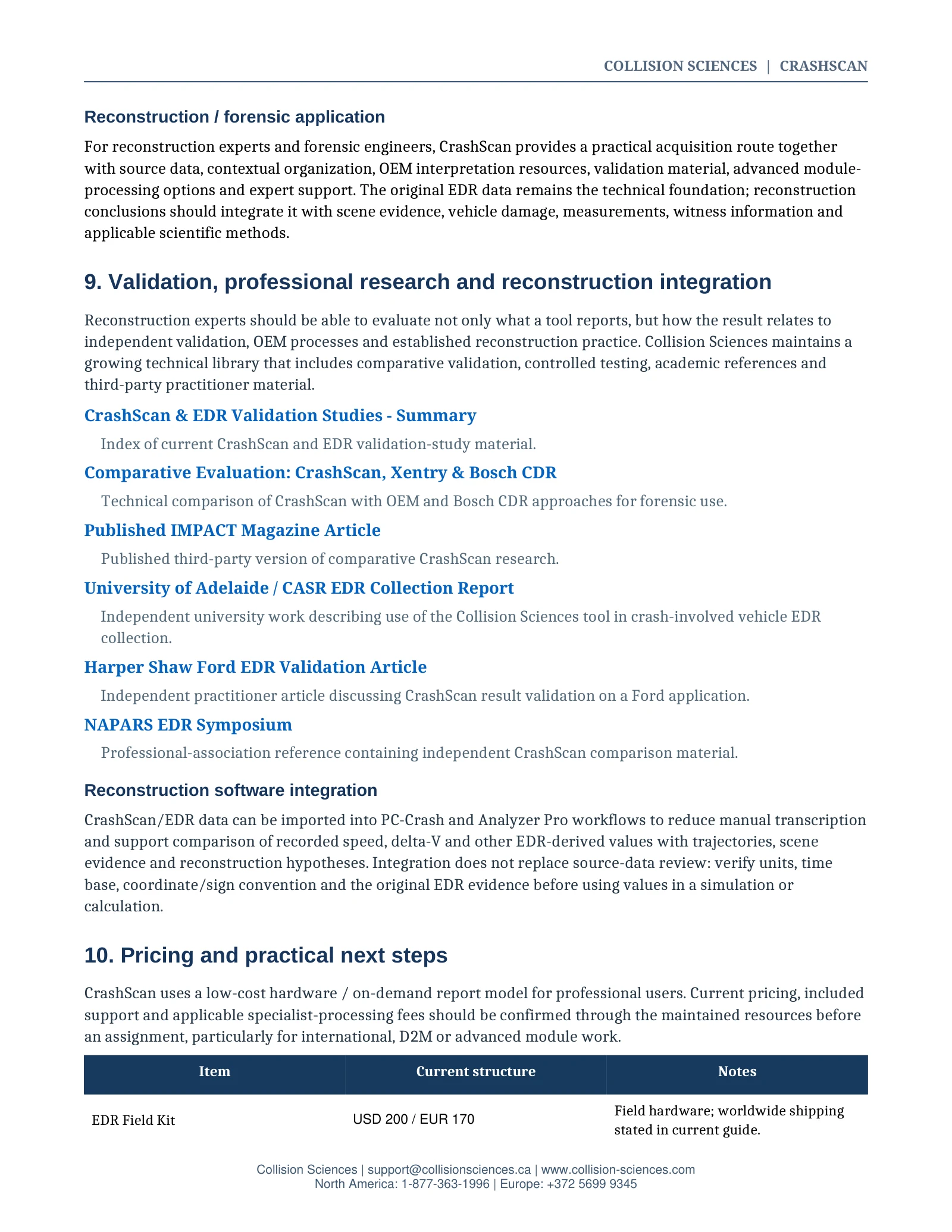
For reconstruction experts and forensic engineers, CrashScan provides a practical acquisition route together with source data, contextual organization, OEM interpretation resources, validation material, advanced module-processing options and expert support. The original EDR data remains the technical foundation; reconstruction conclusions should integrate it with scene evidence, vehicle damage, measurements, witness information and applicable scientific methods.
09 / Professional guide
Validation, professional research and reconstruction integration
Reconstruction experts should be able to evaluate not only what a tool reports, but how the result relates to independent validation, OEM processes and established reconstruction practice. Collision Sciences maintains a growing technical library that includes comparative validation, controlled testing, academic references and third-party practitioner material.
CrashScan & EDR validation studies - summary
Index of current CrashScan and EDR validation-study material.
Comparative evaluation: CrashScan, XENTRY & Bosch CDR
Technical comparison of CrashScan with OEM and Bosch CDR approaches for forensic use.
Published IMPACT magazine article
Published third-party version of comparative CrashScan research.
University of Adelaide / CASR EDR collection report
Independent university work describing use of the Collision Sciences tool in crash-involved vehicle EDR collection.
Harper Shaw Ford EDR validation article
Independent practitioner article discussing CrashScan result validation on a Ford application.
Professional-association reference containing independent CrashScan comparison material.
Reconstruction software integration
CrashScan/EDR data can be imported into PC-Crash and Analyzer Pro workflows to reduce manual transcription and support comparison of recorded speed, delta-V and other EDR-derived values with trajectories, scene evidence and reconstruction hypotheses. Integration does not replace source-data review: verify units, time base, coordinate/sign convention and the original EDR evidence before using values in a simulation or calculation.
10 / Professional guide
Pricing and practical next steps
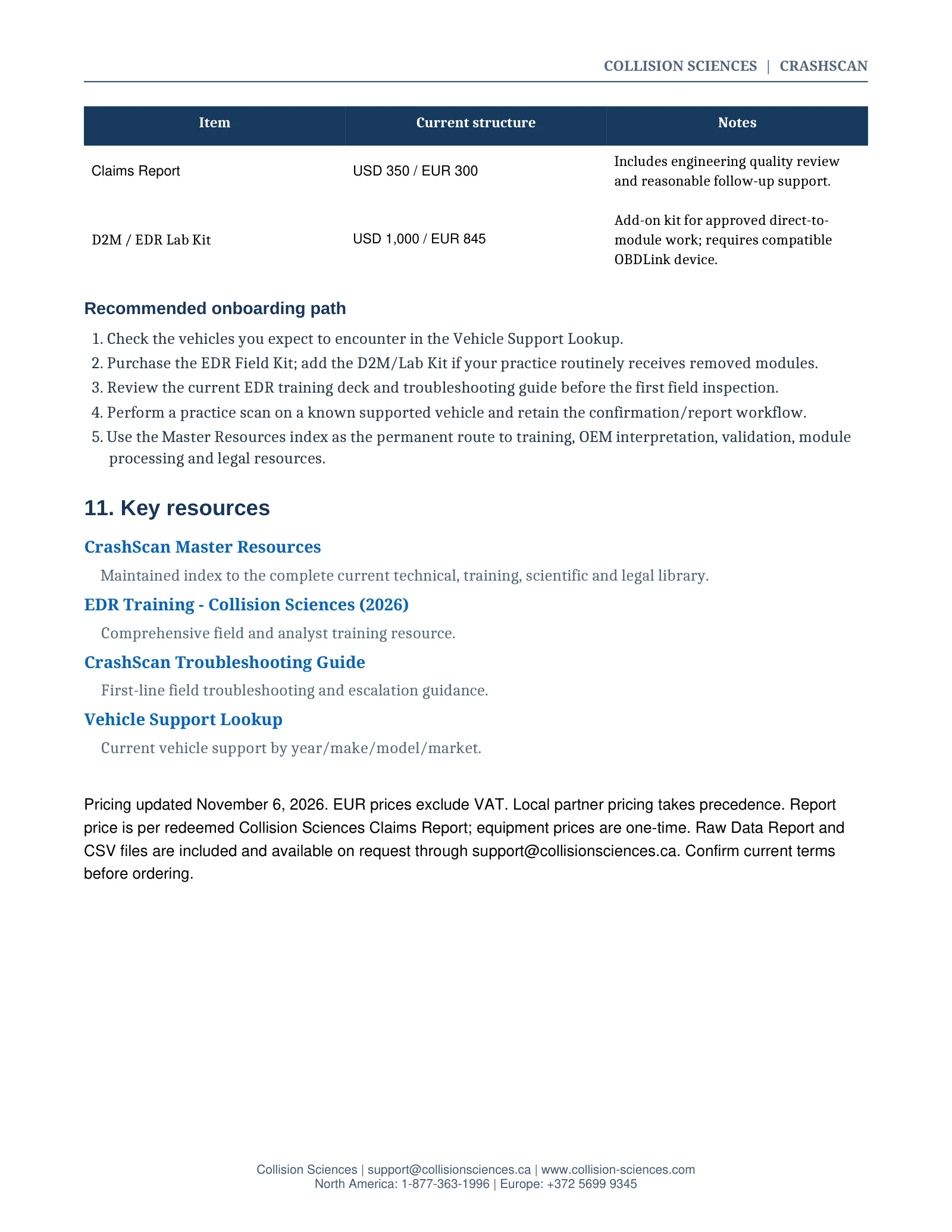
CrashScan uses a low-cost hardware / on-demand report model for professional users. Current pricing, included support and applicable specialist-processing fees should be confirmed through the maintained resources before an assignment, particularly for international, D2M or advanced module work.
| Item | USD / EUR | Includes |
|---|---|---|
| EDR field kit | USD 200 / EUR 170 | Field hardware; worldwide shipping stated in current guide. One-time equipment purchase. |
| Collision Sciences claims report | USD 350 / EUR 300 | Per redeemed report. Includes engineering quality review and reasonable follow-up support. Raw Data Report and CSV files available on request. |
| D2M / EDR lab kit | USD 1,000 / EUR 845 | One-time add-on kit for approved direct-to-module work; requires a compatible OBDLink device. |
Pricing updated November 6, 2026. EUR prices exclude VAT. Local partner pricing takes precedence. Report price is per redeemed Collision Sciences Claims Report; equipment prices are one-time. Raw Data Report and CSV files are included and available on request through support@collisionsciences.ca. Confirm current terms before ordering.
Contact purchasing support · View regional pricingRecommended onboarding path
- Check the vehicles you expect to encounter in the Vehicle Support Lookup.
- Purchase the EDR Field Kit; add the D2M/Lab Kit if your practice routinely receives removed modules.
- Review the current EDR training deck and troubleshooting guide before the first field inspection.
- Perform a practice scan on a known supported vehicle and retain the confirmation/report workflow.
- Use the Master Resources index as the permanent route to training, OEM interpretation, validation, module processing and legal resources.
11 / Professional guide
Key resources
Maintained index to the complete current technical, training, scientific and legal library.
EDR training - Collision Sciences (2026)
Comprehensive field and analyst training resource.
CrashScan troubleshooting guide
First-line field troubleshooting and escalation guidance.
Current vehicle support by year/make/model/market.
Related Collision Sciences resources
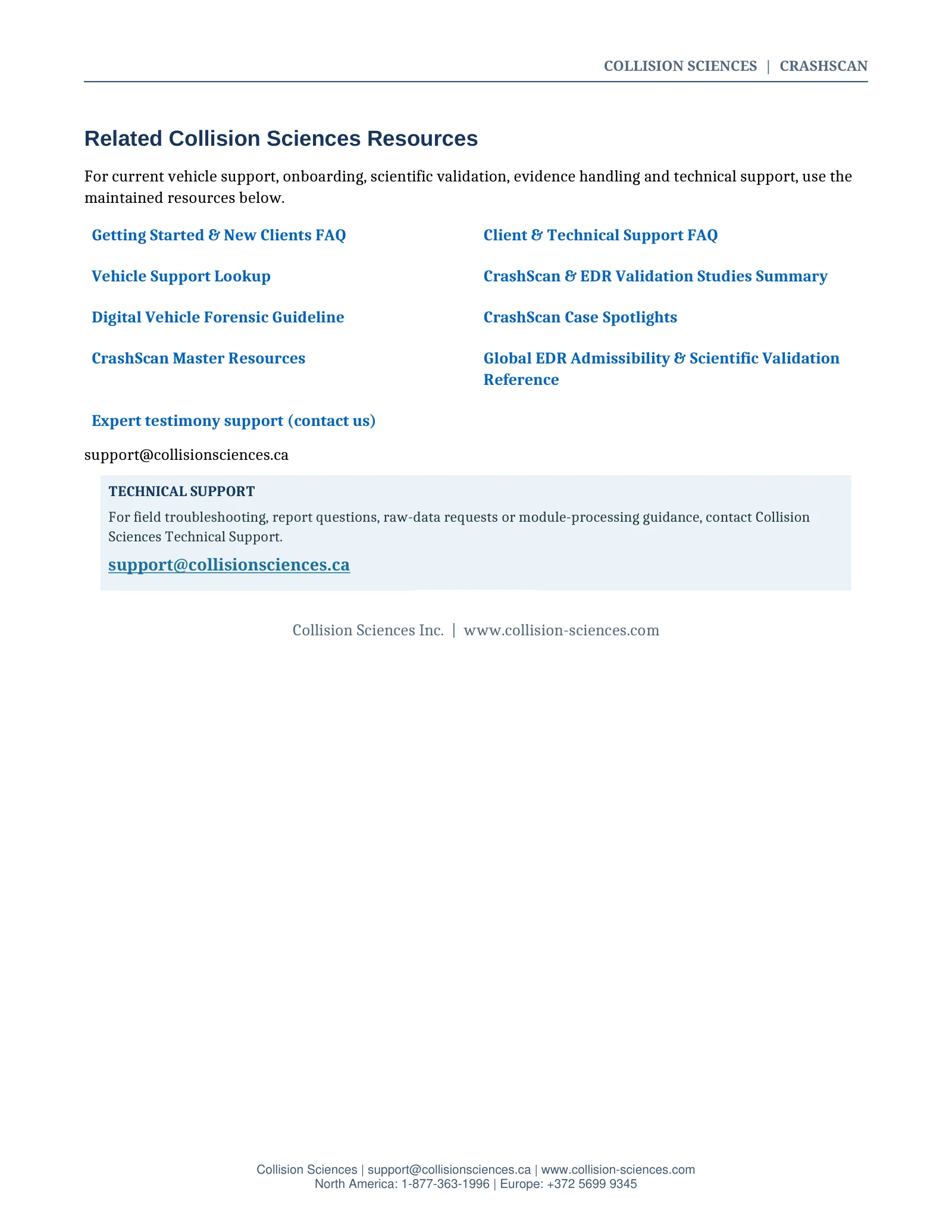
For current vehicle support, onboarding, scientific validation, evidence handling and technical support, use the maintained resources below.
- Getting started & new clients FAQ
- Client & technical support FAQ
- CrashScan & EDR validation studies - summary
- Digital vehicle forensic guideline
- CrashScan case spotlights
- EDR admissibility & expert evidence reference
All source links and references
- Troubleshooting guide
- Lab kit purchasing support
- Raw data sample report
- Contextual sample report
- Vehicle support lookup
- CrashScan master resources
- EDR admissibility & expert evidence reference
- Chain of custody / module tracking form
- NAPARS EDR symposium
- Harper Shaw Ford EDR validation article
- University of Adelaide / CASR EDR collection report
- Published IMPACT magazine article
- Comparative evaluation: CrashScan, XENTRY & Bosch CDR
- CrashScan & EDR validation studies - summary
- EDR training - Collision Sciences (2026)
- Support@collisionsciences.ca
- Expert testimony support (contact us)
- CrashScan case spotlights
- Digital vehicle forensic guideline
- Client & technical support FAQ
- Getting started & new clients FAQ
12 / Regional access
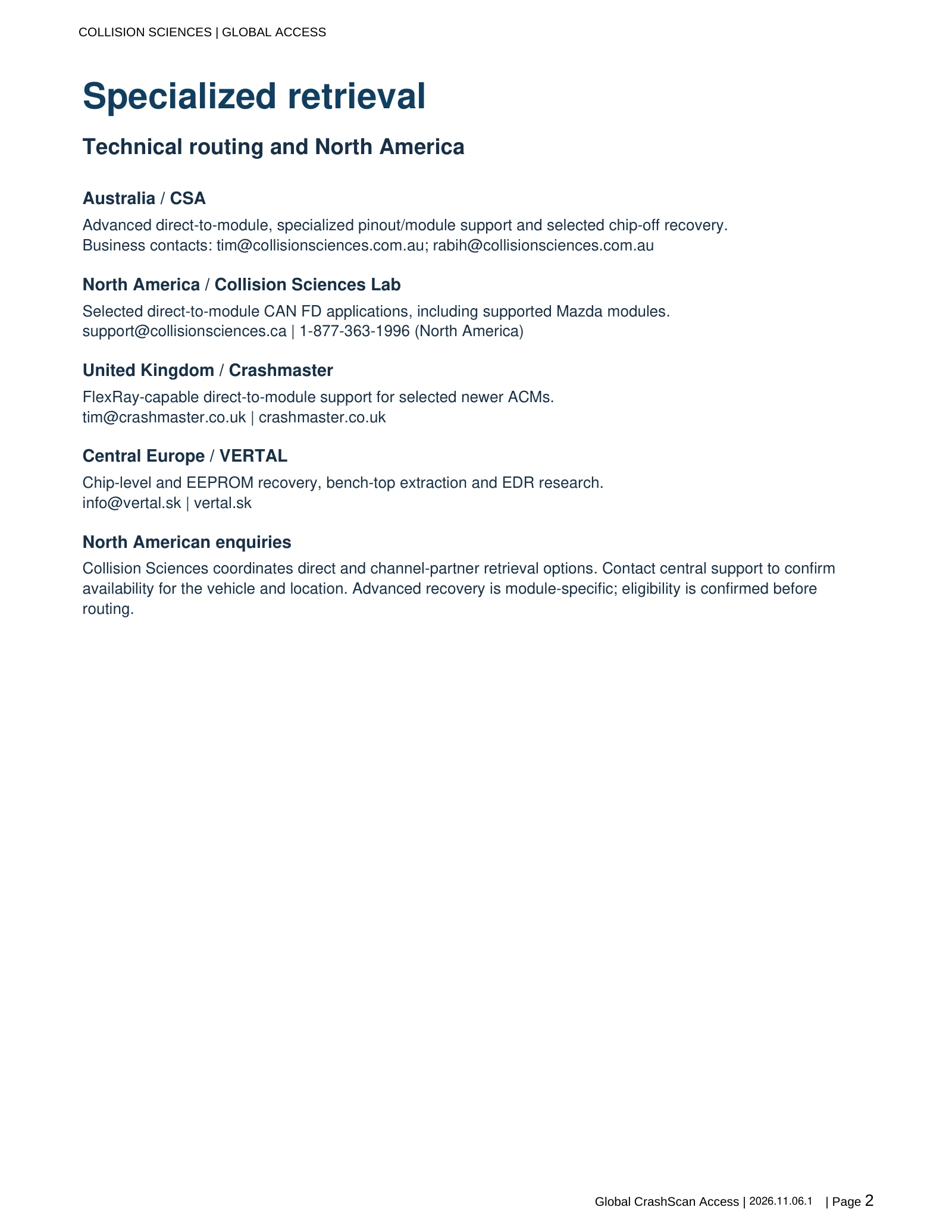
Specialized retrieval
Technical routing and North America
Australia / CSA
Advanced direct-to-module, specialized pinout/module support and selected chip-off recovery.
Business contacts: tim@collisionsciences.com.au; rabih@collisionsciences.com.au
North America / Collision Sciences lab
Selected direct-to-module CAN FD applications, including supported Mazda modules.
support@collisionsciences.ca | 1-877-363-1996 (North America)
United Kingdom / Crashmaster
FlexRay-capable direct-to-module support for selected newer ACMs.
tim@crashmaster.co.uk | crashmaster.co.uk
Central Europe / VERTAL
Chip-level and EEPROM recovery, bench-top extraction and EDR research.
info@vertal.sk | vertal.sk
North American enquiries
Collision Sciences coordinates direct and channel-partner retrieval options. Contact central support to confirm availability for the vehicle and location. Advanced recovery is module-specific; eligibility is confirmed before routing.
13 / Regional access
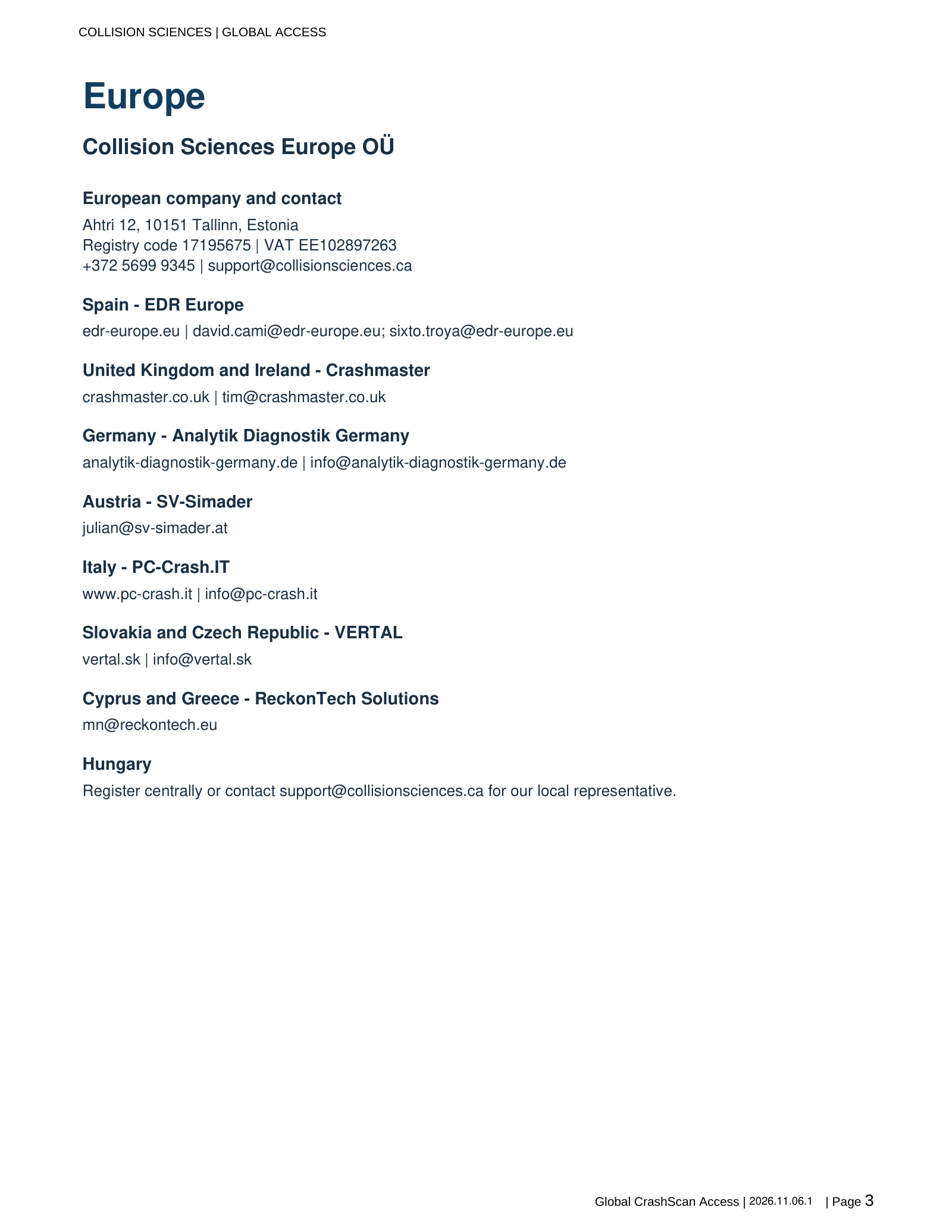
Europe
Collision Sciences Europe OÜ
European company and contact
+372 5699 9345 (Europe)
support@collisionsciences.ca
Spain - EDR Europe
edr-europe.eu | david.cami@edr-europe.eu; sixto.troya@edr-europe.eu
United Kingdom and Ireland - Crashmaster
crashmaster.co.uk | tim@crashmaster.co.uk
Germany - Analytik Diagnostik Germany
analytik-diagnostik-germany.de | info@analytik-diagnostik-germany.de
Austria - SV-Simader
Italy - PC-Crash.IT
www.pc-crash.it | info@pc-crash.it
Slovakia and Czech Republic - VERTAL
vertal.sk | info@vertal.sk
Cyprus and Greece - ReckonTech Solutions
Hungary
Register centrally or contact support@collisionsciences.ca for our local representative.
14 / Regional access
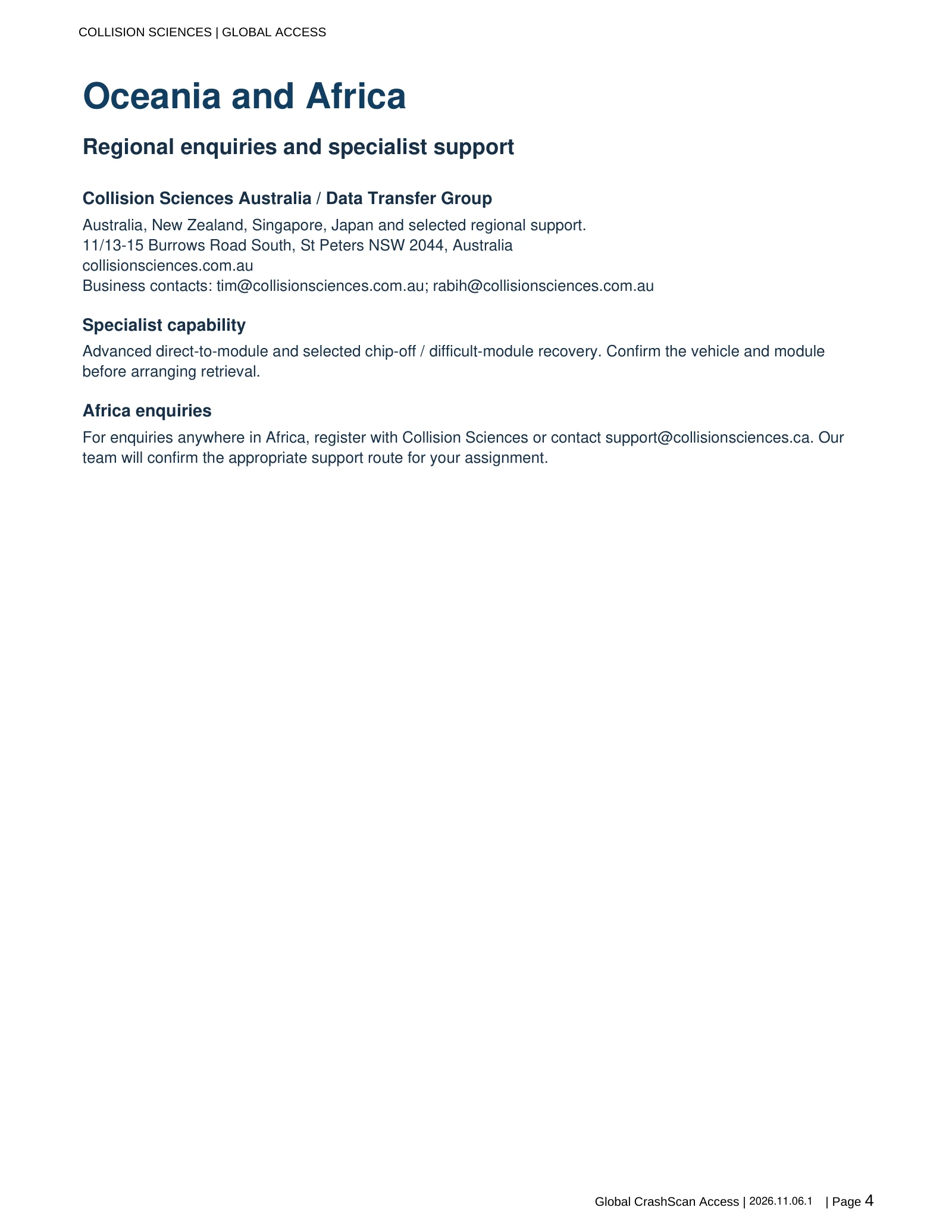
Oceania and Africa
Regional enquiries and specialist support
Collision Sciences Australia / Data Transfer Group
Australia, New Zealand, Singapore, Japan and selected regional support.
11/13-15 Burrows Road South, St Peters NSW 2044, Australia collisionsciences.com.au Business contacts: tim@collisionsciences.com.au; rabih@collisionsciences.com.au
Specialist capability
Advanced direct-to-module and selected chip-off / difficult-module recovery. Confirm the vehicle and module before arranging retrieval.
Africa enquiries
For enquiries anywhere in Africa, register with Collision Sciences or contact support@collisionsciences.ca. Our team will confirm the appropriate support route for your assignment.
15 / Regional access
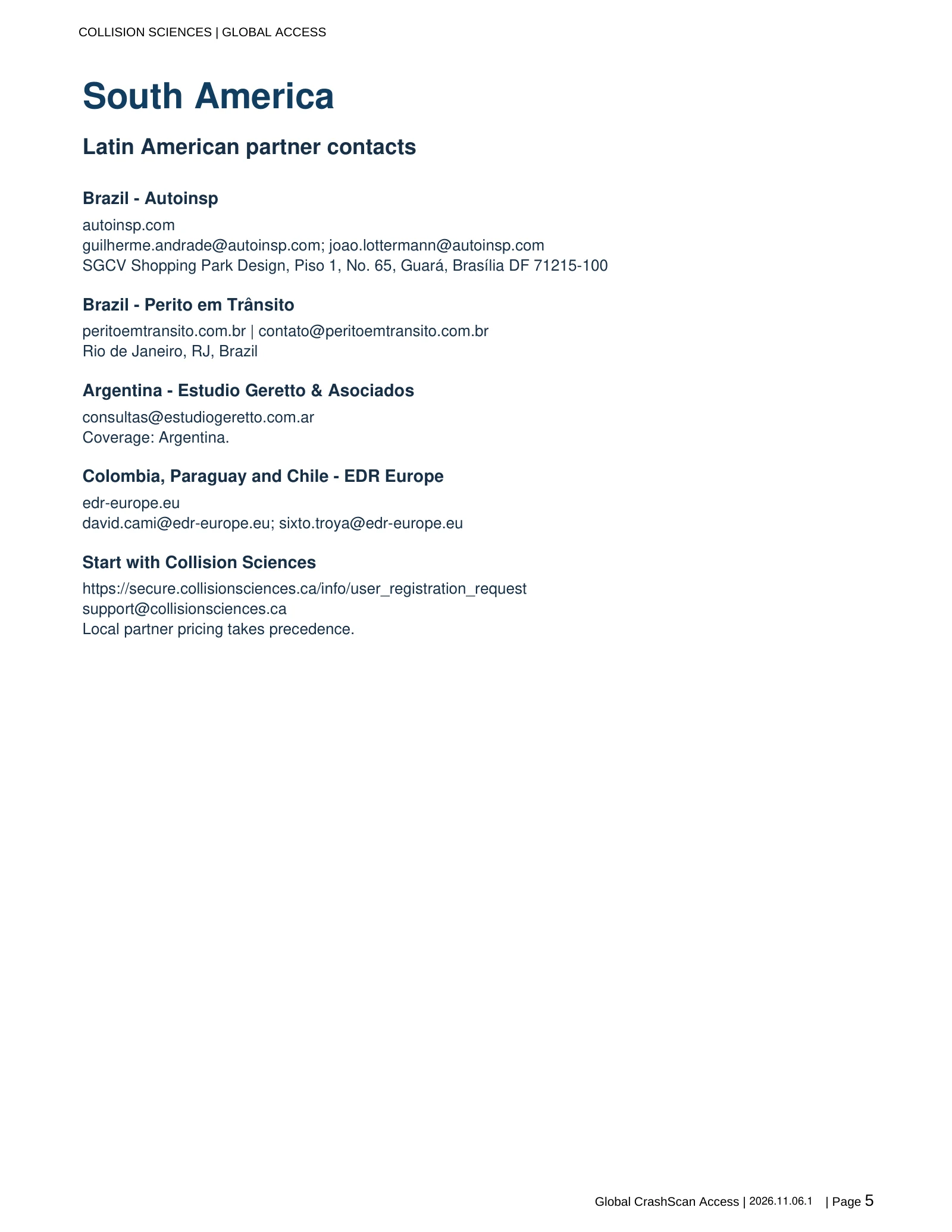
South America
Latin American partner contacts
Brazil - Autoinsp
autoinsp.com guilherme.andrade@autoinsp.com; joao.lottermann@autoinsp.com SGCV Shopping Park Design, Piso 1, No. 65, Guará, Brasília DF 71215-100
Brazil - Perito em Trânsito
peritoemtransito.com.br | contato@peritoemtransito.com.br Rio de Janeiro, RJ, Brazil
Argentina - Estudio Geretto & Asociados
consultas@estudiogeretto.com.ar Coverage: Argentina.
Colombia, Paraguay and Chile - EDR Europe
edr-europe.eu david.cami@edr-europe.eu; sixto.troya@edr-europe.eu
16 / Regional access
Start with Collision Sciences
https://secure.collisionsciences.ca/info/user_registration_request support@collisionsciences.ca Local partner pricing takes precedence.