
Slide 01Enlarge slide ↗

Read slide 1 text
EDR data analyst training course
By Collision Sciences
EDR certification
Slide 02Enlarge slide ↗

Read slide 2 text
Innovative technology & information intelligence
EDR certification
Slide 03Enlarge slide ↗

Read slide 3 text
EDR certification
Slide 04Enlarge slide ↗
Read slide 4 text
Training agenda
✓ EDR (Event Data Recorder) – Definitions, Background
✓ Field Demo (EDR Technician) - How EDR Data is retrieved
✓ EDR Data Analysis - Data Applicability, Report Review
✓ EDR Data Examples - Case Studies, SIU & Liability
✓ EDR Program - Data Ownership, Admissibility
Online Exam for Certificate (10 minutes, 25 questions)
EDR certification
Slide 05Enlarge slide ↗

Read slide 5 text
Innovative technology & information intelligence
Following review of this training slide deck, you may complete an Online Exam
(25 questions) and have a Certificate emailed.
Type or paste into browser address bar: https://secure.collisionsciences.ca/info/online_exam
Slide 06Enlarge slide ↗
Read slide 6 text
Module 1
EDR (Event Data Recorder) – Definitions, Background
EDR certification
Slide 07Enlarge slide ↗
Read slide 7 text
Event data recorder (EDR)
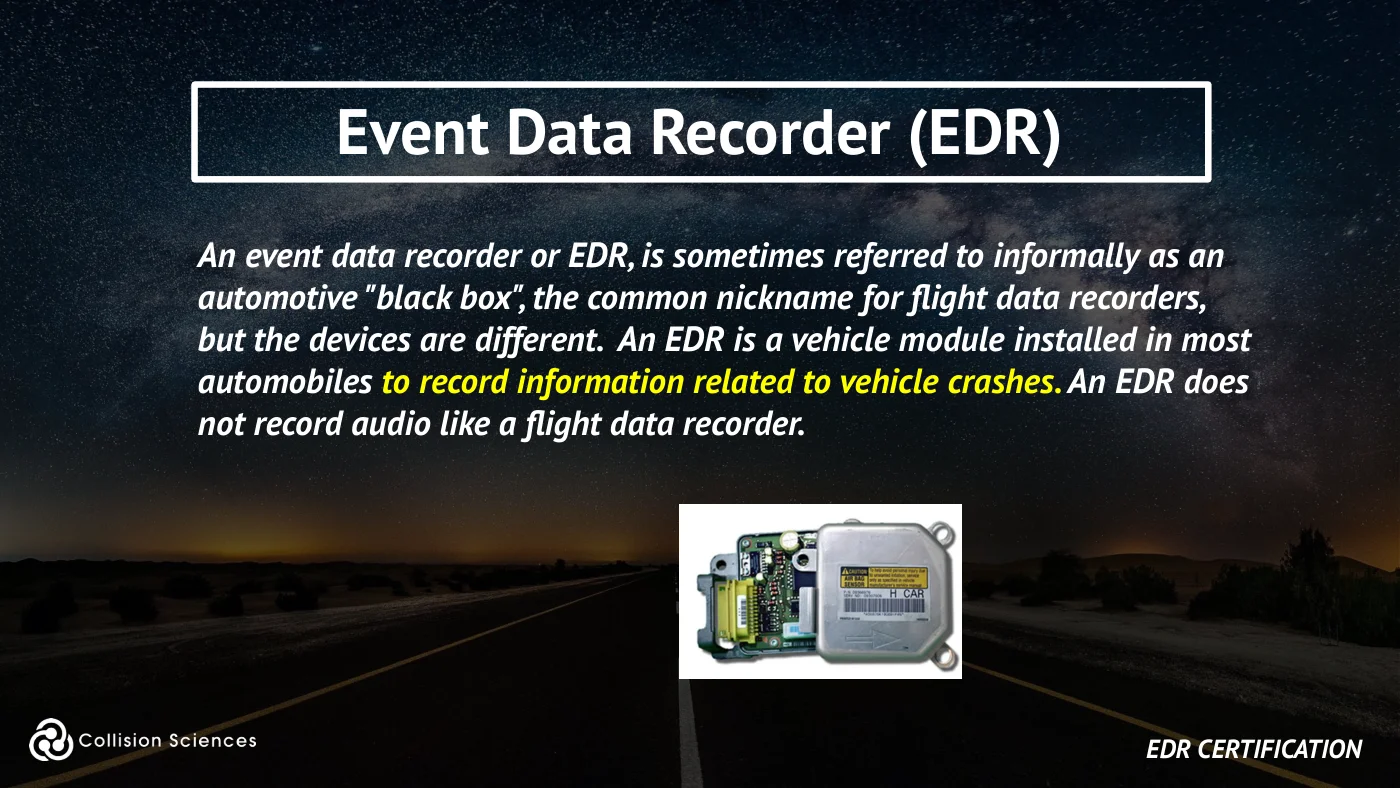
An event data recorder or EDR, is sometimes referred to informally as an automotive "black box", the common nickname for flight data recorders, but the devices are different. An EDR is a vehicle module installed in most automobiles to record information related to vehicle crashes. An EDR does not record audio like a flight data recorder.
EDR certification
Slide 08Enlarge slide ↗
Read slide 8 text
EDR operation
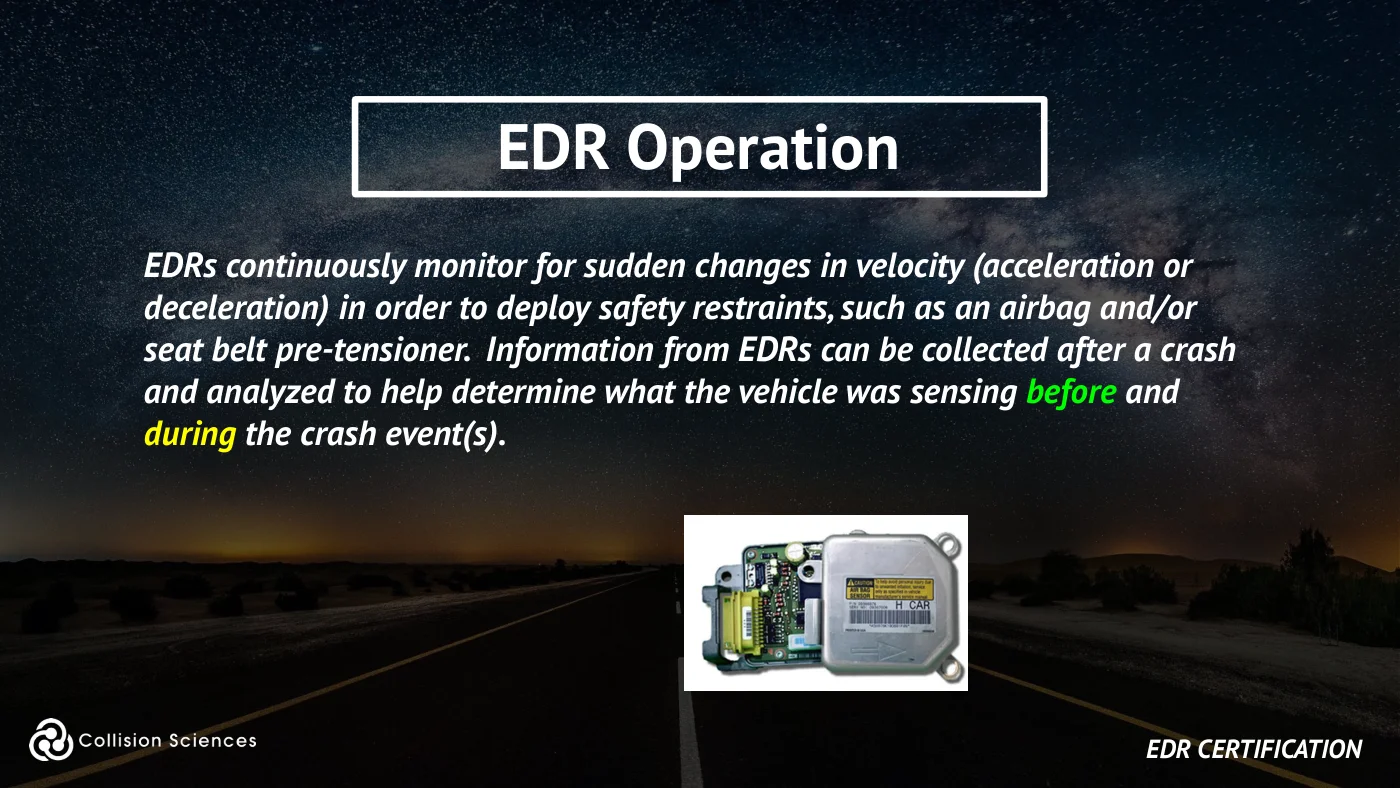
EDRs continuously monitor for sudden changes in velocity (acceleration or deceleration) in order to deploy safety restraints, such as an airbag and/or seat belt pre-tensioner. Information from EDRs can be collected after a crash and analyzed to help determine what the vehicle was sensing before and during the crash event(s).
EDR certification
Slide 09Enlarge slide ↗
Read slide 9 text
EDR operation
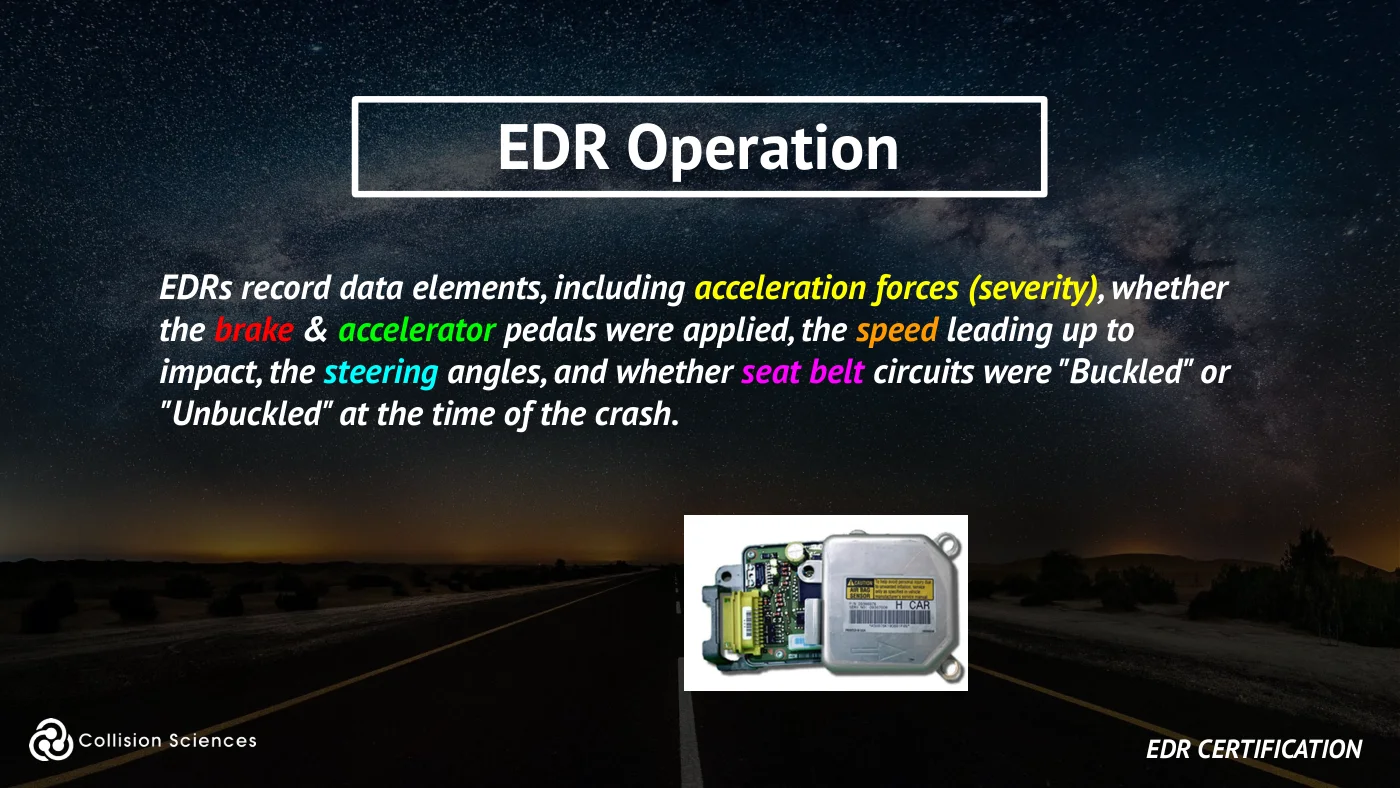
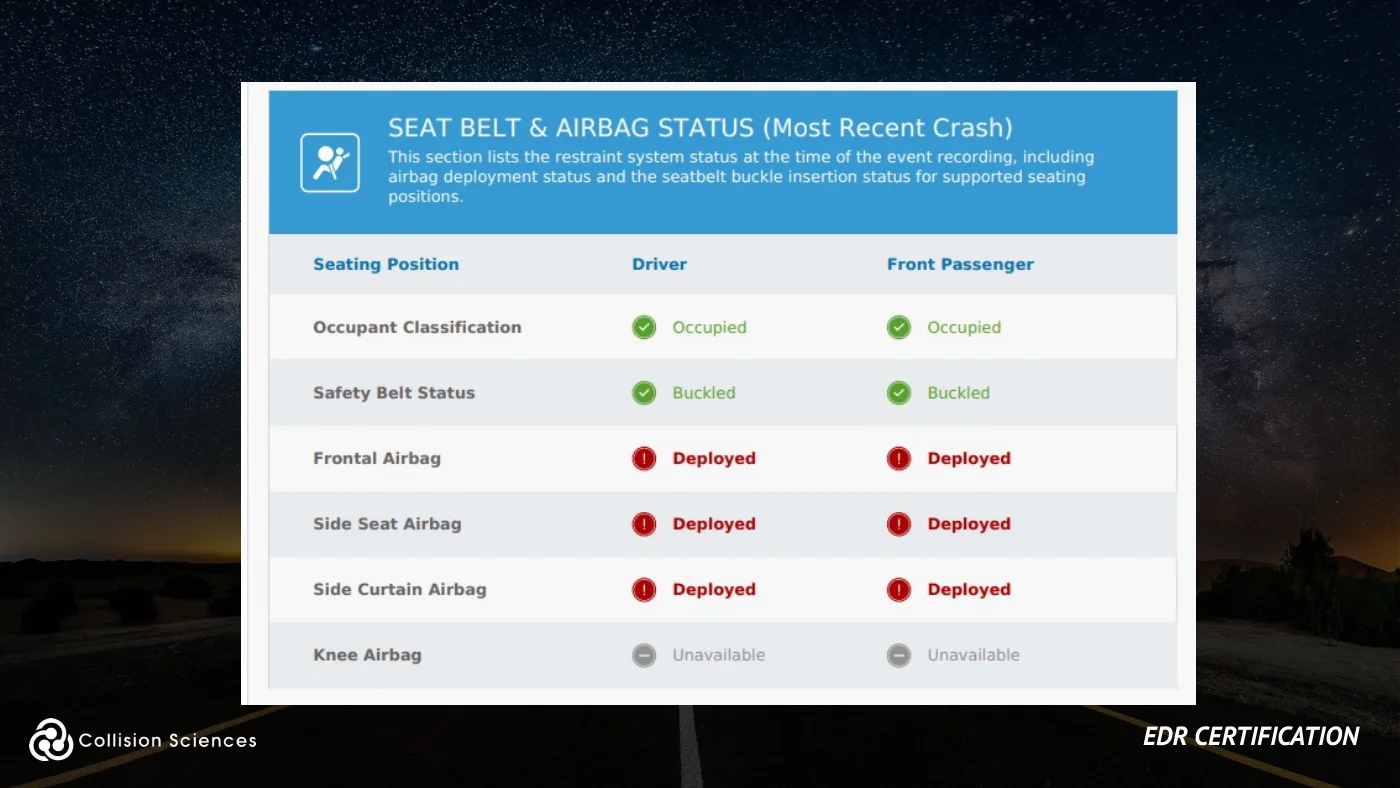
EDRs record data elements, including acceleration forces (severity), whether the brake & accelerator pedals were applied, the speed leading up to impact, the steering angles, and whether seat belt circuits were "Buckled" or "Unbuckled" at the time of the crash.
EDR certification
Slide 10Enlarge slide ↗
Read slide 10 text
Stored EDR data
Retrievable Crash Data generally includes:
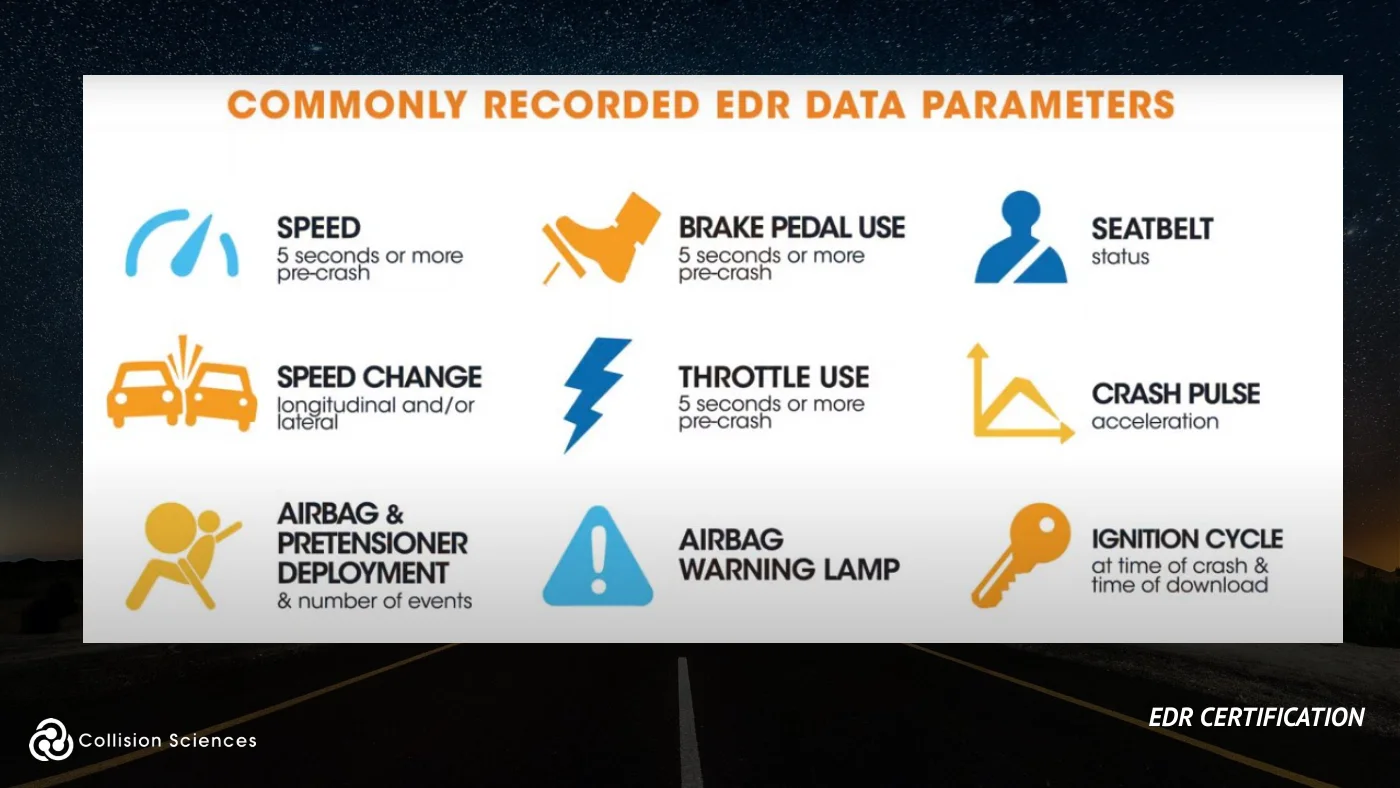
●Collision severity (acceleration or g-force), or “Delta-V” ●5-seconds of pre-impact vehicle speed, driver’s brake pedal, and accelerator pedal use ●Multiple Events (Deployment and/or Non-deployment) and Ignition Cycles (at event and download) ●Seatbelt use, Front Passenger occupant presence
EDR certification
Slide 11Enlarge slide ↗
Read slide 11 text
Stored EDR data
Retrievable Crash Data generally includes:
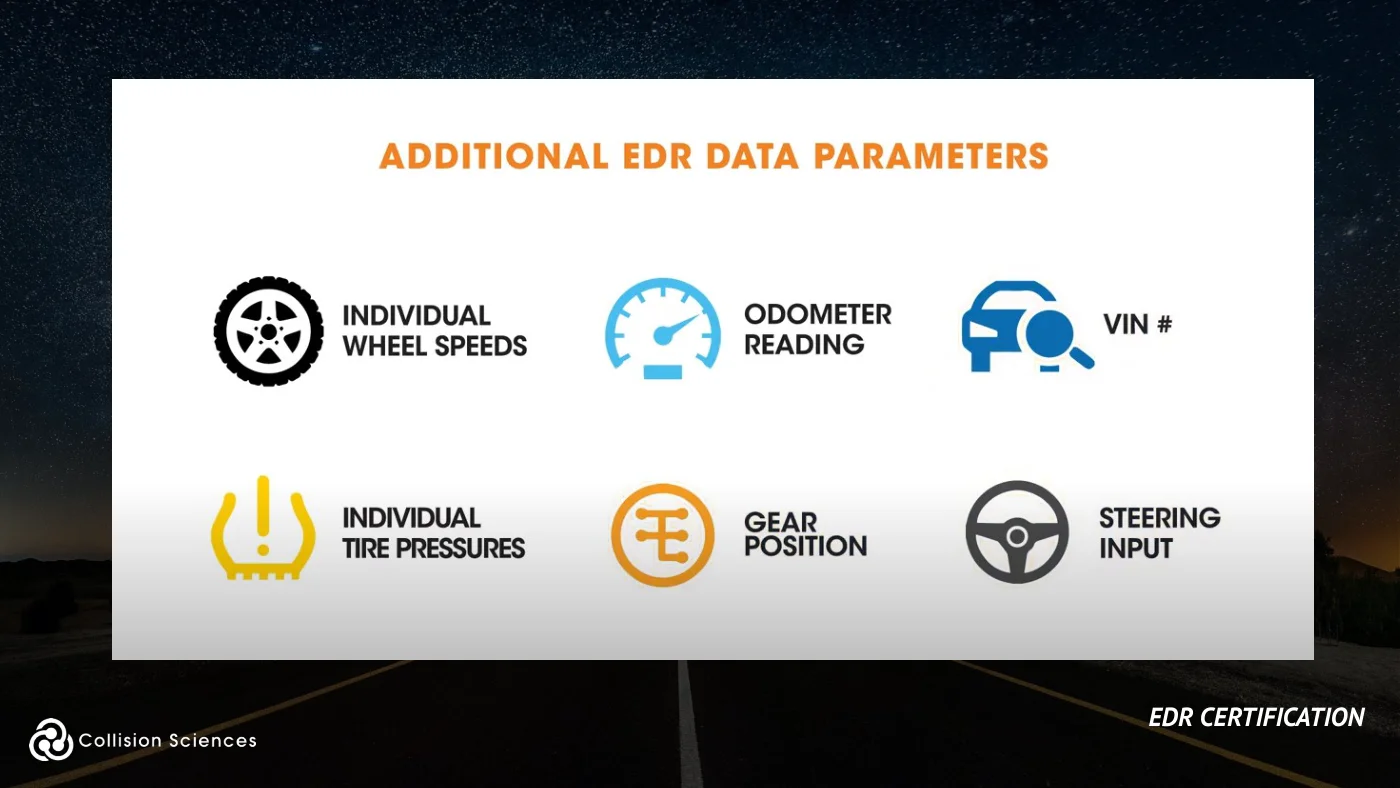
●Collision severity (acceleration or g-force), or “Delta-V” ●5-seconds of pre-impact vehicle speed, driver’s brake pedal, and accelerator pedal use ●Multiple Events (Deployment and/or Non-deployment) and Ignition Cycles (at event and download) ●Seatbelt use, Front Passenger occupant presence
EDR certification
Slide 12Enlarge slide ↗
Read slide 12 text
EDR operation
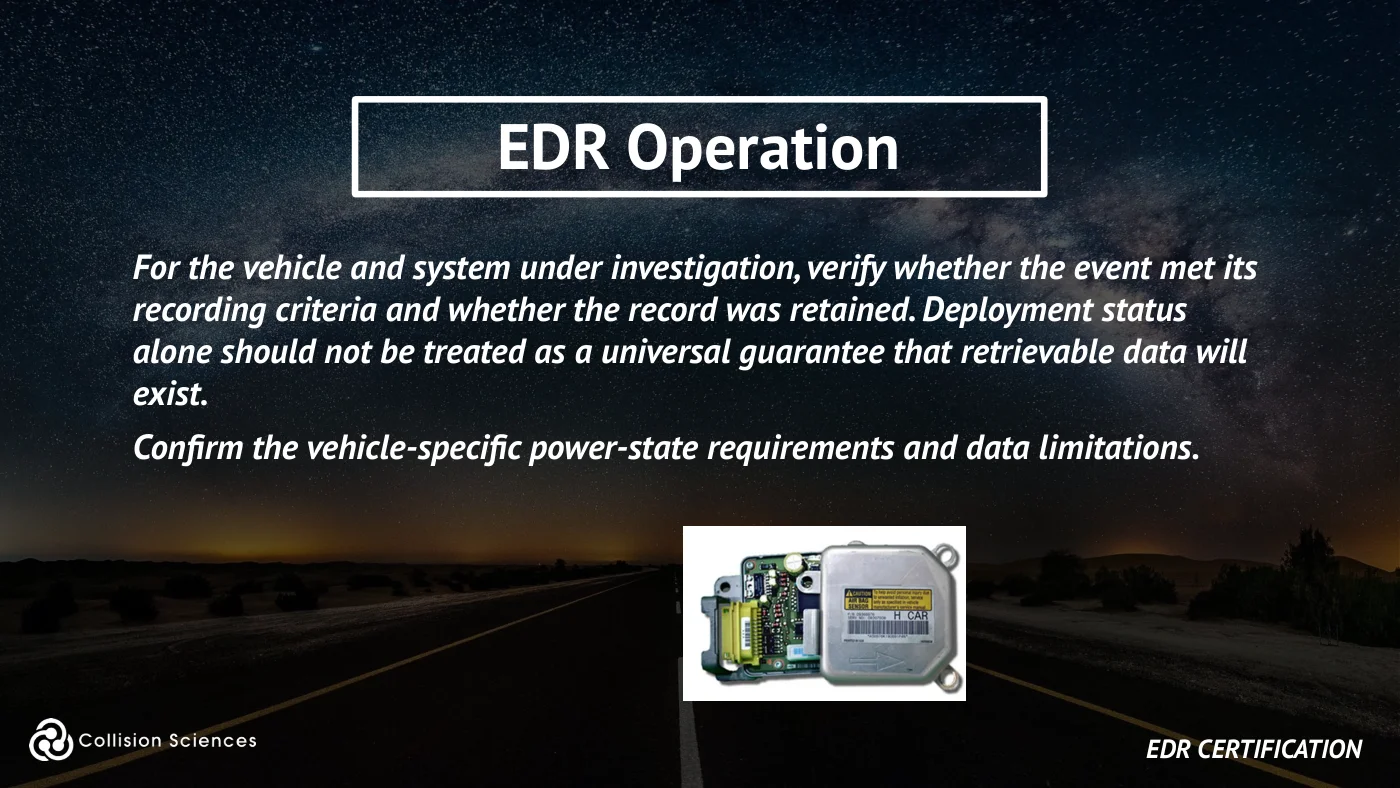
For the vehicle and system under investigation, verify whether the event met its recording criteria and whether the record was retained. Deployment status alone should not be treated as a universal guarantee that retrievable data will exist.
Confirm the vehicle-specific power-state requirements and data limitations.
EDR certification
Slide 13Enlarge slide ↗
Read slide 13 text
EDR data: traditional use
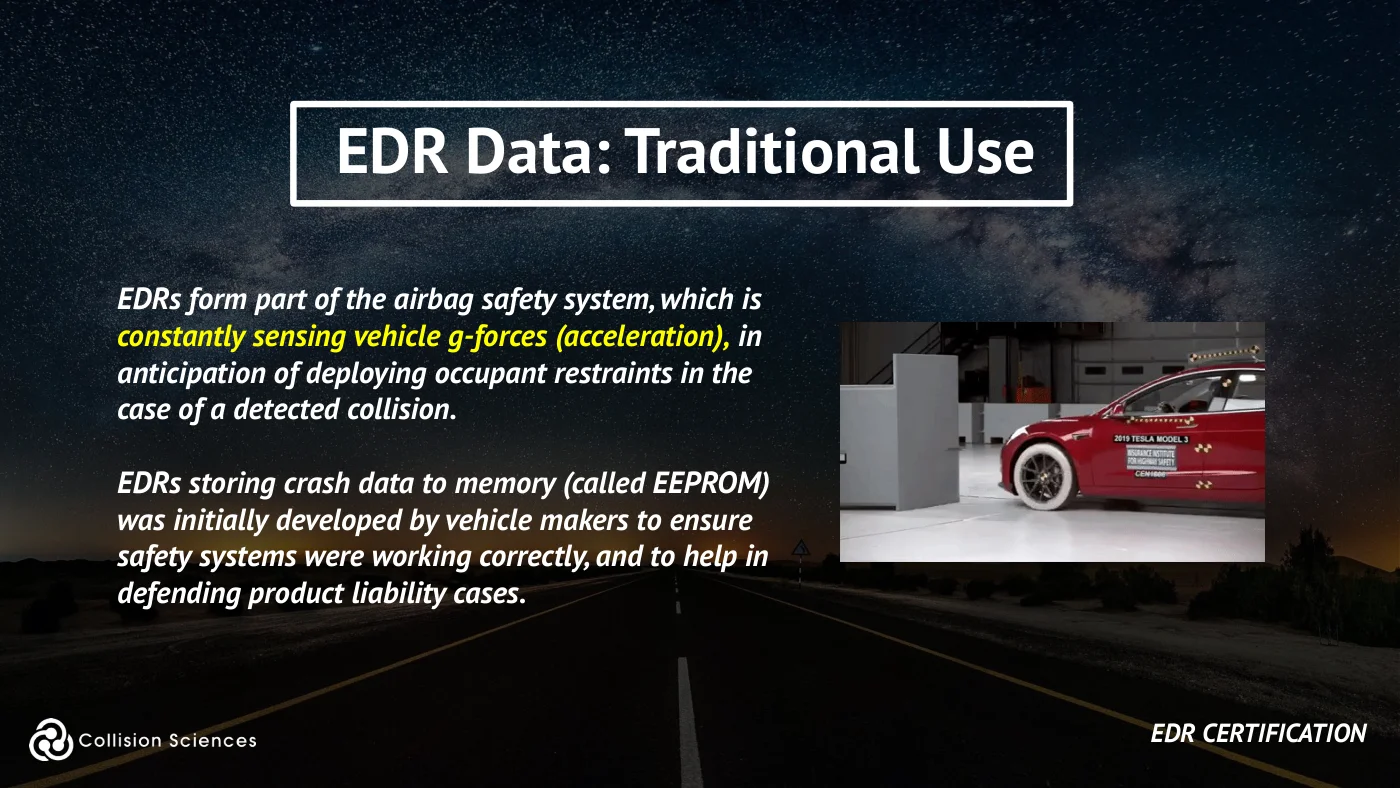
EDRs form part of the airbag safety system, which is constantly sensing vehicle g-forces (acceleration), in anticipation of deploying occupant restraints in the case of a detected collision.
EDRs storing crash data to memory (called EEPROM) was initially developed by vehicle makers to ensure safety systems were working correctly, and to help in defending product liability cases.
EDR certification
Slide 14Enlarge slide ↗
Read slide 14 text
EDR data: traditional use
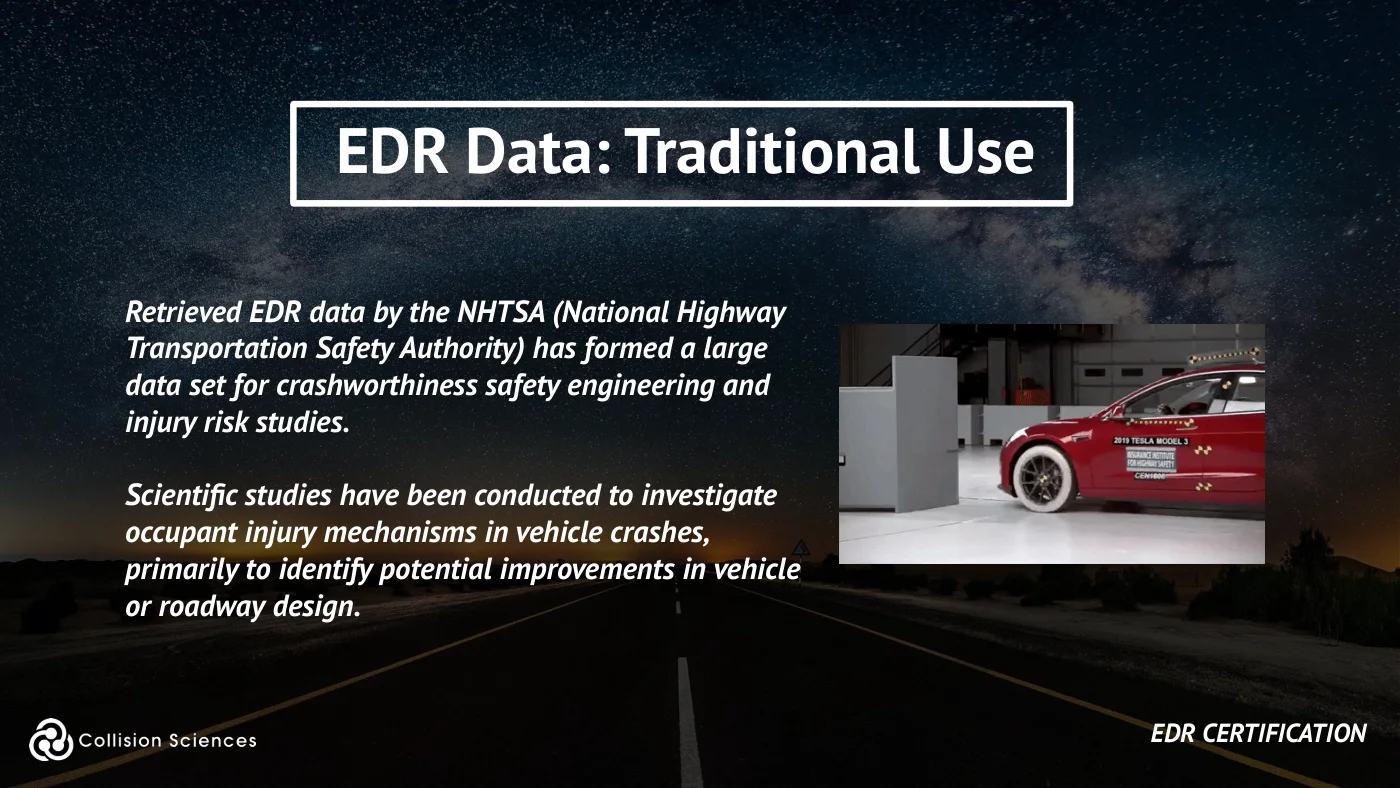
Retrieved EDR data by the NHTSA (National Highway Transportation Safety Authority) has formed a large data set for crashworthiness safety engineering and injury risk studies.
Scientific studies have been conducted to investigate occupant injury mechanisms in vehicle crashes, primarily to identify potential improvements in vehicle or roadway design.
EDR certification
Slide 15Enlarge slide ↗
Read slide 15 text
Insurance claim use cases
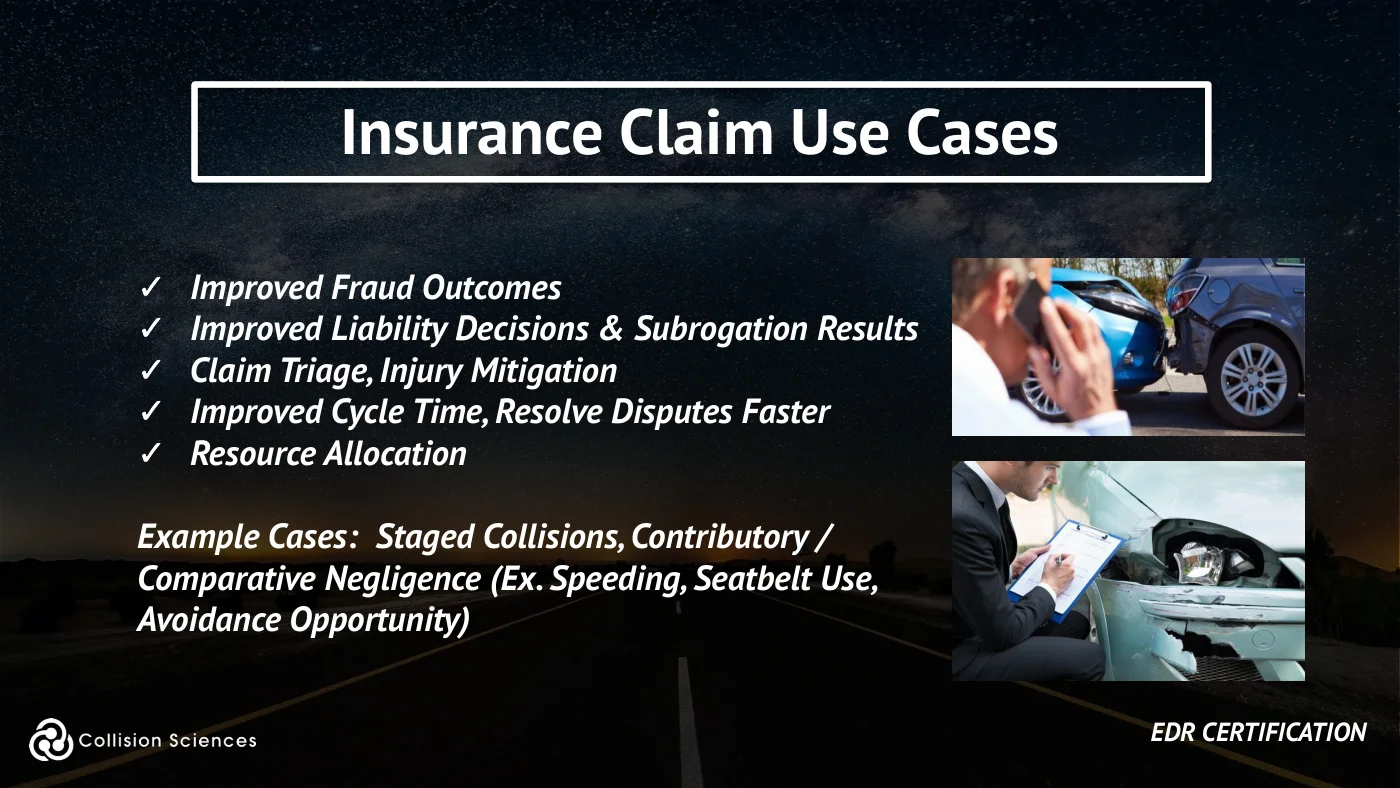
✓ Improved Fraud Outcomes ✓ Improved Liability Decisions & Subrogation Results ✓ Claim Triage, Injury Mitigation ✓ Improved Cycle Time, Resolve Disputes Faster ✓ Resource Allocation
Example Cases: Staged Collisions, Contributory / Comparative Negligence (Ex. Speeding, Seatbelt Use, Avoidance Opportunity)
EDR certification
Slide 16Enlarge slide ↗
Read slide 16 text
Accessing EDR data
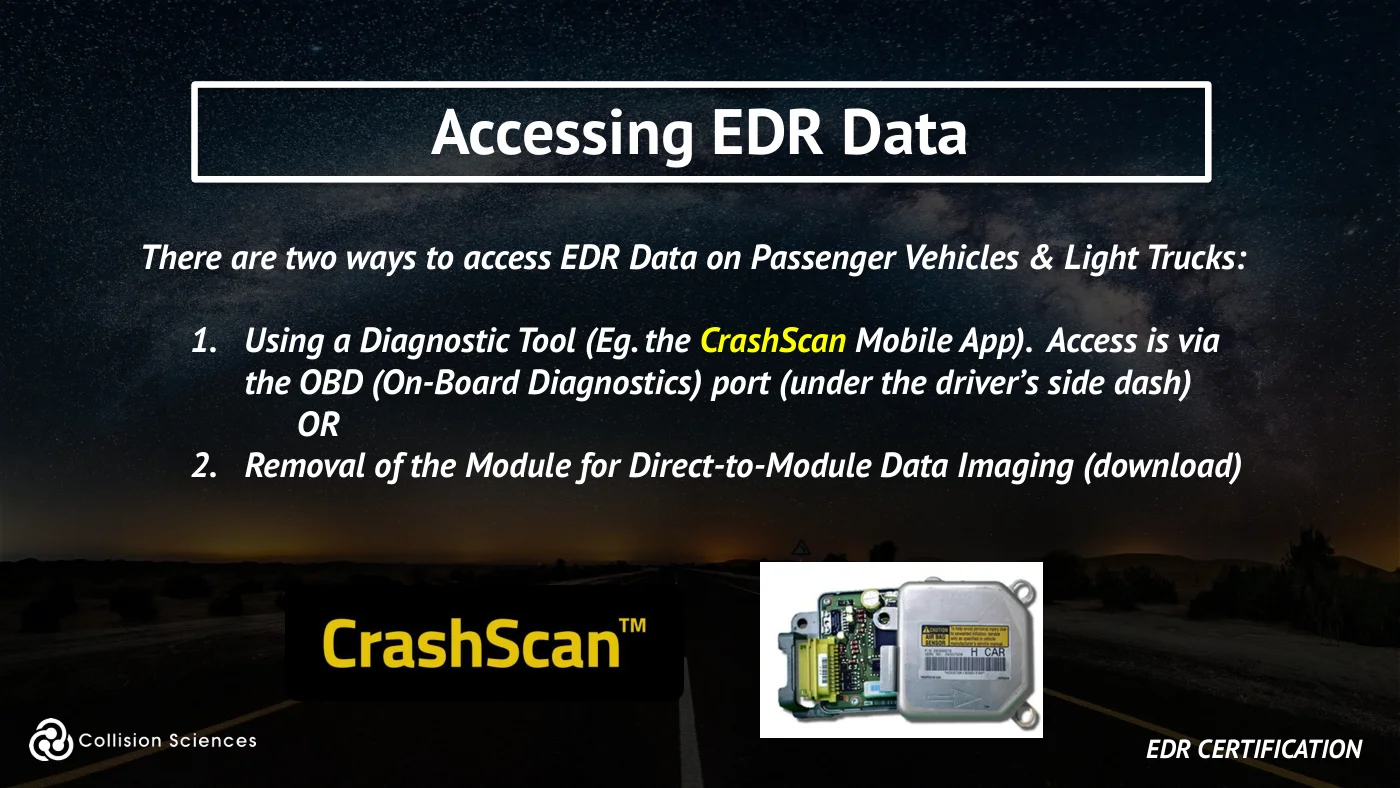
There are two ways to access EDR Data on Passenger Vehicles & Light Trucks:
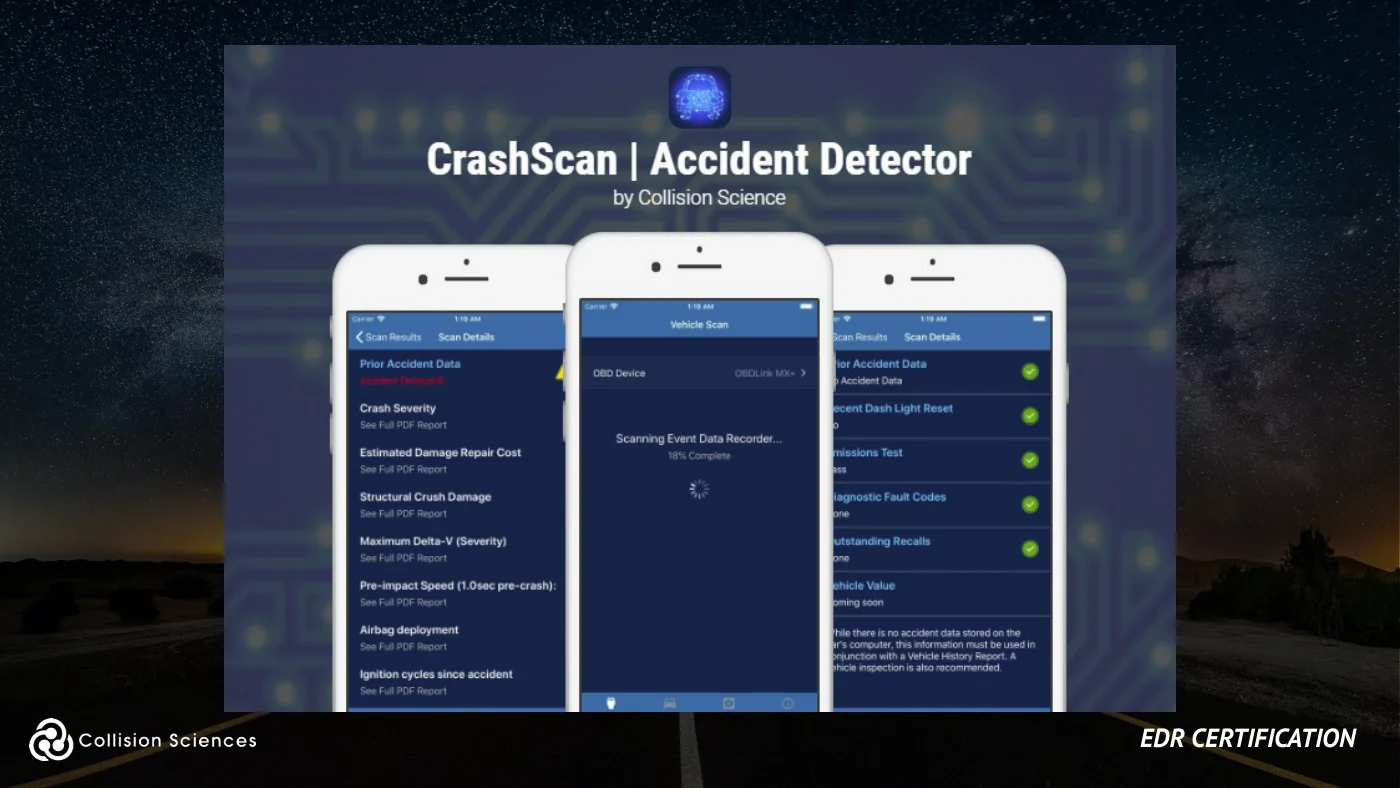
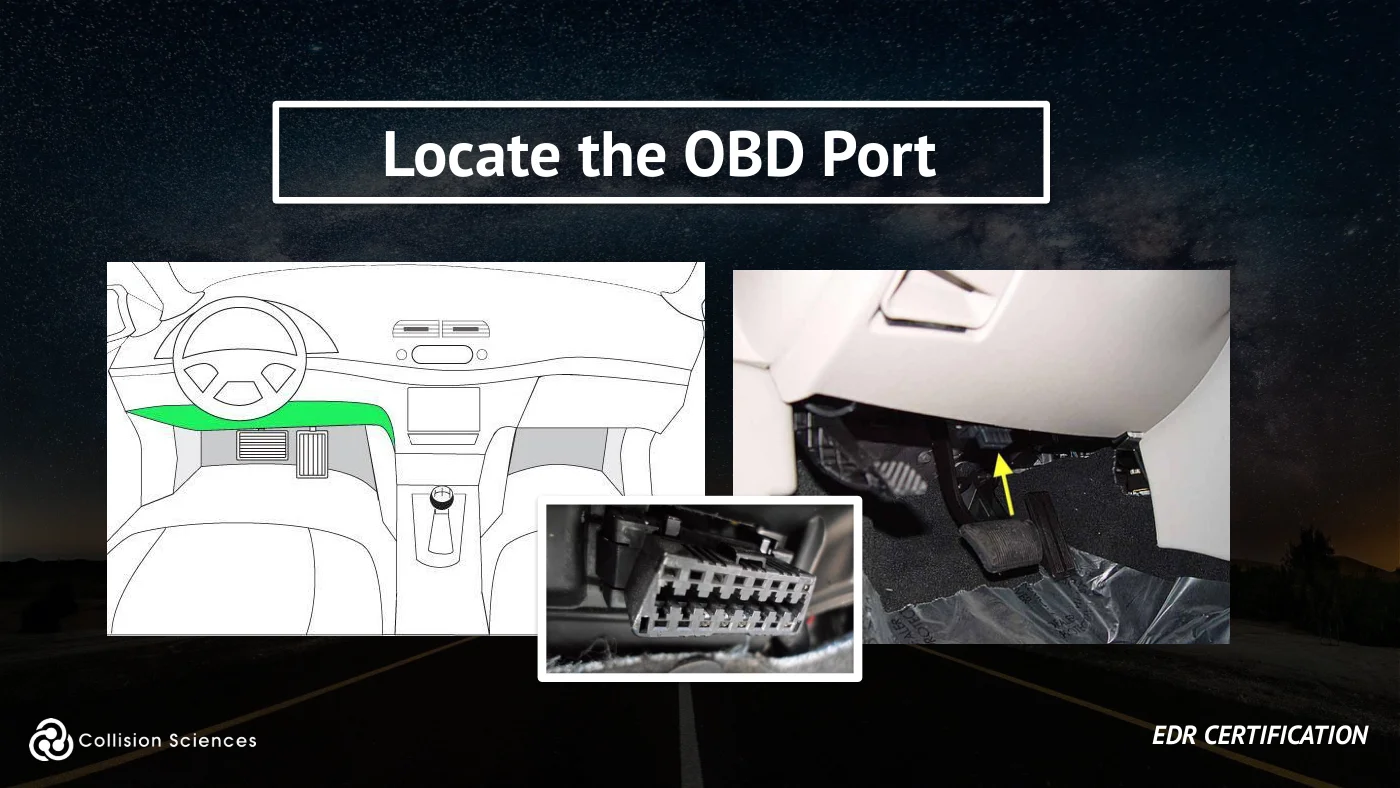
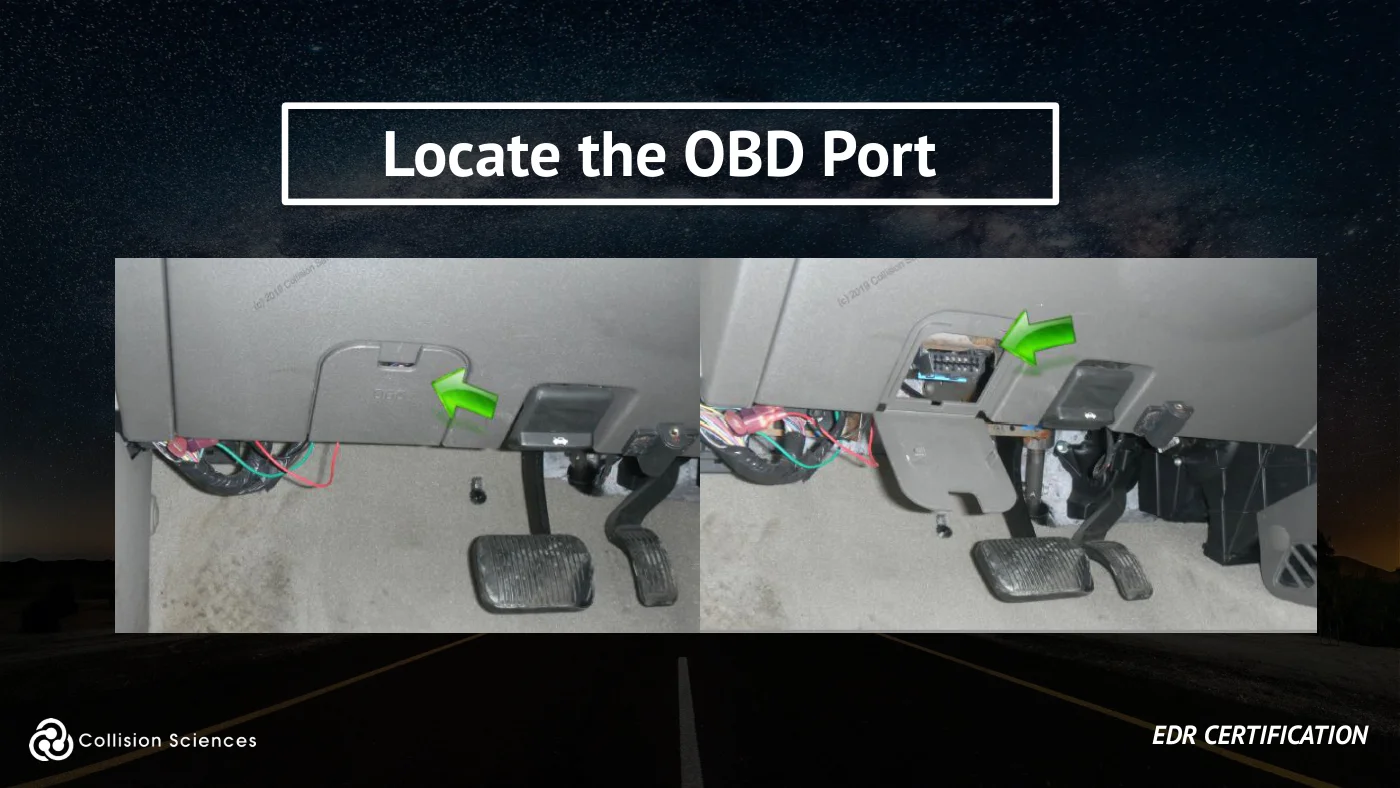
1. Using a Diagnostic Tool (Eg. the CrashScan Mobile App). Access is via the OBD (On-Board Diagnostics) port (under the driver’s side dash)
OR 2. Removal of the Module for Direct-to-Module Data Imaging (download)
EDR certification
Slide 17Enlarge slide ↗
Read slide 17 text
EDR regulations
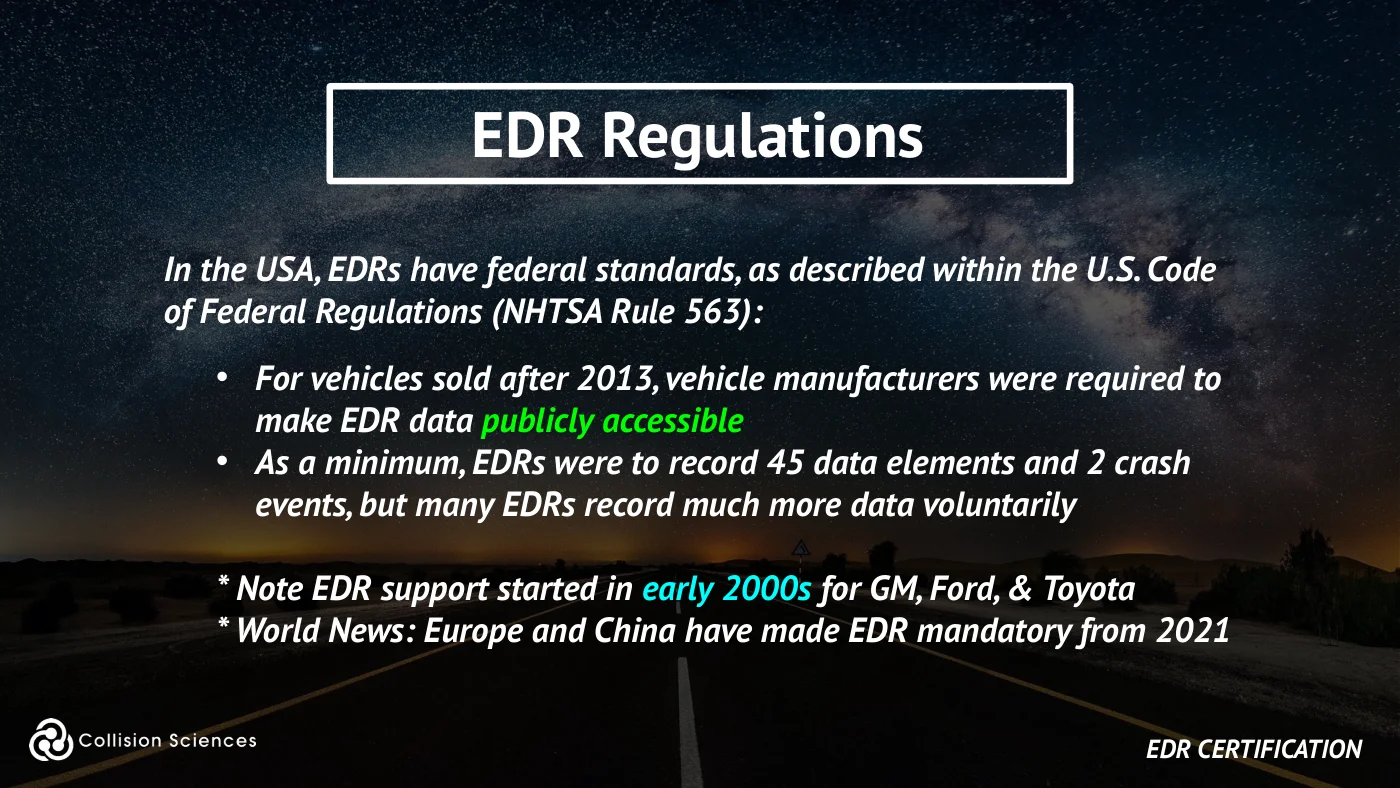
In the USA, EDRs have federal standards, as described within the U.S. Code of Federal Regulations (NHTSA Rule 563):
• For vehicles sold after 2013, vehicle manufacturers were required to make EDR data publicly accessible • As a minimum, EDRs were to record 45 data elements and 2 crash events, but many EDRs record much more data voluntarily
* Note EDR support started in early 2000s for GM, Ford, & Toyota * World News: Europe and China have made EDR mandatory from 2021
EDR certification
Slide 18Enlarge slide ↗
Read slide 18 text
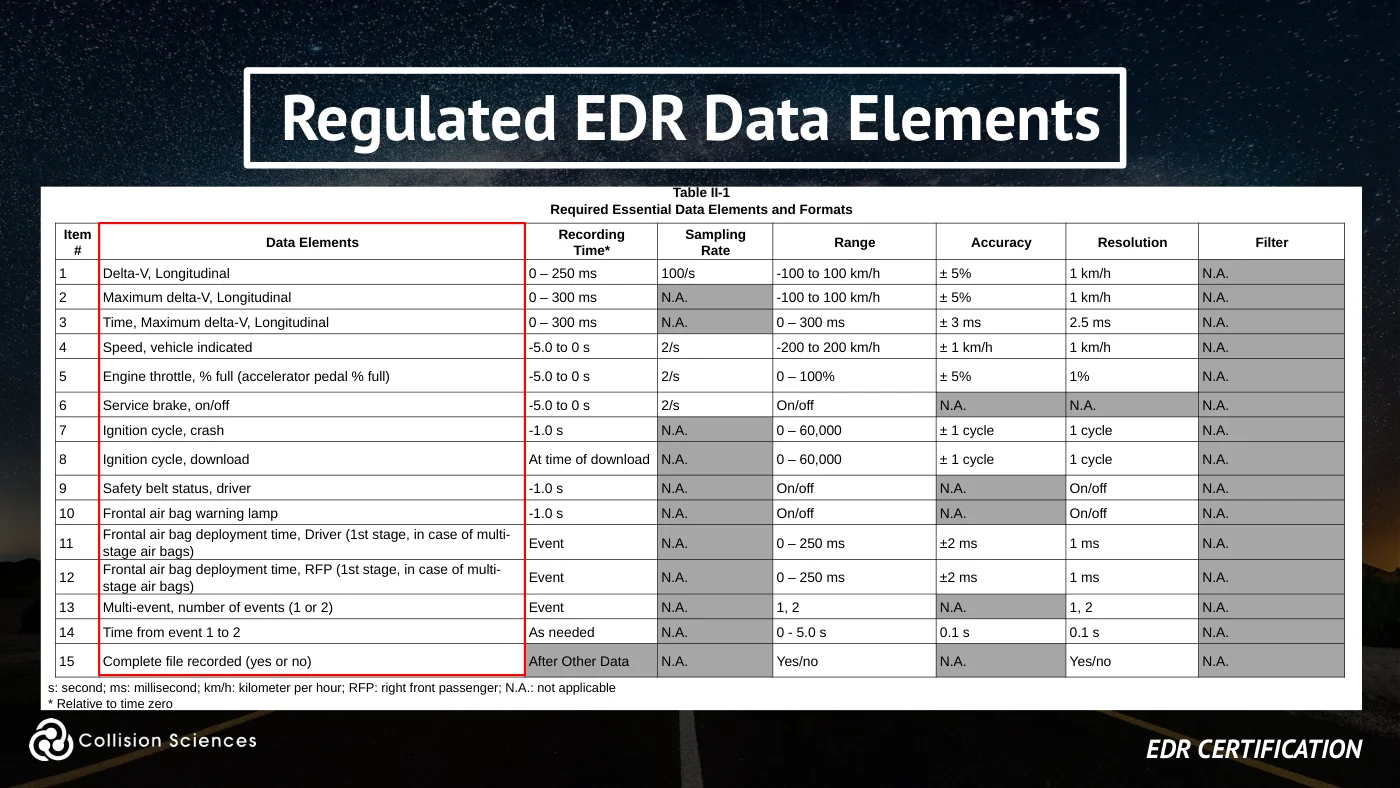
Regulated EDR data elements
Table II-1 Required Essential Data Elements and Formats
Item
Sampling
# Data Elements Recording
Time*
Rate Range Accuracy Resolution Filter
1 Delta-V, Longitudinal 0 – 250 ms 100/s -100 to 100 km/h ± 5% 1 km/h N.A.
2 Maximum delta-V, Longitudinal 0 – 300 ms N.A. -100 to 100 km/h ± 5% 1 km/h N.A.
3 Time, Maximum delta-V, Longitudinal 0 – 300 ms N.A. 0 – 300 ms ± 3 ms 2.5 ms N.A.
4 Speed, vehicle indicated -5.0 to 0 s 2/s -200 to 200 km/h ± 1 km/h 1 km/h N.A.
5 Engine throttle, % full (accelerator pedal % full) -5.0 to 0 s 2/s 0 – 100% ± 5% 1% N.A.
6 Service brake, on/off -5.0 to 0 s 2/s On/off N.A. N.A. N.A.
7 Ignition cycle, crash -1.0 s N.A. 0 – 60,000 ± 1 cycle 1 cycle N.A.
8 Ignition cycle, download At time of download N.A. 0 – 60,000 ± 1 cycle 1 cycle N.A.
9 Safety belt status, driver -1.0 s N.A. On/off N.A. On/off N.A.
10 Frontal air bag warning lamp -1.0 s N.A. On/off N.A. On/off N.A.
11 Frontal air bag deployment time, Driver (1st stage, in case of multi- stage air bags) Event N.A. 0 – 250 ms ±2 ms 1 ms N.A.
12 Frontal air bag deployment time, RFP (1st stage, in case of multi- stage air bags) Event N.A. 0 – 250 ms ±2 ms 1 ms N.A.
13 Multi-event, number of events (1 or 2) Event N.A. 1, 2 N.A. 1, 2 N.A.
14 Time from event 1 to 2 As needed N.A. 0 - 5.0 s 0.1 s 0.1 s N.A.
15 Complete file recorded (yes or no) After Other Data N.A. Yes/no N.A. Yes/no N.A.
s: second; ms: millisecond; km/h: kilometer per hour; RFP: right front passenger; N.A.: not applicable * Relative to time zero
EDR certification
Slide 19Enlarge slide ↗
Read slide 19 text
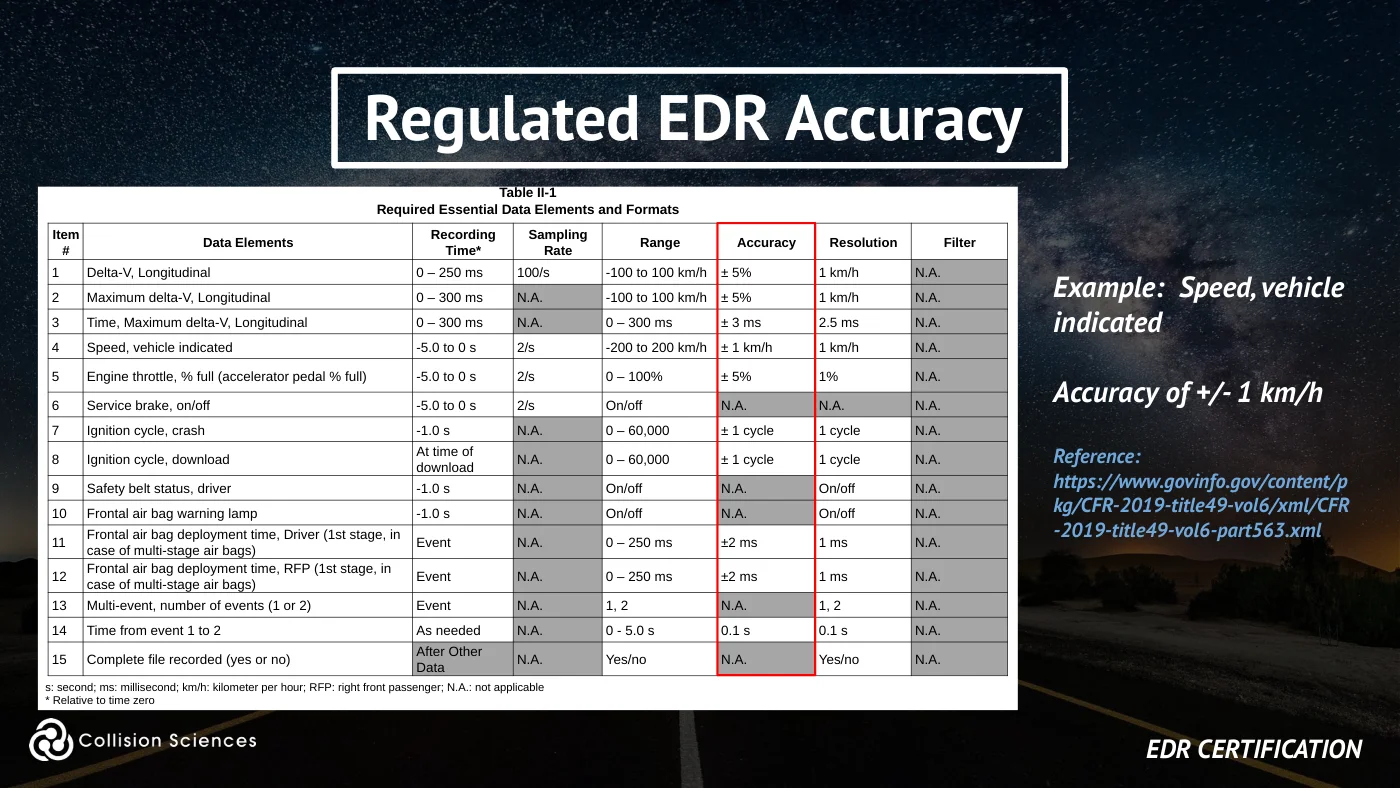
Regulated EDR accuracy
Table II-1 Required Essential Data Elements and Formats
Item
Sampling
# Data Elements Recording
Time*
Rate Range Accuracy Resolution Filter
1 Delta-V, Longitudinal 0 – 250 ms 100/s -100 to 100 km/h ± 5% 1 km/h N.A.
2 Maximum delta-V, Longitudinal 0 – 300 ms N.A. -100 to 100 km/h ± 5% 1 km/h N.A.
3 Time, Maximum delta-V, Longitudinal 0 – 300 ms N.A. 0 – 300 ms ± 3 ms 2.5 ms N.A.
Example: Speed, vehicle indicated
4 Speed, vehicle indicated -5.0 to 0 s 2/s -200 to 200 km/h ± 1 km/h 1 km/h N.A.
5 Engine throttle, % full (accelerator pedal % full) -5.0 to 0 s 2/s 0 – 100% ± 5% 1% N.A.
Accuracy of +/- 1 km/h
6 Service brake, on/off -5.0 to 0 s 2/s On/off N.A. N.A. N.A.
7 Ignition cycle, crash -1.0 s N.A. 0 – 60,000 ± 1 cycle 1 cycle N.A.
8 Ignition cycle, download At time of download N.A. 0 – 60,000 ± 1 cycle 1 cycle N.A.
9 Safety belt status, driver -1.0 s N.A. On/off N.A. On/off N.A.
10 Frontal air bag warning lamp -1.0 s N.A. On/off N.A. On/off N.A.
Reference: https://www.govinfo.gov/content/p kg/CFR-2019-title49-vol6/xml/CFR -2019-title49-vol6-part563.xml
11 Frontal air bag deployment time, Driver (1st stage, in case of multi-stage air bags) Event N.A. 0 – 250 ms ±2 ms 1 ms N.A.
12 Frontal air bag deployment time, RFP (1st stage, in case of multi-stage air bags) Event N.A. 0 – 250 ms ±2 ms 1 ms N.A.
13 Multi-event, number of events (1 or 2) Event N.A. 1, 2 N.A. 1, 2 N.A.
14 Time from event 1 to 2 As needed N.A. 0 - 5.0 s 0.1 s 0.1 s N.A.
15 Complete file recorded (yes or no) After Other Data N.A. Yes/no N.A. Yes/no N.A.
s: second; ms: millisecond; km/h: kilometer per hour; RFP: right front passenger; N.A.: not applicable * Relative to time zero
EDR certification
Slide 20Enlarge slide ↗
Read slide 20 text
EDR vehicle support
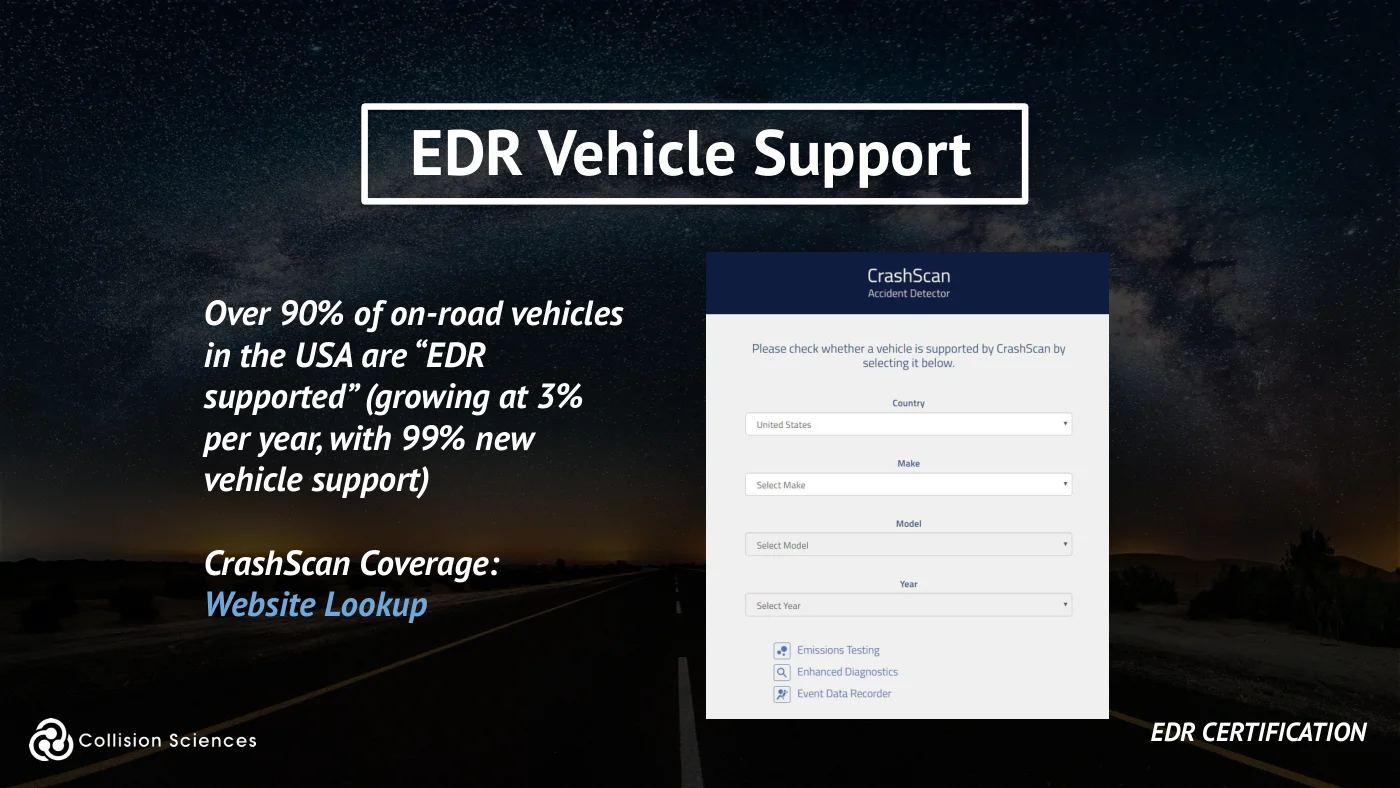
Over 90% of on-road vehicles in the USA are “EDR supported” (growing at 3% per year, with 99% new vehicle support)
CrashScan Coverage: Website Lookup
EDR certification
Slide 21Enlarge slide ↗
Read slide 21 text
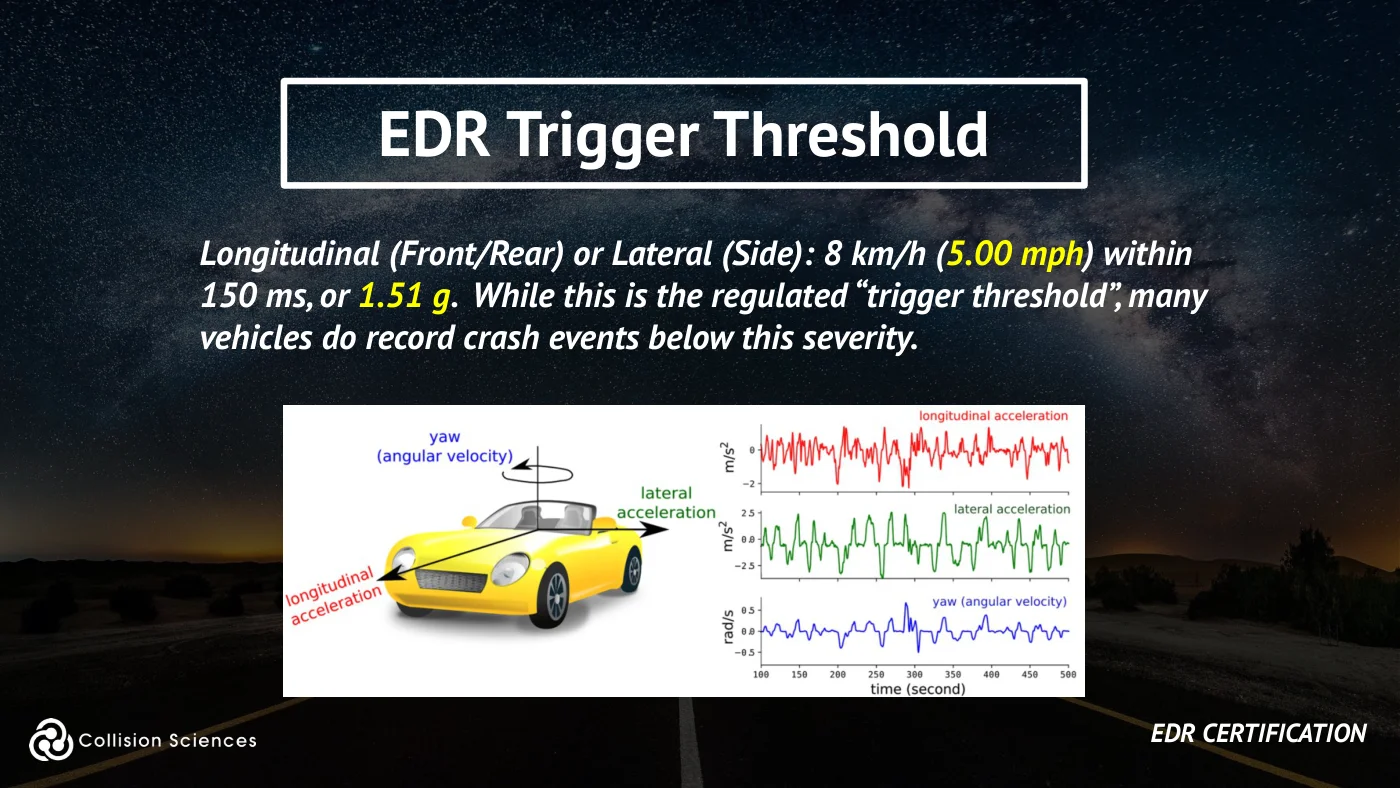
EDR trigger threshold
Longitudinal (Front/Rear) or Lateral (Side): 8 km/h (5.00 mph) within 150 ms, or 1.51 g. While this is the regulated “trigger threshold”, many vehicles do record crash events below this severity.
EDR certification
Slide 22Enlarge slide ↗
Read slide 22 text
PDOF
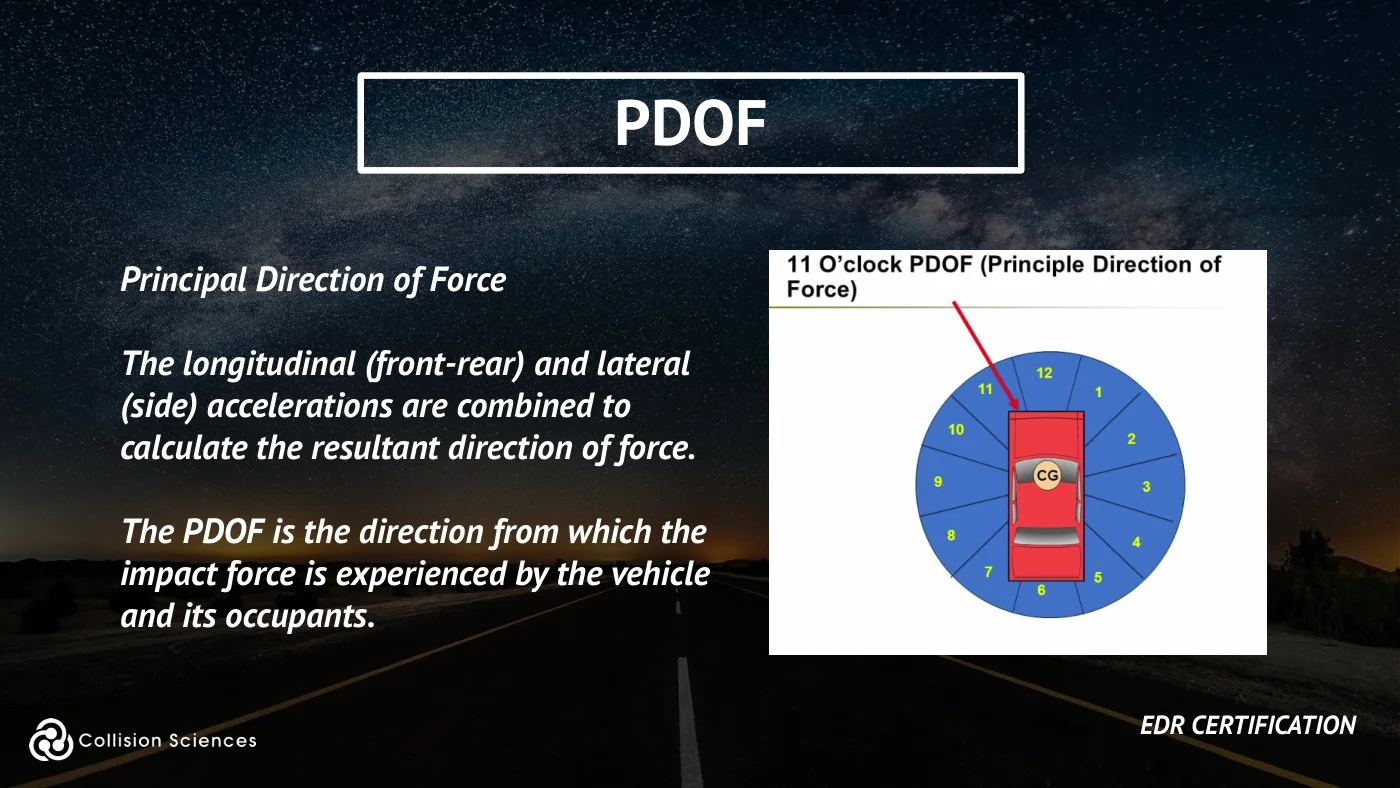
Principal direction of force
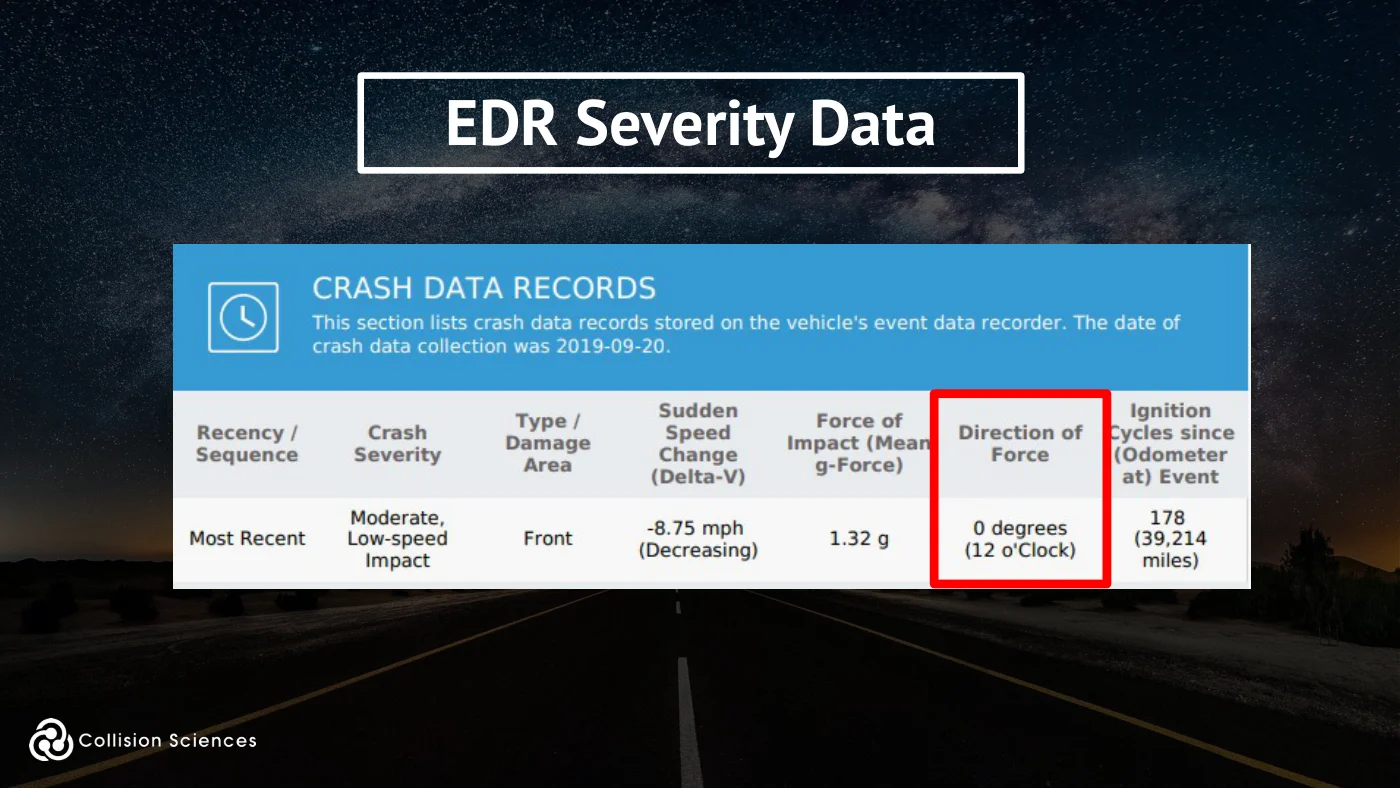
The longitudinal (front-rear) and lateral (side) accelerations are combined to calculate the resultant direction of force.
The PDOF is the direction from which the impact force is experienced by the vehicle and its occupants.
EDR certification
Slide 23Enlarge slide ↗
Read slide 23 text
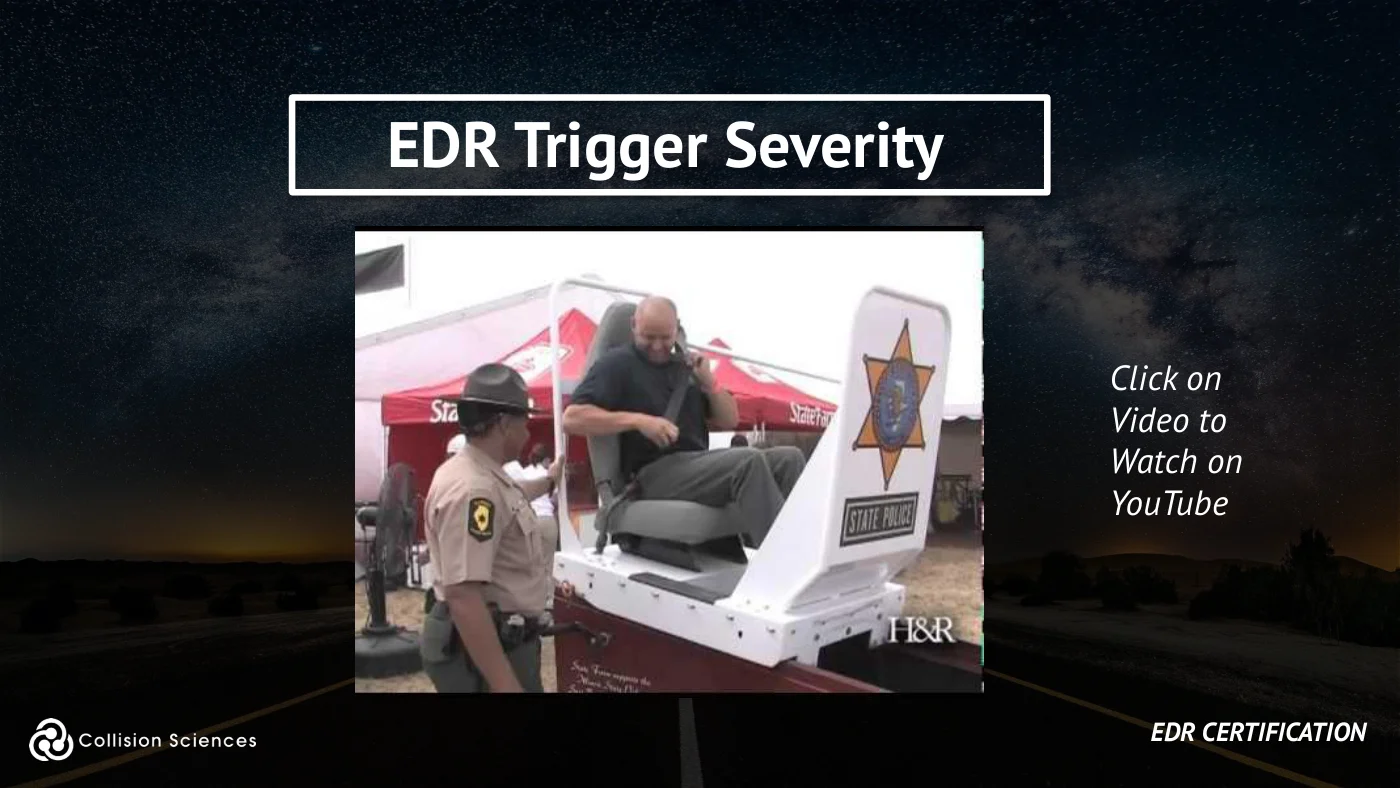
EDR trigger severity
Click on Video to Watch on YouTube
EDR certification
Slide 24Enlarge slide ↗
Read slide 24 text
Collision severity
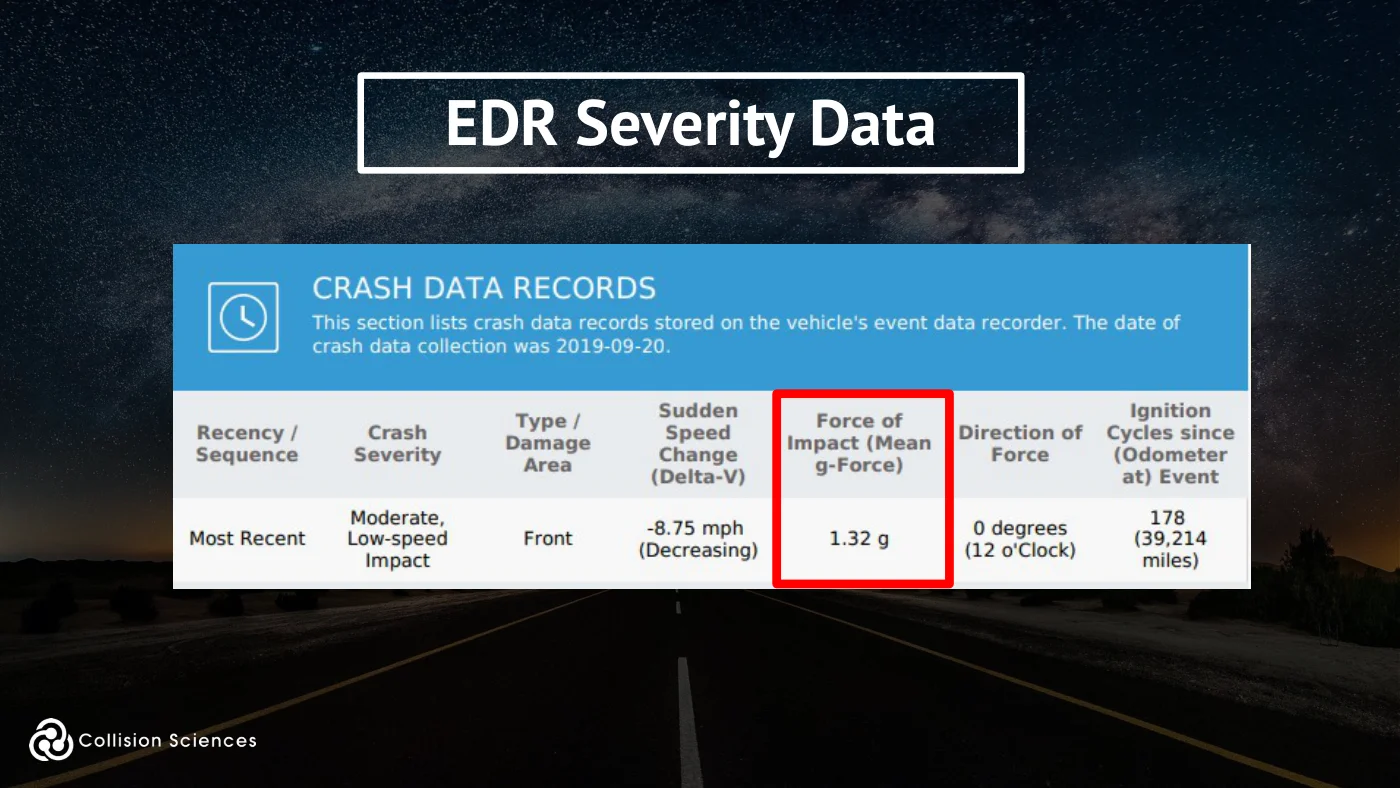
Collision severity is measured through the vehicle accelerations, and is presented as:
“Delta-V” or “G-force”
A collision typically occurs within 1/10th of a second (100 milliseconds). Low-speed collisions may last up to 250 milliseconds or longer, typically due to greater “rebound”, aka restitution.
EDR certification
Slide 25Enlarge slide ↗
Read slide 25 text
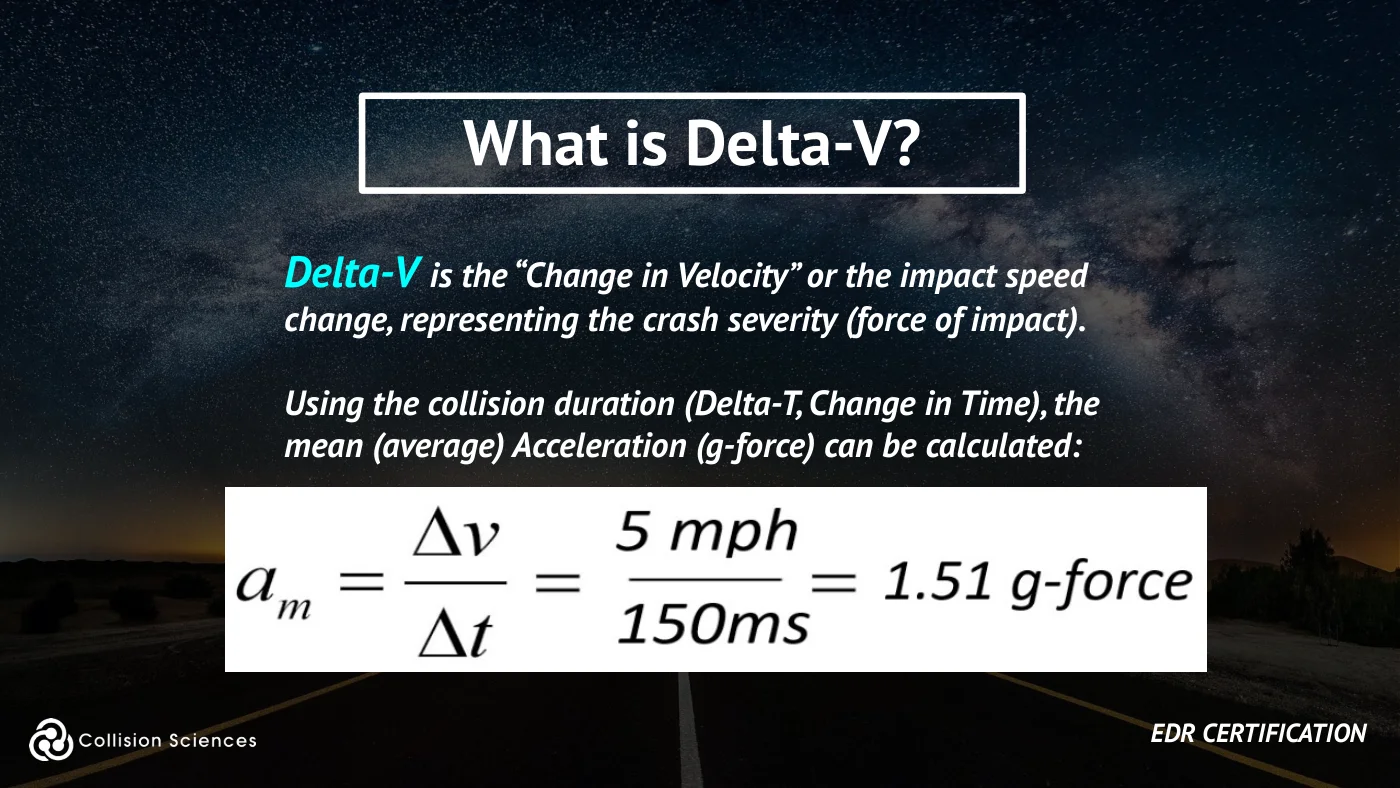
What is delta-V?
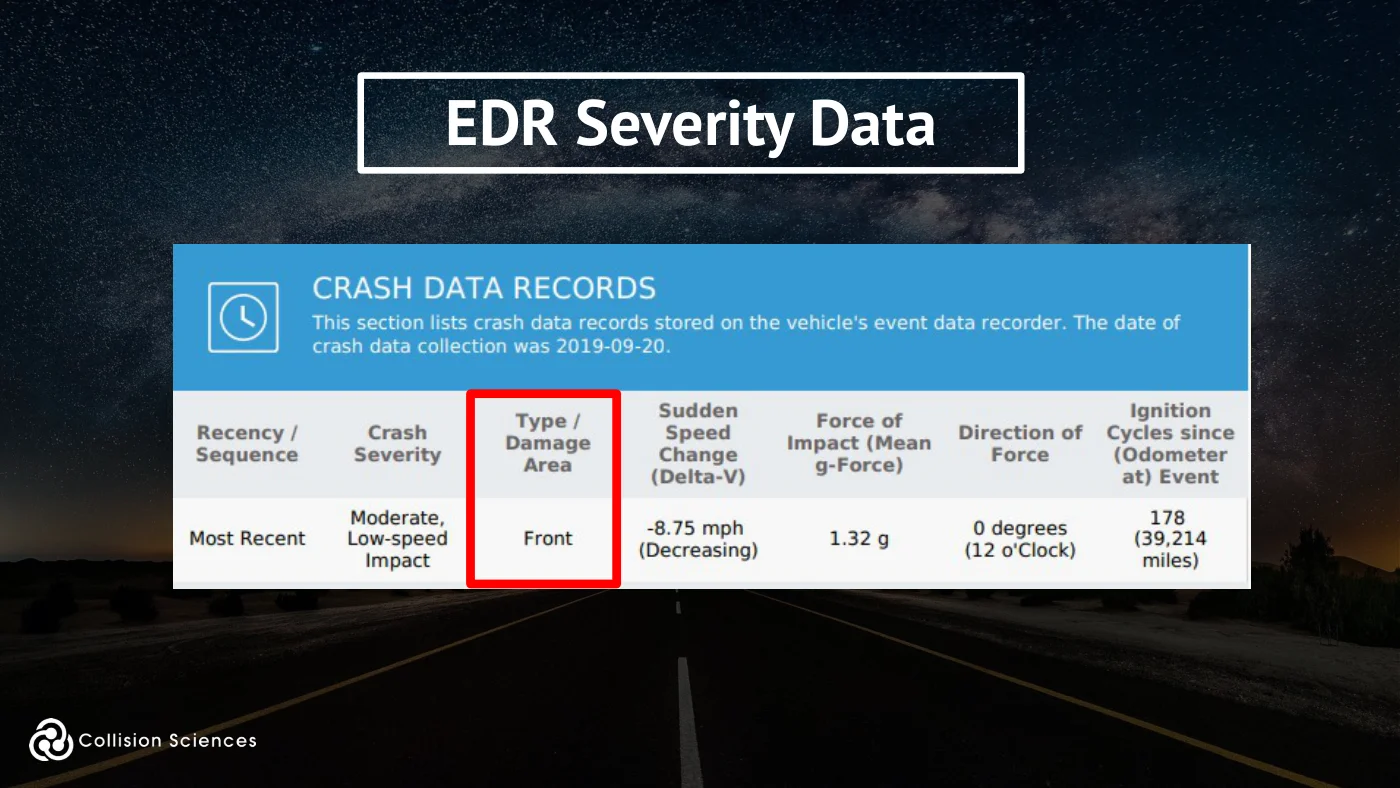
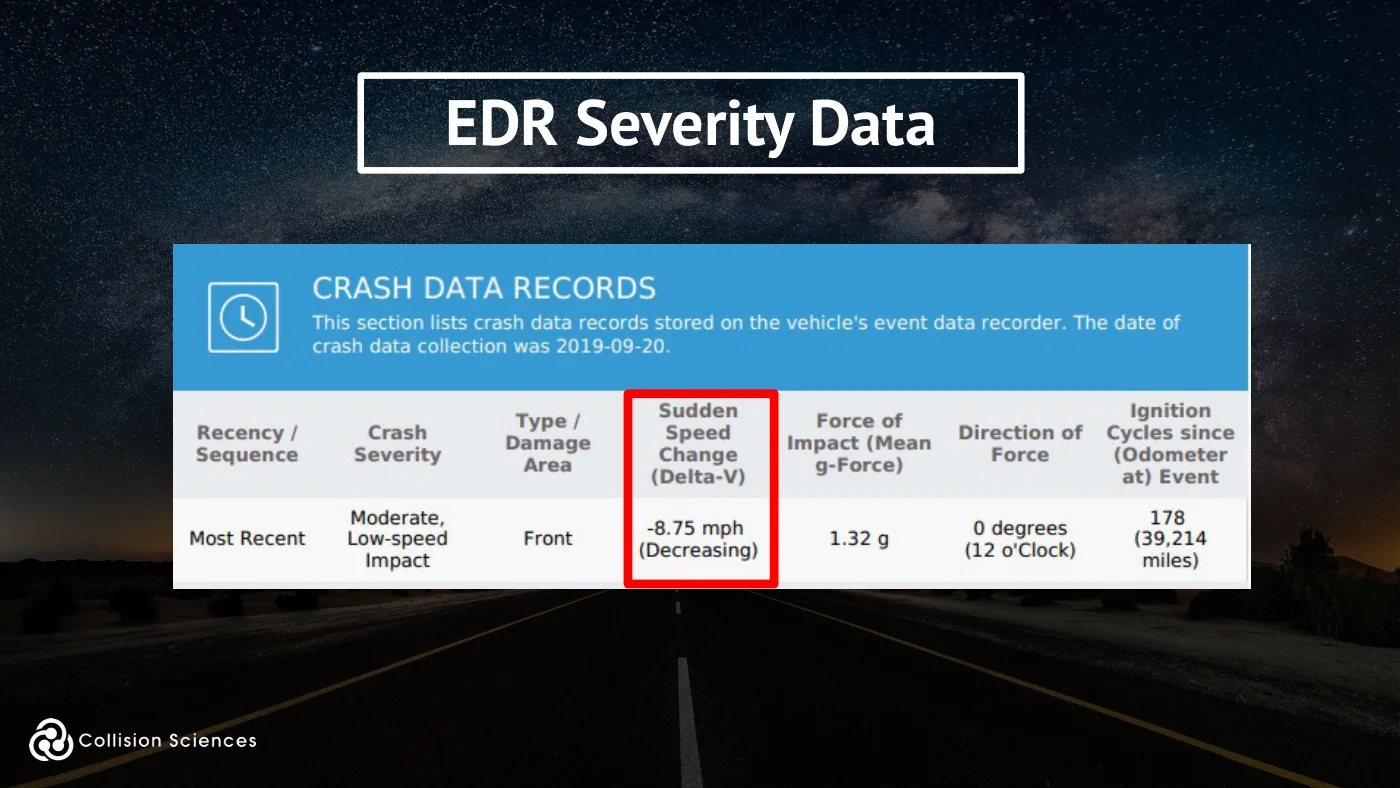
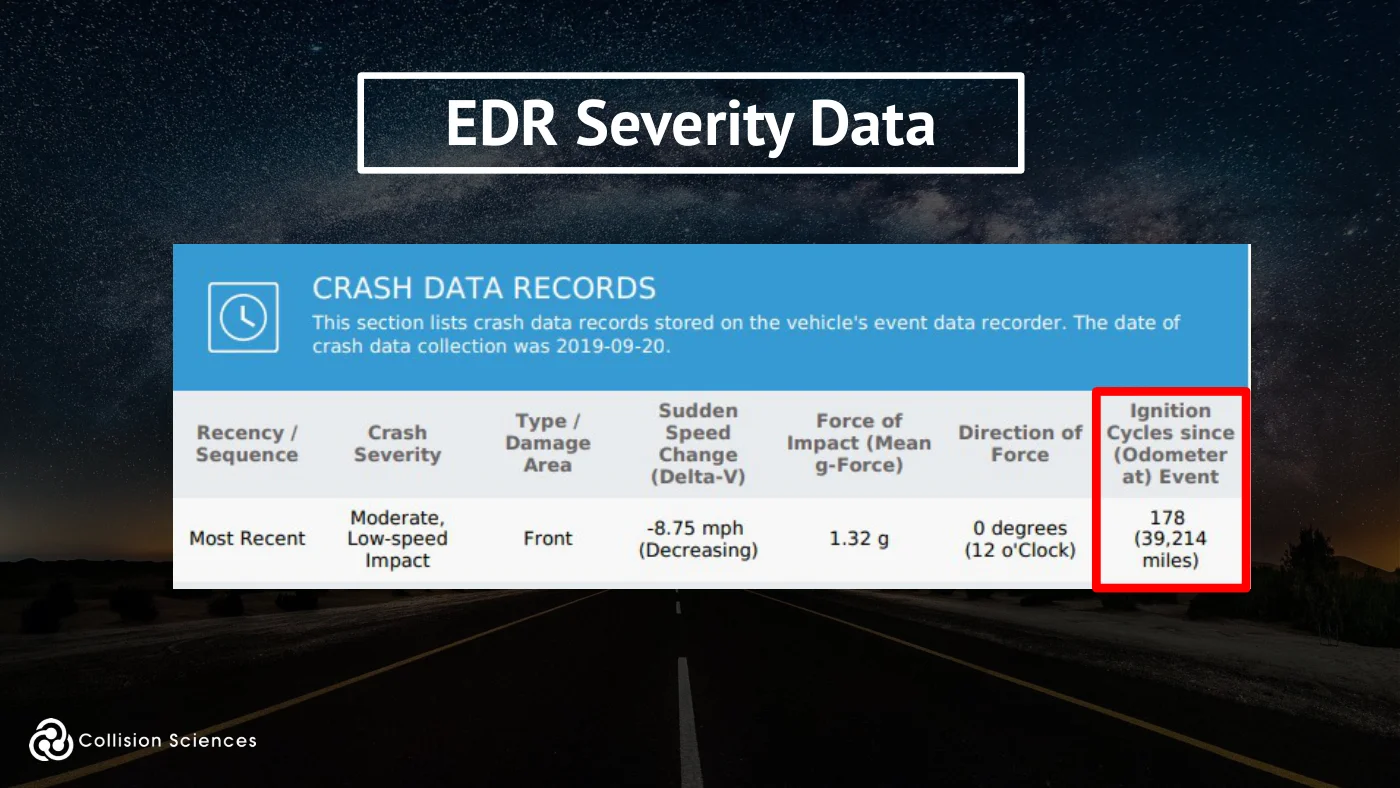
Delta-V is the “Change in Velocity” or the impact speed change, representing the crash severity (force of impact).
Using the collision duration (Delta-T, Change in Time), the mean (average) Acceleration (g-force) can be calculated:
EDR certification
Slide 26Enlarge slide ↗
Read slide 26 text
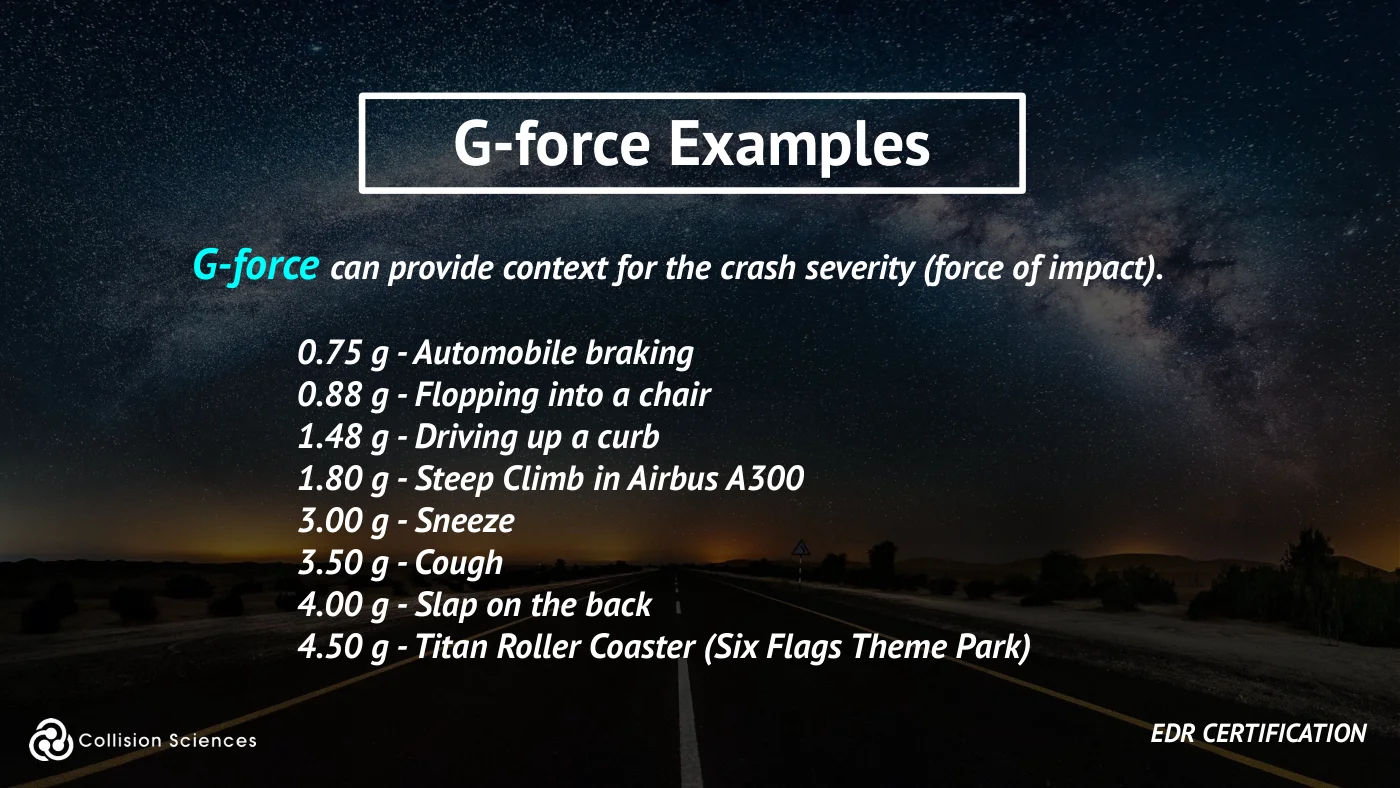
G-force examples
G-force can provide context for the crash severity (force of impact).
0.75 g - Automobile braking 0.88 g - Flopping into a chair 1.48 g - Driving up a curb 1.80 g - Steep Climb in Airbus A300 3.00 g - Sneeze 3.50 g - Cough 4.00 g - Slap on the back 4.50 g - Titan Roller Coaster (Six Flags Theme Park)
EDR certification
Slide 27Enlarge slide ↗
Read slide 27 text
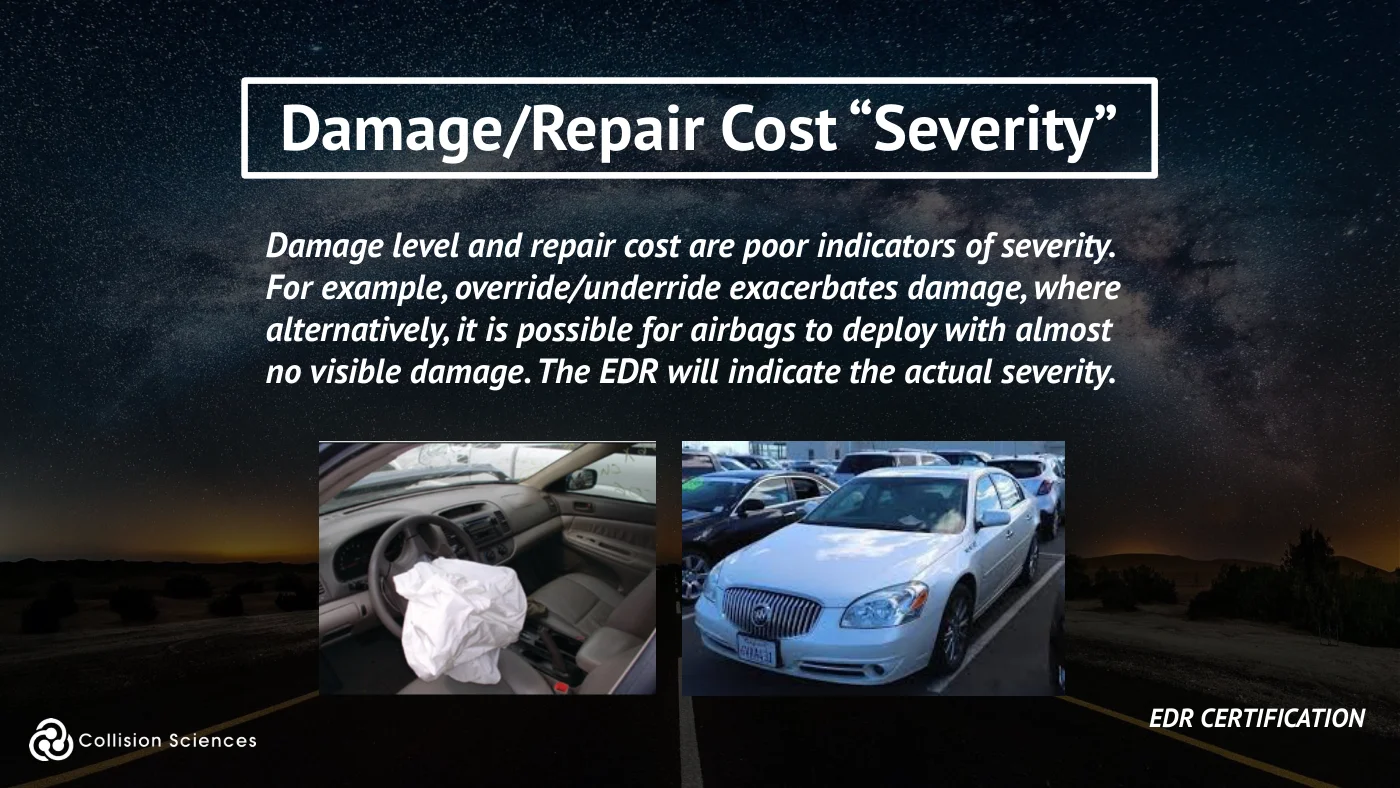
Damage/repair cost “severity”
Damage level and repair cost are poor indicators of severity. For example, override/underride exacerbates damage, where alternatively, it is possible for airbags to deploy with almost no visible damage. The EDR will indicate the actual severity.
EDR certification
Slide 28Enlarge slide ↗
Read slide 28 text
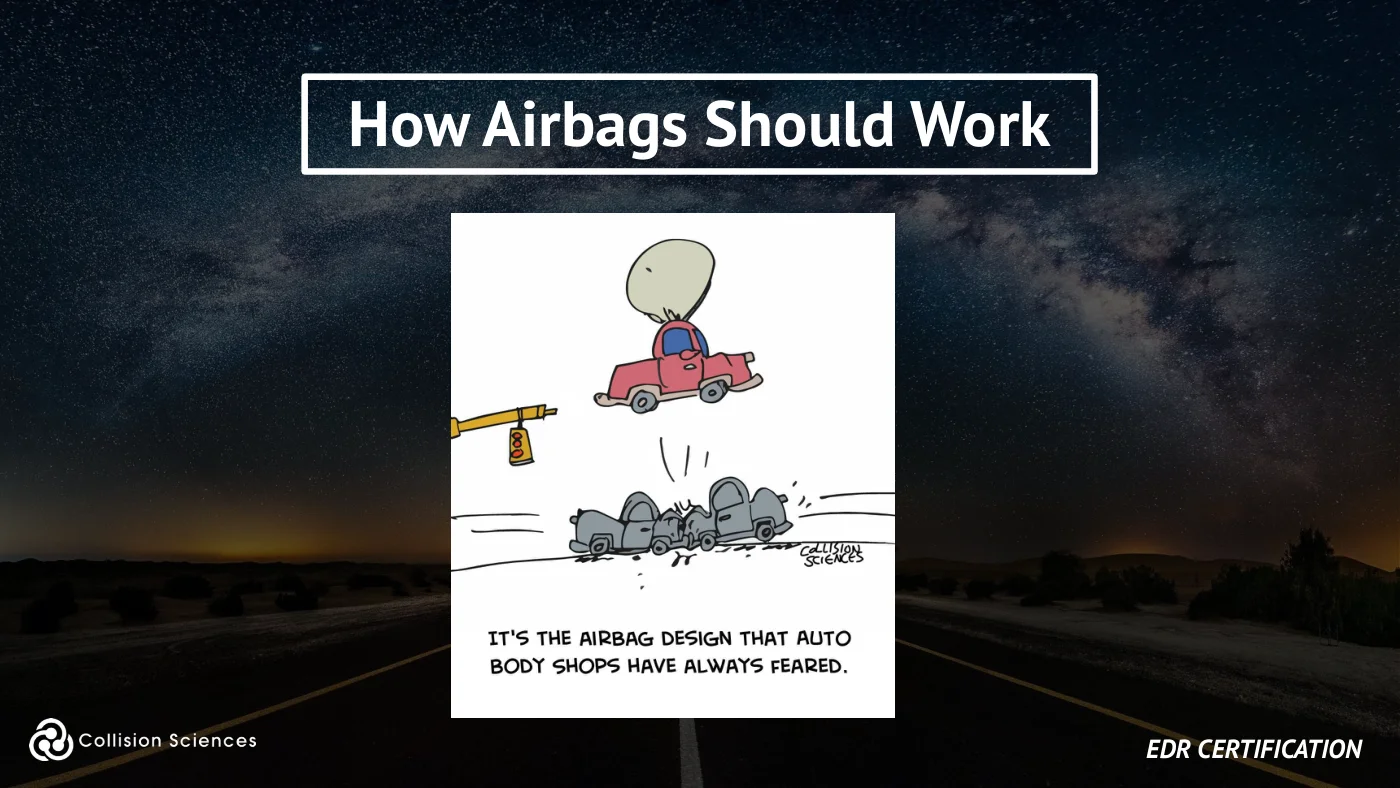
How airbags should work
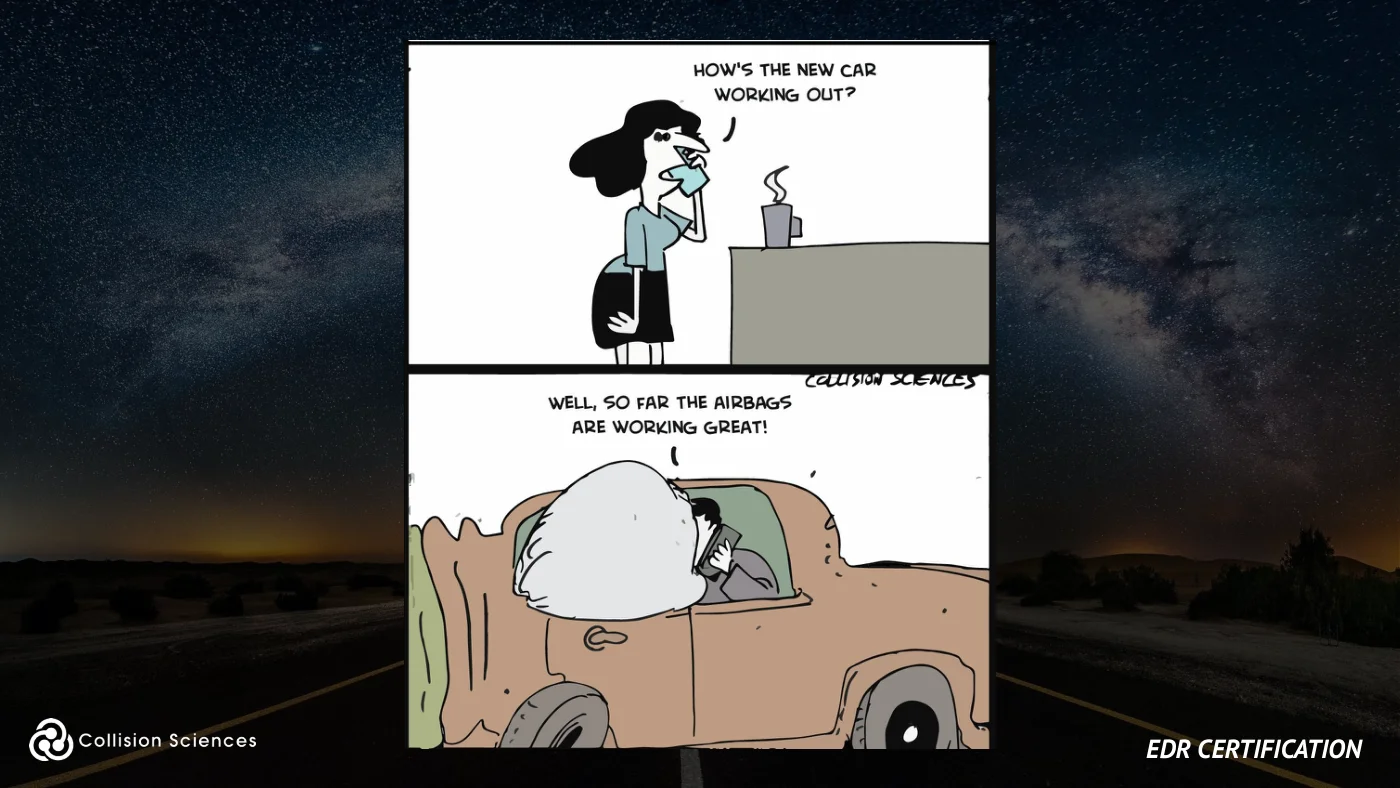
EDR certification
Slide 29Enlarge slide ↗
Read slide 29 text
Module 2
Field Demo (EDR Technician) - How to retrieve EDR Data
EDR certification
Slide 30Enlarge slide ↗
Read slide 30 text
Module overview
OVERVIEW
✓ Getting Setup: Software / Hardware ✓ Performing a Vehicle Scan ✓ Troubleshooting ✓ Backup: Module Removal
EDR certification
Slide 31Enlarge slide ↗
Read slide 31 text
Innovative technology & information intelligence
EDR certification
Slide 32Enlarge slide ↗
Read slide 32 text
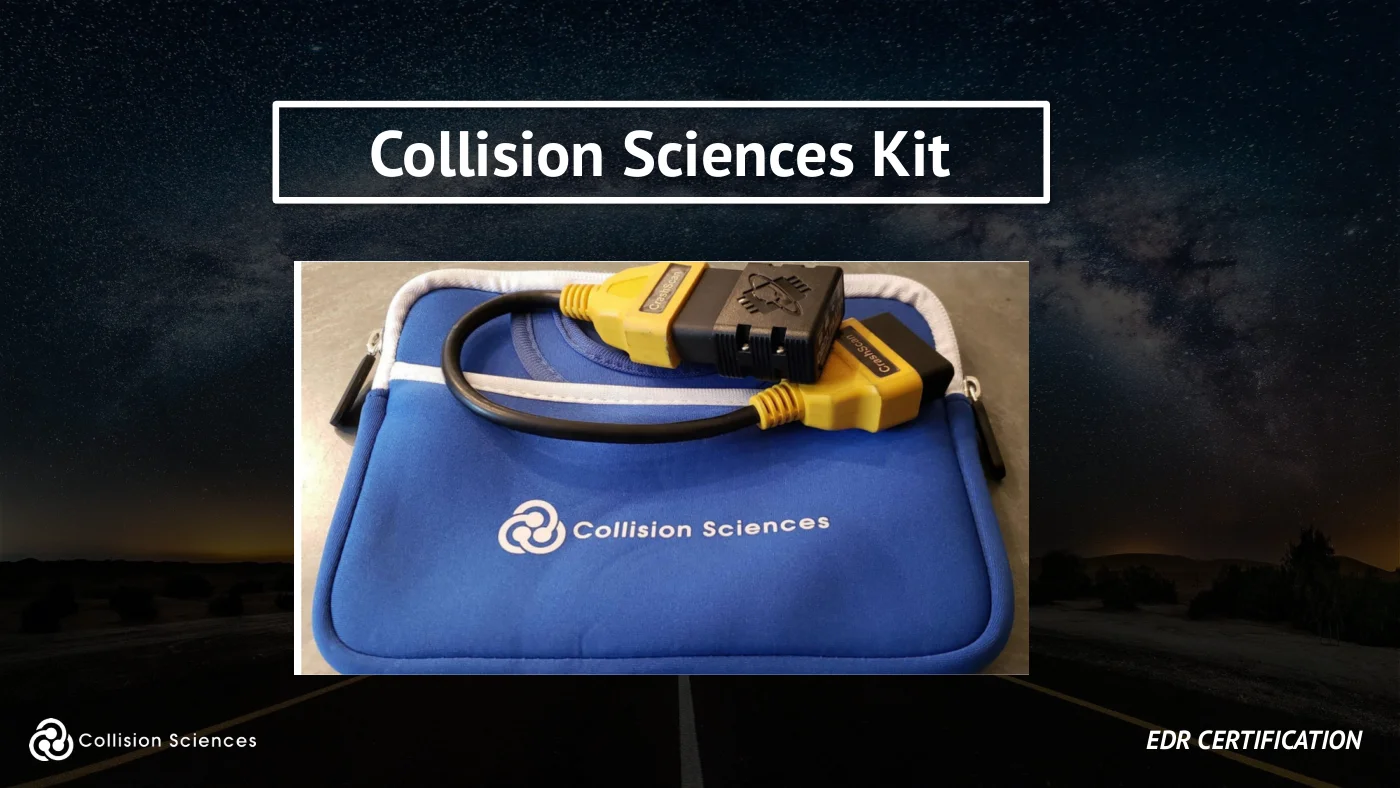
Collision Sciences kit
EDR certification
Slide 33Enlarge slide ↗
Read slide 33 text
Device requirements
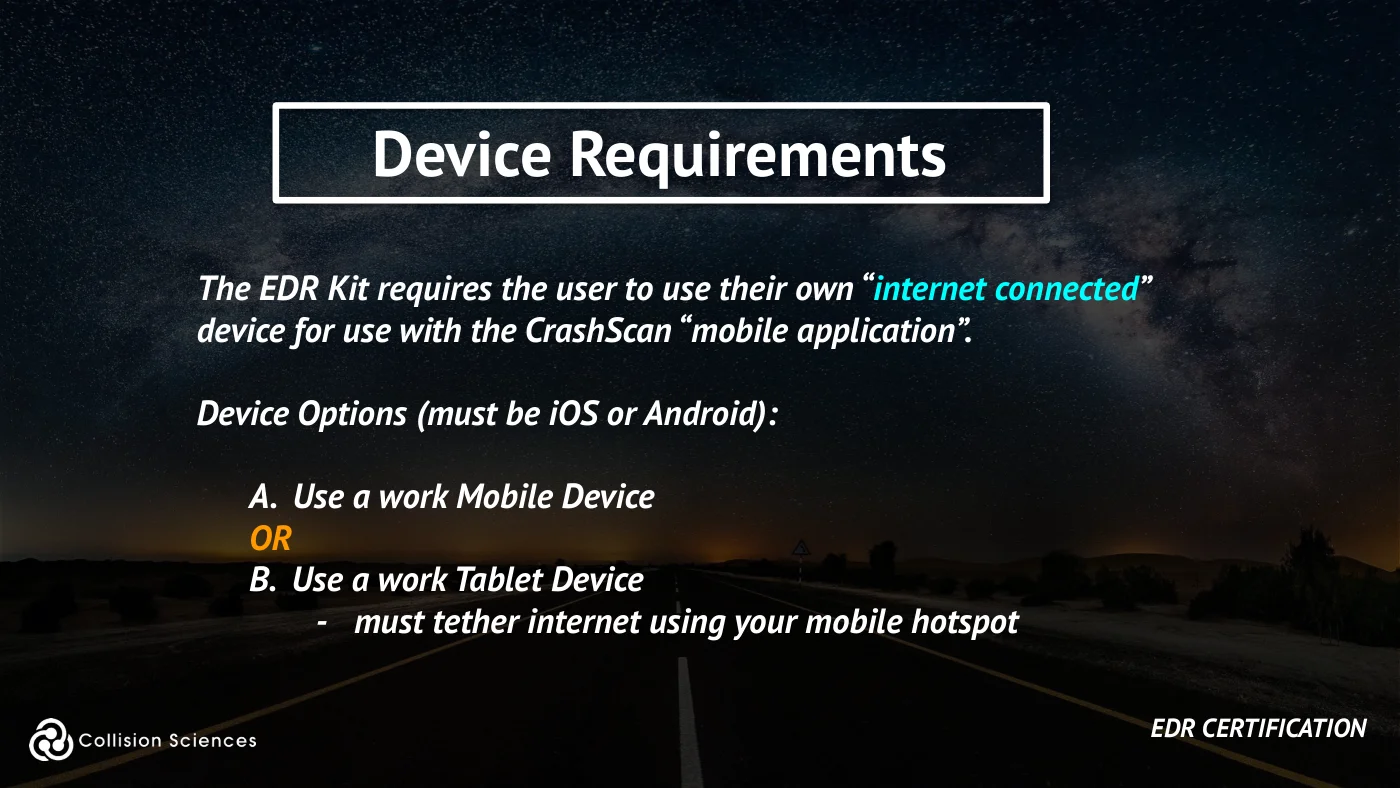
The EDR Kit requires the user to use their own “internet connected” device for use with the CrashScan “mobile application”.
Device Options (must be iOS or Android):
A. Use a work Mobile Device OR B. Use a work Tablet Device
- must tether internet using your mobile hotspot
EDR certification
Slide 34Enlarge slide ↗
Read slide 34 text
Field technician setup
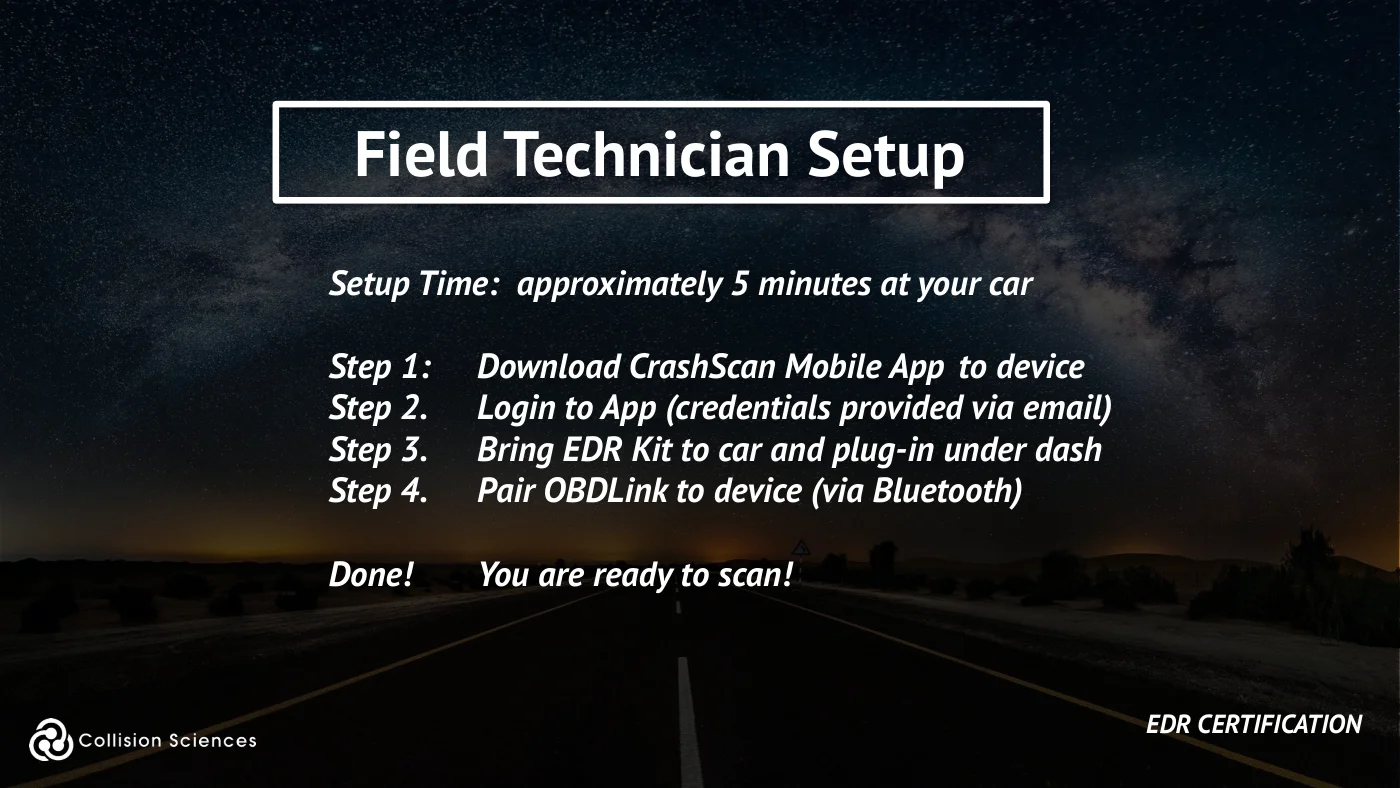
Setup Time: approximately 5 minutes at your car
Step 1: Download CrashScan Mobile App to device Step 2. Login to App (credentials provided via email) Step 3. Bring EDR Kit to car and plug-in under dash Step 4. Pair OBDLink to device (via Bluetooth)
Done! You are ready to scan!
EDR certification
Slide 35Enlarge slide ↗

Read slide 35 text
Field technician setup
Click on Video to Watch on YouTube
EDR certification
Slide 36Enlarge slide ↗
Read slide 36 text
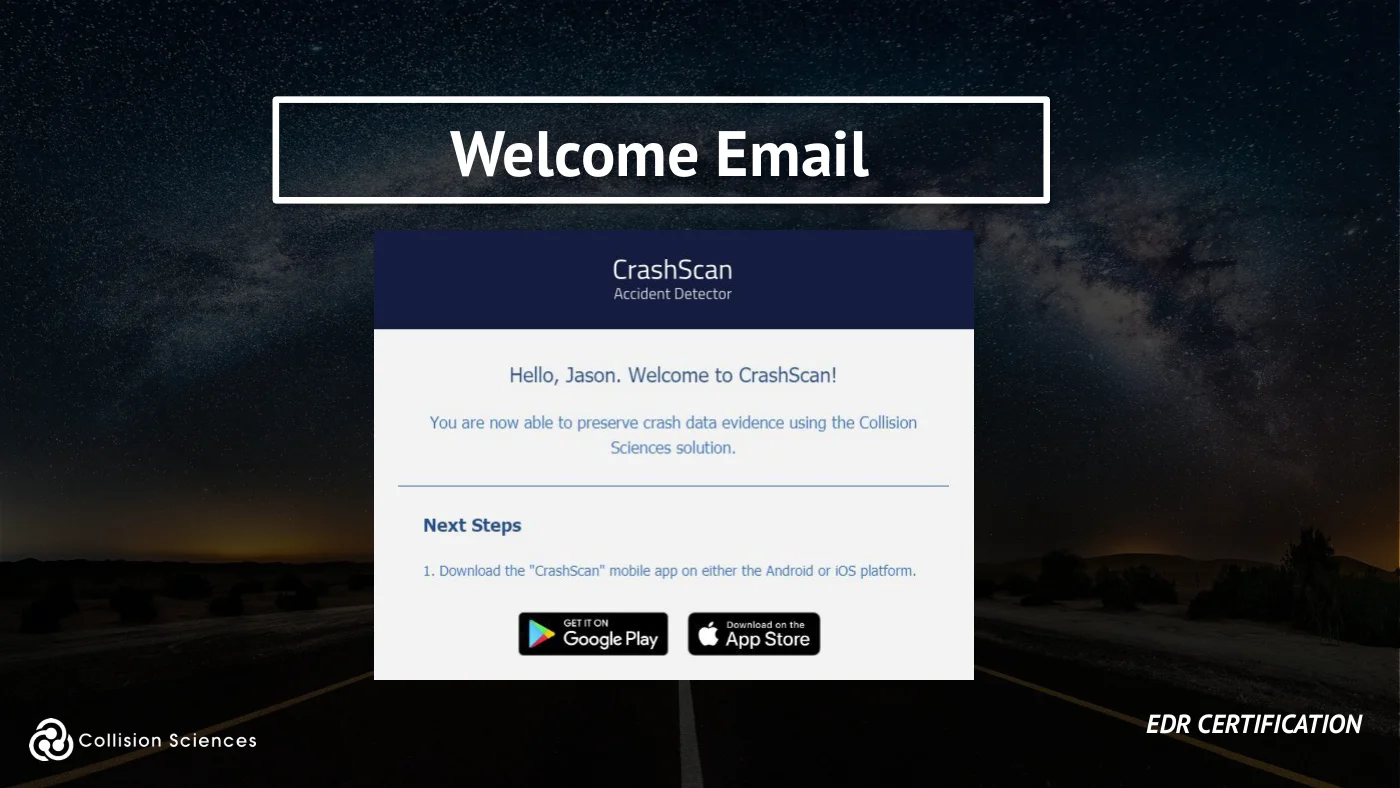
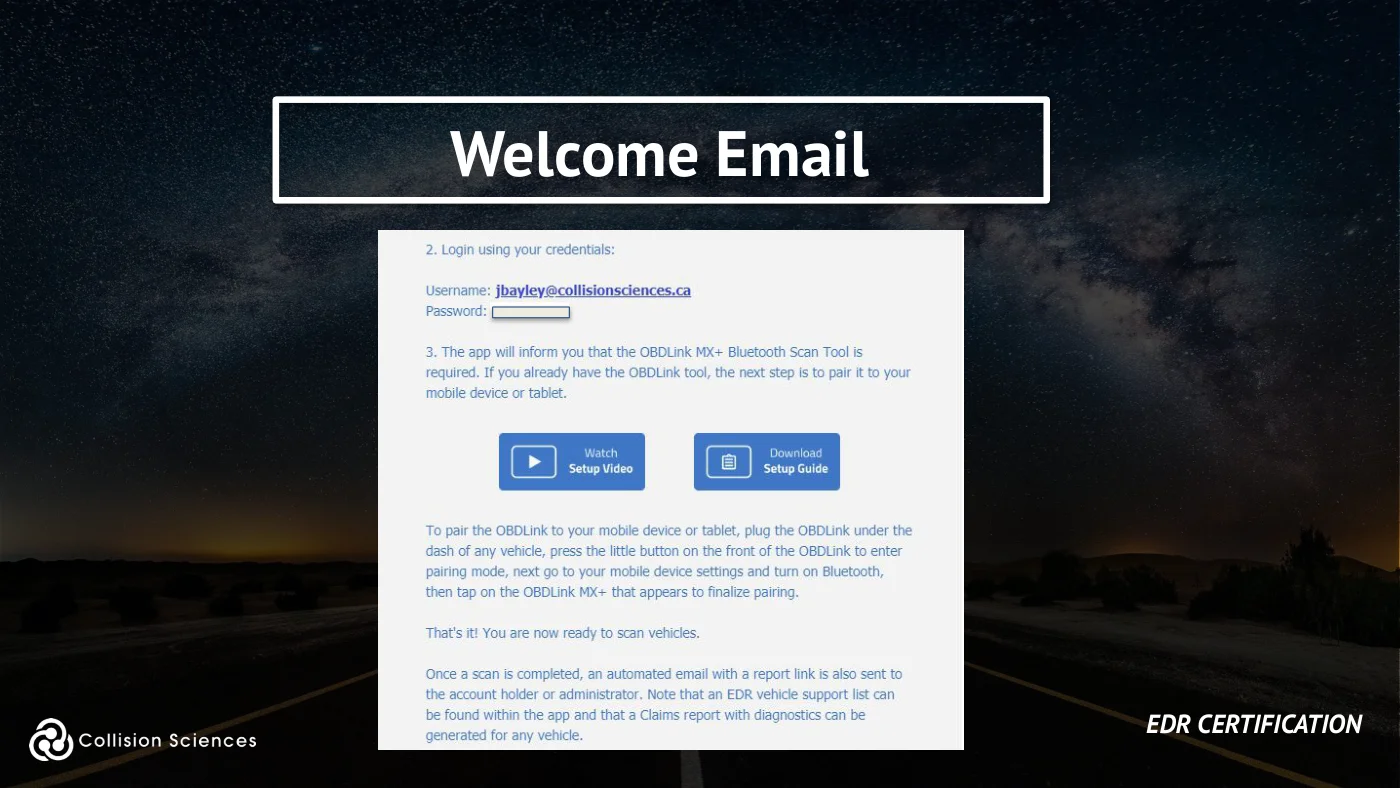
Welcome email
EDR certification
Slide 37Enlarge slide ↗
Read slide 37 text
Welcome email
EDR certification
Slide 38Enlarge slide ↗
Read slide 38 text
Module overview
OVERVIEW
✓ Getting Setup: Software / Hardware ✓ Performing a Vehicle Scan ✓ Troubleshooting ✓ Backup: Module Removal
EDR certification
Slide 39Enlarge slide ↗
Read slide 39 text
Locate the OBD port
EDR certification
Slide 40Enlarge slide ↗
Read slide 40 text
Locate the OBD port
EDR certification
Slide 41Enlarge slide ↗
Read slide 41 text
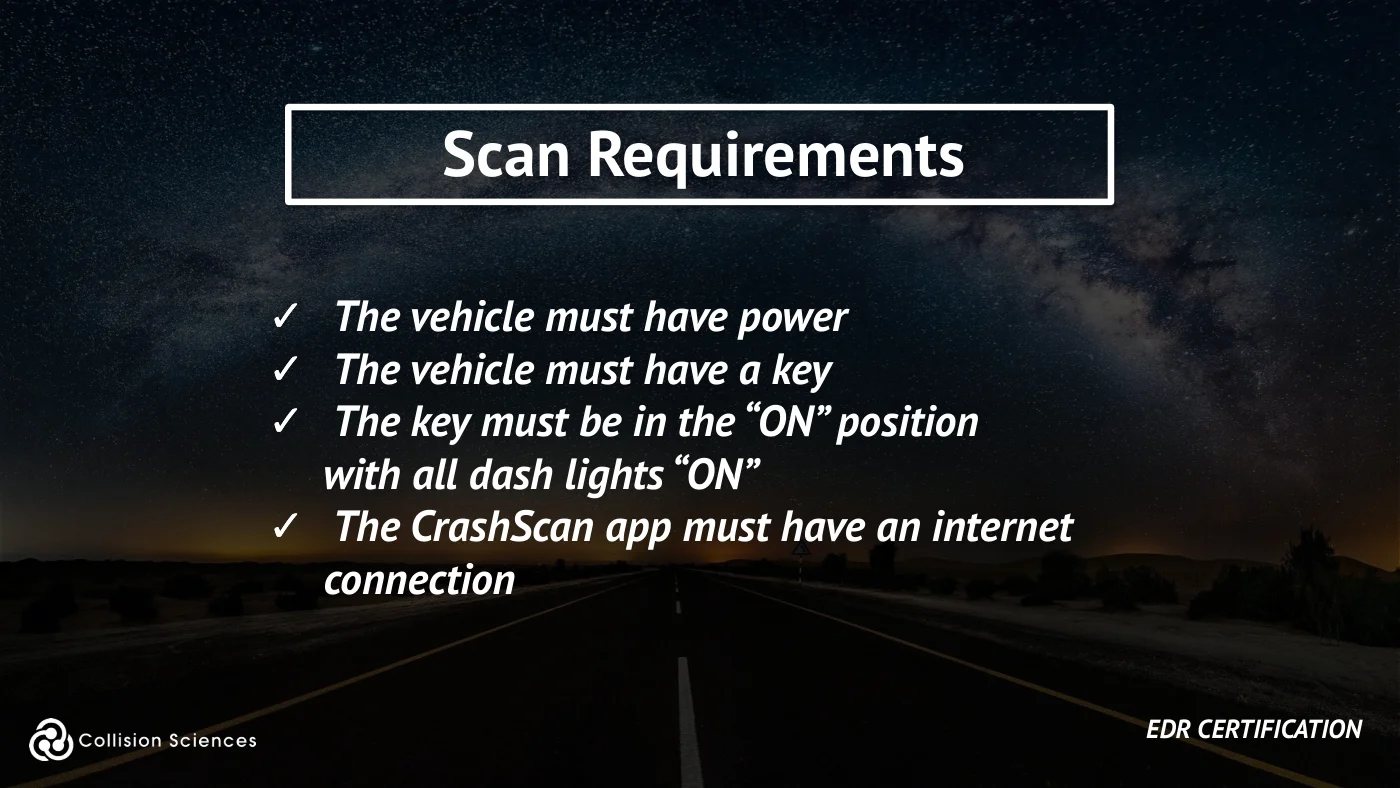
Scan requirements
✓ The vehicle must have power ✓ The vehicle must have a key ✓ The key must be in the “ON” position with all dash lights “ON” ✓ The CrashScan app must have an internet connection
EDR certification
Slide 42Enlarge slide ↗
Read slide 42 text
Module overview
OVERVIEW
✓ Getting Setup: Software / Hardware ✓ Performing a Vehicle Scan ✓ Troubleshooting ✓ Backup: Module Removal
EDR certification
Slide 43Enlarge slide ↗
Read slide 43 text
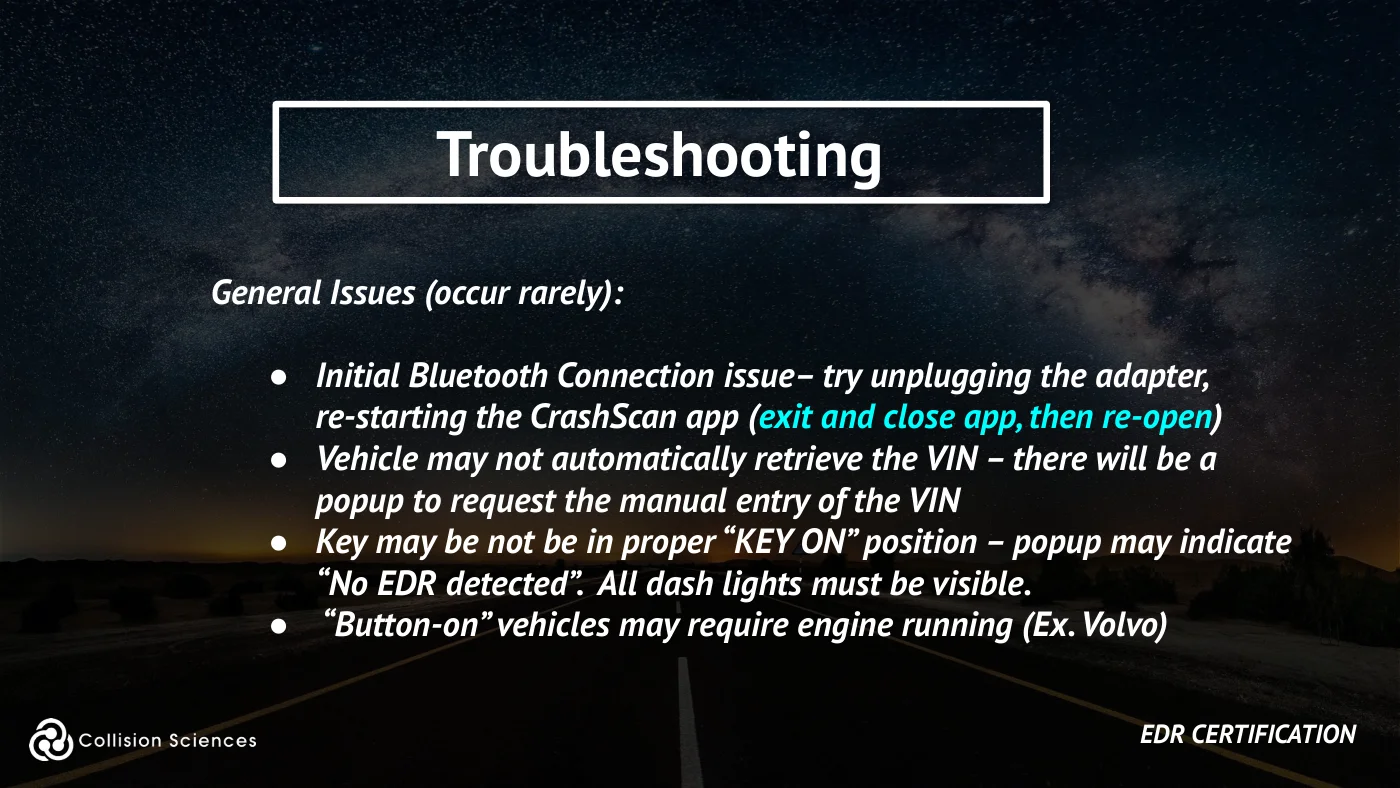
Troubleshooting
General Issues (occur rarely):
●Initial Bluetooth Connection issue– try unplugging the adapter, re-starting the CrashScan app (exit and close app, then re-open) ●Vehicle may not automatically retrieve the VIN – there will be a popup to request the manual entry of the VIN ●Key may be not be in proper “KEY ON” position – popup may indicate “No EDR detected”. All dash lights must be visible. ● “Button-on” vehicles may require engine running (Ex. Volvo)
EDR certification
Slide 44Enlarge slide ↗
Read slide 44 text
Troubleshooting
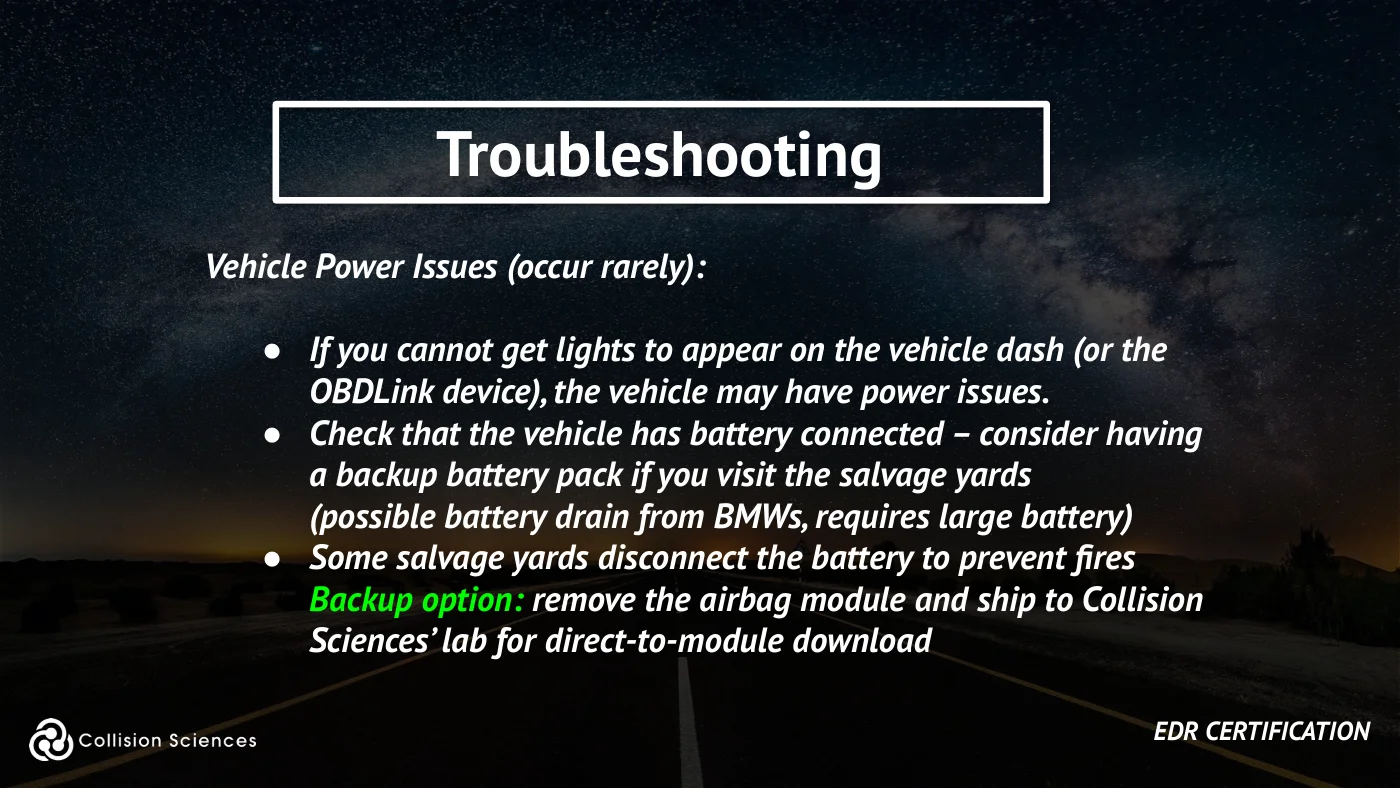
Vehicle Power Issues (occur rarely):
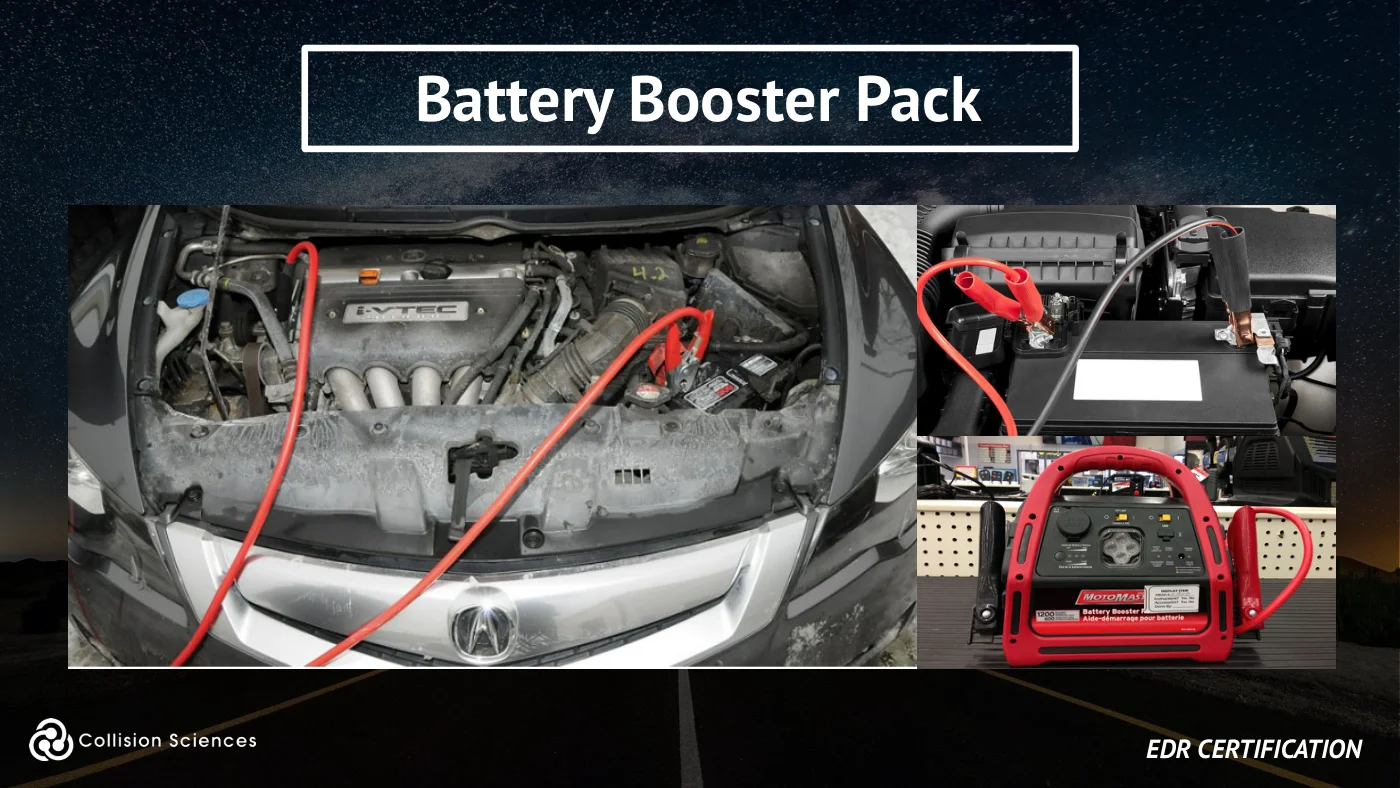
●If you cannot get lights to appear on the vehicle dash (or the OBDLink device), the vehicle may have power issues. ●Check that the vehicle has battery connected – consider having a backup battery pack if you visit the salvage yards (possible battery drain from BMWs, requires large battery) ●Some salvage yards disconnect the battery to prevent fires Backup option: remove the airbag module and ship to Collision Sciences’ lab for direct-to-module download
EDR certification
Slide 45Enlarge slide ↗
Read slide 45 text
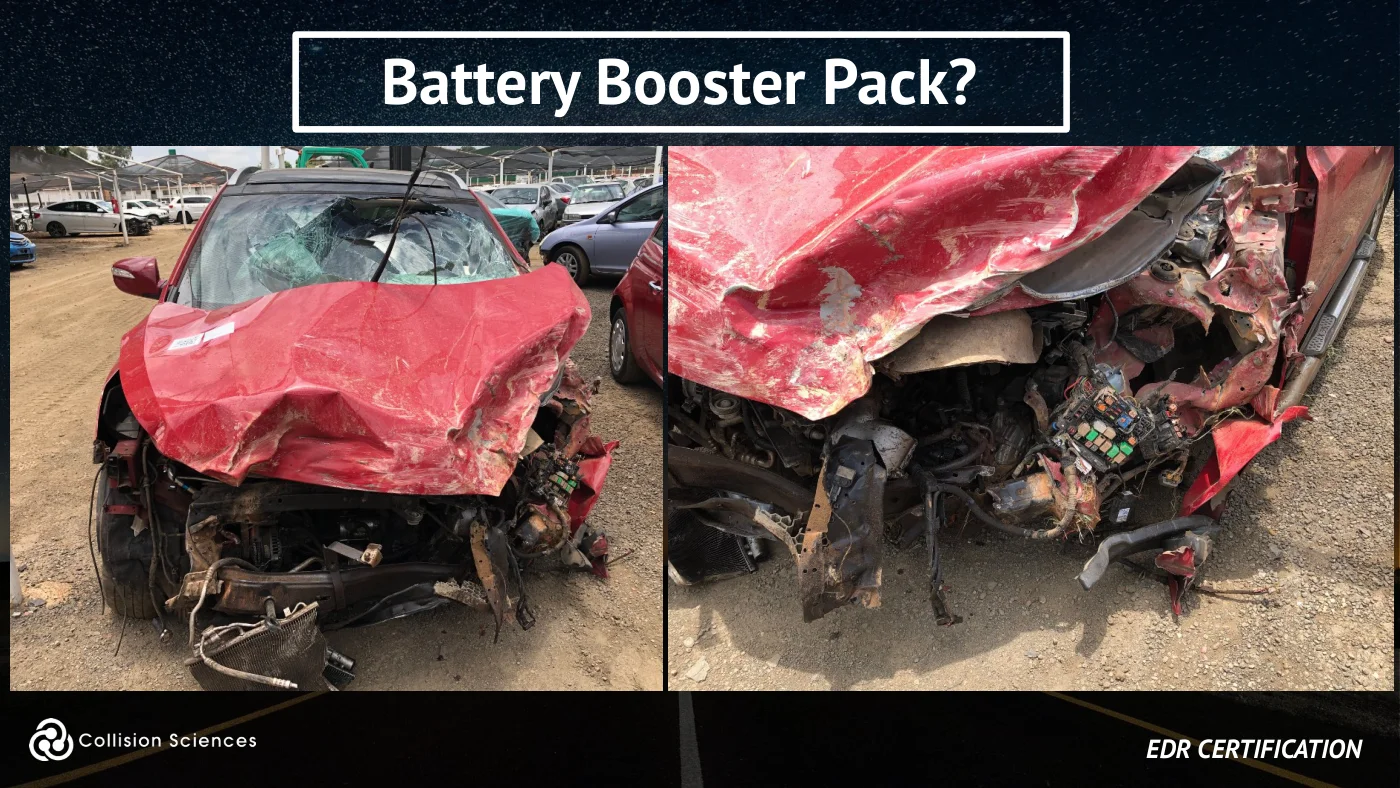
Battery booster pack?
EDR certification
Slide 46Enlarge slide ↗
Read slide 46 text
Battery booster pack
EDR certification
Slide 47Enlarge slide ↗
Read slide 47 text
Using a booster pack
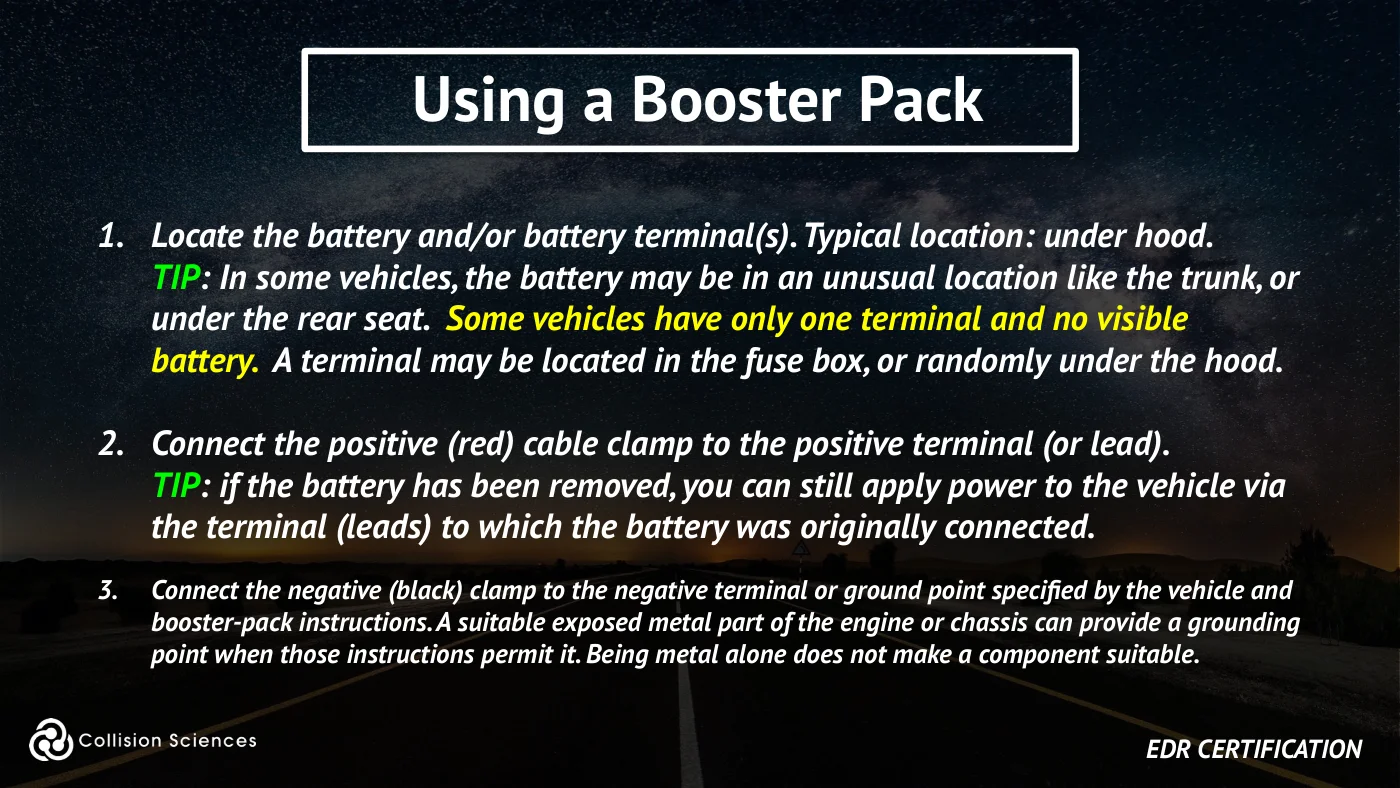
1. Locate the battery and/or battery terminal(s). Typical location: under hood. TIP: In some vehicles, the battery may be in an unusual location like the trunk, or under the rear seat. Some vehicles have only one terminal and no visible battery. A terminal may be located in the fuse box, or randomly under the hood.
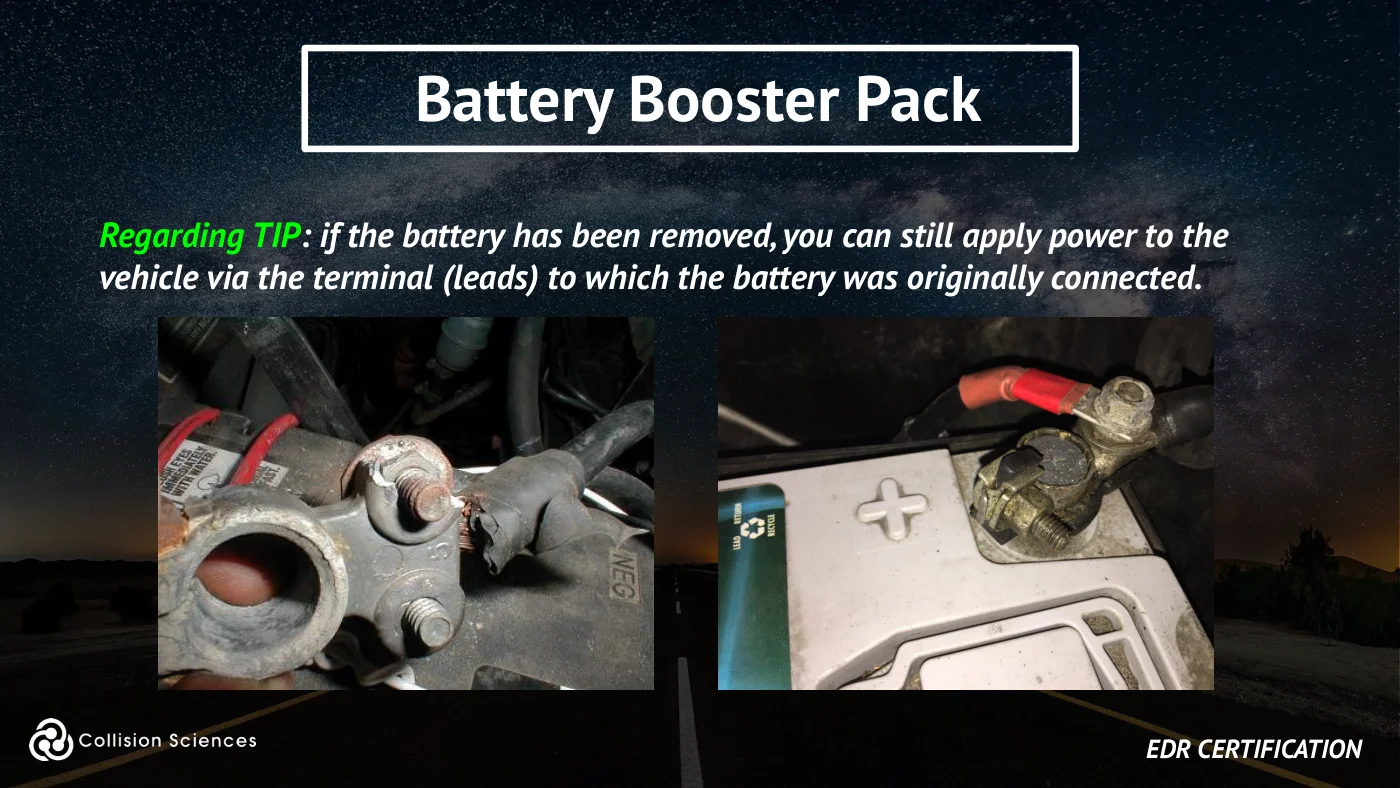
2. Connect the positive (red) cable clamp to the positive terminal (or lead). TIP: if the battery has been removed, you can still apply power to the vehicle via the terminal (leads) to which the battery was originally connected.
3. Connect the negative (black) clamp to the negative terminal or ground point specified by the vehicle and booster-pack instructions. A suitable exposed metal part of the engine or chassis can provide a grounding point when those instructions permit it. Being metal alone does not make a component suitable.
EDR certification
Slide 48Enlarge slide ↗
Read slide 48 text
Battery booster pack
Regarding TIP: if the battery has been removed, you can still apply power to the vehicle via the terminal (leads) to which the battery was originally connected.
EDR certification
Slide 49Enlarge slide ↗
Read slide 49 text
Module overview
OVERVIEW
✓ Getting Setup: Software / Hardware ✓ Performing a Vehicle Scan ✓ Troubleshooting ✓ Backup: Module Removal
EDR certification
Slide 50Enlarge slide ↗
Read slide 50 text
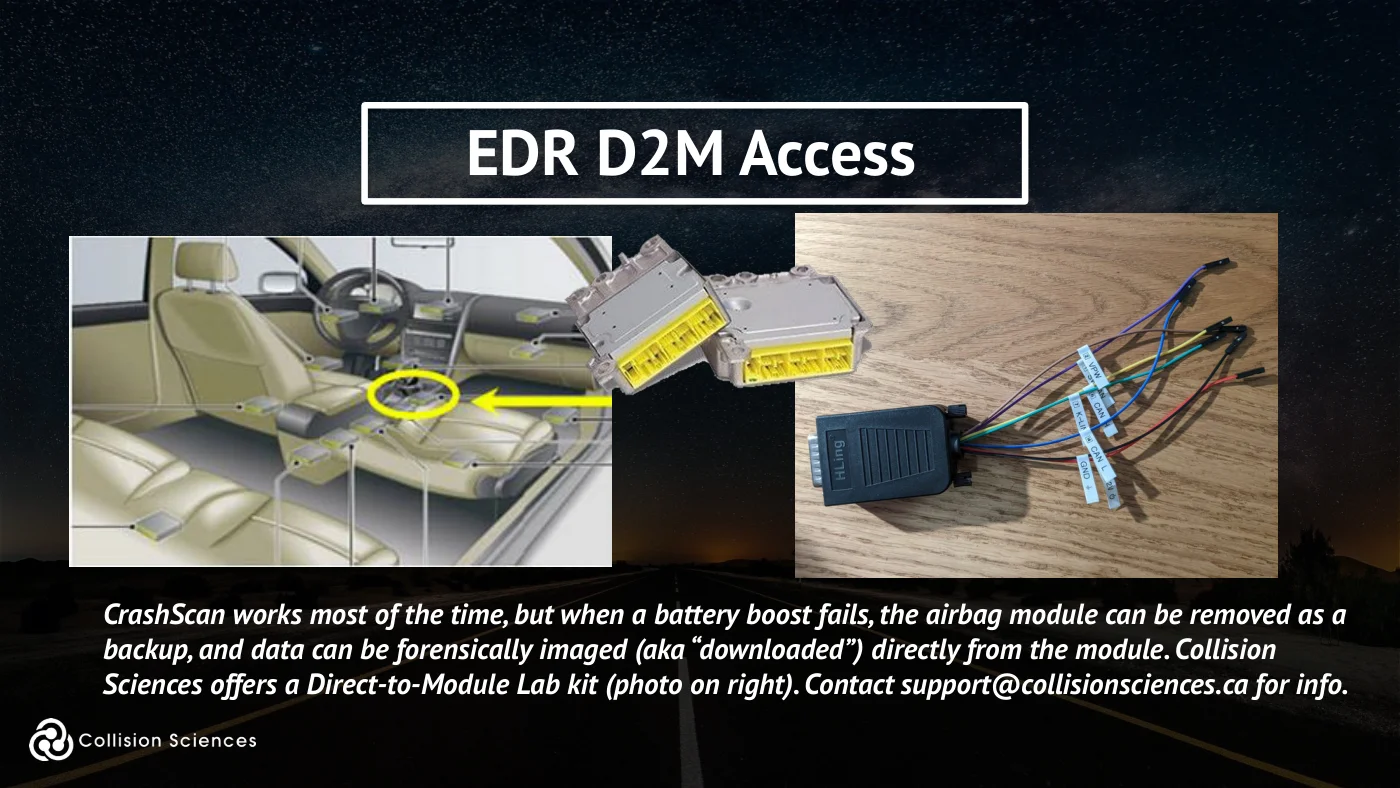
EDR D2M access
CrashScan works most of the time, but when a battery boost fails, the airbag module can be removed as a backup, and data can be forensically imaged (aka “downloaded”) directly from the module. Collision Sciences offers a Direct-to-Module Lab kit (photo on right). Contact support@collisionsciences.ca for info.
Slide 51Enlarge slide ↗
Read slide 51 text
Direct-to-module lab service
RIP & SHIP - if the EDR/airbag module is removed from the vehicle, the crash data can be imaged in a lab setting by Collision Sciences, if we are shipped the module. A salvage yard, 3rd Party mechanic or investigator can often help with removing the module.
Collision Sciences can provide information on the location of the module in the vehicle and an Evidence Tracking Form (Sample here). For more information, please email support@collisionsciences.ca.
EDR certification
Slide 52Enlarge slide ↗
Read slide 52 text
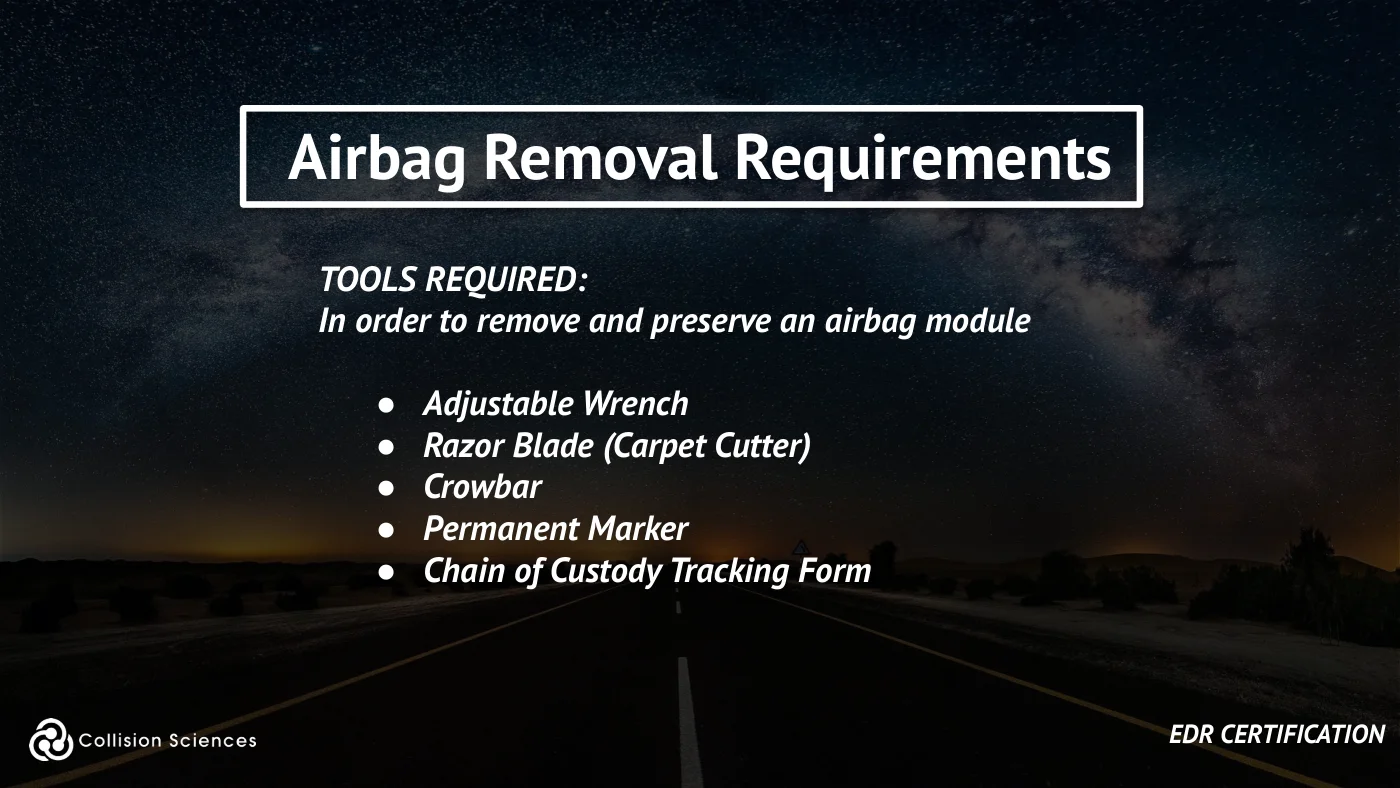
Airbag removal requirements
TOOLS REQUIRED: In order to remove and preserve an airbag module
●Adjustable Wrench ●Razor Blade (Carpet Cutter) ●Crowbar ●Permanent Marker ●Chain of Custody Tracking Form
EDR certification
Slide 53Enlarge slide ↗
Read slide 53 text
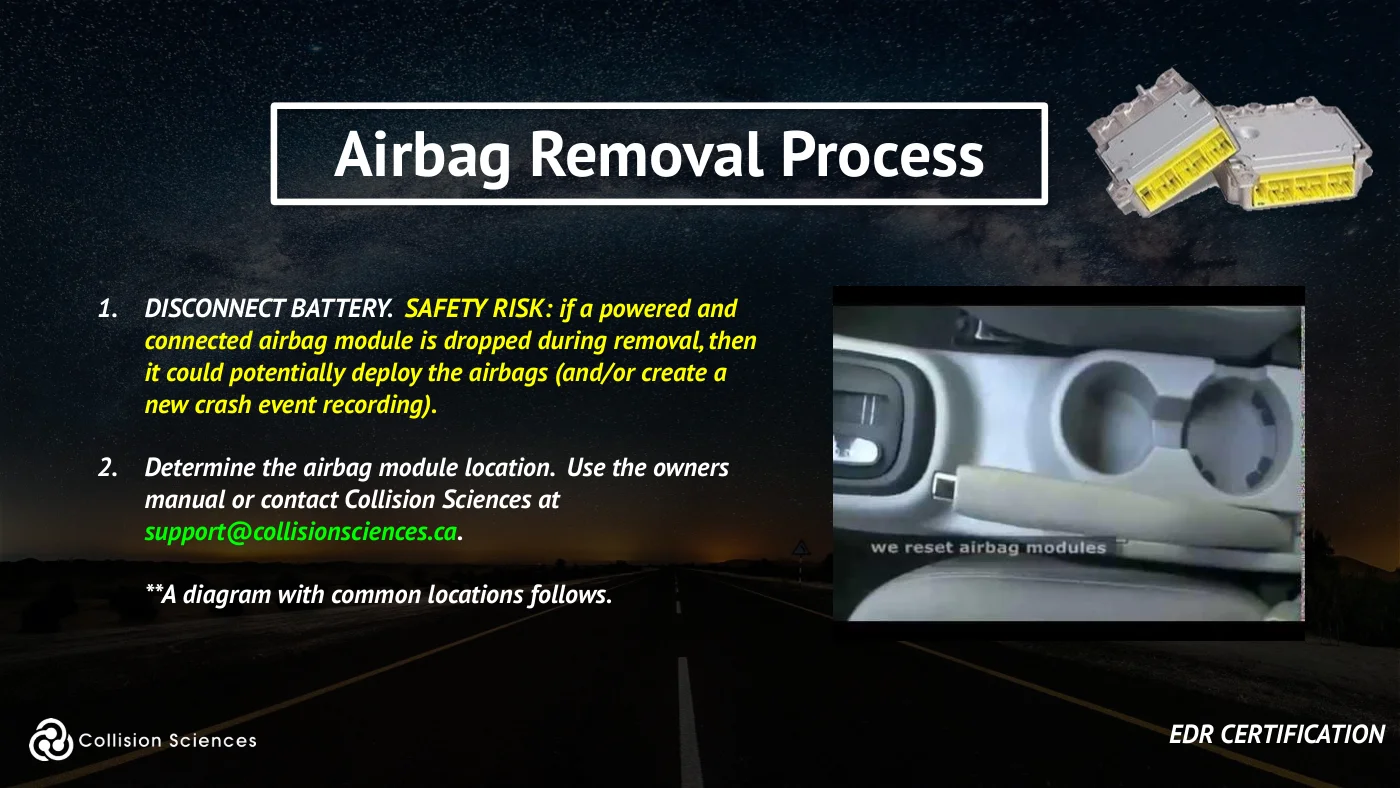
Airbag removal process
1. DISCONNECT BATTERY. SAFETY RISK: if a powered and connected airbag module is dropped during removal, then it could potentially deploy the airbags (and/or create a new crash event recording).
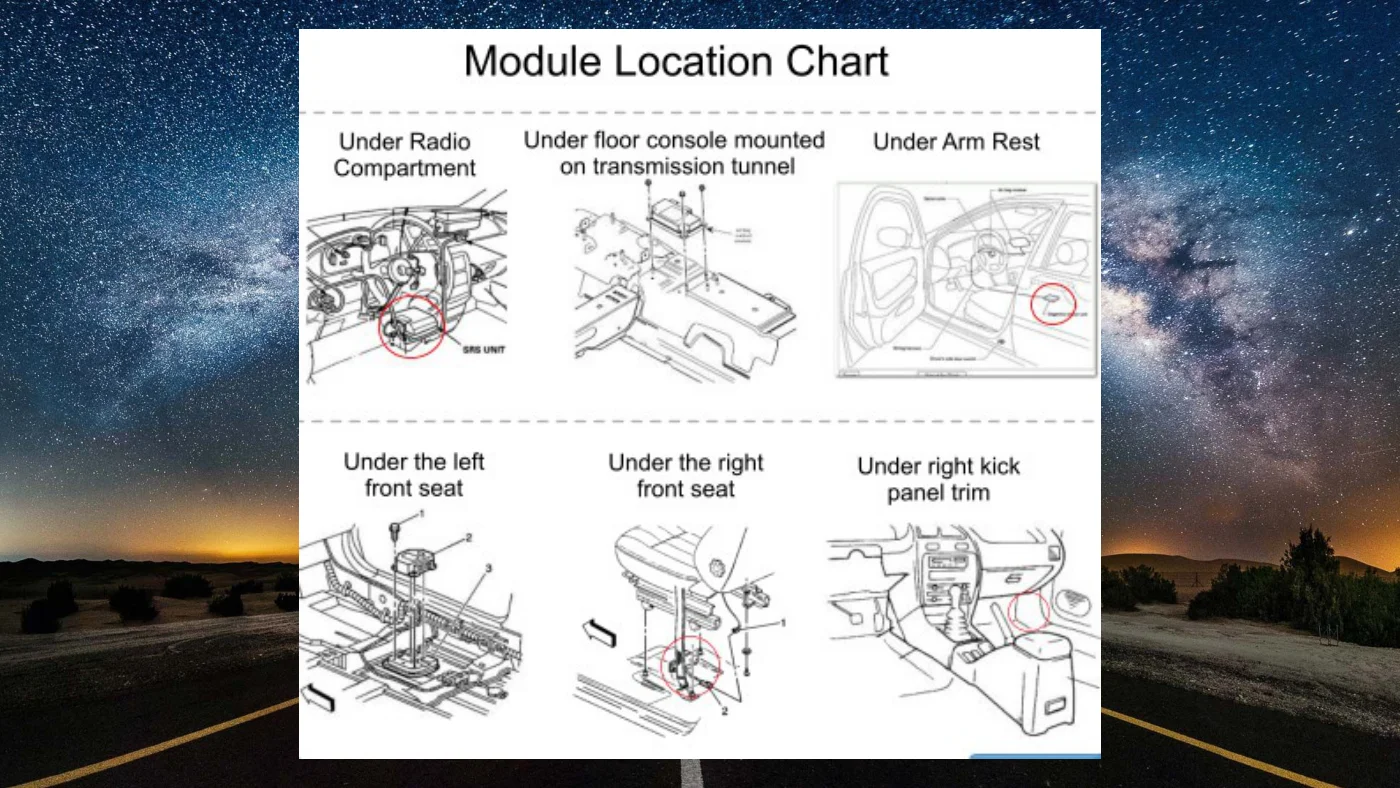
2. Determine the airbag module location. Use the owners manual or contact Collision Sciences at support@collisionsciences.ca.
**A diagram with common locations follows.
EDR certification
Slide 54Enlarge slide ↗
Read slide 54 text
Airbag removal process
Continued:
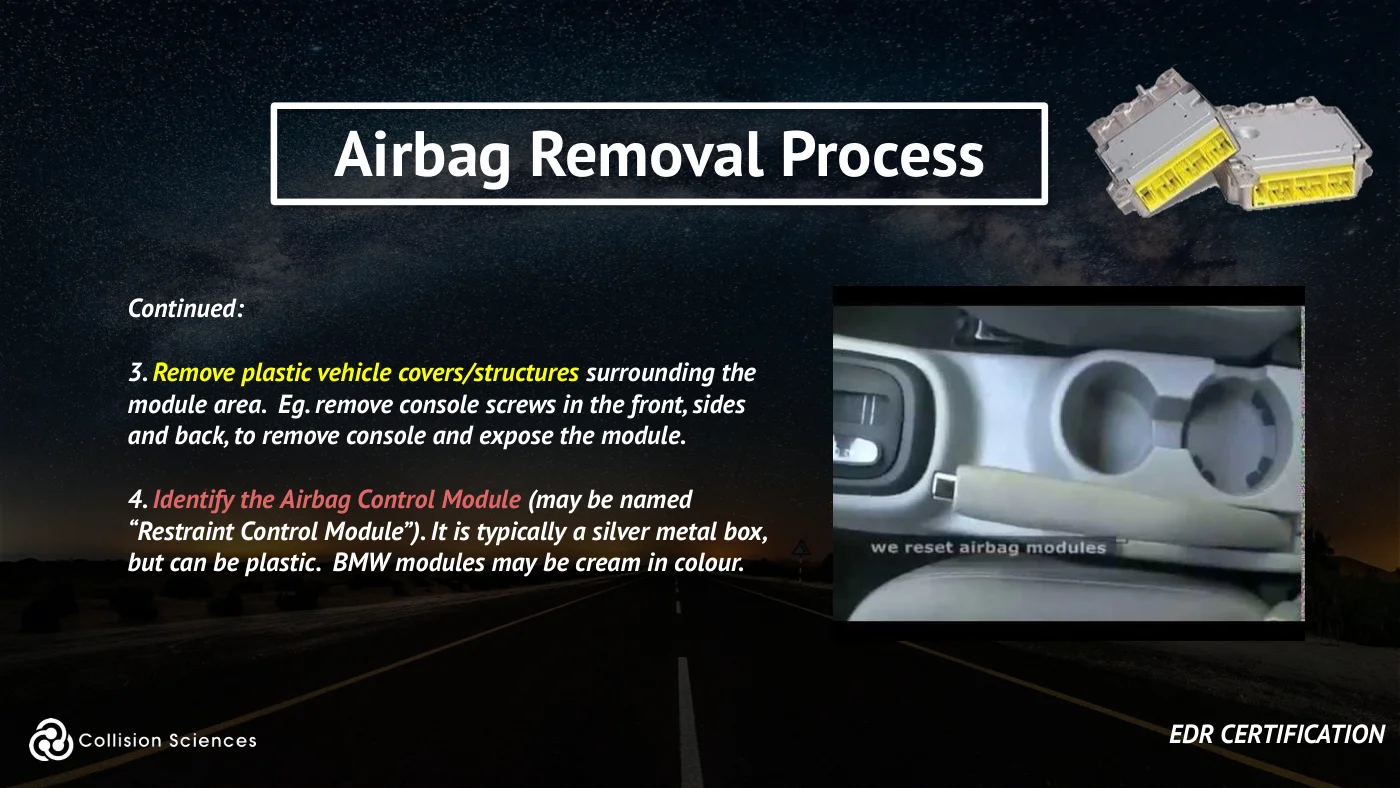
3. Remove plastic vehicle covers/structures surrounding the module area. Eg. remove console screws in the front, sides and back, to remove console and expose the module.
4. Identify the Airbag Control Module (may be named “Restraint Control Module”). It is typically a silver metal box, but can be plastic. BMW modules may be cream in colour.
EDR certification
Slide 55Enlarge slide ↗
Read slide 55 text
Airbag removal process
Continued:
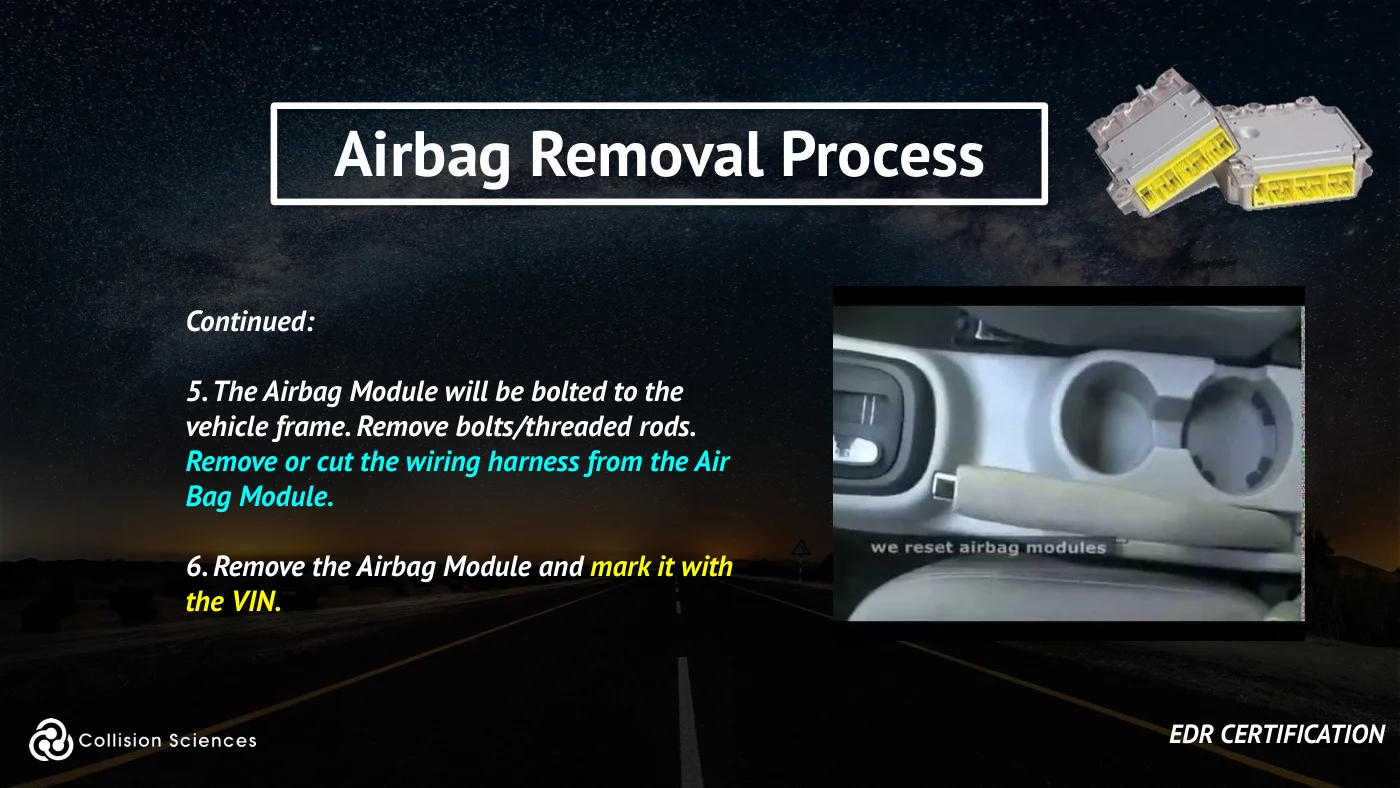
5. The Airbag Module will be bolted to the vehicle frame. Remove bolts/threaded rods. Remove or cut the wiring harness from the Air Bag Module.
6. Remove the Airbag Module and mark it with the VIN.
EDR certification
Slide 56Enlarge slide ↗
Read slide 56 text
Slide 57Enlarge slide ↗
Read slide 57 text
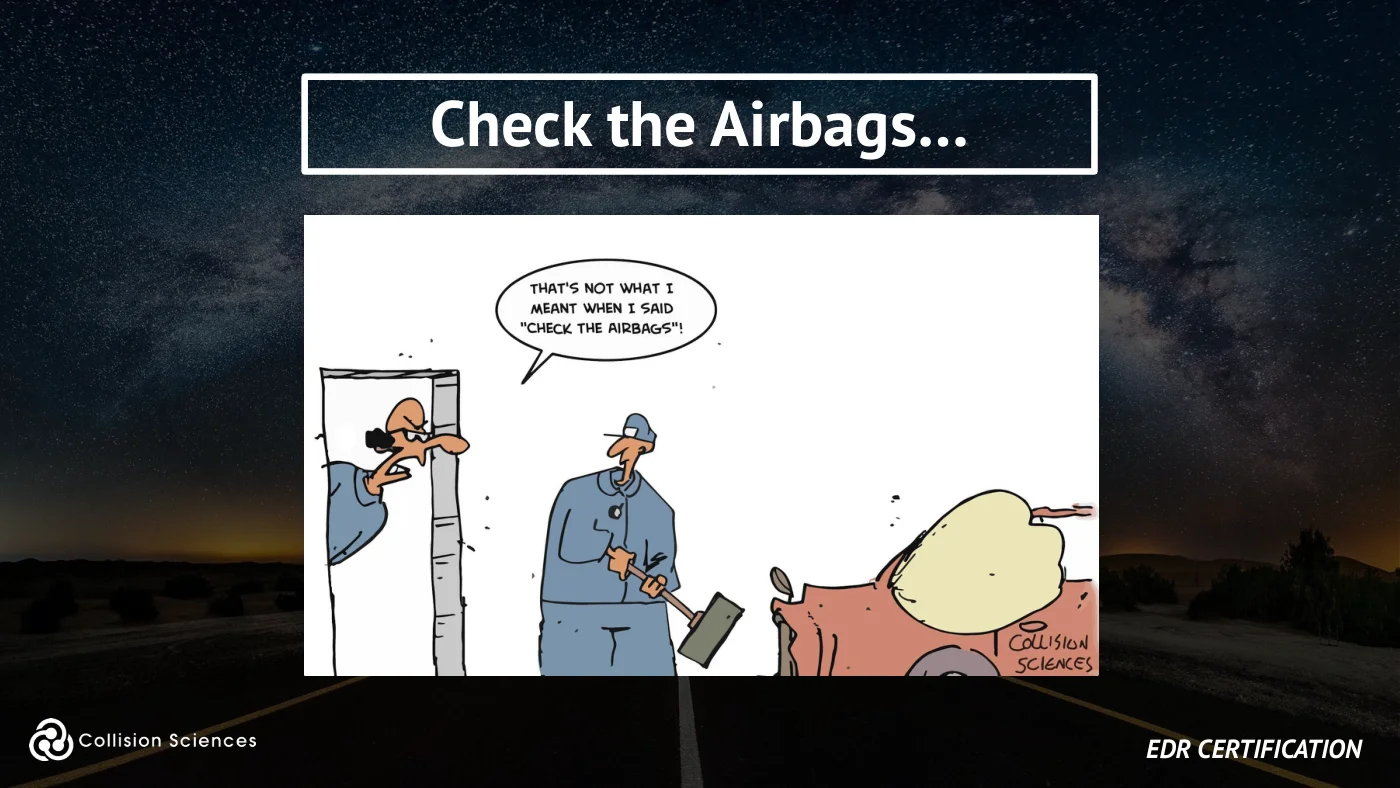
Check the airbags...
EDR certification
Slide 58Enlarge slide ↗
Read slide 58 text
Module 3
EDR Data Analysis - Data Applicability, Report Review
EDR certification
Slide 59Enlarge slide ↗

Read slide 59 text
Data applicability
Core principle: You as an investigator must first confirm the relevance of the crash event
data (or the lack of crash data) to the
reported circumstances of the claim.
EDR certification
Slide 60Enlarge slide ↗
Read slide 60 text
Data applicability
Possible reasons for a missing crash-event record include power state, an event below the recorder’s threshold, and recording or retention limitations such as erasure or overwrite.
A missing record alone does not establish that no crash occurred. Confirm the vehicle-specific limits and review the Data Limitations section before drawing a conclusion.
EDR certification
Slide 61Enlarge slide ↗
Read slide 61 text
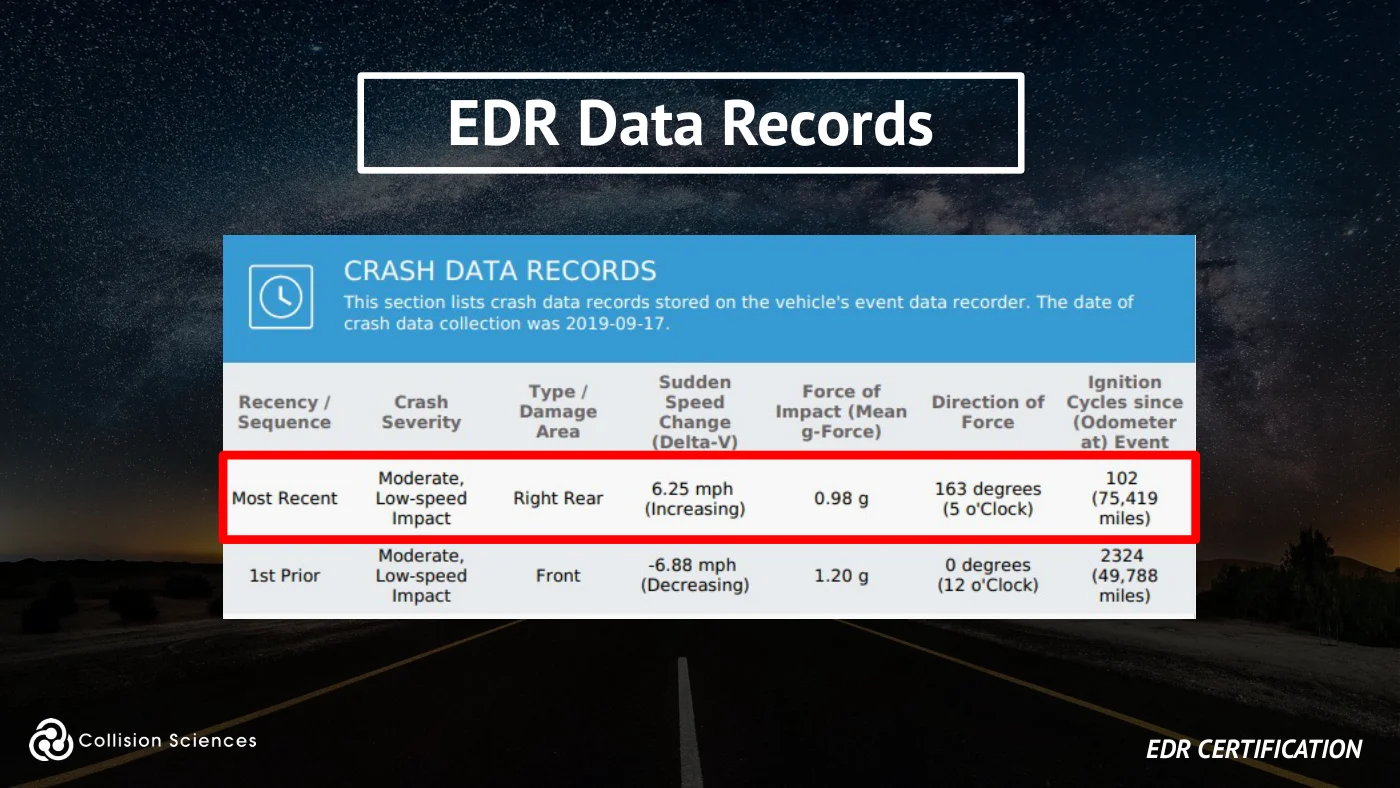
EDR data records
EDR certification
Slide 62Enlarge slide ↗
Read slide 62 text
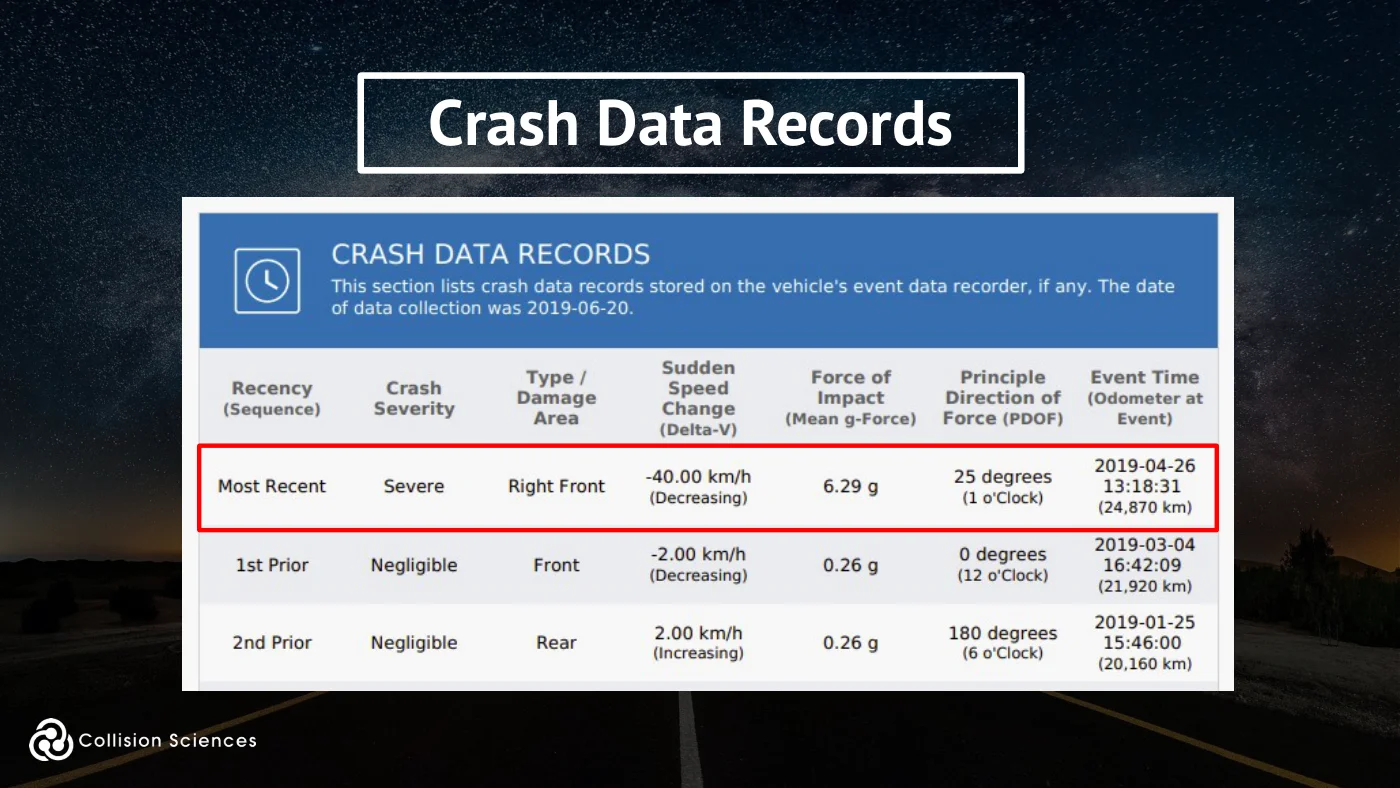
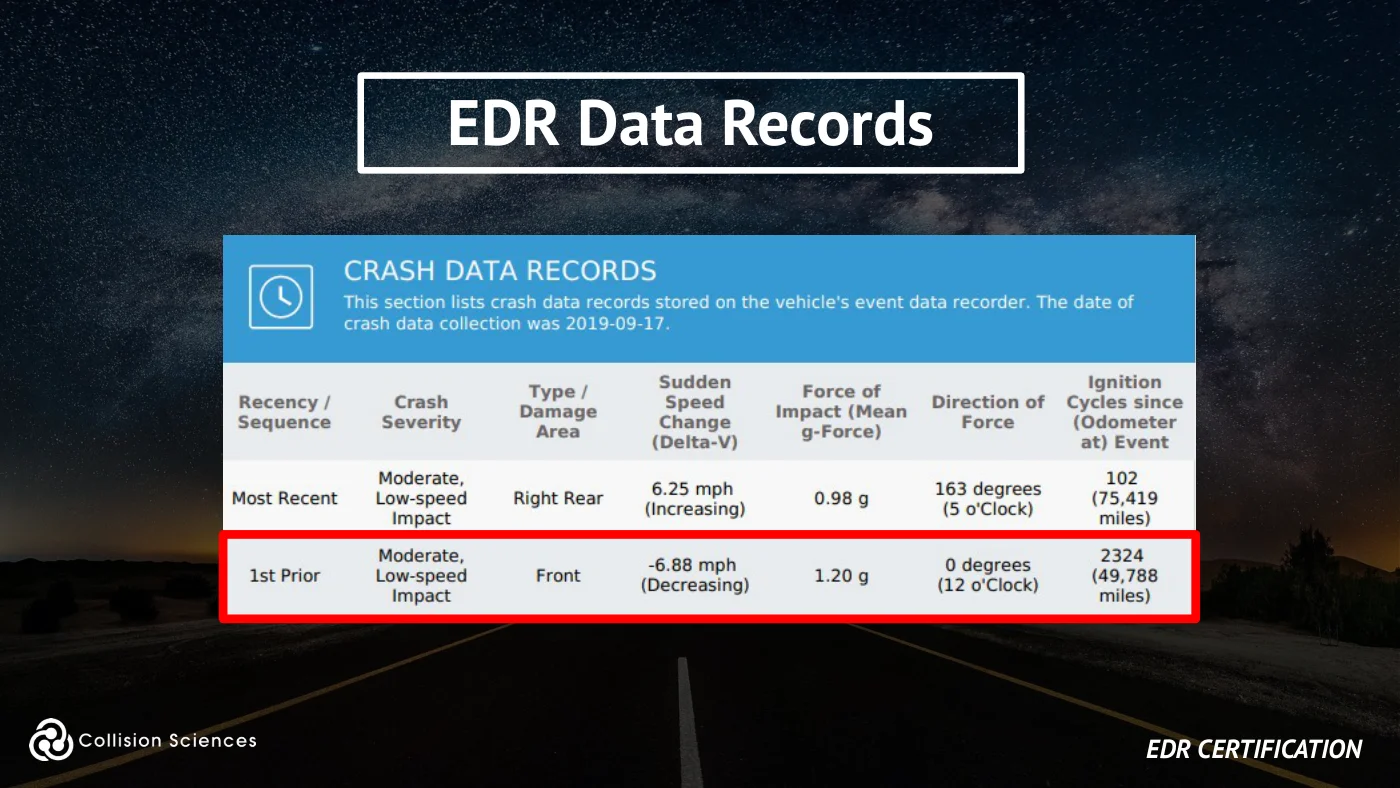
Crash data records
Slide 63Enlarge slide ↗
Read slide 63 text
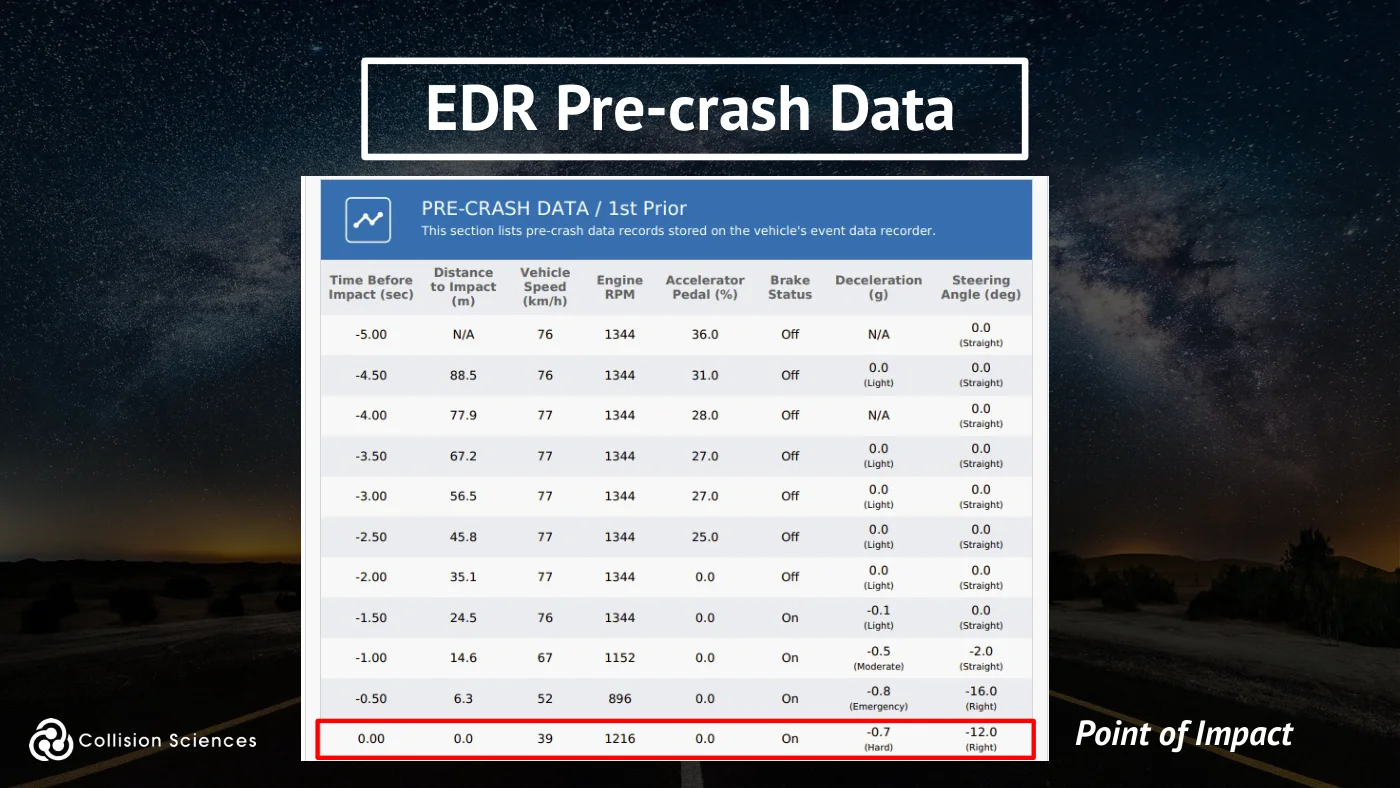
EDR pre-crash data
Point of Impact
Slide 64Enlarge slide ↗
Read slide 64 text
EDR data records
EDR certification
Slide 65Enlarge slide ↗
Read slide 65 text
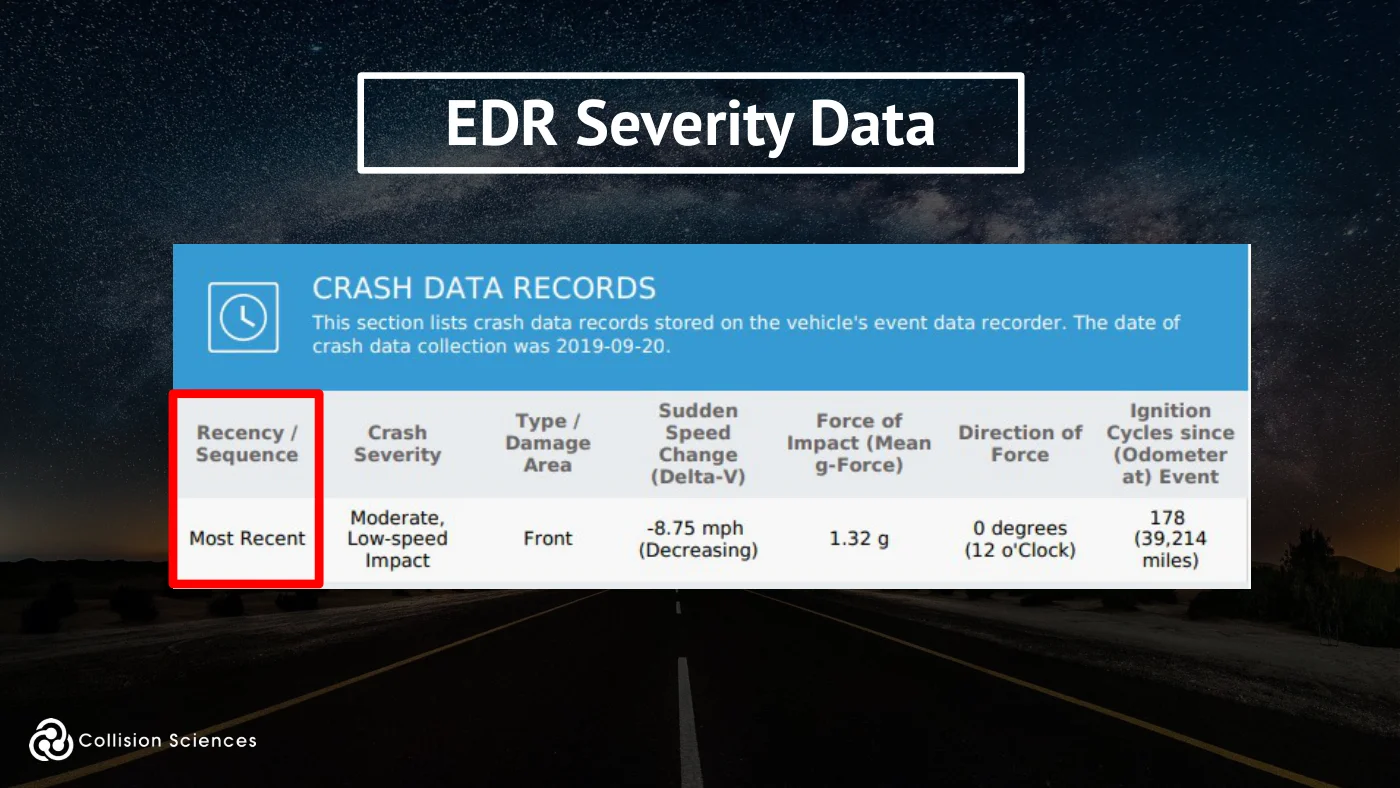
EDR severity data
Slide 66Enlarge slide ↗
Read slide 66 text
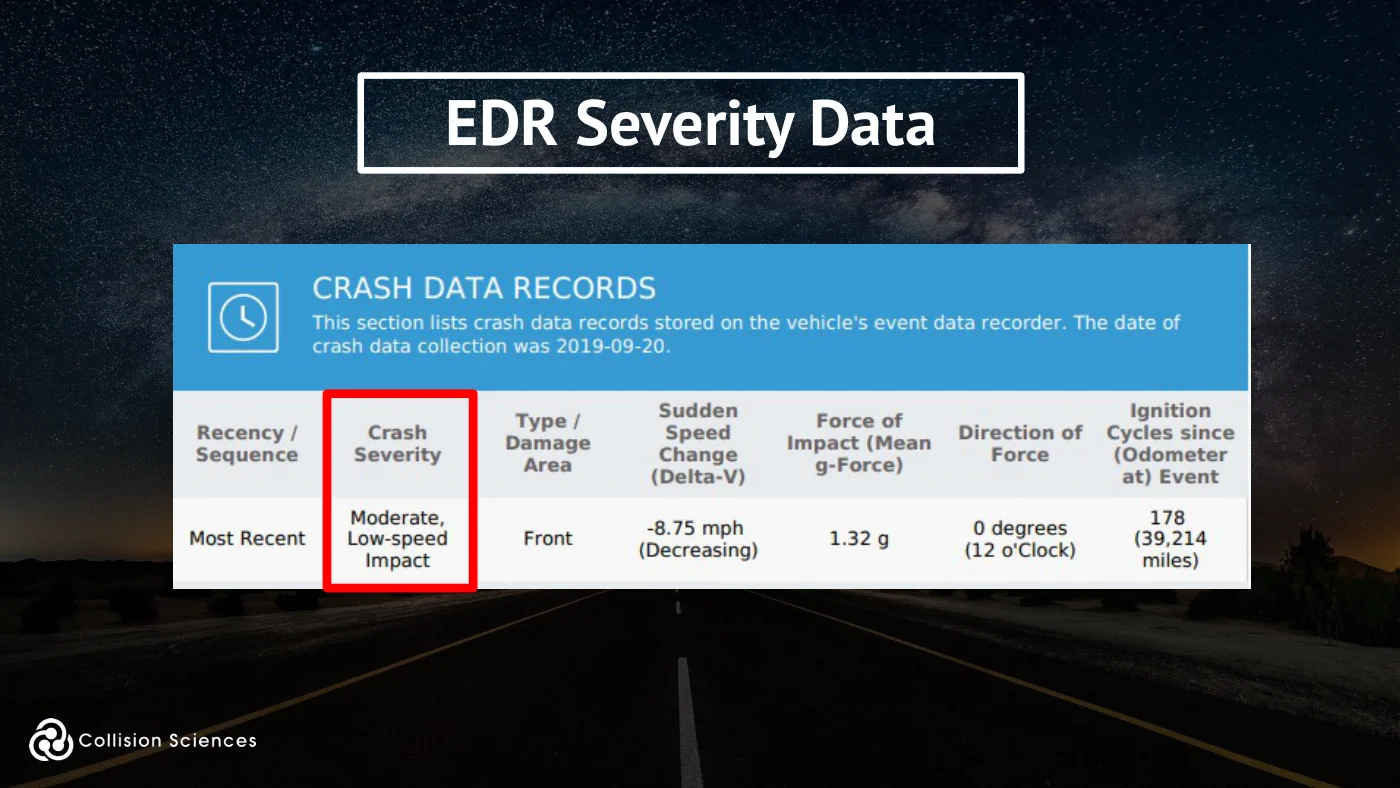
EDR severity data
Slide 67Enlarge slide ↗
Read slide 67 text
EDR severity data
Slide 68Enlarge slide ↗
Read slide 68 text
EDR severity data
Slide 69Enlarge slide ↗
Read slide 69 text
EDR severity data
Slide 70Enlarge slide ↗
Read slide 70 text
EDR severity data
Slide 71Enlarge slide ↗
Read slide 71 text
EDR severity data
Slide 72Enlarge slide ↗
Read slide 72 text
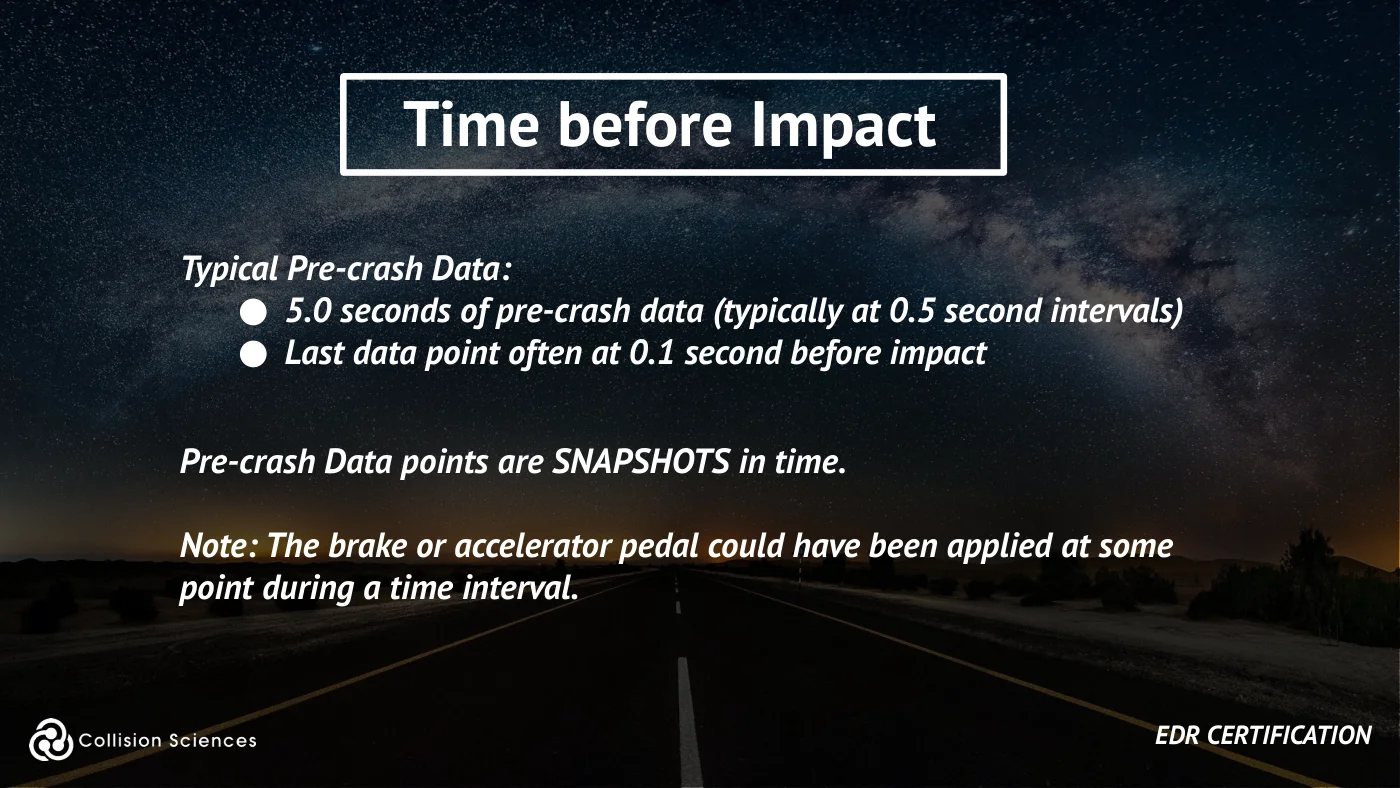
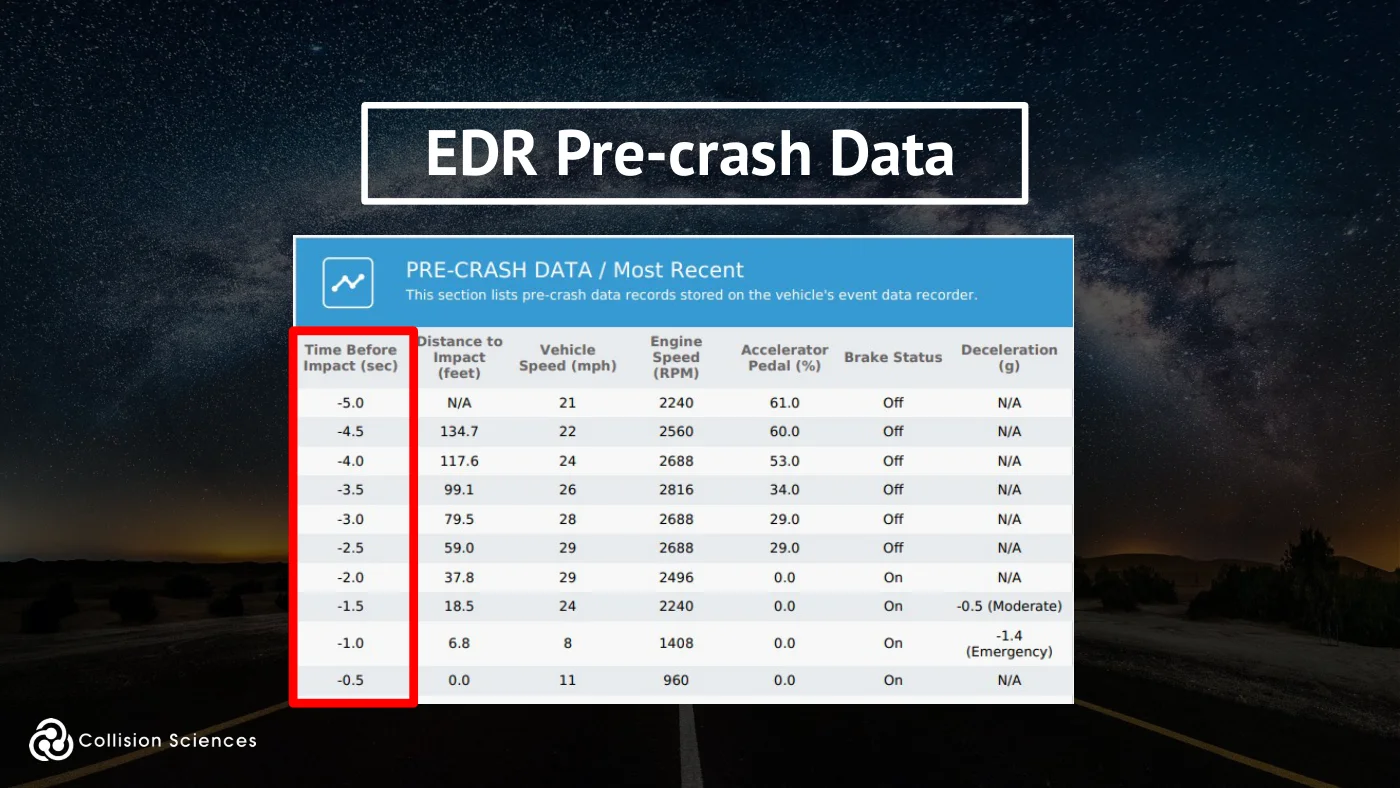
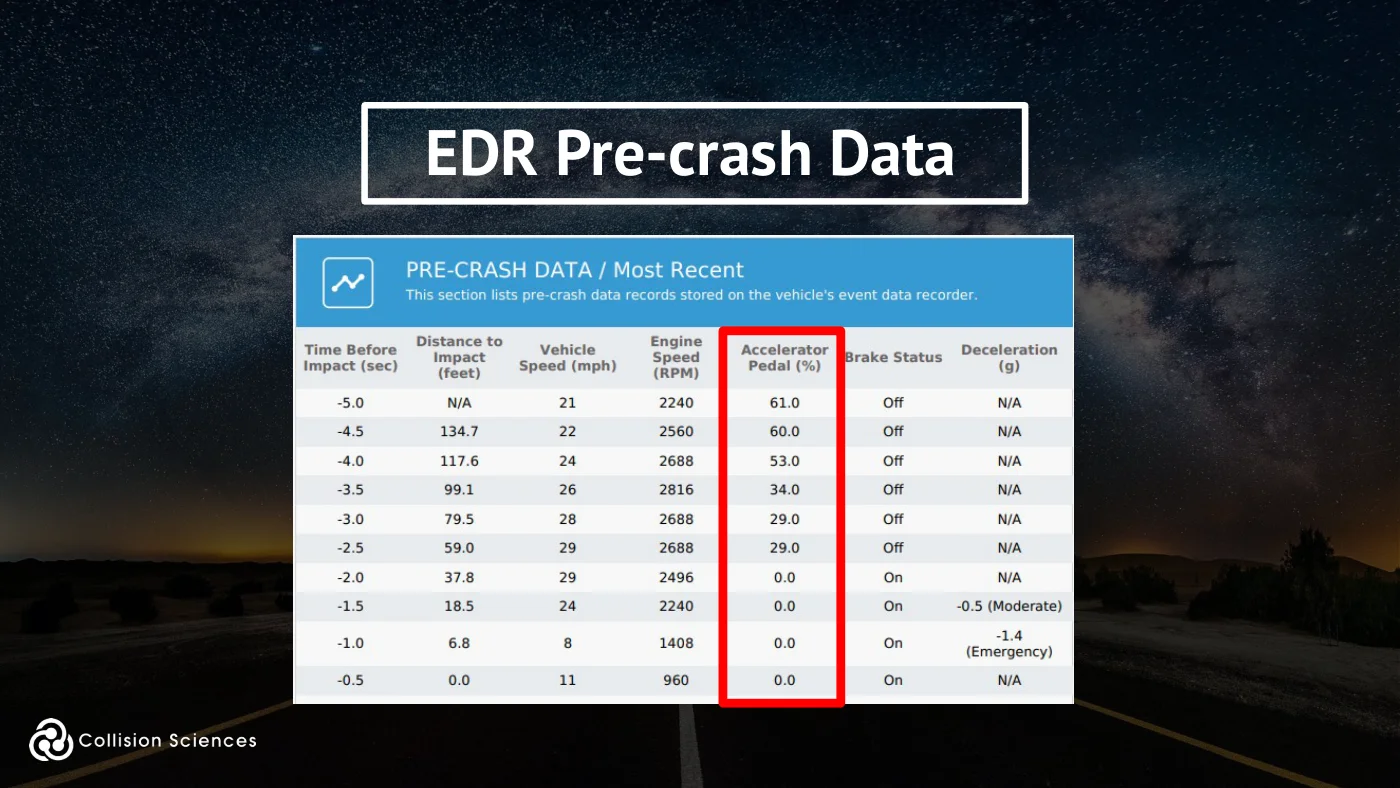
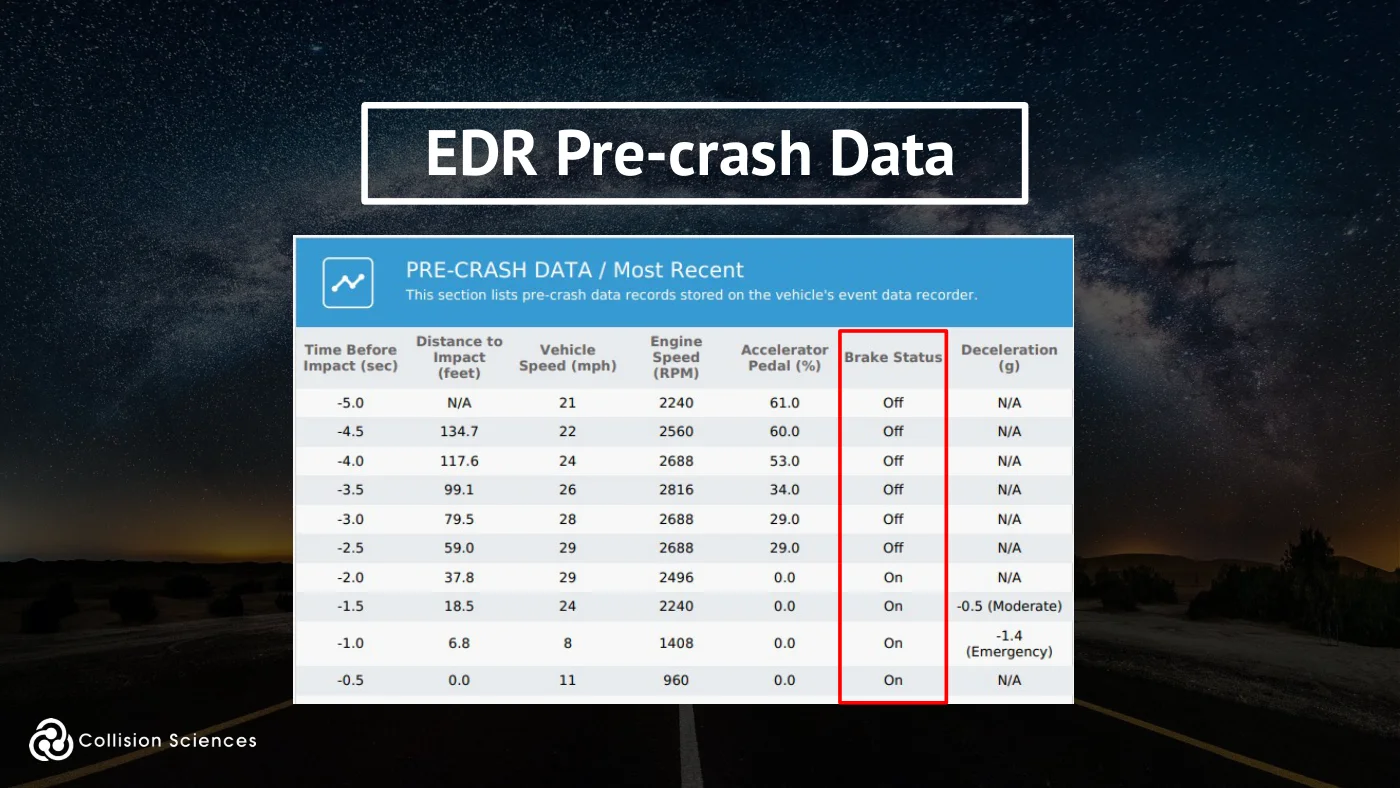
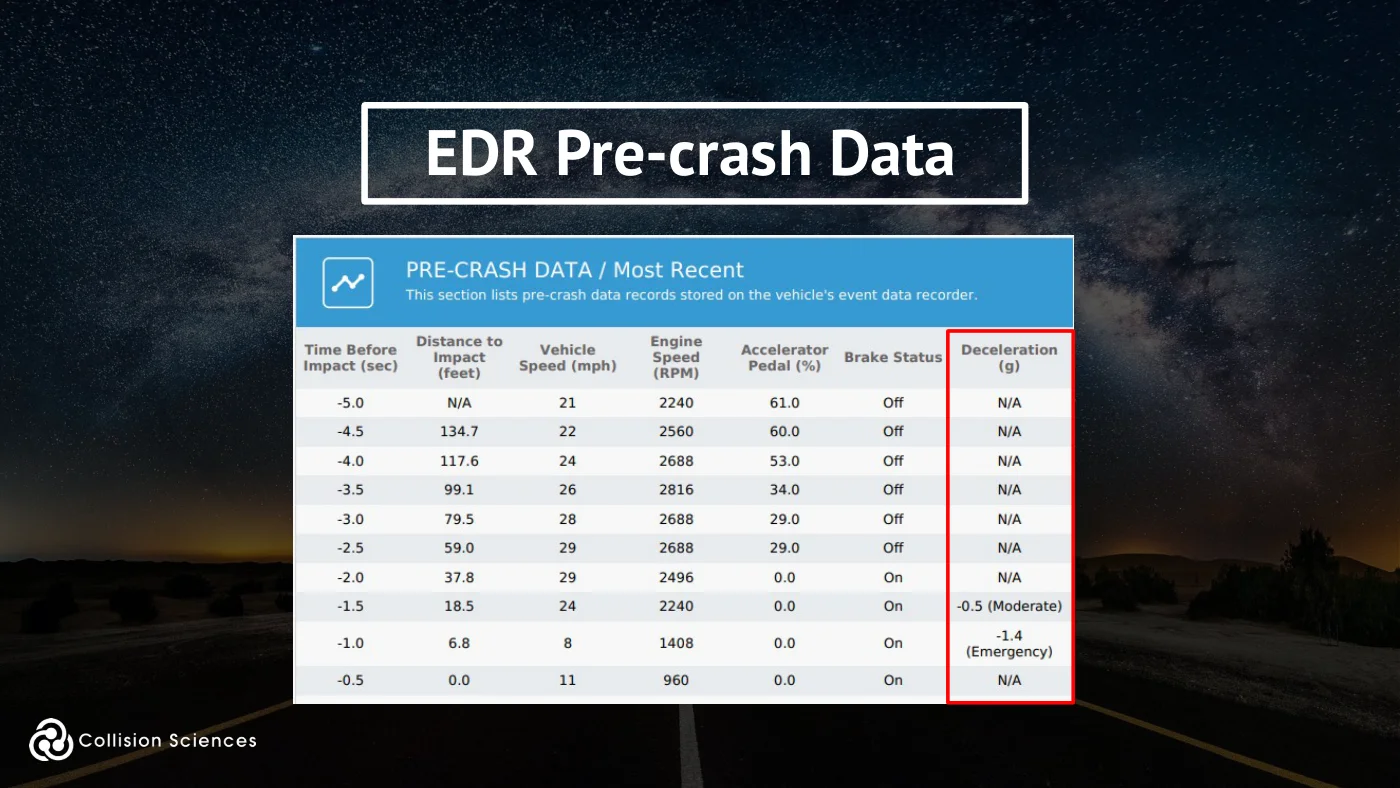
Time before impact
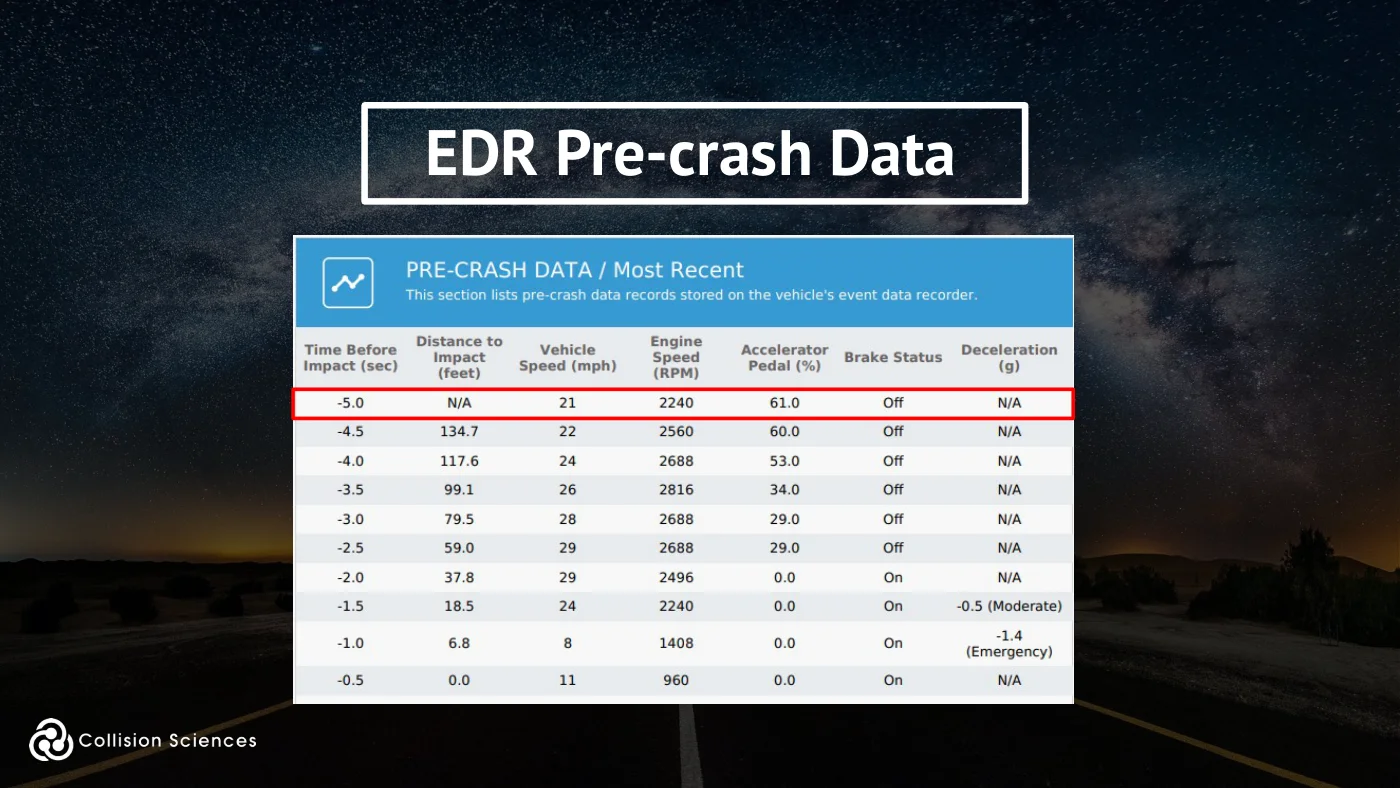
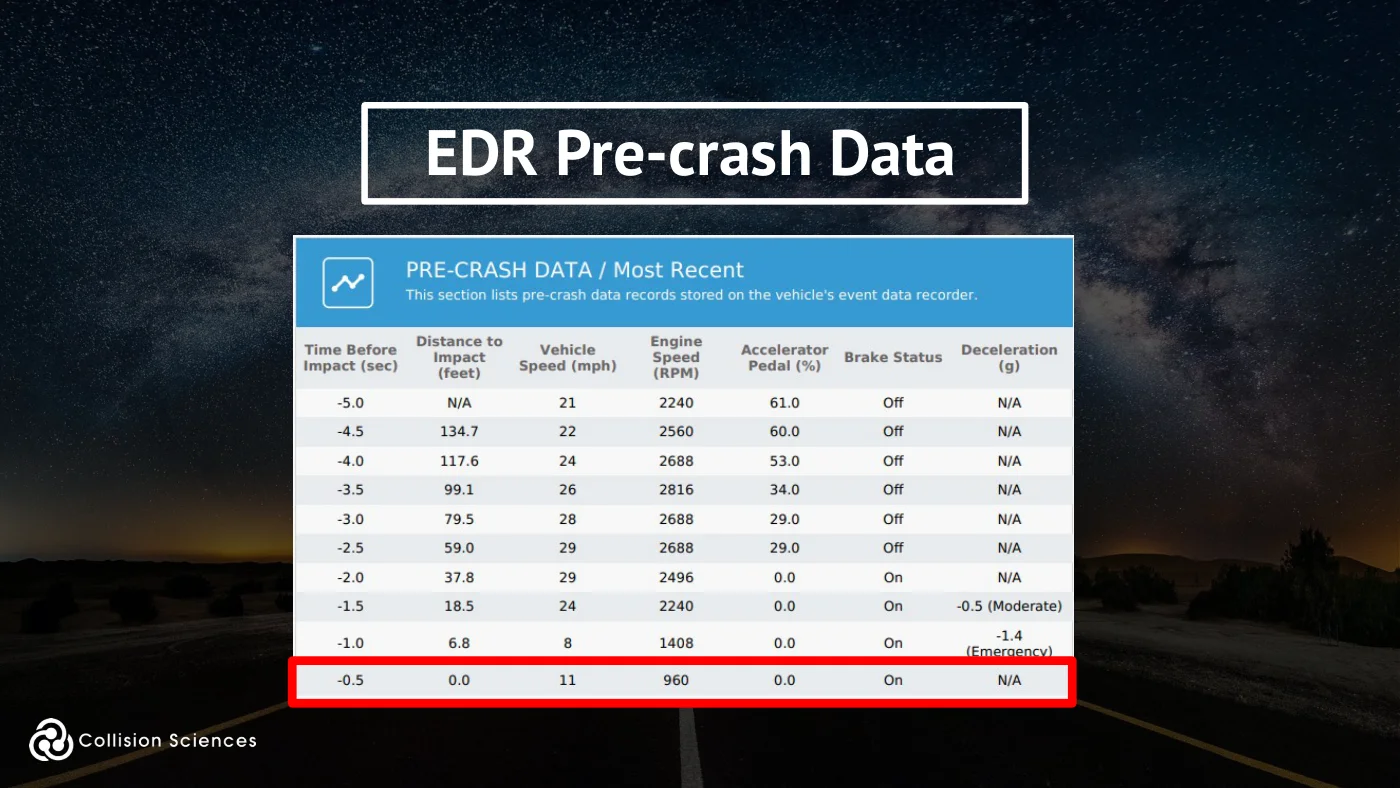
Typical Pre-crash Data:
●5.0 seconds of pre-crash data (typically at 0.5 second intervals) ●Last data point often at 0.1 second before impact
Pre-crash Data points are SNAPSHOTS in time.
Note: The brake or accelerator pedal could have been applied at some point during a time interval.
EDR certification
Slide 73Enlarge slide ↗
Read slide 73 text
EDR pre-crash data
Slide 74Enlarge slide ↗
Read slide 74 text
EDR pre-crash data
Slide 75Enlarge slide ↗
Read slide 75 text
EDR pre-crash data
Slide 76Enlarge slide ↗
Read slide 76 text
EDR pre-crash data
Slide 77Enlarge slide ↗
Read slide 77 text
EDR pre-crash data
Slide 78Enlarge slide ↗
Read slide 78 text
EDR pre-crash data
Slide 79Enlarge slide ↗
Read slide 79 text
EDR pre-crash data
Slide 80Enlarge slide ↗
Read slide 80 text
EDR pre-crash data
Slide 81Enlarge slide ↗
Read slide 81 text
EDR pre-crash data
Slide 82Enlarge slide ↗
Read slide 82 text
EDR certification
Slide 83Enlarge slide ↗
Read slide 83 text
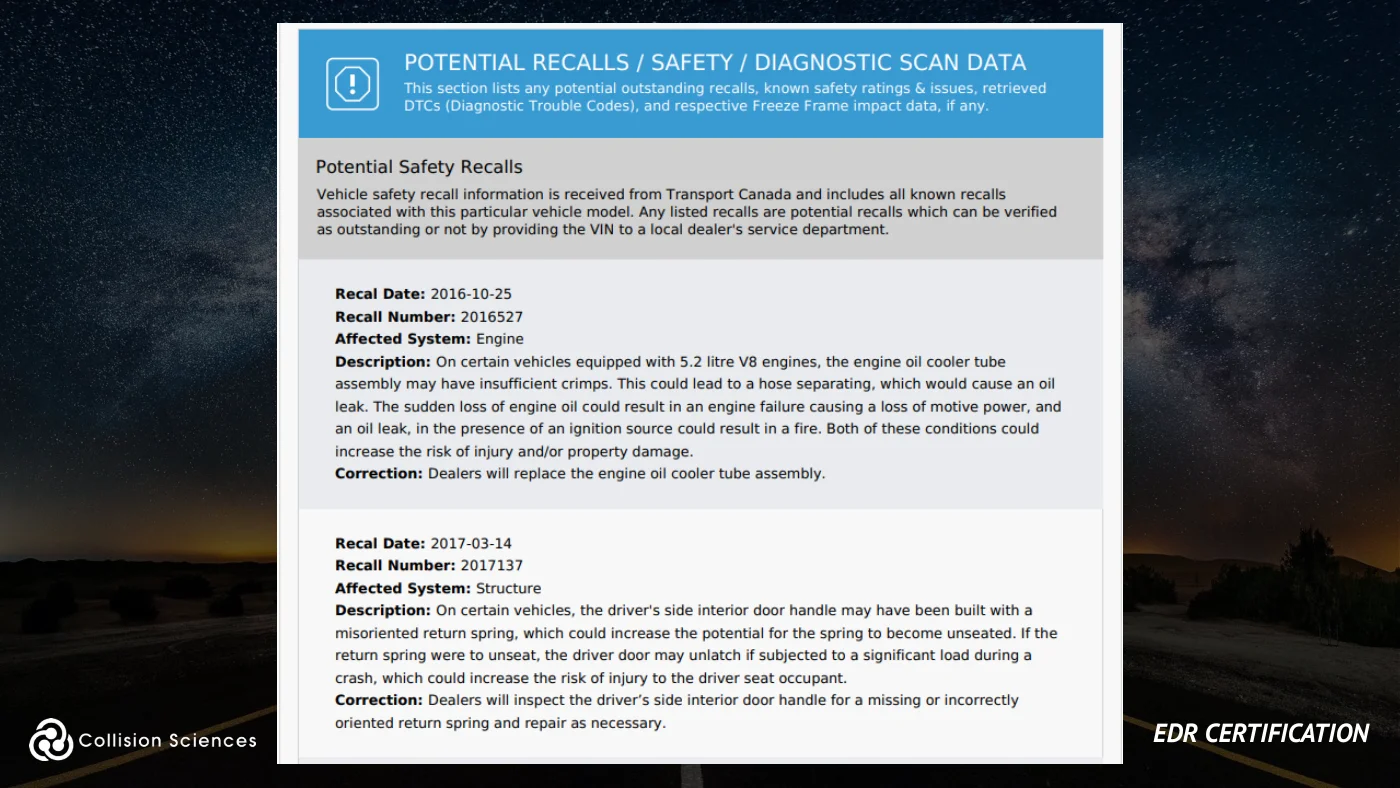
EDR reports
EDR certification
Slide 84Enlarge slide ↗
Read slide 84 text
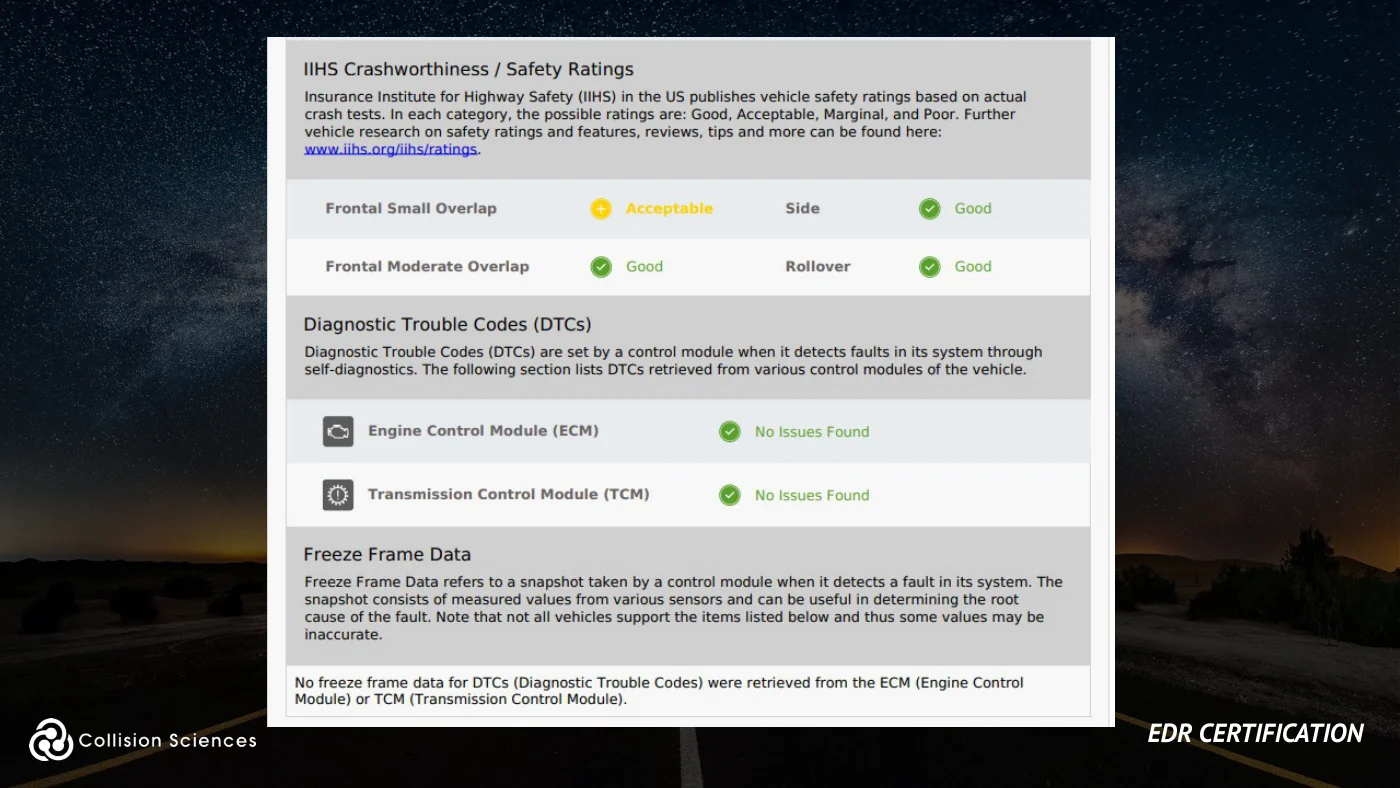
EDR reports
EDR certification
Slide 85Enlarge slide ↗
Read slide 85 text
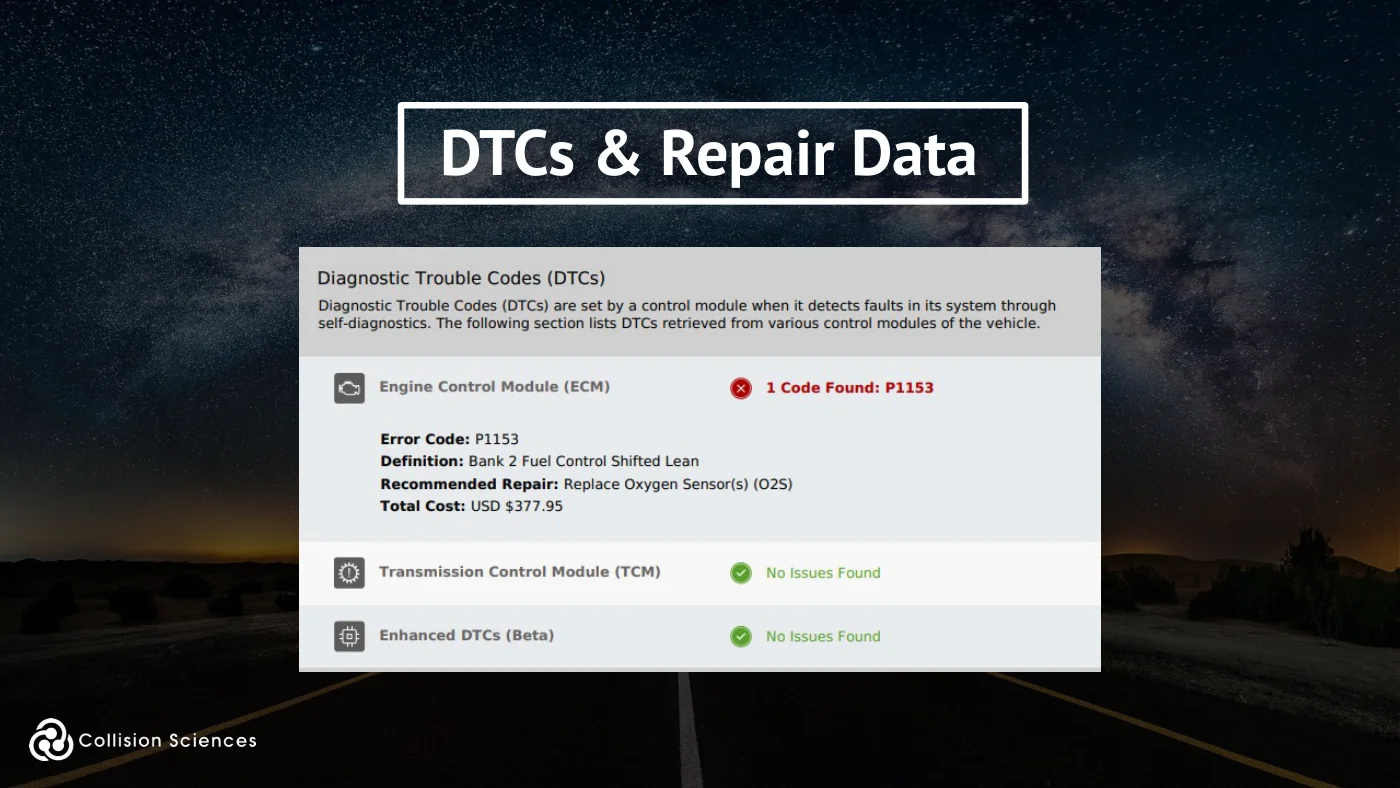
DTCs & repair data
Slide 86Enlarge slide ↗
Read slide 86 text
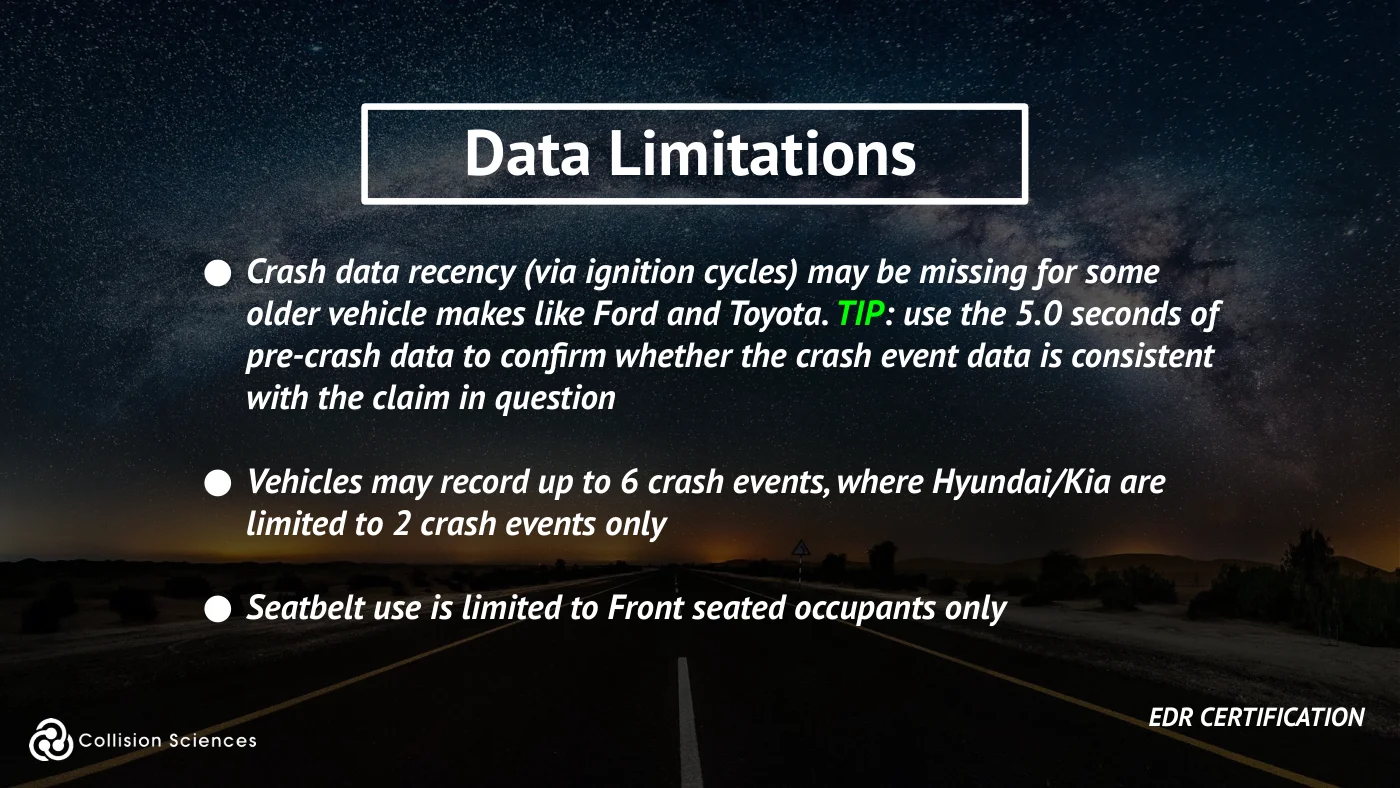
Data limitations
●Crash data recency (via ignition cycles) may be missing for some older vehicle makes like Ford and Toyota. TIP: use the 5.0 seconds of pre-crash data to confirm whether the crash event data is consistent with the claim in question
●Vehicles may record up to 6 crash events, where Hyundai/Kia are limited to 2 crash events only
●Seatbelt use is limited to Front seated occupants only
EDR certification
Slide 87Enlarge slide ↗
Read slide 87 text
Data limitations
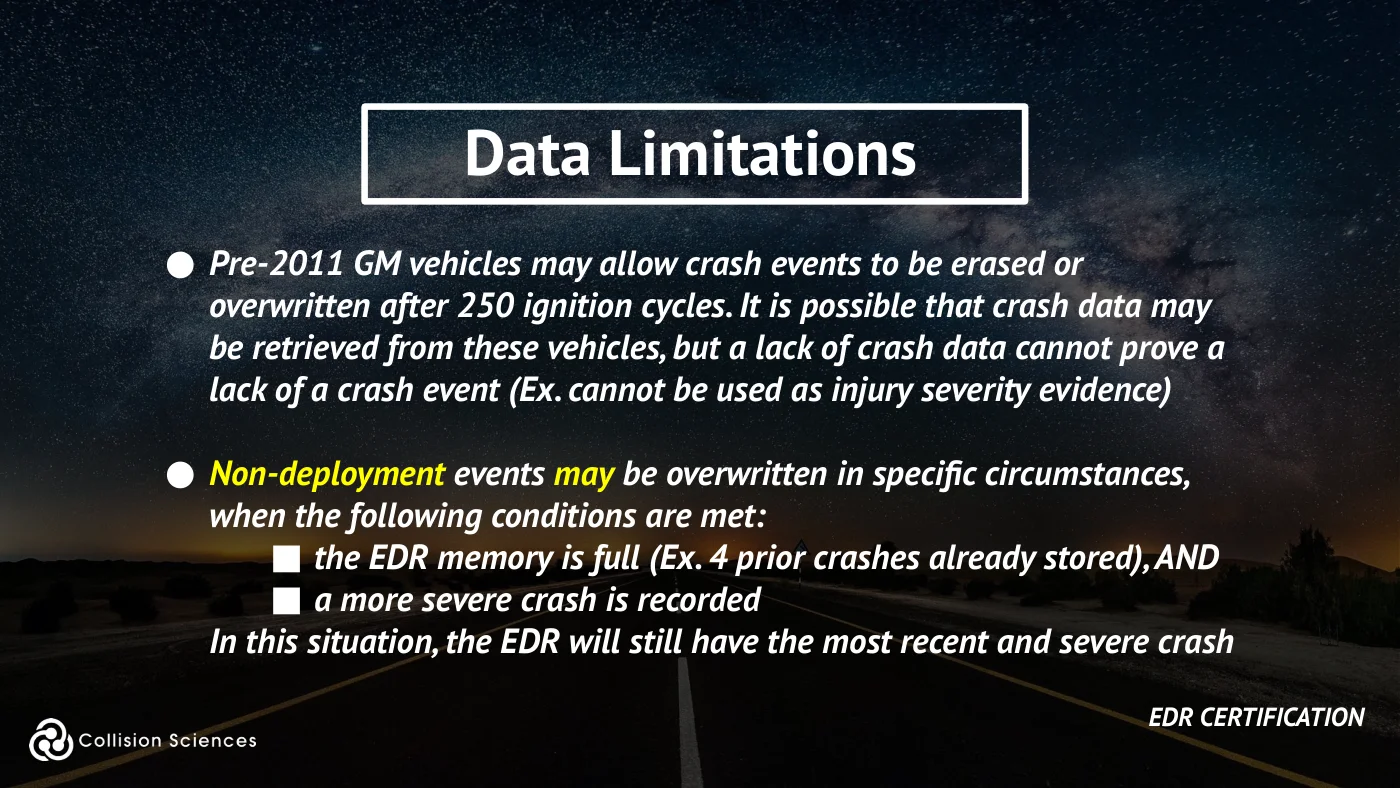
●Pre-2011 GM vehicles may allow crash events to be erased or overwritten after 250 ignition cycles. It is possible that crash data may be retrieved from these vehicles, but a lack of crash data cannot prove a lack of a crash event (Ex. cannot be used as injury severity evidence)
●Non-deployment events may be overwritten in specific circumstances, when the following conditions are met:
■the EDR memory is full (Ex. 4 prior crashes already stored), AND ■a more severe crash is recorded In this situation, the EDR will still have the most recent and severe crash
EDR certification
Slide 88Enlarge slide ↗
Read slide 88 text
Data limitations
●The earliest generation GM/Ford vehicle modules only recorded front/rear (longitudinal acceleration), i.e. NO lateral/side forces
●Not all vehicle models are supported just because an OEM has EDR support for a given year (typically full support exists after 2013)
EDR certification
Slide 89Enlarge slide ↗
Read slide 89 text
Data limitations
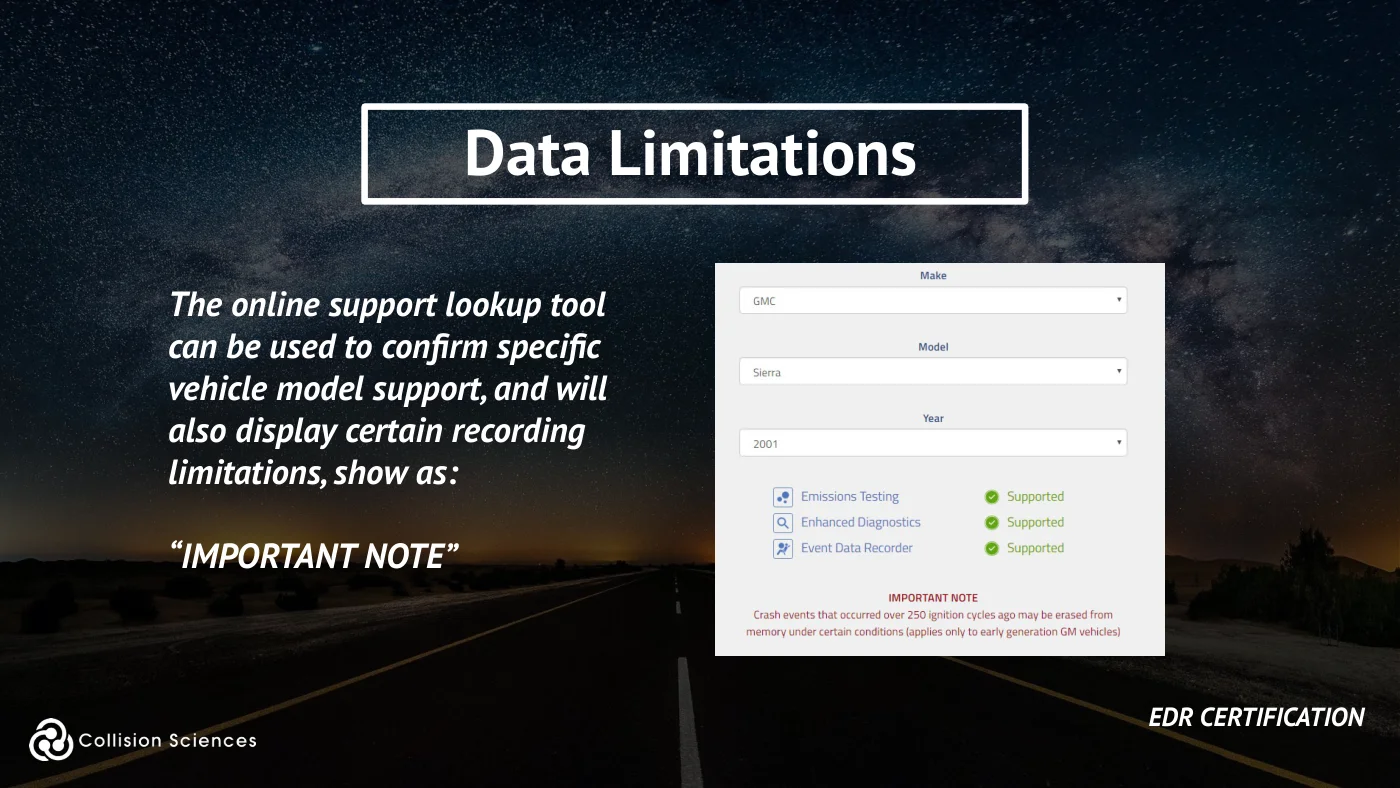
The online support lookup tool can be used to confirm specific vehicle model support, and will also display certain recording limitations, show as:
“IMPORTANT NOTE”
EDR certification
Slide 90Enlarge slide ↗
Read slide 90 text
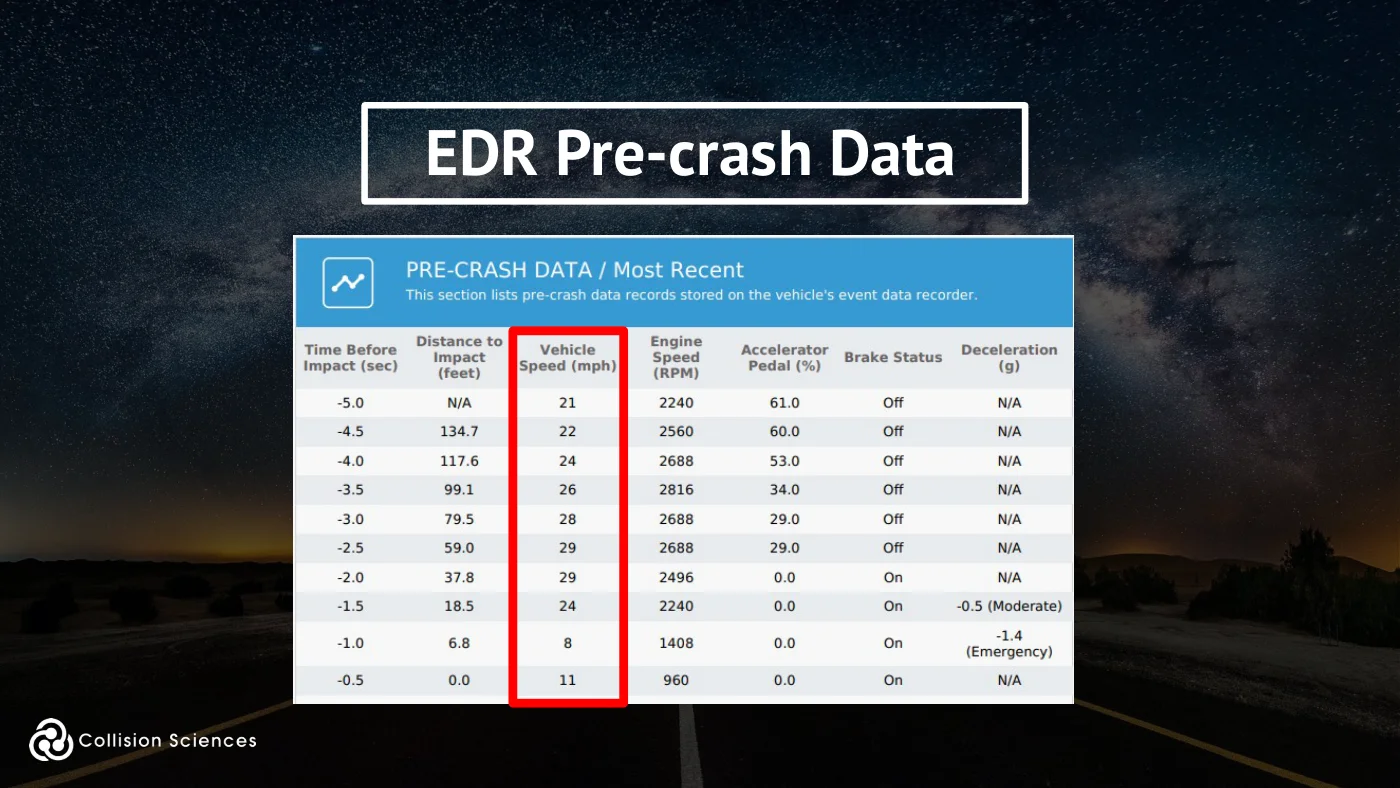
How is speed reported?
EDR Speed is typically the average of either 2 or 4 wheel speed sensors and is the same data being reported to the speedometer.
CAUTION: reported speed anomalies are possible if the vehicle is rotating, rolling, airborne, has a wheel locked or spinning (Eg. due to reduced road friction such as ice and snow conditions).
EDR certification
Slide 91Enlarge slide ↗
Read slide 91 text
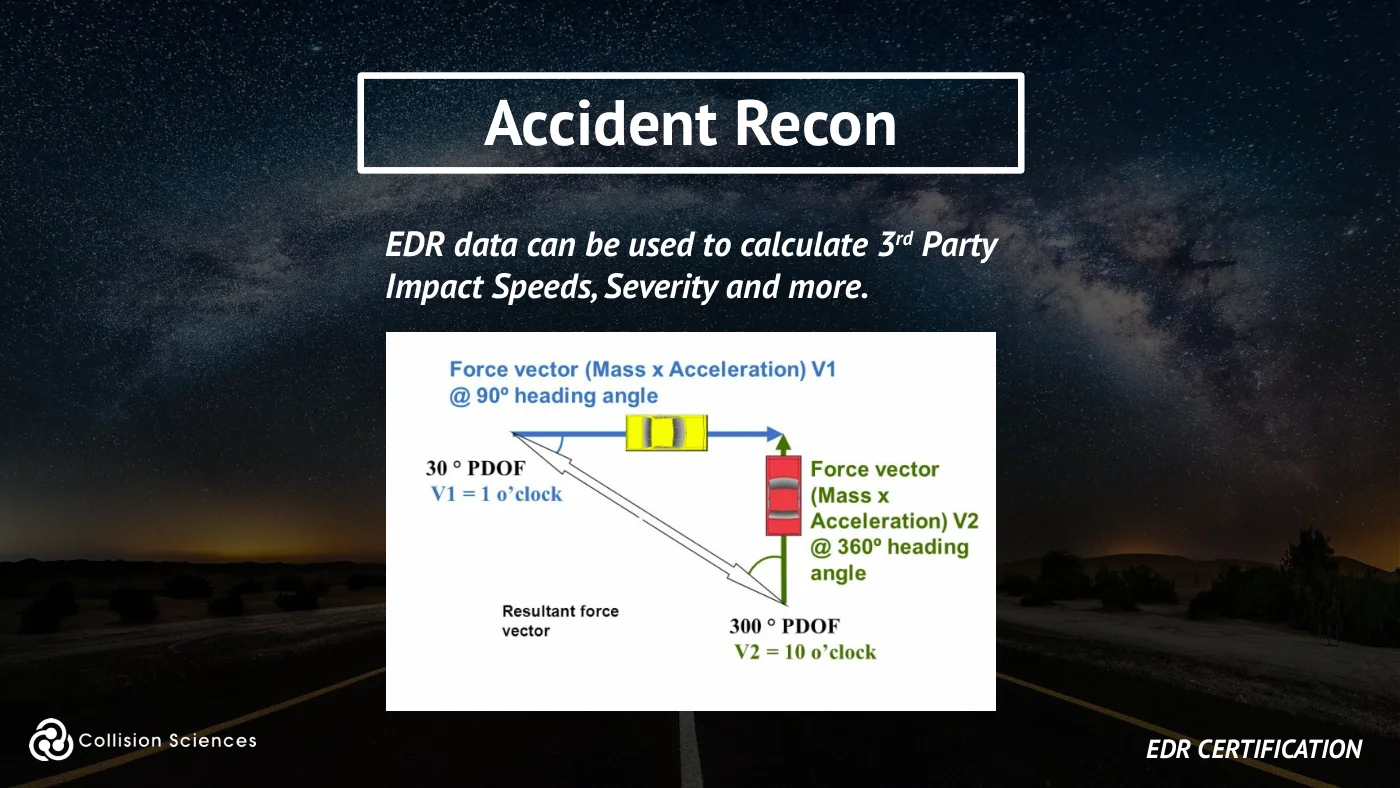
Accident recon
EDR data can be used to calculate 3rd Party Impact Speeds, Severity and more.
EDR certification
Slide 92Enlarge slide ↗
Read slide 92 text
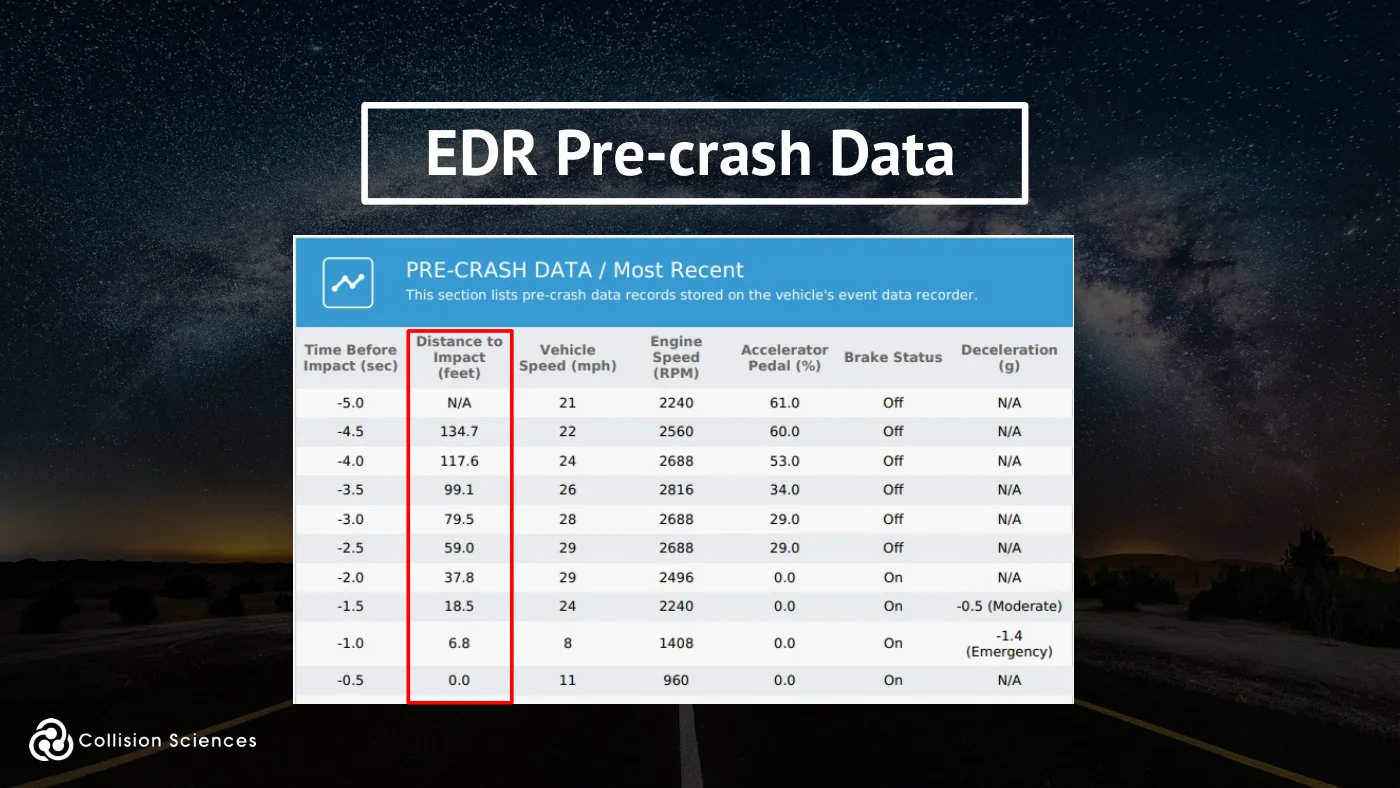
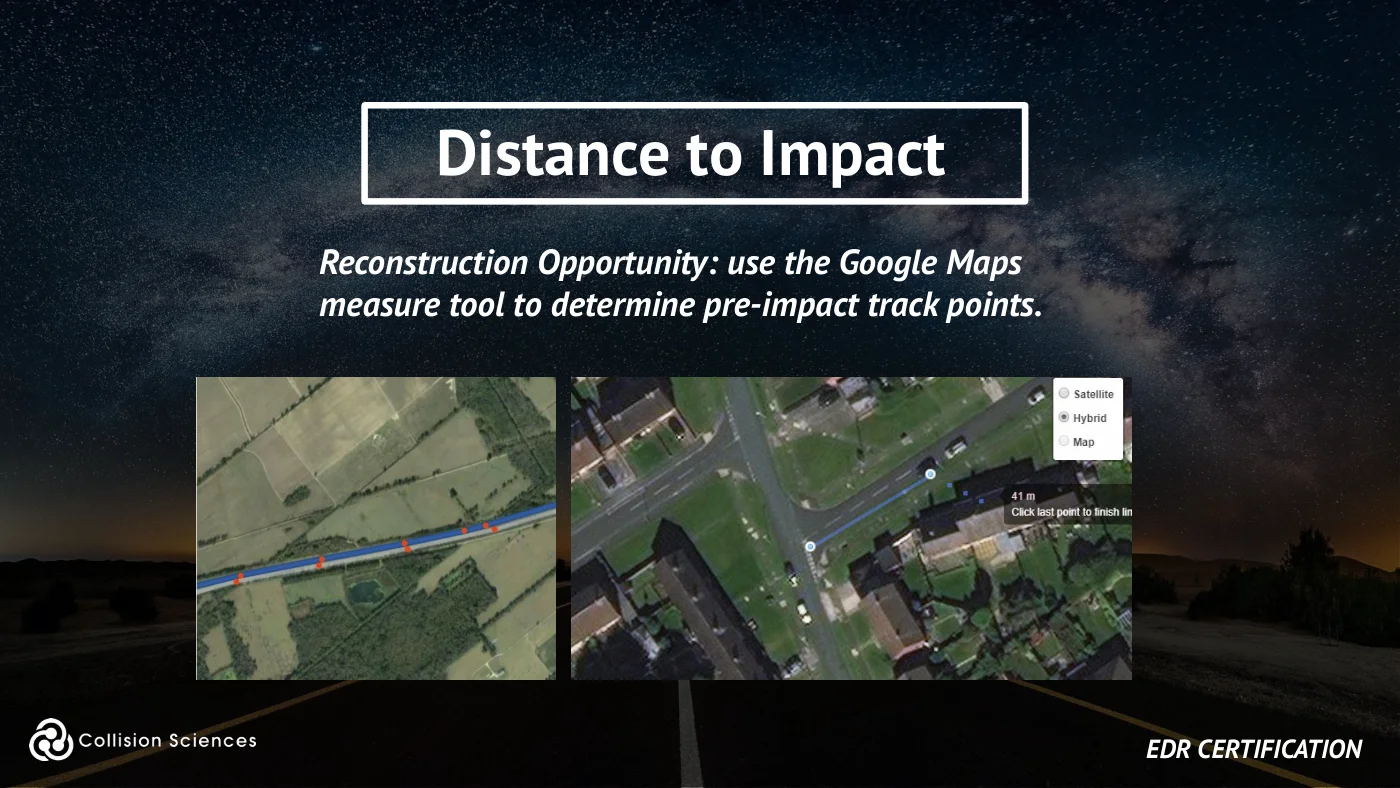
Distance to impact
Reconstruction Opportunity: use the Google Maps measure tool to determine pre-impact track points.
EDR certification
Slide 93Enlarge slide ↗
Read slide 93 text
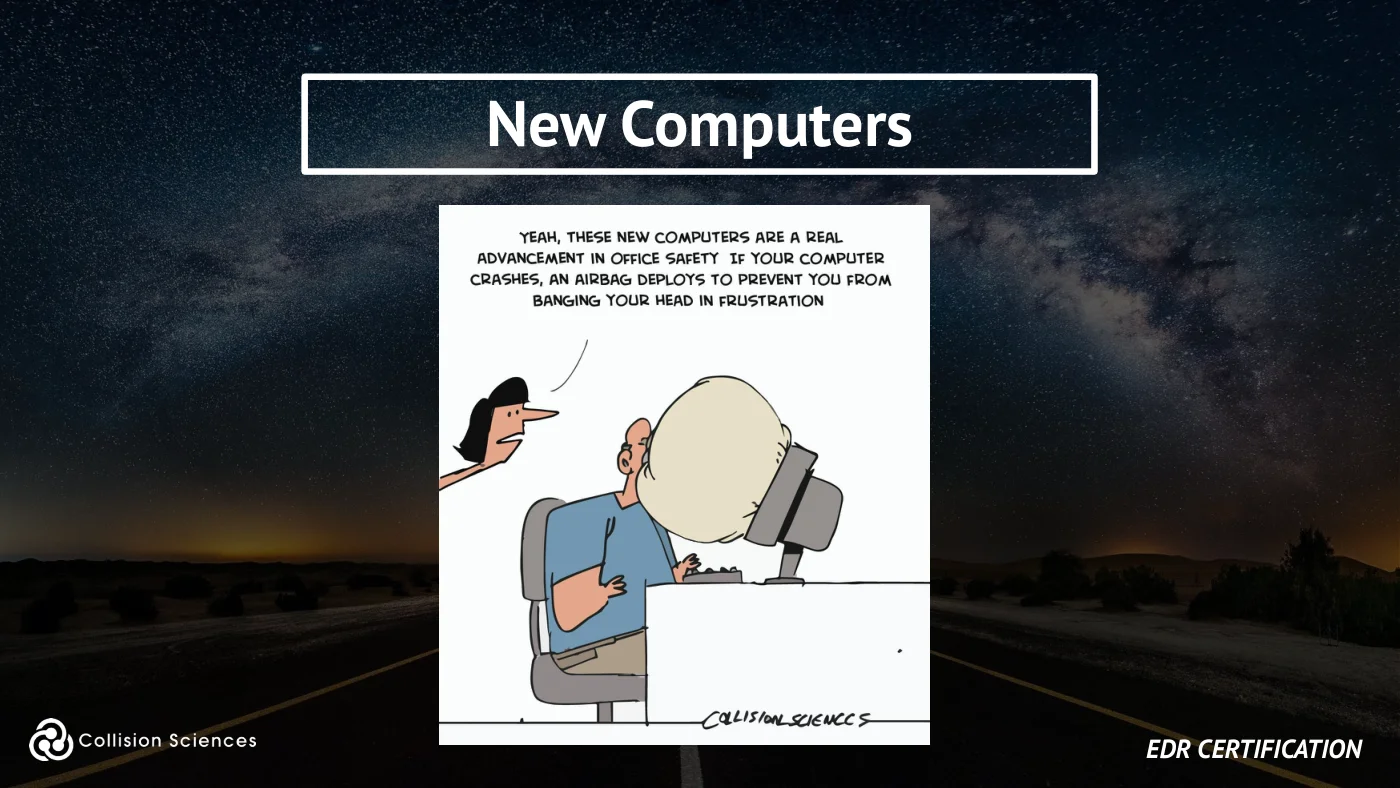
New computers
EDR certification
Slide 94Enlarge slide ↗
Read slide 94 text
Module 4
EDR Data Examples - Case Studies, Injury Sciences
EDR certification
Slide 95Enlarge slide ↗
Read slide 95 text
Suspicious loss types
✓ Outright Fraud (Staged Accidents) ✓ Opportunistic / Exaggerated Claims (Repair, Injury) ✓ Misrepresentation ✓ Lack of Transparency
EDR certification
Slide 96Enlarge slide ↗
Read slide 96 text
What was reported?
Cross-reference EDR data with Reported Circumstances:
✓ Number of Occupants ✓ Impact or Travel Speed ✓ Pre-impact vehicle maneuver ✓ Was the vehicle moving or stopped? ✓ VIN mismatch? ✓ Phony airbag deployment? ✓ Damage appraisal reasonable? ✓ Posted/Reported Speed (Liability or Misrep)?
EDR certification
Slide 97Enlarge slide ↗
Read slide 97 text
Automated alerts
✓ Drive Down (intentional collision) ✓ Swoop & Squat, Panic Stop, Steered-to-Sideswipe ✓ Multiple intentional impacts ✓ Pre-damaged Vehicle (non-recent event) ✓ Past Posting (was crash pre-policy?) ✓ No Avoidance Maneuver, Possible Distracted Driving ✓ Low-velocity Impact (<3g), Unbuckled Occupant ✓ Vehicle Health Issues (owner give-up?) ✓ Odometer Rollback ✓ Excessive Speeding
EDR certification
Slide 98Enlarge slide ↗
Read slide 98 text
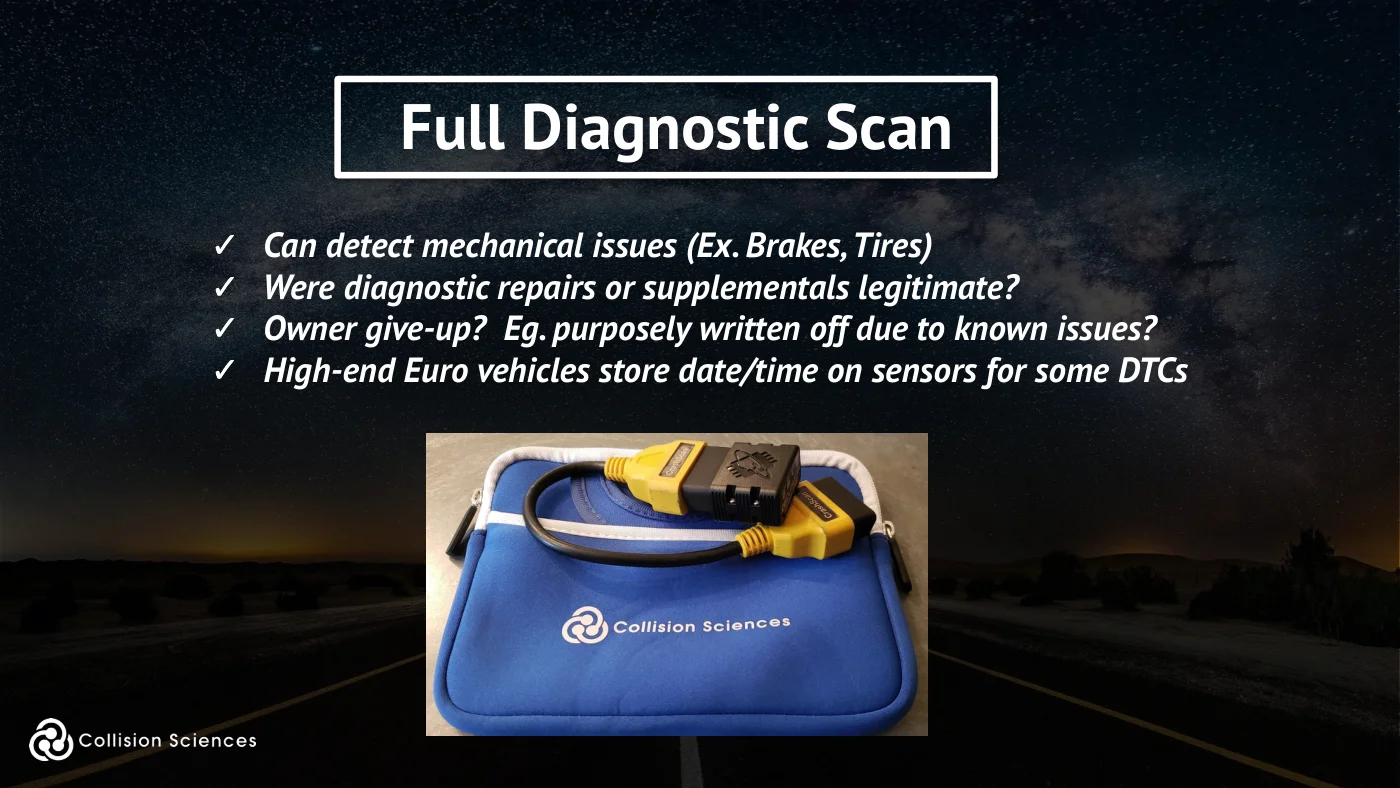
Full diagnostic scan
✓ Can detect mechanical issues (Ex. Brakes, Tires) ✓ Were diagnostic repairs or supplementals legitimate? ✓ Owner give-up? Eg. purposely written off due to known issues? ✓ High-end Euro vehicles store date/time on sensors for some DTCs
Slide 99Enlarge slide ↗
Read slide 99 text
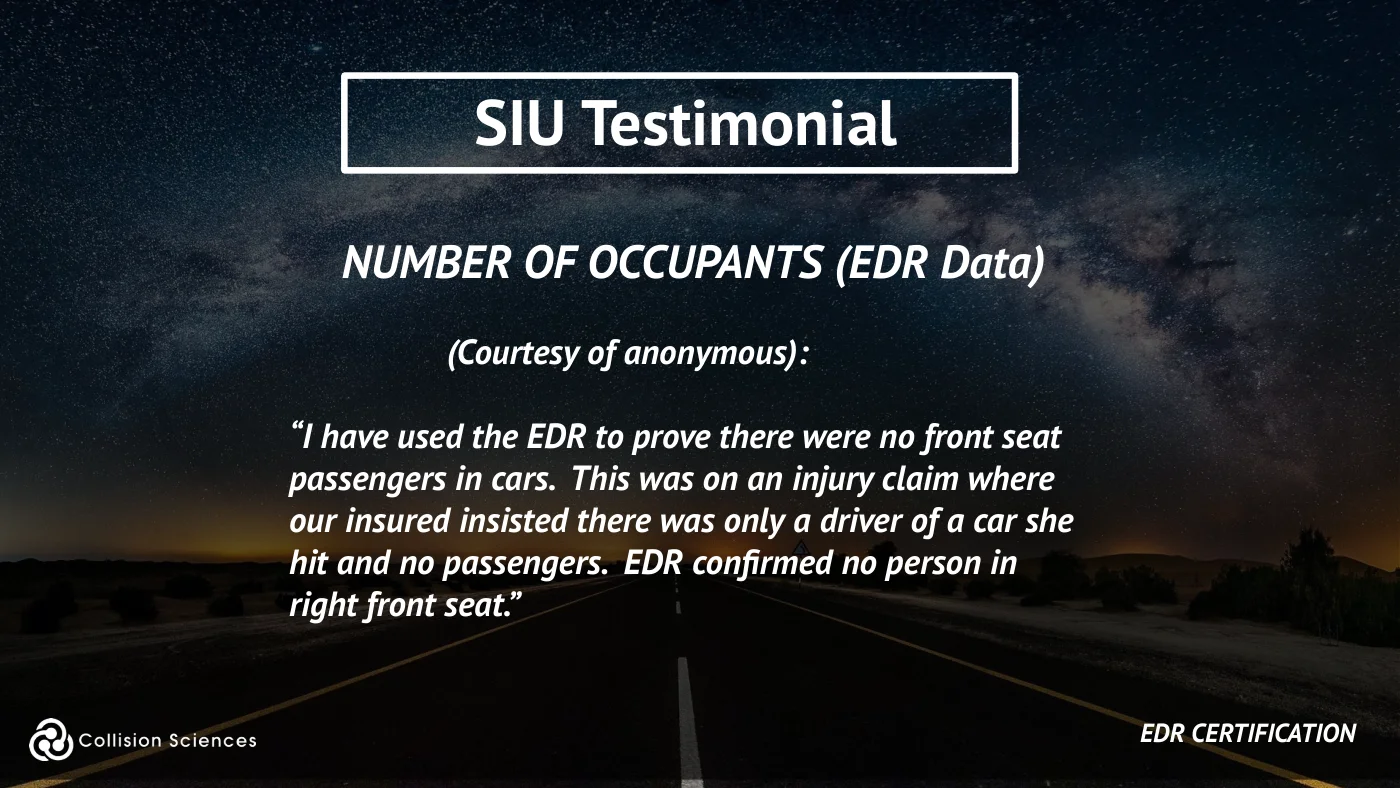
SIU testimonial
NUMBER OF OCCUPANTS (EDR Data)
(Courtesy of anonymous):
“I have used the EDR to prove there were no front seat passengers in cars. This was on an injury claim where our insured insisted there was only a driver of a car she hit and no passengers. EDR confirmed no person in right front seat.”
EDR certification
Slide 100Enlarge slide ↗
Read slide 100 text
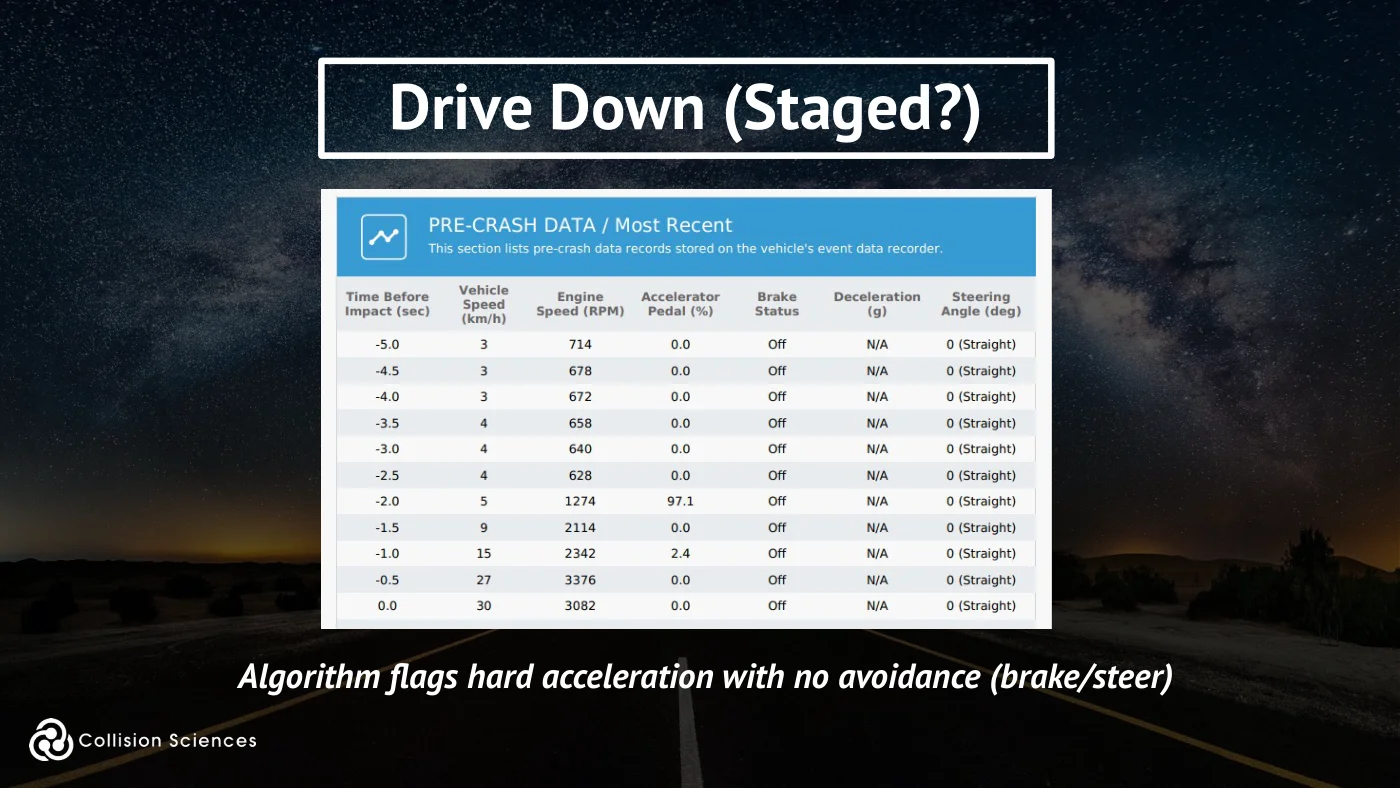
Drive down (staged?)
Algorithm flags hard acceleration with no avoidance (brake/steer)
Slide 101Enlarge slide ↗
Read slide 101 text
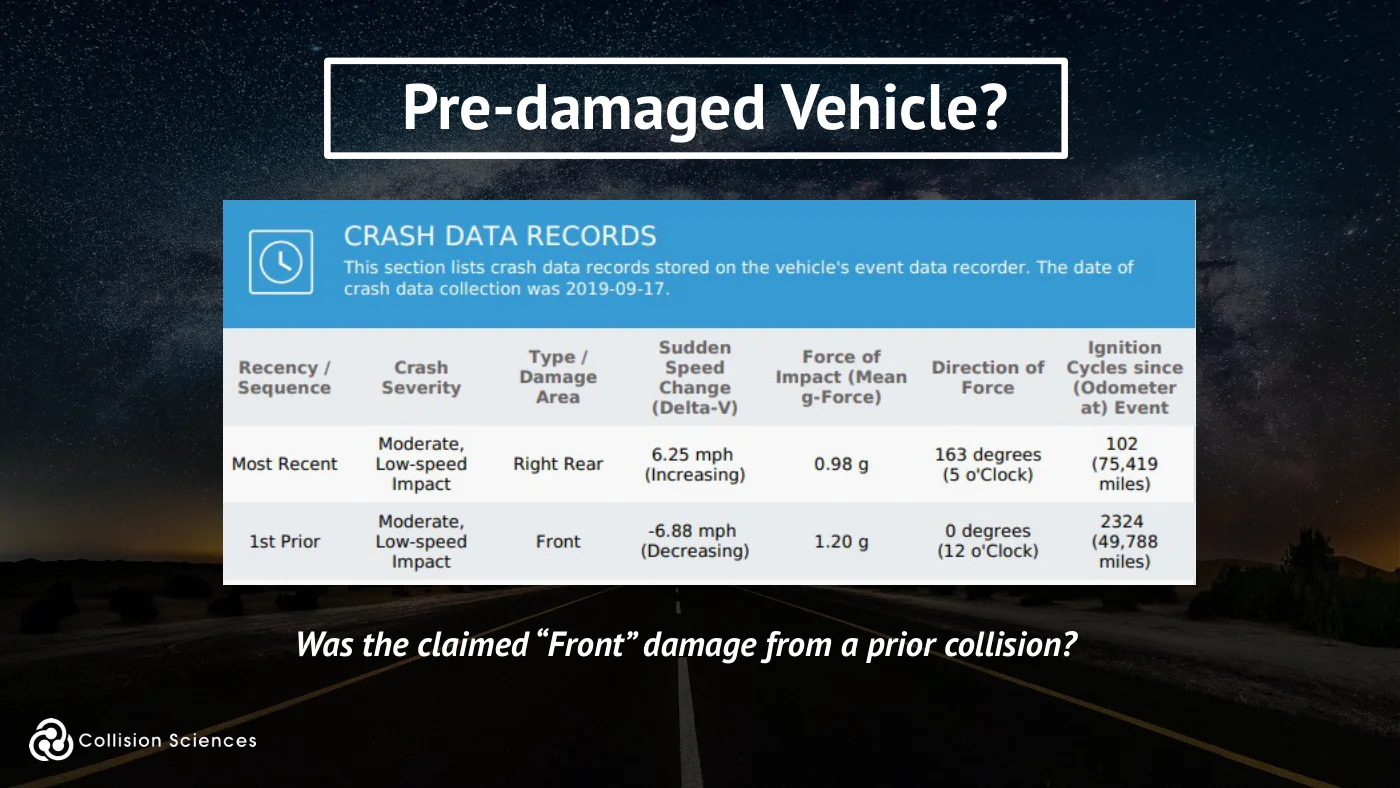
Pre-damaged vehicle?
Was the claimed “Front” damage from a prior collision?
Slide 102Enlarge slide ↗
Read slide 102 text
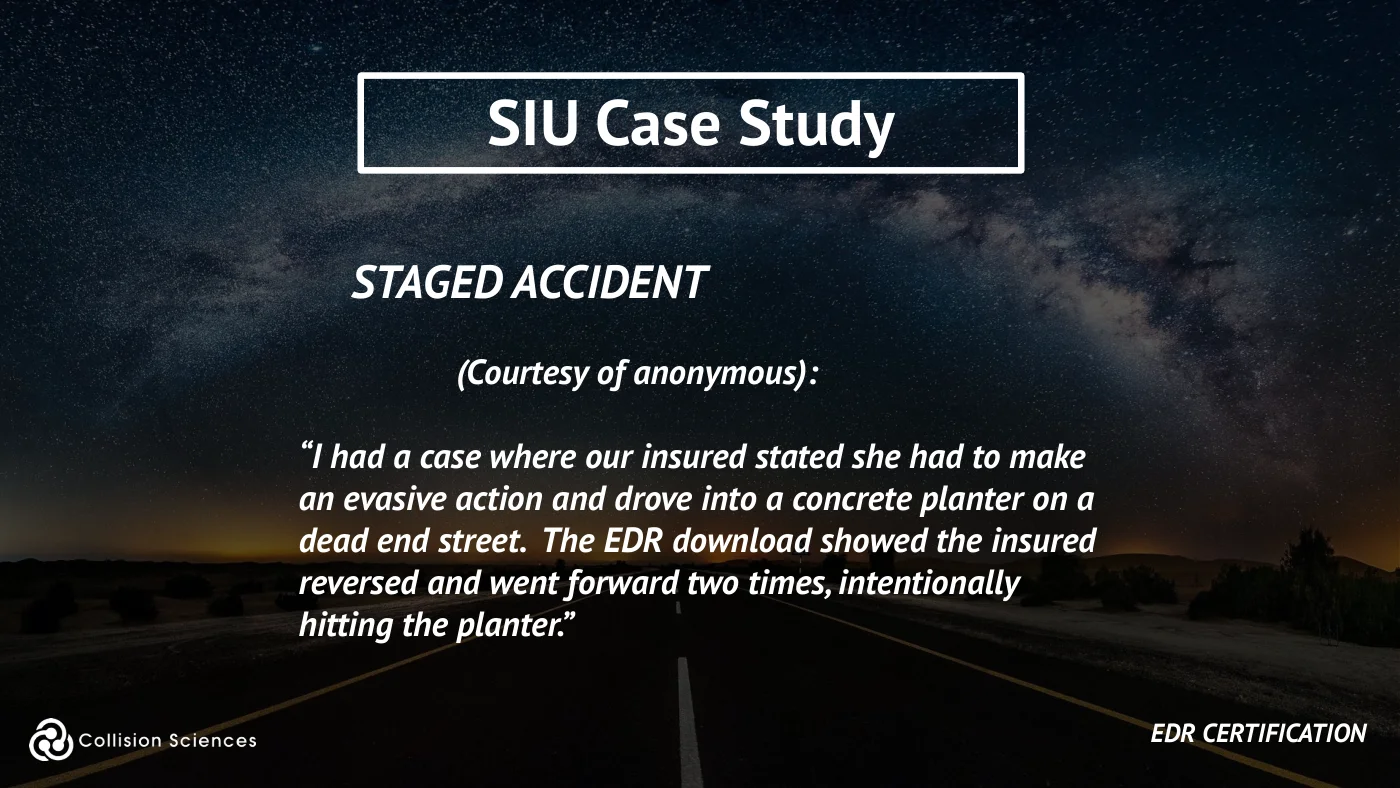
SIU case study
STAGED ACCIDENT
(Courtesy of anonymous):
“I had a case where our insured stated she had to make an evasive action and drove into a concrete planter on a dead end street. The EDR download showed the insured reversed and went forward two times, intentionally hitting the planter.”
EDR certification
Slide 103Enlarge slide ↗
Read slide 103 text
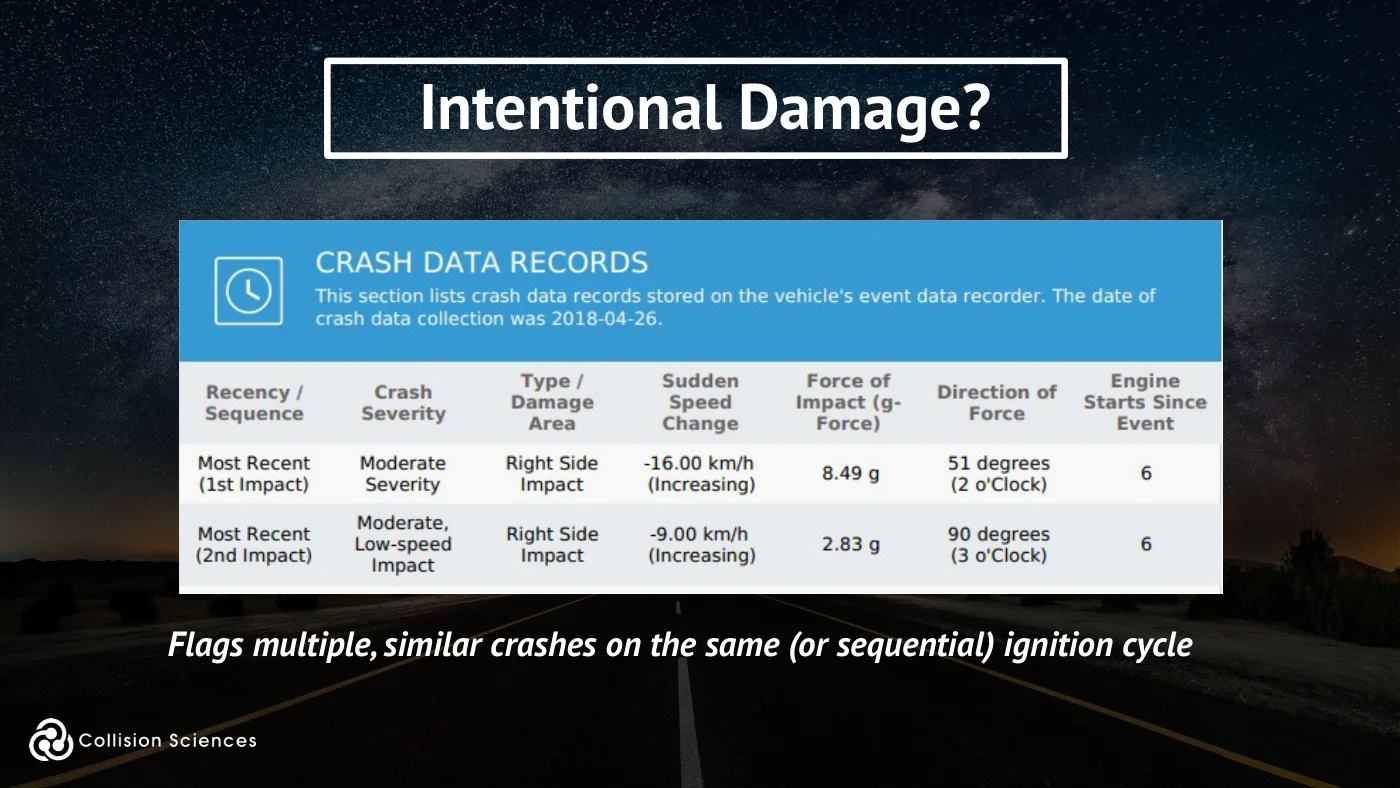
Intentional damage?
Flags multiple, similar crashes on the same (or sequential) ignition cycle
Slide 104Enlarge slide ↗
Read slide 104 text
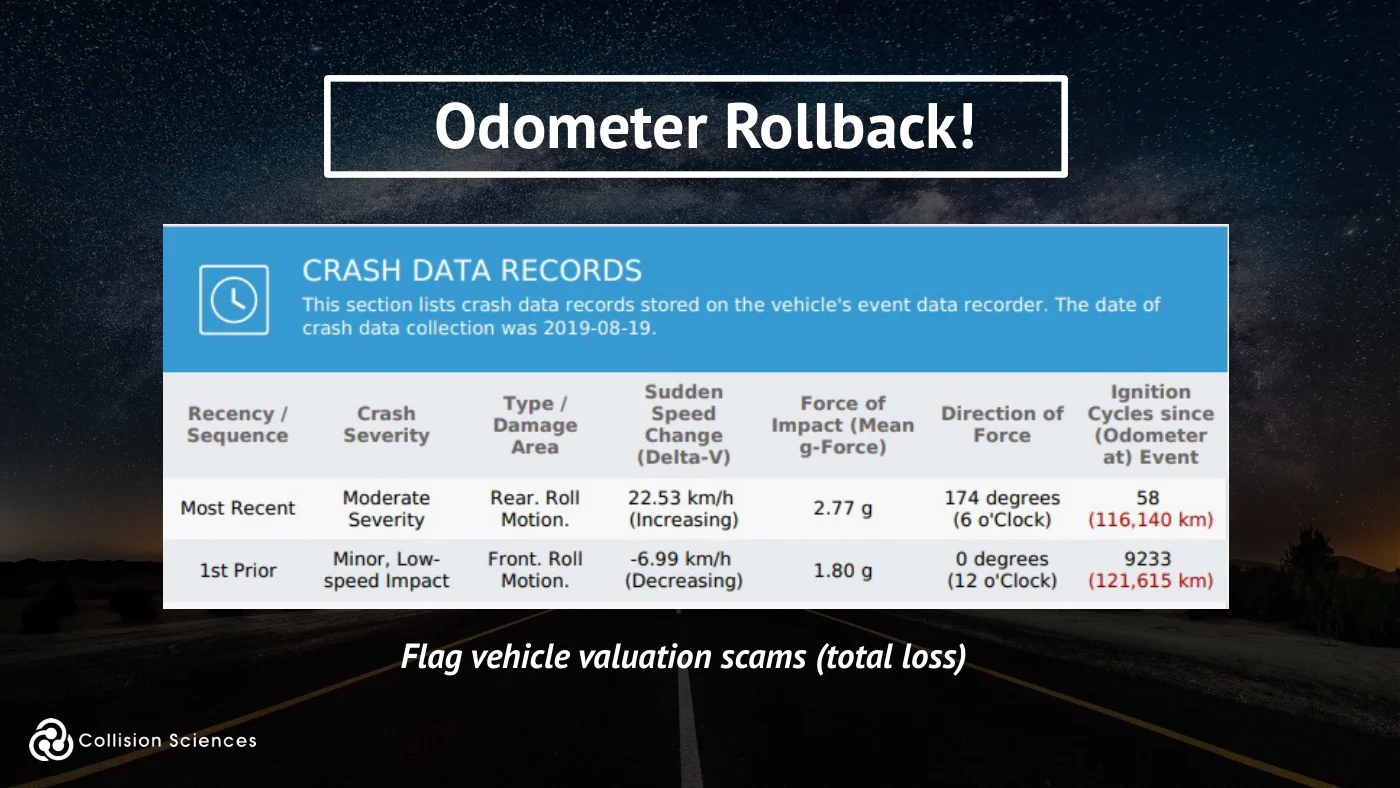
Odometer rollback!
Flag vehicle valuation scams (total loss)
Slide 105Enlarge slide ↗
Read slide 105 text
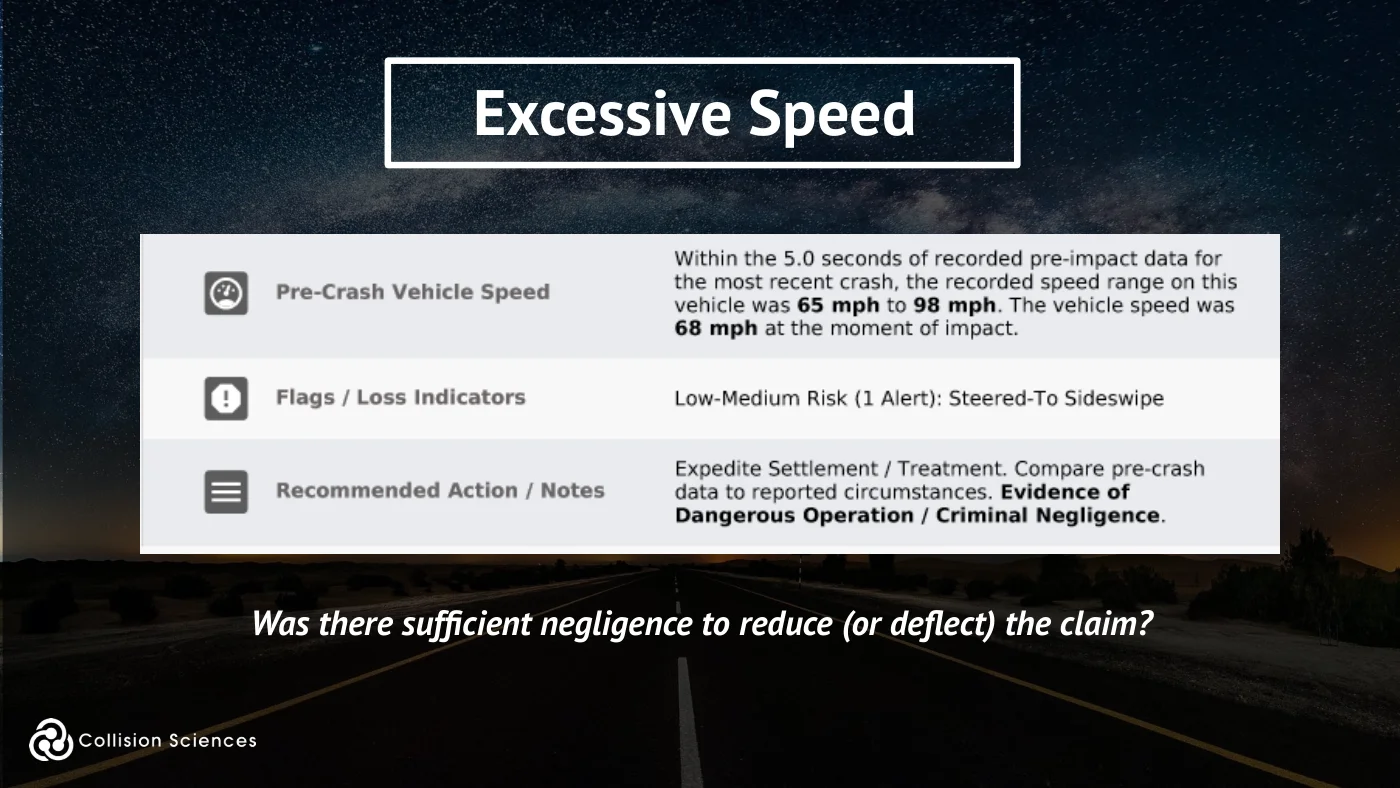
Excessive speed
Was there sufficient negligence to reduce (or deflect) the claim?
Slide 106Enlarge slide ↗
Read slide 106 text
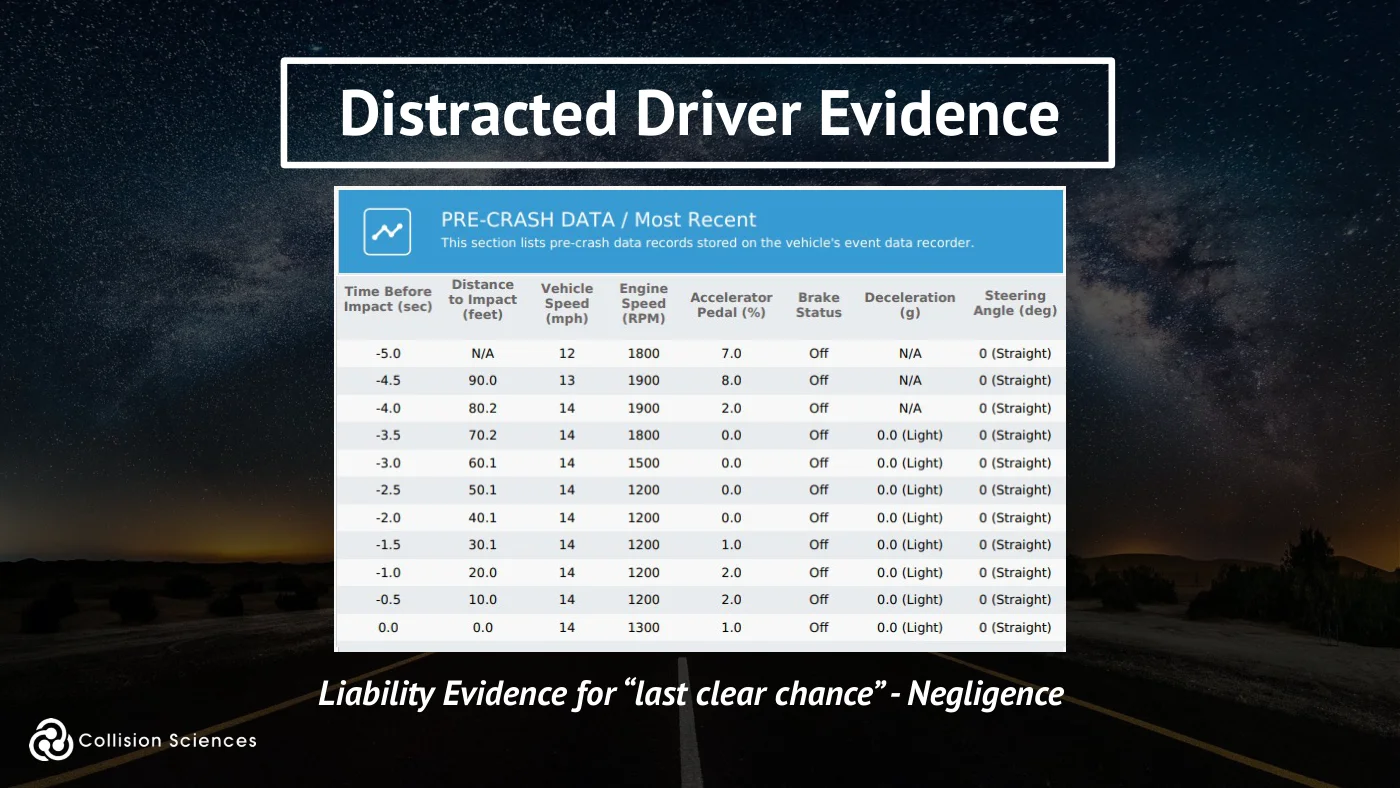
Distracted driver evidence
Liability Evidence for “last clear chance” - Negligence
Slide 107Enlarge slide ↗
Read slide 107 text
Accident database
The NHTSA (National Highway Transportation Safety Authority) has formed a large data set, the National Automotive Sampling System, used for crashworthiness safety engineering and injury risk studies.
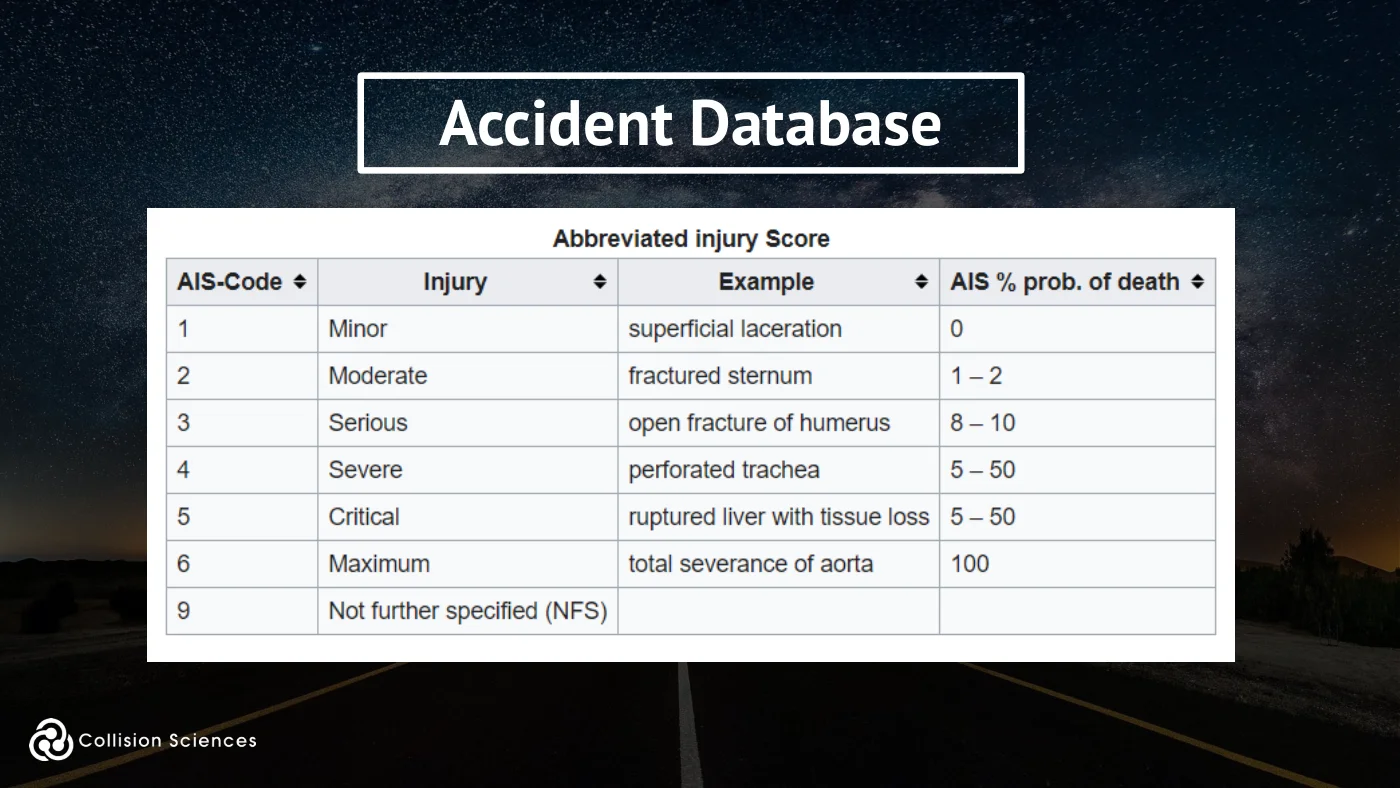
With over 50,000 collisions (with most having multiple vehicle and occupant records), data points include “field reconstructed delta-v” and EDR-based Delta-V, and documented injury level (from minor to fatal, including body region details). Scientific studies have been conducted to investigate injury mechanisms, and to identify potential improvements in vehicle design.
Slide 108Enlarge slide ↗
Read slide 108 text
Risk of serious injury?
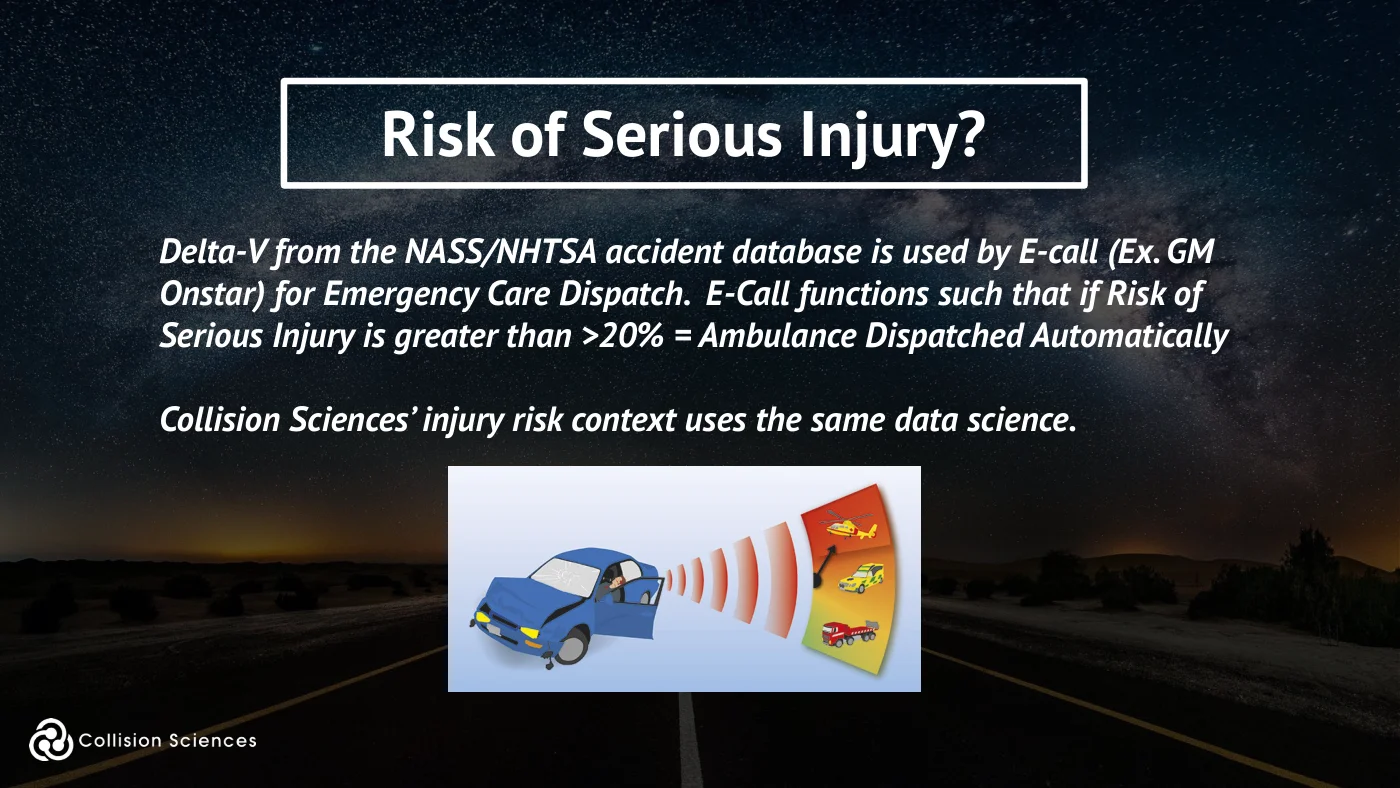
Delta-V from the NASS/NHTSA accident database is used by E-call (Ex. GM Onstar) for Emergency Care Dispatch. E-Call functions such that if Risk of Serious Injury is greater than >20% = Ambulance Dispatched Automatically
Collision Sciences’ injury risk context uses the same data science.
Slide 109Enlarge slide ↗
Read slide 109 text
Accident database
Slide 110Enlarge slide ↗
Read slide 110 text
EDR injury studies
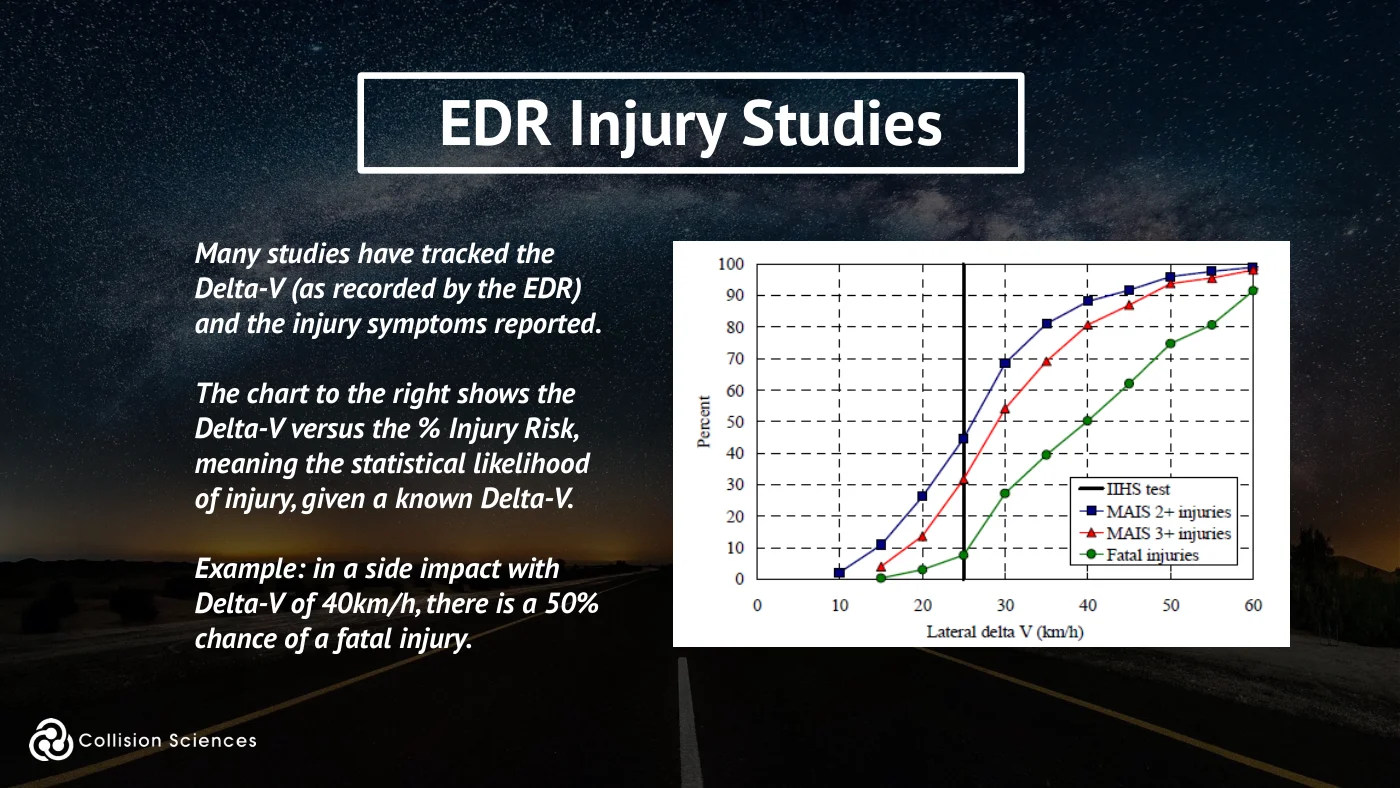
Many studies have tracked the Delta-V (as recorded by the EDR) and the injury symptoms reported.
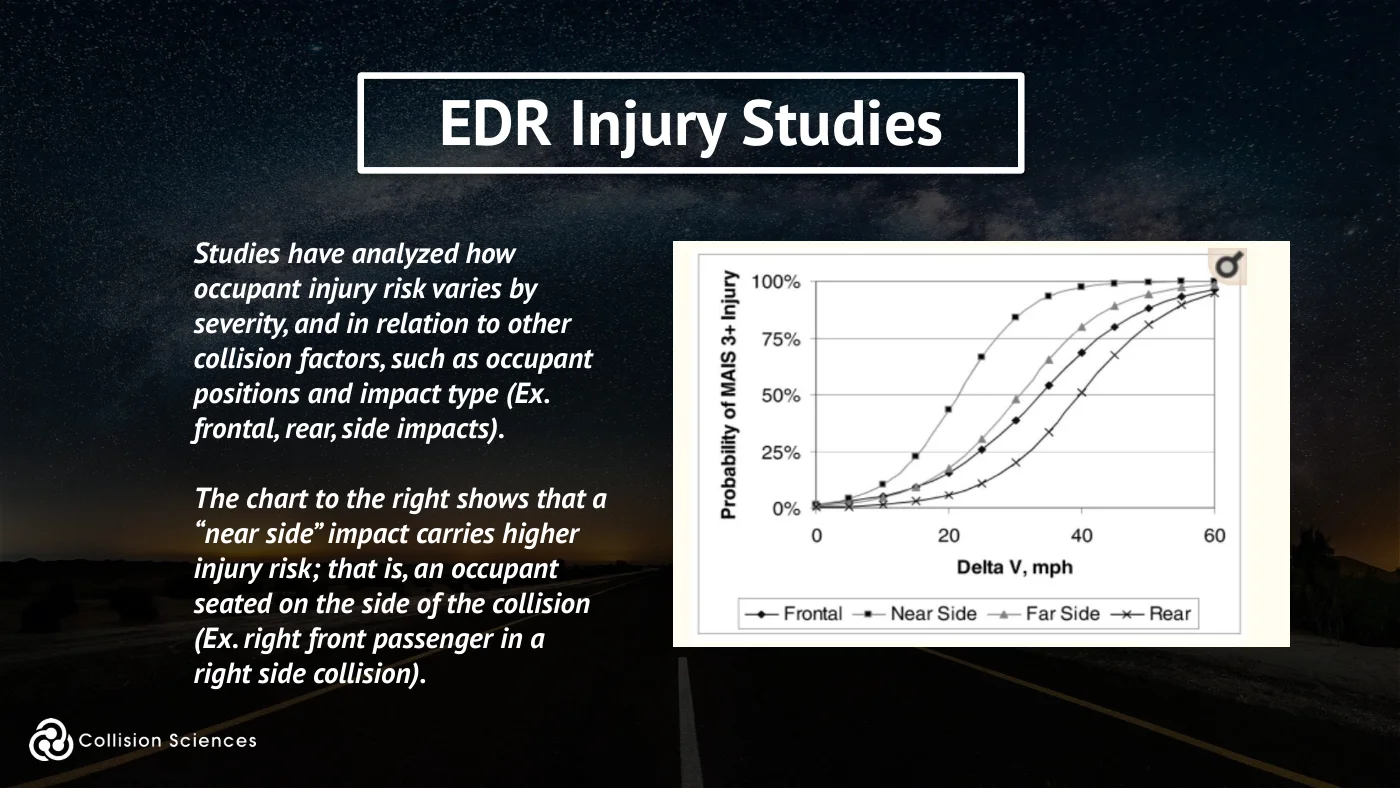
The chart to the right shows the Delta-V versus the % Injury Risk, meaning the statistical likelihood of injury, given a known Delta-V.
Example: in a side impact with Delta-V of 40km/h, there is a 50% chance of a fatal injury.
Slide 111Enlarge slide ↗
Read slide 111 text
EDR injury studies
Studies have analyzed how occupant injury risk varies by severity, and in relation to other collision factors, such as occupant positions and impact type (Ex. frontal, rear, side impacts).
The chart to the right shows that a “near side” impact carries higher injury risk; that is, an occupant seated on the side of the collision (Ex. right front passenger in a right side collision).
Slide 112Enlarge slide ↗
Read slide 112 text
Minor injury study
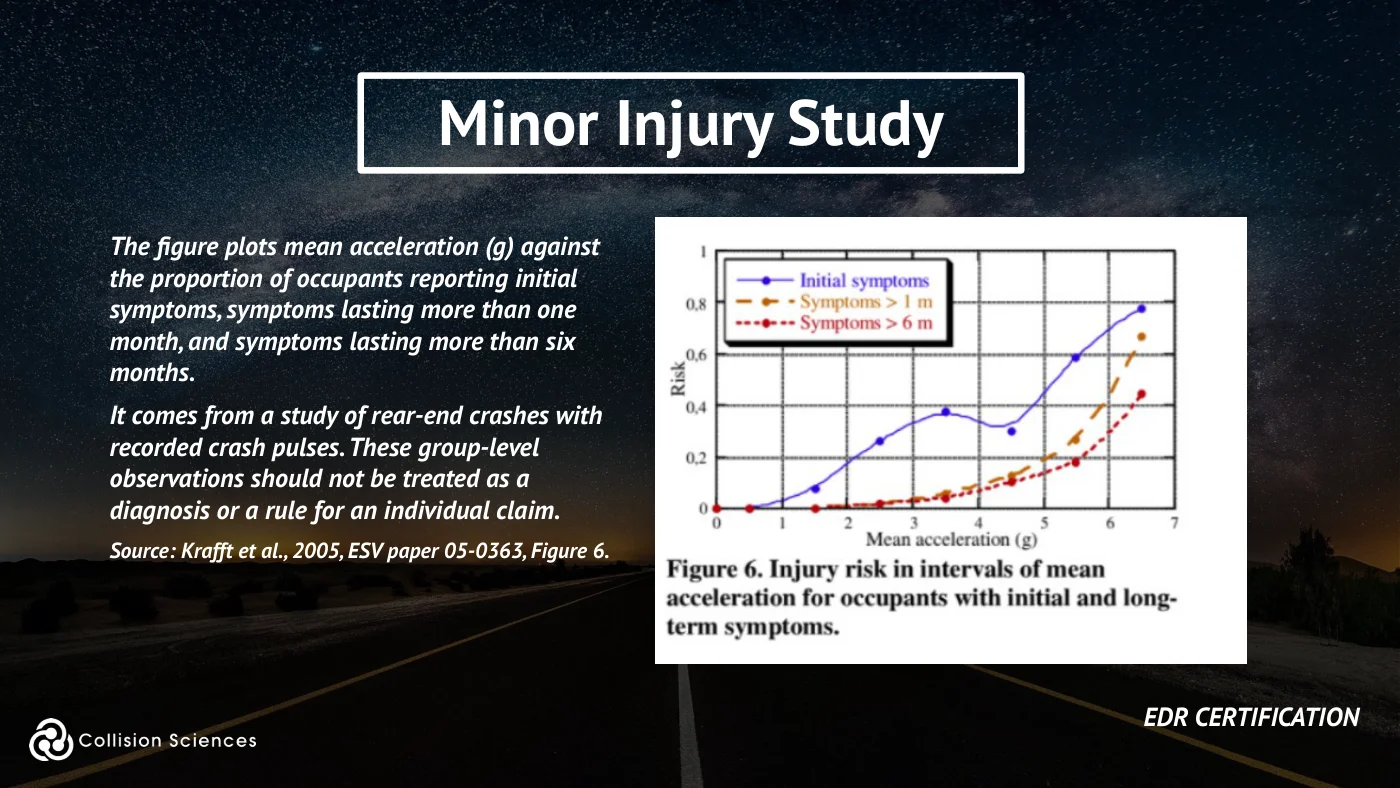
The figure plots mean acceleration (g) against the proportion of occupants reporting initial symptoms, symptoms lasting more than one month, and symptoms lasting more than six months.
It comes from a study of rear-end crashes with recorded crash pulses. These group-level observations should not be treated as a diagnosis or a rule for an individual claim.
Source: Krafft et al., 2005, ESV paper 05-0363, Figure 6.
EDR certification
Slide 113Enlarge slide ↗
Read slide 113 text
LVI injury studies
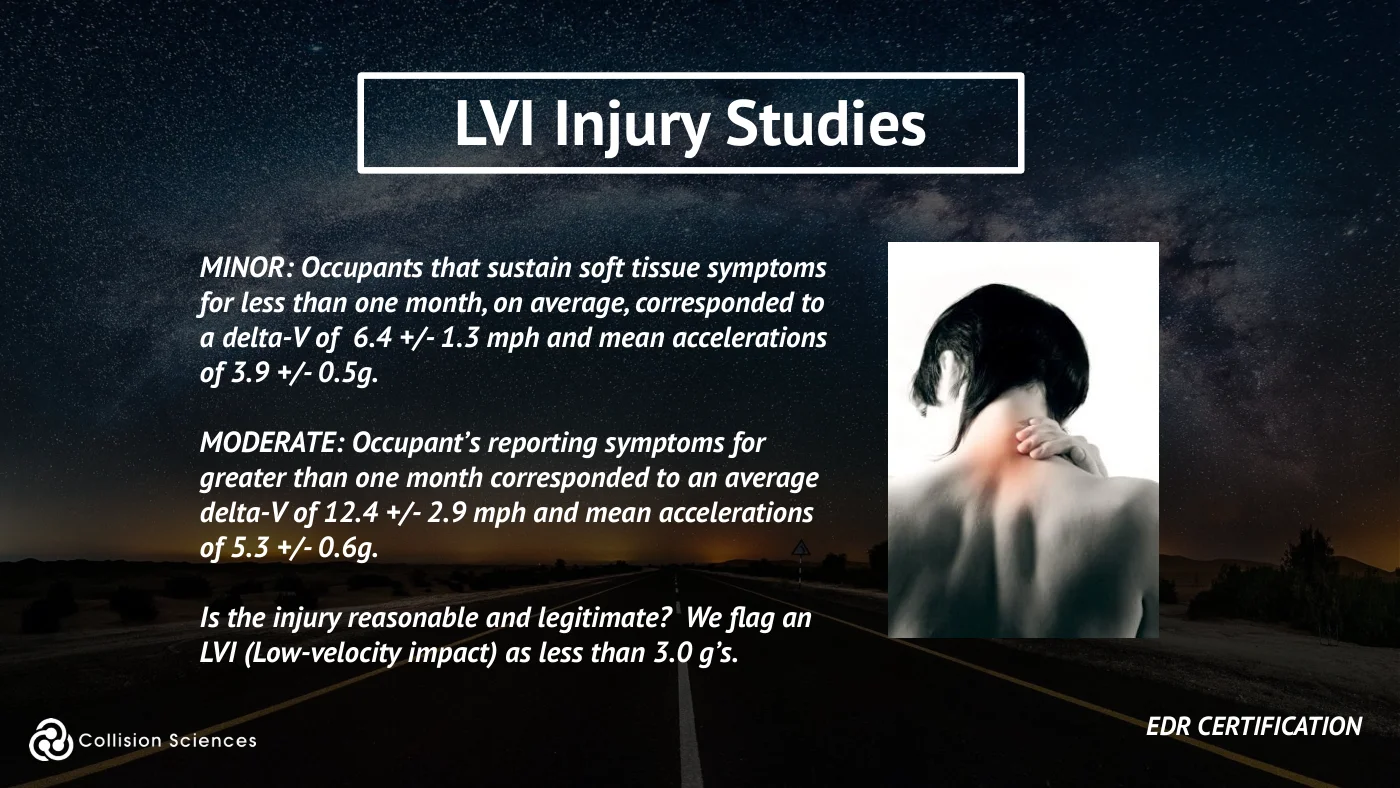
MINOR: Occupants that sustain soft tissue symptoms for less than one month, on average, corresponded to a delta-V of 6.4 +/- 1.3 mph and mean accelerations of 3.9 +/- 0.5g. MODERATE: Occupant’s reporting symptoms for greater than one month corresponded to an average delta-V of 12.4 +/- 2.9 mph and mean accelerations of 5.3 +/- 0.6g.
Is the injury reasonable and legitimate? We flag an LVI (Low-velocity impact) as less than 3.0 g’s.
EDR certification
Slide 114Enlarge slide ↗
Read slide 114 text
LVI injury science
What if no crash event was recorded?
A missing event record does not, on its own, establish an impact- severity threshold or determine whether an occupant was injured. Confirm vehicle-specific recording and retention limits and corroborate with independent evidence.
Slide 115Enlarge slide ↗
Read slide 115 text
LVI investigation
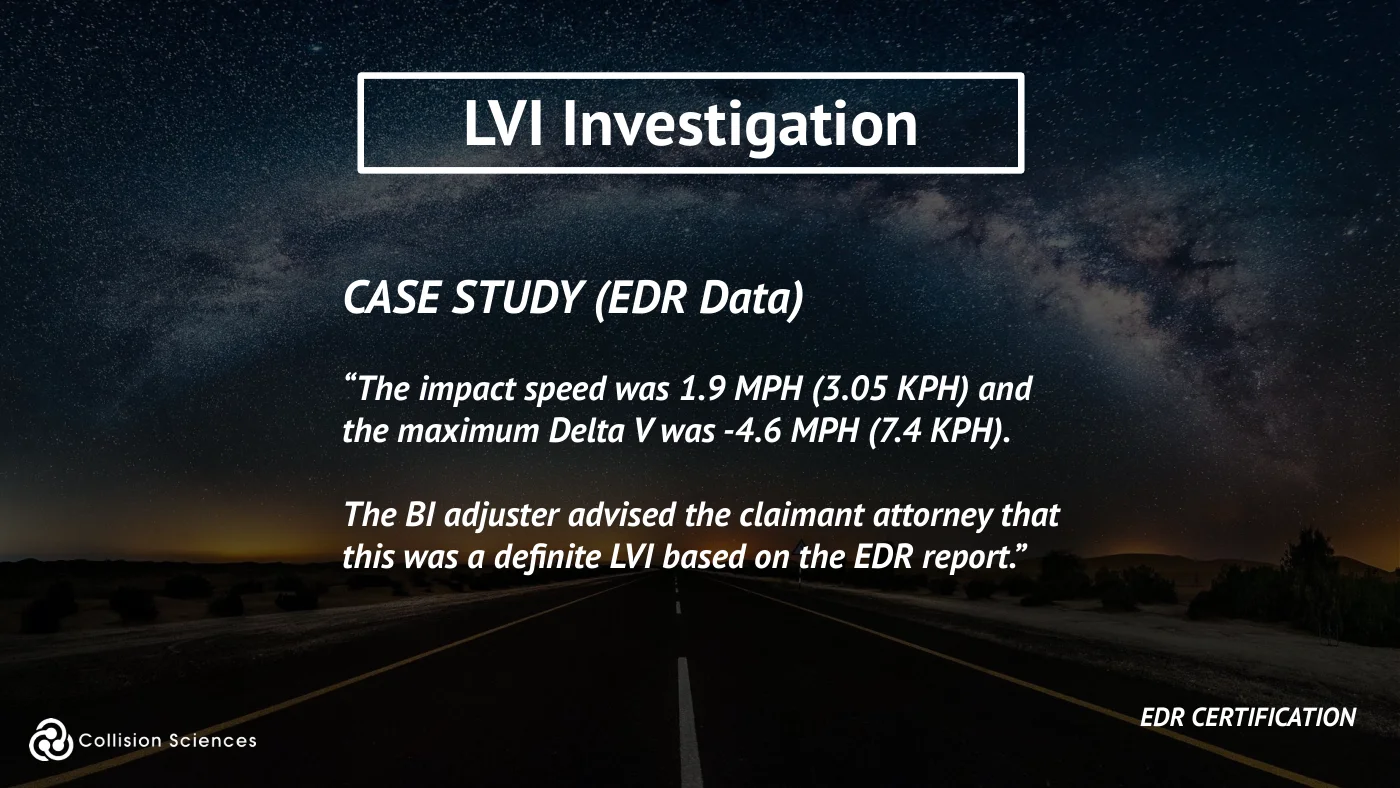
CASE STUDY (EDR Data) “The impact speed was 1.9 MPH (3.05 KPH) and the maximum Delta V was -4.6 MPH (7.4 KPH). The BI adjuster advised the claimant attorney that this was a definite LVI based on the EDR report.”
EDR certification
Slide 116Enlarge slide ↗
Read slide 116 text
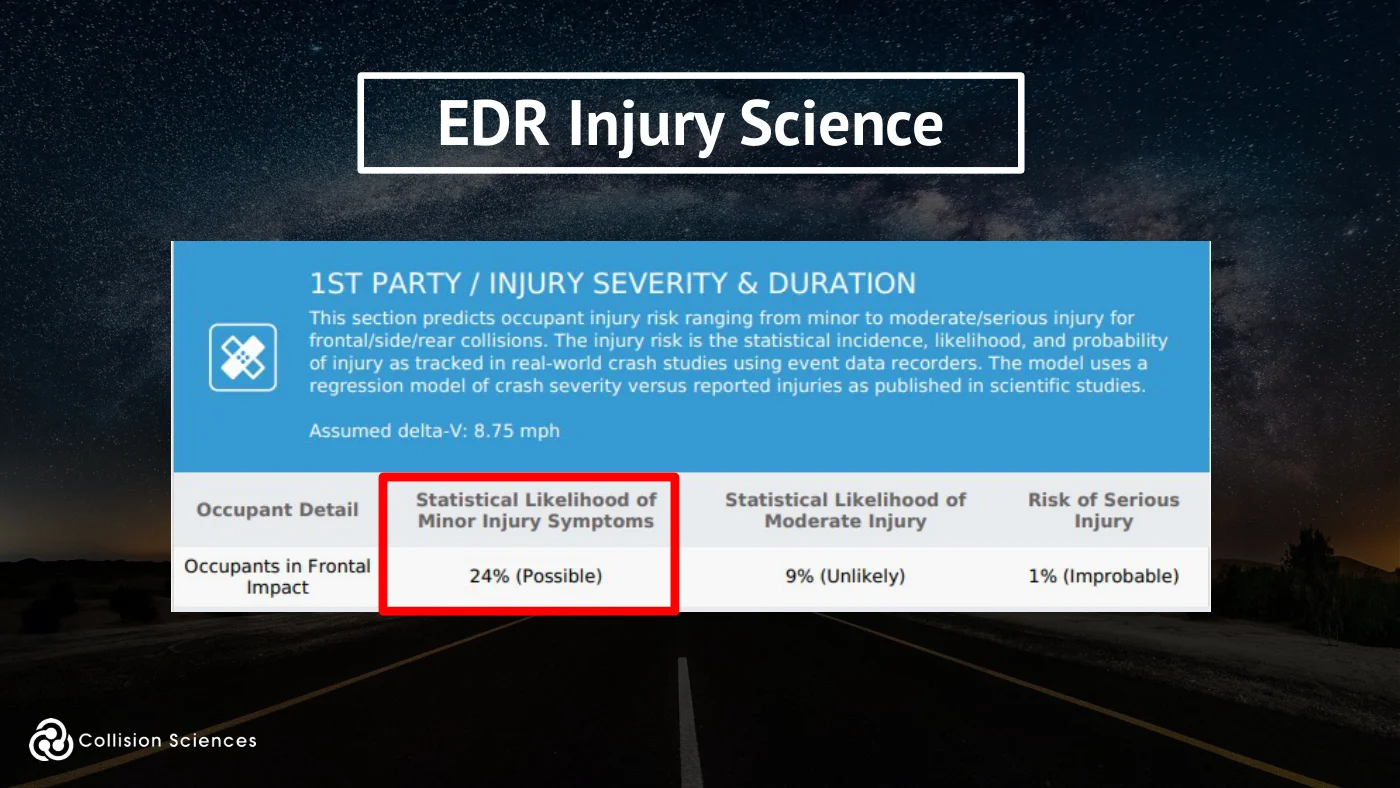
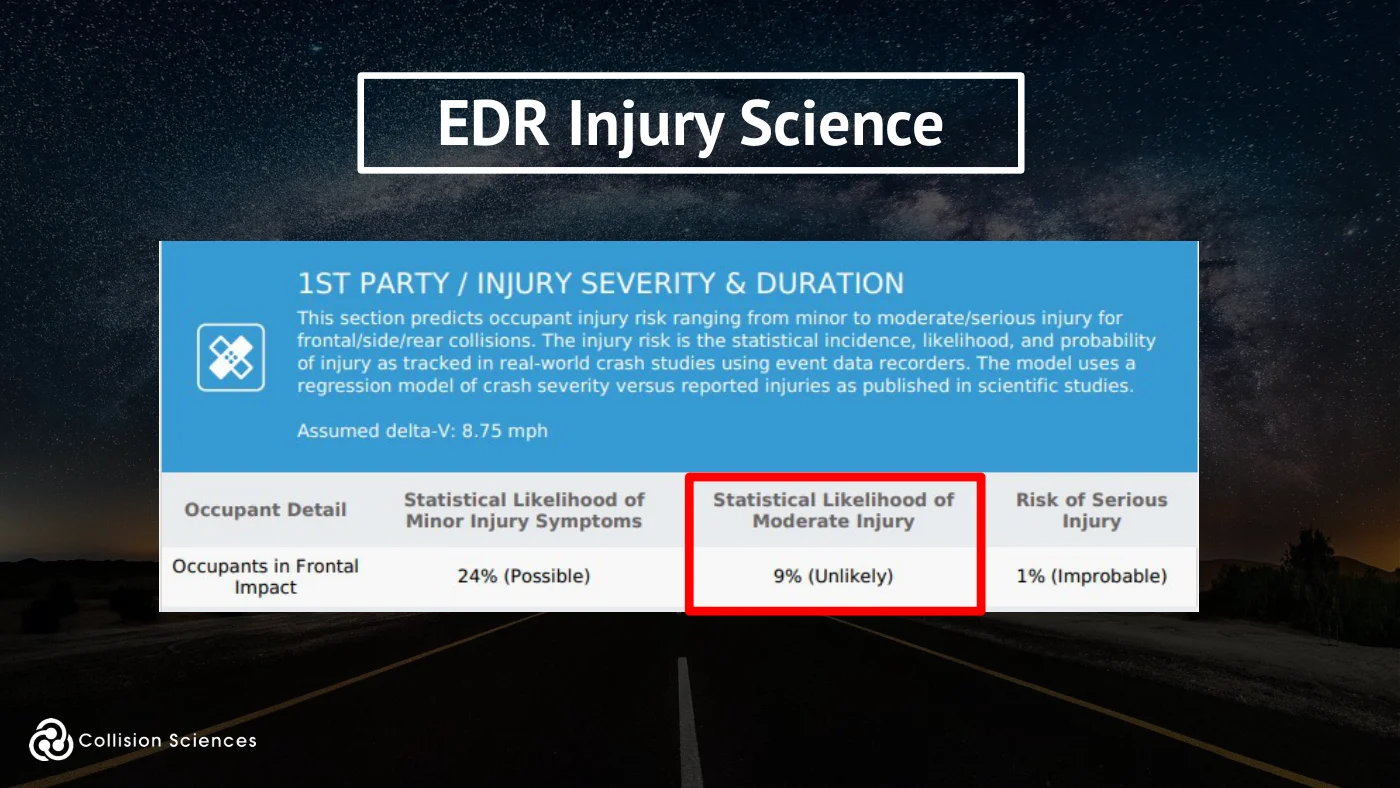
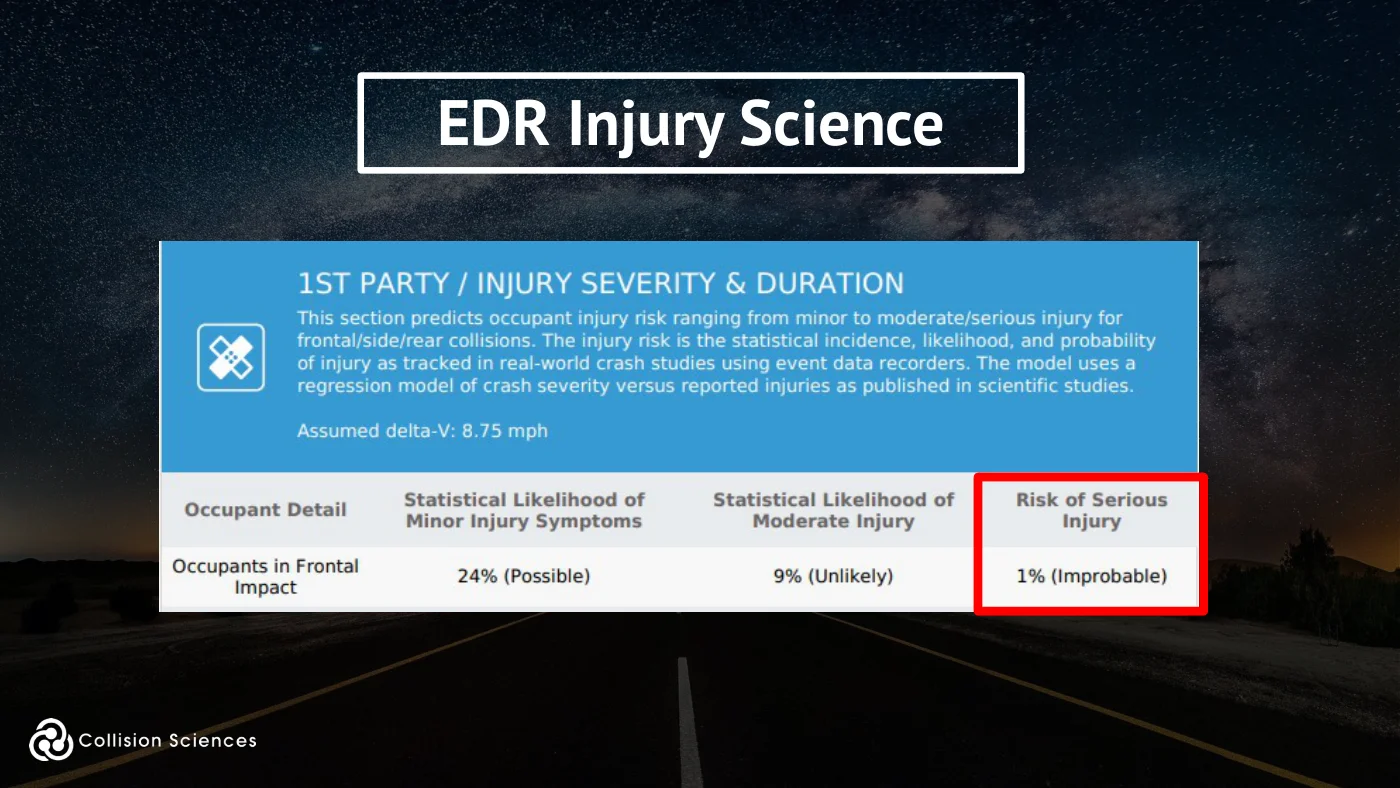
EDR injury science
Slide 117Enlarge slide ↗
Read slide 117 text
EDR injury science
Slide 118Enlarge slide ↗
Read slide 118 text
EDR injury science
Slide 119Enlarge slide ↗
Read slide 119 text
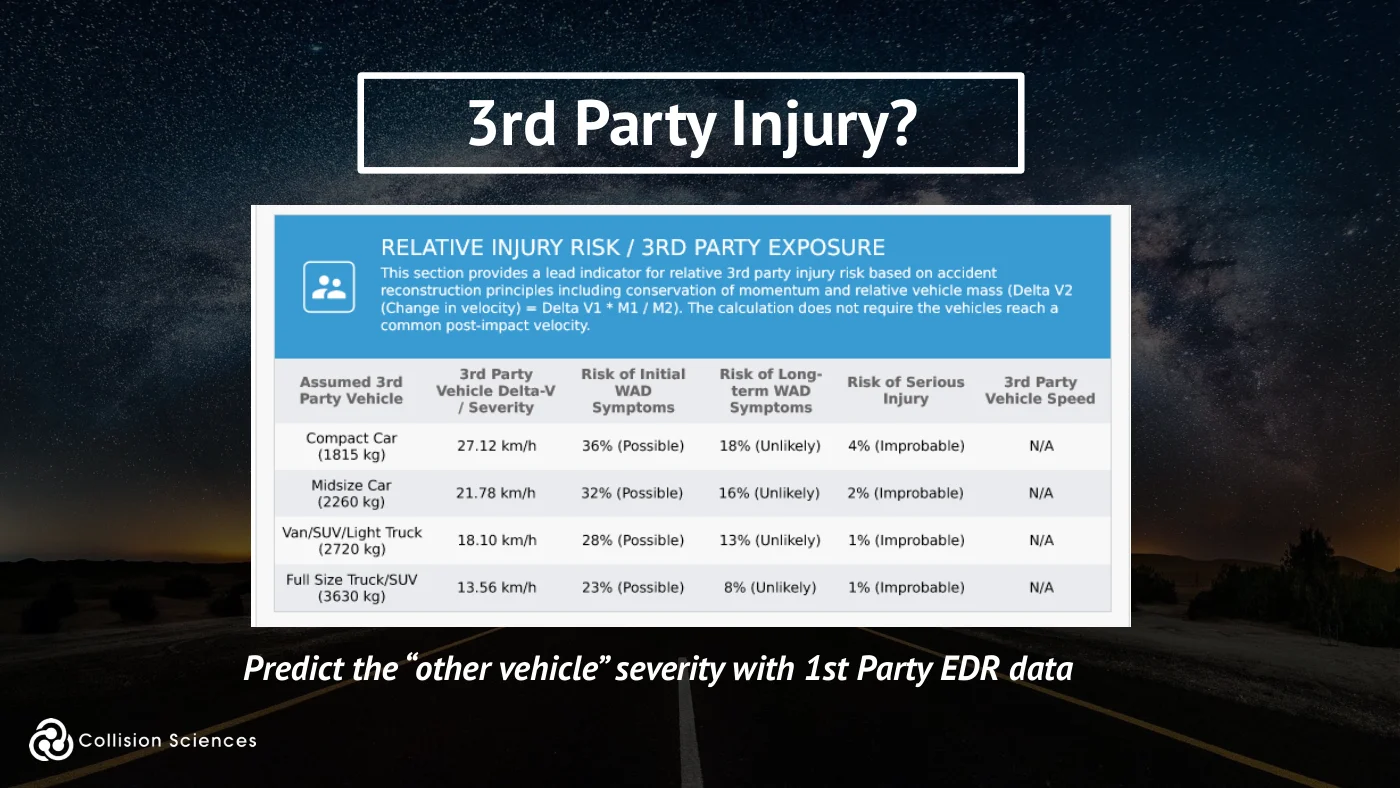
3rd party injury?
Predict the “other vehicle” severity with 1st Party EDR data
Slide 120Enlarge slide ↗
Read slide 120 text
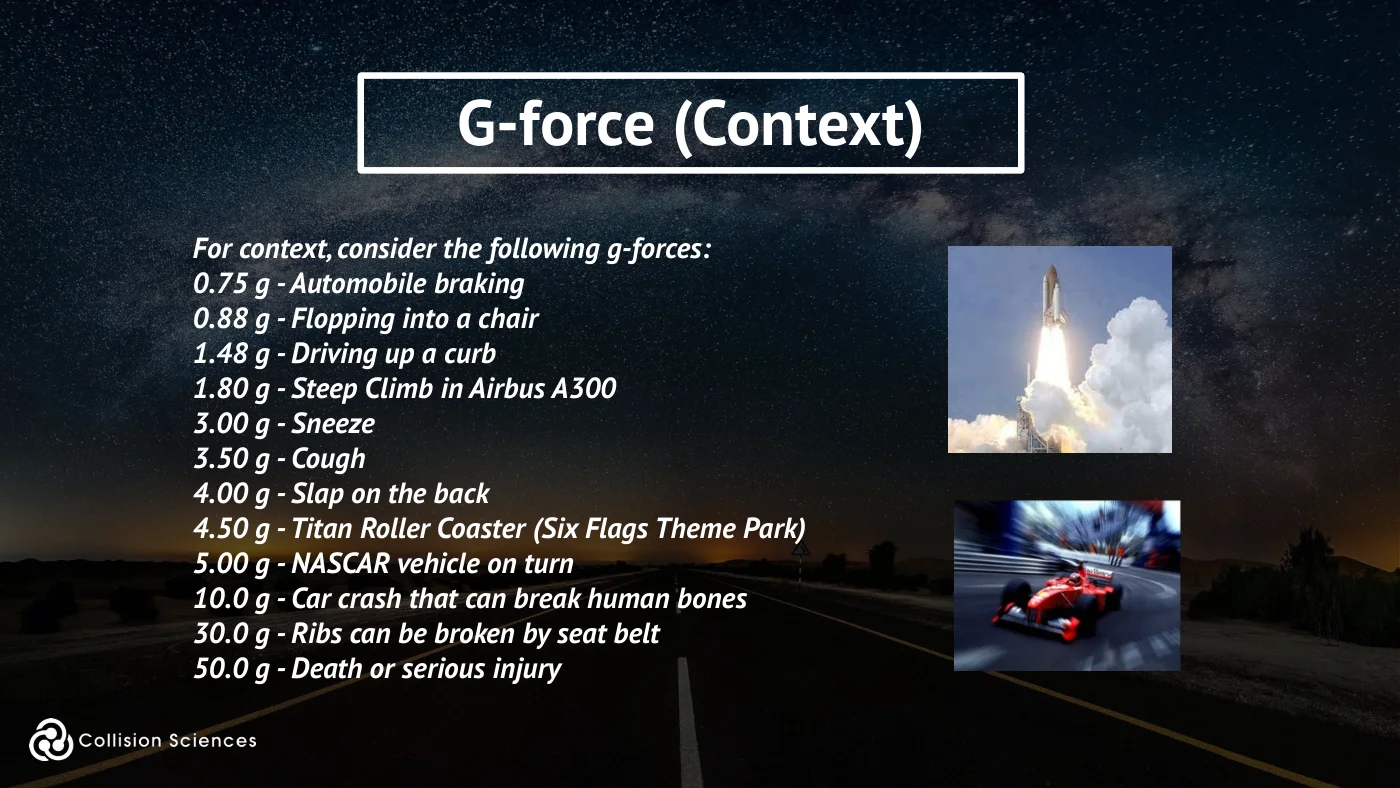
G-force (context)
For context, consider the following g-forces: 0.75 g - Automobile braking 0.88 g - Flopping into a chair 1.48 g - Driving up a curb 1.80 g - Steep Climb in Airbus A300 3.00 g - Sneeze 3.50 g - Cough 4.00 g - Slap on the back 4.50 g - Titan Roller Coaster (Six Flags Theme Park) 5.00 g - NASCAR vehicle on turn 10.0 g - Car crash that can break human bones 30.0 g - Ribs can be broken by seat belt 50.0 g - Death or serious injury
Slide 121Enlarge slide ↗

Read slide 121 text
Module 5
EDR Program - Data Ownership, Admissibility
EDR certification
Slide 122Enlarge slide ↗
Read slide 122 text
Use in courts
EDR data has been admissible in courts since 1996. Case samples can be provided upon request.
EDR data is admitted along with testimony to affirm its applicability.
EDR certification
Slide 123Enlarge slide ↗
Read slide 123 text
Who owns the data
In the USA, President Obama, on December 4, 2015, signed the Driver Privacy Act of 2015, which in short states that the data belongs to the vehicle’s owner or lessee, and owner consent must be acquired to access the data.
Event Data Recorder records no private or personal information like the name, age, gender, or address of the driver.
EDR certification
Slide 124Enlarge slide ↗

Read slide 124 text
Innovative technology & information intelligence
Questions on a Claim?
For any questions relating to a report or claim, use:
support@collisionsciences.ca
1.877.363.1996
Slide 125Enlarge slide ↗

Read slide 125 text
Innovative technology & information intelligence
Online Exam (25 questions)
Certificate emailed.
Type or paste into browser address bar: https://secure.collisionsciences.ca/info/online_exam
Slide 126Enlarge slide ↗
Read slide 126 text
EDR certification